
Dytole DY108
Uživatelská příručka k bezdrátové náhlavní soupravě Dytole DY108
Model: DY108
Zavedení
This manual provides detailed instructions for the proper use, setup, and maintenance of your Dytole DY108 Wireless Headset. Please read this manual thoroughly before using the product to ensure optimal performance and longevity. The Dytole DY108 is designed for professional use, offering advanced features such as AI Noise Cancelling, Bluetooth 5.3 connectivity, and extended battery life for clear communication in various work environments.
Obsah balení
Upon unboxing your Dytole DY108 Wireless Headset, please verify that all components listed below are present:
- Wireless Headset with Mic x 1
- USB dongle x 1
- Nabíjecí kabel USB-C x 1
- Návod k použití x 1

Image: Contents of the Dytole DY108 Wireless Headset package, including the headset, USB dongle, USB-C charging cable, and user manual.
Konec produktuview
Familiarize yourself with the various components and controls of your Dytole DY108 Wireless Headset.
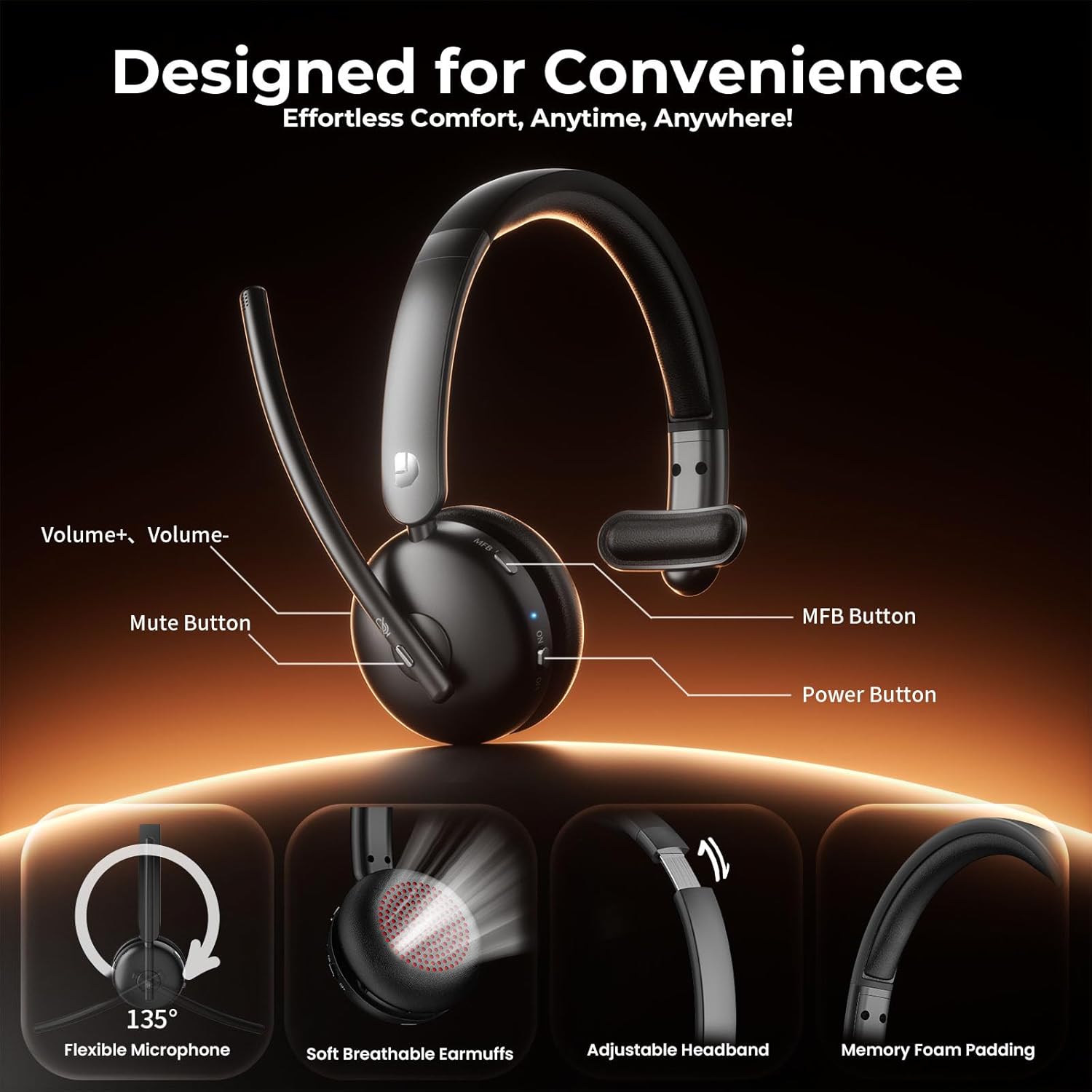
Image: Diagram illustrating the controls of the Dytole DY108 headset, including Volume+ / Volume-, Mute Button, MFB Button, Power Button, Flexible Microphone (135° adjustable), Soft Breathable Earmuffs, Adjustable Headband, and Memory Foam Padding.
- Rameno mikrofonu: 135° adjustable for optimal voice pickup.
- Tlačítko ztlumení: Stisknutím ztlumíte/zapnete mikrofon.
- Tlačítka hlasitosti: Upravte úroveň zvukového výstupu.
- Multifunkční tlačítko (MFB): Controls power, pairing, call management, and music playback.
- Vypínač: Zapne nebo vypne náhlavní soupravu.
- Nabíjecí port USB-C: Pro nabíjení baterie sluchátek s mikrofonem.
- LED indikátor: Zobrazuje stav (napájení, párování, nabíjení).
- Nastavitelná čelenka: Pro pohodlné a bezpečné nošení.
- Soft Earcup: Navrženo pro delší pohodlí při nošení.
Nastavení
Nabíjení náhlavní soupravy
Before initial use, fully charge your headset. A full charge takes approximately 2 hours and provides up to 65 hours of talk time.
- Připojte dodaný nabíjecí kabel USB-C k nabíjecímu portu na sluchátkách.
- Druhý konec kabelu připojte k USB zdroji napájení (např. k USB portu počítače, síťovému adaptéru).
- The LED indicator will show charging status (e.g., solid red while charging, turns off or blue when fully charged).
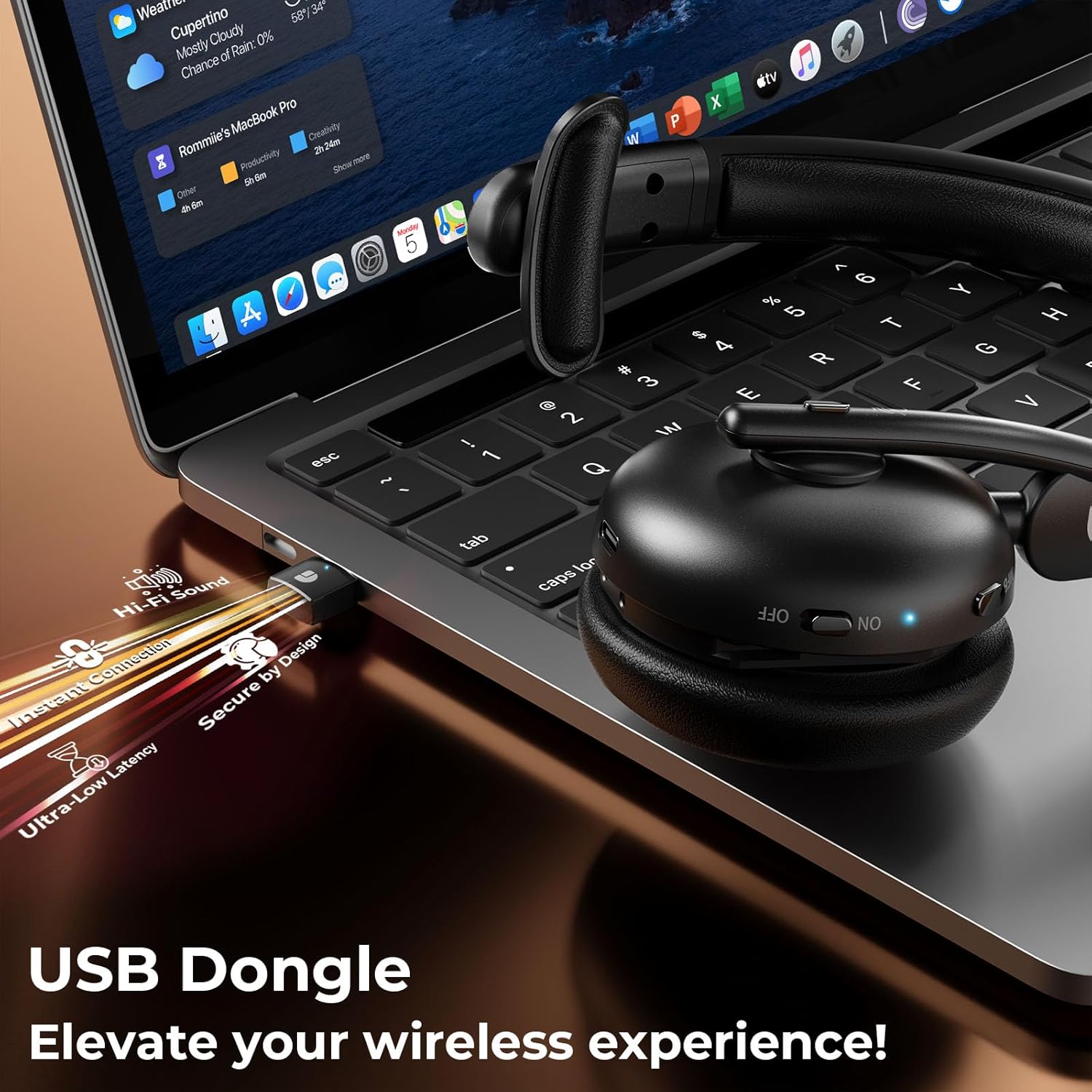
Image: The Dytole DY108 headset connected to a laptop via its USB-C charging cable, illustrating the charging process.

Obrázek: Interní view of the Dytole DY108 headset highlighting its long-lasting battery, indicating up to 65 hours of use on a single charge.
Připojování k zařízením
The Dytole DY108 headset offers two primary connection methods: via Bluetooth 5.3 or the included USB Dongle.
Bluetooth Pairing (for Smartphones, Tablets, Laptops with Bluetooth)
- Ujistěte se, že jsou sluchátka nabitá a vypnutá.
- Press and hold the MFB button for approximately 5-7 seconds until the LED indicator flashes blue and red alternately, indicating pairing mode.
- Na svém zařízení povolte Bluetooth a vyhledejte nová zařízení.
- Select "DY108" from the list of available devices.
- Po připojení bude LED indikátor na headsetu pomalu modře blikat.
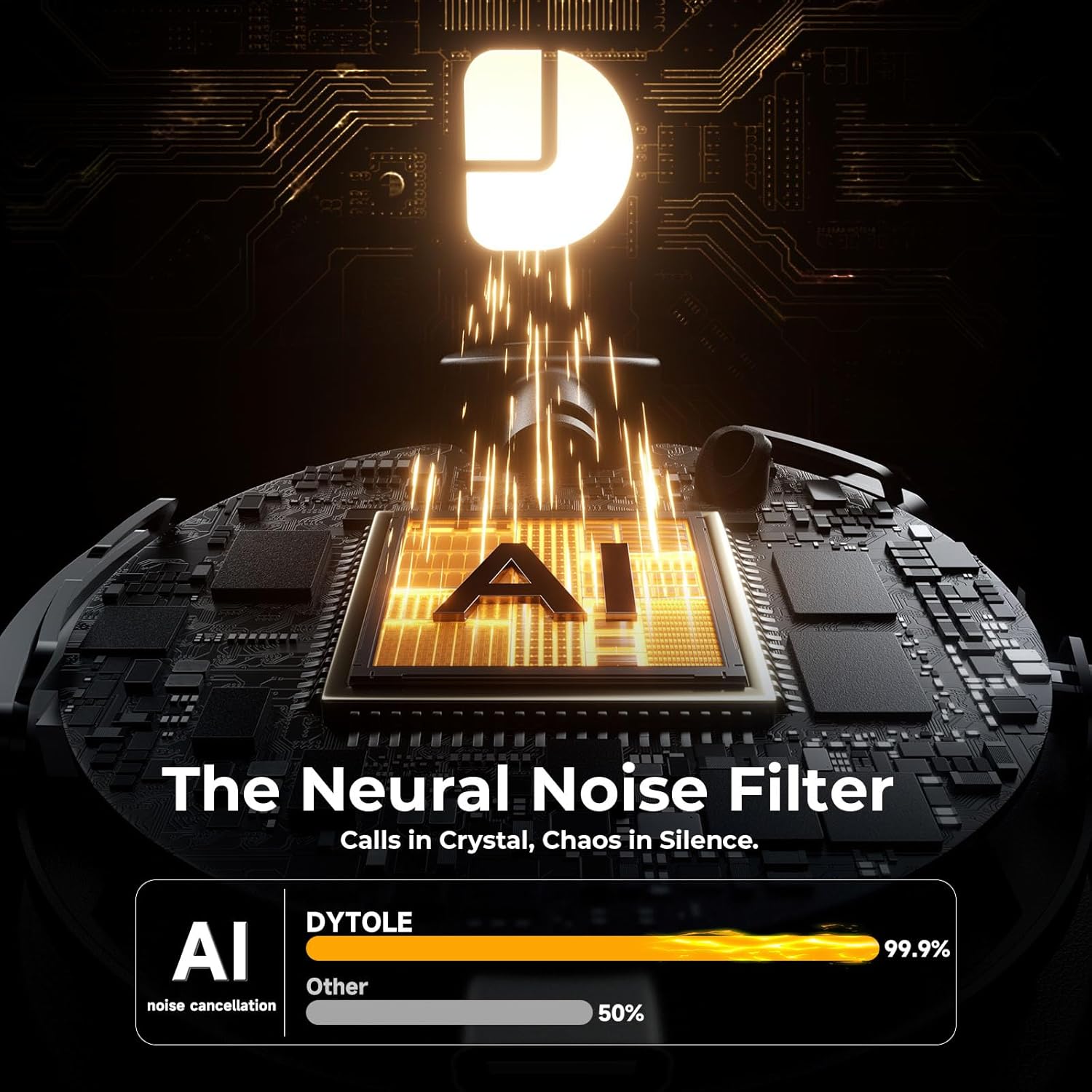
Image: The Dytole DY108 headset surrounded by various devices (smartphone, laptop, tablet), illustrating its universal compatibility and effortless Bluetooth 5.3 pairing.
USB Dongle Connection (for PC/Laptop)
The USB dongle provides a stable and low-latency connection, ideal for PC and laptop use, especially for applications like Teams, Skype, and call centers.
- Vložte USB dongle do volného USB portu v počítači.
- Power on the Dytole DY108 headset. It will automatically attempt to connect to the dongle.
- The LED indicator on both the headset and the dongle will turn solid blue once connected.
- On your computer, ensure the Dytole DY108 is selected as the default audio input and output device in your sound settings.
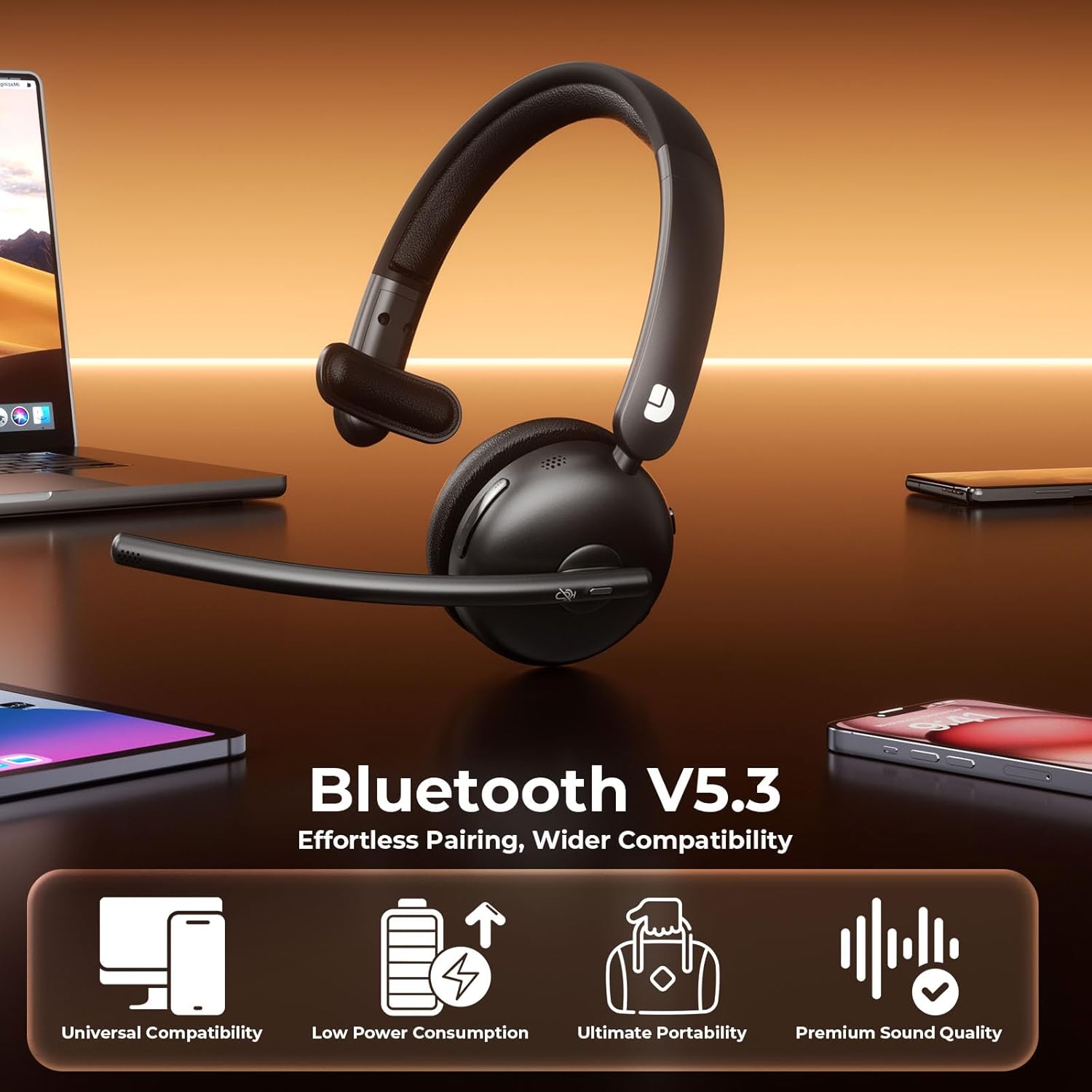
Image: The Dytole DY108 headset with its USB dongle inserted into a laptop, demonstrating the instant and secure connection for an enhanced wireless experience.
Návod k obsluze
Základní funkce
| Funkce | Akce | Indicator/Result |
|---|---|---|
| Zapnout | Posuňte vypínač napájení do polohy ON. | LED bliká modře. |
| Vypnout | Posuňte vypínač napájení do polohy OFF. | LED zhasne. |
| Přijmout/ukončit hovor | Stiskněte jednou tlačítko MFB. | Call connected/disconnected. |
| Odmítnout hovor | Stiskněte a podržte tlačítko MFB po dobu 2 sekund. | Call rejected. |
| Ztlumit/zapnout mikrofon | Press the Mute button once. | Microphone muted/unmuted. |
| Zvýšení hlasitosti | Stiskněte tlačítko Hlasitost+. | Volume increases. |
| Snížit hlasitost | Stiskněte tlačítko pro zvýšení hlasitosti. | Volume decreases. |
| Přehrát/Pozastavit hudbu | Stiskněte jednou tlačítko MFB. | Music playback toggled. |
| Další stopa | Press and hold Volume+ button for 2 seconds. | Skips to next song. |
| Předchozí stopa | Press and hold Volume- button for 2 seconds. | Skips to previous song. |
| Aktivujte hlasového asistenta | Dvakrát stiskněte tlačítko MFB. | Voice assistant activated. |
AI Noise Cancelling Feature
The Dytole DY108 headset incorporates advanced AI Noise Cancelling technology to reduce up to 99% of background noise, ensuring crystal-clear voice transmission during calls.
- This feature is automatically active when the microphone is in use.
- Ensure the microphone boom is positioned correctly, approximately 1-2 inches from your mouth, for optimal noise cancellation performance.

Image: The Dytole DY108 headset, showcasing its sleek design and the integrated USB dongle, emphasizing its AI noise-cancelling capabilities for clear communication.
Image: A conceptual diagram illustrating the "Neural Noise Filter" technology of the Dytole DY108 headset, demonstrating its ability to filter out 99.9% of background noise for crystal-clear calls.
Údržba a péče
Proper maintenance ensures the longevity and optimal performance of your Dytole DY108 Wireless Headset.
- Čištění: Use a soft, dry cloth to wipe the headset. For stubborn dirt, a slightly damp cloth can be used, but ensure no moisture enters the ports or speaker grilles. Do not use harsh chemicals or abrasive cleaners.
- Skladování: Pokud sluchátka nepoužíváte, skladujte je na chladném a suchém místě, mimo dosah přímého slunečního záření a extrémních teplot.
- Péče o baterie: To preserve battery life, avoid fully discharging the headset frequently. Charge it regularly, even if not in constant use.
- Zacházení: Avoid dropping the headset or subjecting it to strong impacts. Do not twist or bend the microphone boom excessively beyond its intended 135° adjustment range.
Odstraňování problémů
If you encounter issues with your Dytole DY108 Wireless Headset, refer to the following common problems and solutions:
| Problém | Možná příčina | Řešení |
|---|---|---|
| Sluchátka se nezapnou. | Slabá baterie. | Plně nabijte sluchátka. |
| Nelze spárovat přes Bluetooth. | Sluchátka nejsou v režimu párování; Bluetooth zařízení je vypnuté; zařízení je příliš daleko. | Ensure headset is in pairing mode (flashing blue/red). Turn on device Bluetooth. Move headset closer to device (within 15 meters). |
| Žádný zvuk nebo špatná kvalita zvuku. | Volume too low; incorrect audio output selected; headset not connected. | Increase headset and device volume. Select "DY108" as default audio device. Reconnect headset. |
| Mikrofon nefunguje. | Microphone muted; incorrect audio input selected; microphone boom not positioned correctly. | Unmute microphone. Select "DY108" as default microphone device. Adjust microphone boom closer to mouth. |
| USB Dongle not connecting. | Dongle not fully inserted; driver issue; headset not powered on. | Ensure dongle is fully inserted. Try a different USB port. Restart computer. Power on headset. |
| AI Noise Cancelling not effective. | Microphone position; extremely loud environment. | Adjust microphone closer to your mouth. While the AI NC is highly effective, extreme noise levels may still be audible. |
If the problem persists after trying these solutions, please contact Dytole customer support for further assistance.
Specifikace
| Funkce | Detail |
|---|---|
| Název modelu | DY108 |
| Technologie připojení | Bluetooth 5.3, 2.4GHz USB Dongle |
| Bezdrátové Dosah | Až 15 metrů (49 stop) |
| Kontrola hluku | AI Environmental Noise Cancellation (ENC) |
| Životnost baterie | Až 65 hodin (doba hovoru) |
| Doba nabíjení | Přibližně 2 hodiny (USB-C) |
| Mikrofon | 135° Adjustable Boom Mic |
| Umístění uší | On Ear (Single-Ear) |
| Materiál | Faux Leather, Stainless Steel |
| Hmotnost | 10.2 uncí (0.29 kg) |
| Kompatibilní zařízení | PC, Laptops, Macbooks, Cellphones |
| Doporučené použití | Business, Customer Service, Remote Work, Call Center, Online Meetings |
Záruka a podpora
Dytole products are designed for reliability and performance. This product comes with a standard manufacturer's warranty. Please refer to the warranty card included in your package for specific terms and conditions.
For technical support, warranty claims, or any inquiries regarding your Dytole DY108 Wireless Headset, please contact Dytole customer service through the contact information provided on the official Dytole webweb nebo vaše nákupní platforma.
Online zdroje: For additional support, FAQs, and product updates, visit the official Dytole store or support page: Dytole Official Store
Ask a question about this manual
Ask about setup, troubleshooting, compatibility, parts, safety, or missing instructions. Manuals+ will review the question and use this page’s manual context to help answer it.