
Zavedení
This instruction manual provides detailed guidance for the safe and efficient use of your EYESUN 76L Automatic Self-Cleaning Cat Litter Box, Model NEO-maxE. Please read this manual thoroughly before initial use to ensure proper setup, operation, and maintenance. This device is designed to simplify cat care by automating the litter cleaning process, offering convenience and a cleaner environment for both you and your feline companions.
Konec produktuview a funkce
The EYESUN Automatic Self-Cleaning Cat Litter Box is equipped with several features to enhance your cat care routine:
- Extra velká kapacita: Features a 76L drum and a 13L waste bin, suitable for cats weighing between 3.3 and 27.5 pounds. It can operate for up to 15 days without needing to empty the waste bin, ideal for multi-cat households or busy schedules.
- Pokročilá bezpečnostní ochrana: Incorporates 4 pairs of infrared sensors and 4 weight sensors to detect your cat's presence. The unit automatically pauses operation if a cat interacts with it during a cleaning cycle, ensuring their safety. A dedicated Kitten Mode is also available for smaller cats.
- Chytré ovládání aplikací: Manage the litter box remotely via a companion app. Monitor cat usage, receive real-time notifications, and control cleaning cycles from your smartphone. Compatible with 2.4GHz Wi-Fi networks only.
- Tichý provoz: Operates at a low noise level of approximately 35 dB, ensuring a peaceful environment for both pets and owners, even during nighttime cleaning cycles.
- Účinná kontrola zápachu: An advanced odor control system, including a deodorizer, helps maintain a fresh and pleasant home environment. The design also minimizes litter tracking.
- Snadno se čistí a udržuje: Designed with removable components for convenient and hygienic cleaning.
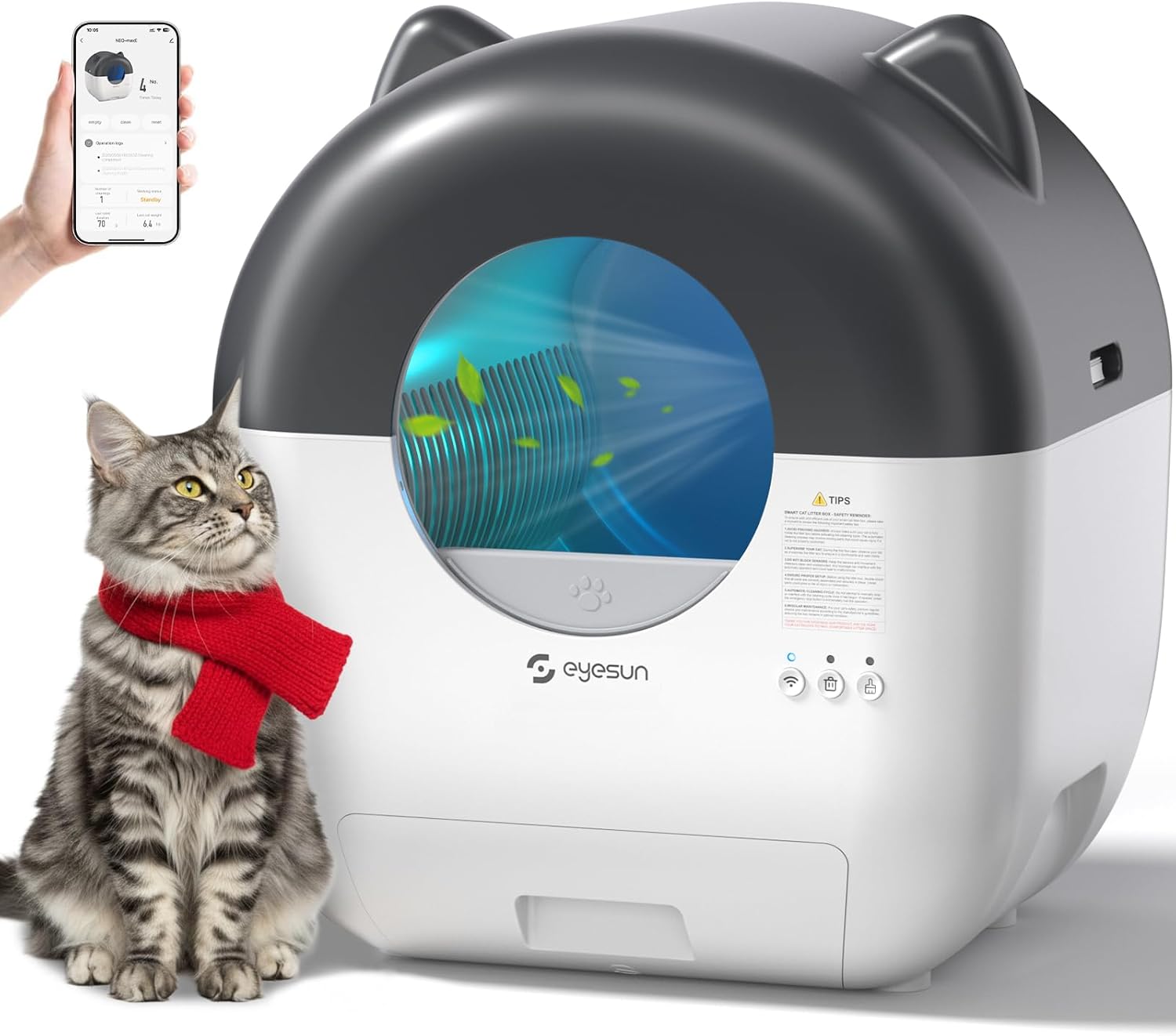
Figure 1: EYESUN Automatic Self-Cleaning Cat Litter Box with app interface.

Obrázek 2: Přesview of the EYESUN Automatic Self-Cleaning Cat Litter Box features.
Nastavení
- Rozbalení: Carefully remove all components from the packaging. Ensure all parts listed in the "Package Includes" section are present.
- Umístění: Position the litter box on a flat, stable surface in a suitable location, away from direct sunlight or heat sources.
- Instalace odpadkového pytle: Open the waste bin drawer located at the bottom front of the unit. Line the 13L waste bin with one of the provided garbage bags. Ensure the bag is securely fitted. Close the drawer.
- Přidat odpadky: Open the top cover of the litter box. Pour clumping cat litter into the drum. The litter level should be between the minimum and maximum fill lines indicated inside the drum. Close the top cover securely.
- Připojení napájení: Connect the power adapter to the litter box and plug it into a power outlet. The unit will power on.
- Wi-Fi Connection (App Control):
- Download the companion app (refer to the Quick Start Guide for app name and download instructions).
- Long press the Wi-Fi button on the unit for 3 seconds to enter Wi-Fi discovery mode. The Wi-Fi light will blink.
- Open the app and follow the on-screen instructions to discover and connect the device. Ensure your app's location and Bluetooth permissions are enabled.
- Enter your 2.4GHz Wi-Fi network name and password. Note: The device only supports 2.4GHz Wi-Fi.
- Upon successful connection, the Wi-Fi button light will turn solid white.

Figure 3: Wi-Fi connection steps for app control.

Obrázek 4: Obsah balení.
Návod k obsluze
Automatický čisticí cyklus
The litter box is designed to automatically detect when your cat uses it and initiate a cleaning cycle after a set delay. This ensures a fresh bed of litter for each use.
- Detekce senzoru: The integrated infrared and weight sensors detect your cat's presence. Once your cat exits the unit, a timer begins.
- Cleaning Initiation: After the preset delay (customizable via the app), the drum will rotate, sifting clean litter and depositing waste into the sealed waste bin.
- Bezpečnostní pauza: If a cat re-enters or approaches the unit during a cleaning cycle, the sensors will detect their presence, and the operation will immediately pause to prevent injury. It will resume once the cat is clear.
Ovládání aplikací
The companion app provides comprehensive control and monitoring capabilities:
- Dálkové čištění: Initiate a cleaning cycle manually from anywhere.
- Monitorování používání: Track your cat's litter box usage frequency and duration.
- Oznámení: Dostávejte upozornění na plnou odpadkovou nádobu, dokončení čisticího cyklu nebo jakékoli zjištěné problémy.
- Přizpůsobení nastavení: Adjust cleaning delay times, activate Kitten Mode (which may modify sensor sensitivity or cleaning cycles for smaller cats), and manage other operational parameters.
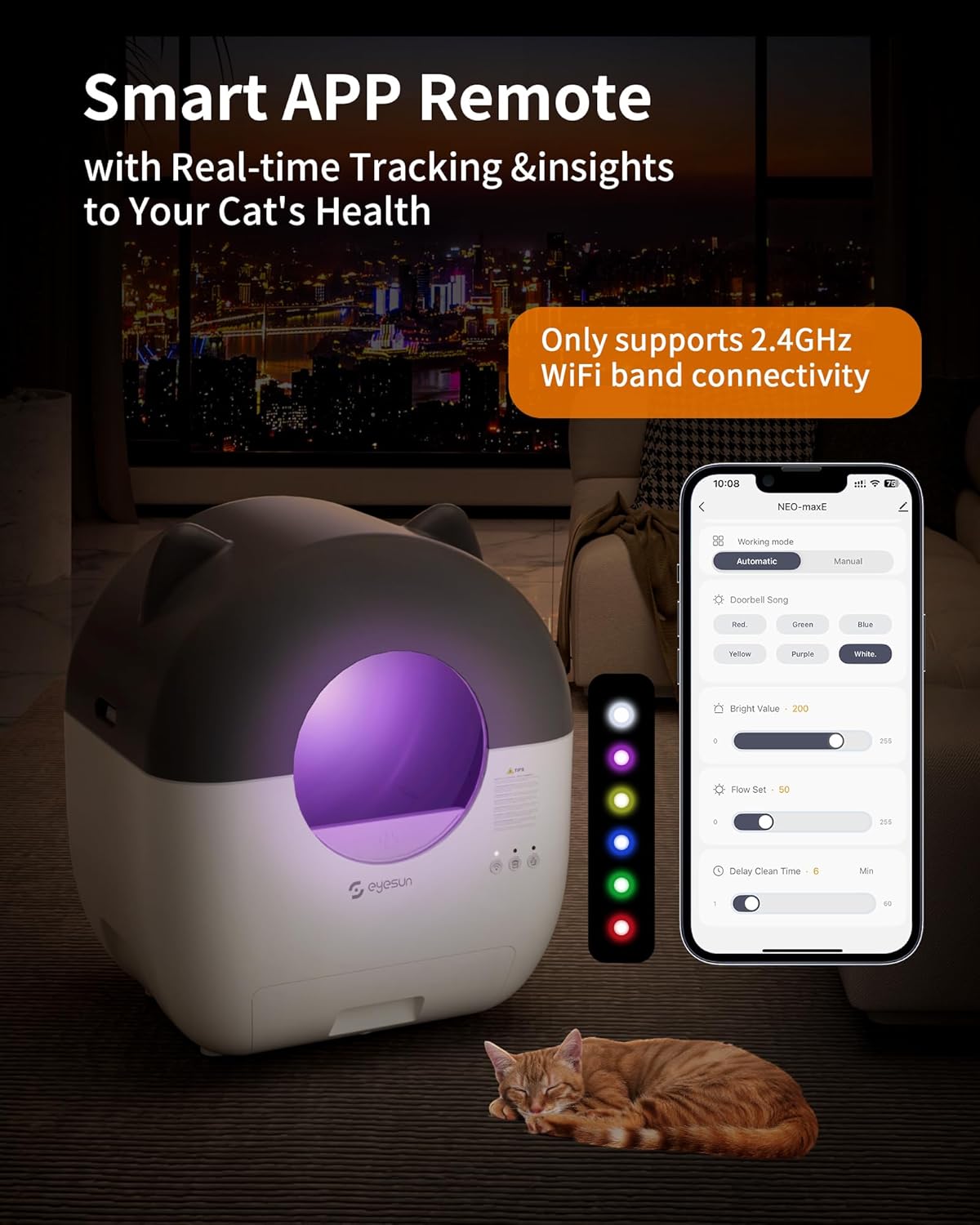
Figure 5: Smart app remote control interface.
Ruční čištění
To initiate a manual cleaning cycle, press the "Clean" button on the unit's control panel.
Údržba
Regular maintenance ensures optimal performance and hygiene of your EYESUN litter box.
- Vyprázdnění odpadkového koše:
When the waste bin full indicator lights up (or as needed, typically every 7-15 days depending on usage), pull out the waste bin drawer. Securely tie the top of the used garbage bag and dispose of it. Replace with a new garbage bag and slide the drawer back into place.

Figure 6: Waste disposal process.
- Čištění jednotky:
For thorough cleaning, the top cover, drum, drum liner, and waste bin are all removable. Disassemble these parts as shown in the diagram below. Clean with mild soap and water, rinse thoroughly, and ensure all parts are completely dry before reassembling. Do not immerse the main unit or electrical components in water.

Figure 7: Removable parts for easy cleaning.
- Výměna deodorantu:
The included deodorizer should be replaced periodically to maintain optimal odor control. Refer to the deodorizer packaging for specific replacement intervals.
- Čištění senzoru:
Regularly wipe the infrared and weight sensors with a dry, soft cloth to ensure they remain free of dust and debris. Blocked sensors can interfere with proper operation.
Odstraňování problémů
If you encounter any issues with your EYESUN litter box, please refer to the following common solutions:
- Unit Not Responding/Cleaning:
- Ujistěte se, že je napájecí adaptér bezpečně zapojen.
- Check if any sensors are blocked by litter or debris. Clean sensors if necessary.
- Verify that the drum and waste bin are correctly assembled and securely in place. Loose parts can prevent operation.
- If a cat is detected near or inside the unit, the cleaning cycle will pause. Wait for the cat to leave the area.
- Problémy s připojením Wi-Fi:
- Confirm your router is broadcasting a 2.4GHz Wi-Fi signal. The device is not compatible with 5GHz networks.
- Ensure the litter box is within range of your Wi-Fi router.
- Restart your router and the litter box, then attempt to reconnect via the app.
- Check app permissions (location, Bluetooth) on your smartphone.
- Trvalost zápachu:
- Ensure the waste bin bag is properly sealed and replaced regularly.
- Check if the deodorizer needs replacement.
- Clean the interior of the drum and waste bin thoroughly.
- Sledování odpadků:
- Ensure the soft, clean mat (if included or purchased separately) is properly positioned to help reduce tracking.
- Consider using a different type of clumping litter that may track less.
Pro další pomoc se prosím obraťte na zákaznickou podporu.
Specifikace
| Značka | EYESUN |
| Číslo modelu | NEO-maxE |
| Rozměry produktu | 55 D x 50 Š x 66 V centimetrů (21.6" D x 19.7" Š x 26.0" V) |
| Hmotnost položky | 10.89 kg |
| Kapacita bubnu | 76 litrů |
| Kapacita odpadkového koše | 13 litrů |
| Vhodná hmotnost kočky | 3.3 - 27.5 liber |
| Materiál | Plast |
| Konektivita | Pouze 2.4 GHz Wi-Fi |
| Úroveň hluku | ≤35 dB |

Figure 8: Product dimensions and suitable cat sizes.
Záruka a podpora
Your EYESUN Automatic Self-Cleaning Cat Litter Box comes with a 24-month worry-free warranty. For any questions, technical support, or warranty claims, please contact our customer support team.
- E-mail zákaznické podpory: support@eyesun.net
- Dostupnost: 24/7
You may also activate an extended warranty service by visiting the manufacturer's website as indicated in the product packaging or quick start guide.