
1. Úvod
Thank you for choosing the JUNJIEUNVO B36 Wireless Over-Ear Headphones. These headphones are designed to provide a superior audio experience with comfort and convenience. Featuring Bluetooth connectivity, premium materials, and intuitive controls, the B36 headphones are suitable for various scenarios including travel, learning, sports, and casual listening. Please read this manual carefully to ensure proper use and maintenance of your new headphones.

Image: B36 Wireless Over-Ear Headphones in a red/rose gold finish, showcasing the premium mesh fabric and silver metal accents.
2. Obsah balení
Zkontrolujte prosím balení, zda neobsahuje následující položky:
- JUNJIEUNVO B36 Wireless Over-Ear Headphones
- USB nabíjecí kabel
- Uživatelská příručka

Image: Product packaging displaying the B36 model and key features, including Hi-Res Audio and stereo sound.
3. Vlastnosti produktu
- Bezdrátové připojení: Features Bluetooth technology for seamless pairing with your devices, providing a cable-free listening experience.
- Prémiový design: Elegant rose gold pink finish with luxurious mesh fabric headband and polished silver metal accents for sophisticated style.
- Pohodlný střih: Over-ear design with soft cushioned earpads and adjustable headband ensures comfortable extended wear.
- Intuitivní ovládání: Easy-access buttons on the earcup for convenient volume adjustment, track selection, and call management.
- Přenosná konstrukce: Sleek and lightweight construction with rotating earcups for easy storage and transport.

Image: Headphones highlighting STEREO SOUND with 360° surround sound and HD calls.
4. Nastavení
4.1 Nabíjení sluchátek
Before first use, fully charge your B36 headphones. A full charge takes approximately 2 hours.
- Připojte menší konec nabíjecího kabelu USB k nabíjecímu portu na sluchátkách.
- Připojte větší konec nabíjecího kabelu USB ke zdroji napájení USB (např. k portu USB počítače, k adaptéru USB do zásuvky).
- Kontrolka bude zobrazovat stav nabíjení (např. červená pro nabíjení, modrá pro plné nabití).
Důležité: Use a standard 5V/0.2A charging head. Avoid high-power or fast-charging plugs without a corresponding power charging cable to prevent overheating and fire hazards.
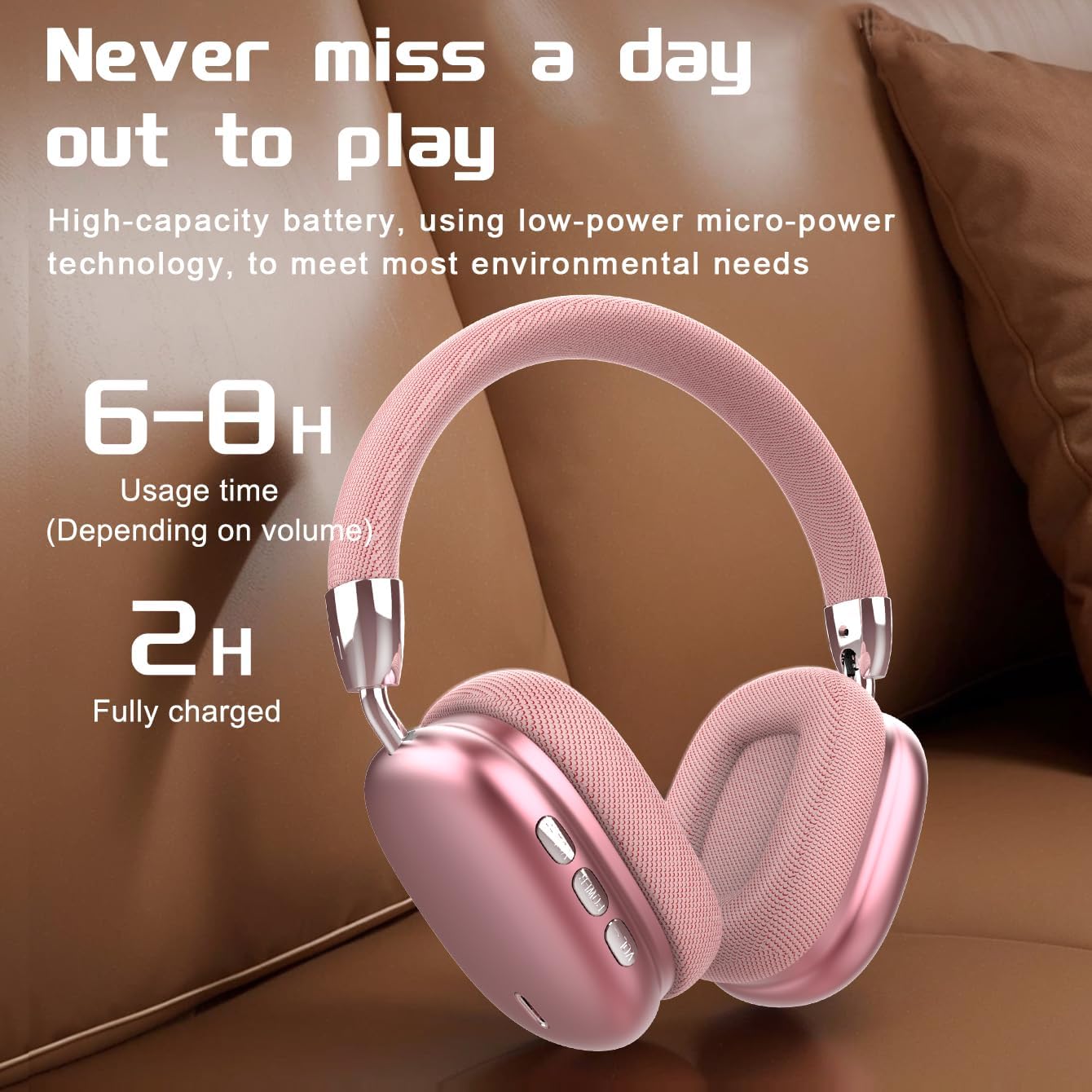
Image: Visual representation of battery life, indicating 6-8 hours of usage and 2 hours for a full charge.
4.2 Zapnutí/vypnutí
- Zapnutí: Stiskněte a podržte tlačítko napájení přibližně 3 sekundy, dokud kontrolka nezačne blikat.
- Vypnout: Stiskněte a podržte tlačítko napájení přibližně 3 sekundy, dokud kontrolka nezhasne.
4.3 Párování Bluetooth
The B36 headphones use Bluetooth 5.0 for stable wireless connection up to 33 feet (10 meters).
- Ujistěte se, že jsou sluchátka plně nabitá a vypnutá.
- Stiskněte a podržte tlačítko napájení po dobu přibližně 5–7 sekund, dokud kontrolka nezačne střídavě blikat červeně a modře, což signalizuje režim párování.
- Na svém zařízení (chytrý telefon, tablet, počítač) povolte Bluetooth a vyhledejte nová zařízení.
- Select "B36" from the list of available devices.
- Po připojení se kontrolka na sluchátkách rozsvítí modře nebo pomalu bliká.

Image: Headphones positioned near a laptop and smartphone, illustrating compatibility with various Bluetooth-enabled devices.
5. Návod k obsluze
The B36 headphones feature intuitive on-ear controls for easy management of audio and calls.
5.1 Přehrávání hudby
- Přehrát/pozastavit: Press the Multi-function button (often marked with a play/pause icon) once.
- Další skladba: Stiskněte a podržte tlačítko pro zvýšení hlasitosti (+).
- Předchozí skladba: Stiskněte a podržte tlačítko pro snížení hlasitosti (-).
- Zvýšit hlasitost: Krátce stiskněte tlačítko pro zvýšení hlasitosti (+).
- Snížit hlasitost: Krátce stiskněte tlačítko pro snížení hlasitosti (-).
5.2 Správa hovorů
- Přijmout/ukončit hovor: Stiskněte jednou multifunkční tlačítko.
- Odmítnout hovor: Stiskněte a podržte multifunkční tlačítko po dobu 2 sekund.
- Znovu vytočit poslední číslo: Dvakrát stiskněte multifunkční tlačítko.

Image: A person wearing the B36 headphones, illustrating their suitability for various daily activities.
6. Údržba
6.1 Čištění
- Sluchátka otřete měkkým, suchým hadříkem.
- Nepoužívejte abrazivní čisticí prostředky, alkohol ani chemická rozpouštědla.
- Udržujte nabíjecí port bez prachu a nečistot.
6.2 Skladování
- Sluchátka skladujte na chladném a suchém místě mimo dosah přímého slunečního záření a extrémních teplot.
- When not in use for extended periods, charge the lithium battery at least once every two months to maintain battery health.
- Skládací konstrukce umožňuje kompaktní skladování.

Image: Headphones on a soft surface, emphasizing the ergonomic design for comfortable, long-term wear.
7. Řešení problémů
If you encounter issues with your B36 headphones, please refer to the following common solutions:
- Sluchátka se nezapnou: Ujistěte se, že jsou sluchátka plně nabitá.
- Nelze spárovat se zařízením: Make sure Bluetooth is enabled on your device and the headphones are in pairing mode (flashing red and blue). Try turning Bluetooth off and on again on your device.
- Žádný zvuk: Check the volume level on both the headphones and your connected device. Ensure the headphones are properly paired.
- Špatná kvalita zvuku/přerušované připojení: Move closer to your connected device to ensure you are within the Bluetooth range (33 feet/10 meters). Avoid obstacles between the headphones and the device.
- Problém s nabíjením: Ensure the charging cable is securely connected and the power source is working. Use a standard 5V/0.2A charger.
Pokud problém přetrvává, kontaktujte prosím zákaznickou podporu.
8. Specifikace
| Funkce | Specifikace |
|---|---|
| Název modelu | B36 |
| Technologie připojení | Bezdrátové (Bluetooth) |
| Technologie bezdrátové komunikace | Bluetooth 5.0 |
| Dosah Bluetooth | 33 10 stop (XNUMX XNUMX metrů) |
| Umístění uší | Přes ucho |
| Kontrola hluku | Pasivní potlačení hluku |
| Frekvenční odezva | 20 Hz |
| Citlivost | 102 dB |
| Impedance | 32 Ohmy |
| Velikost zvukového ovladače | 40 milimetrů |
| Doba nabíjení | 2 hodiny |
| Hmotnost položky | 310 gramů (10.9 unce) |
| Materiál | Kov, plast, prémiová síťovina |
| Typ ovládání | Wireless (On-ear Controls, Touch) |
| Úroveň odolnosti proti vodě | Není odolný vůči vodě |

Image: The B36 headphones displayed in three available colors: black, red (pink), and silver.
9. Bezpečnostní opatření
Please observe the following safety precautions to ensure safe operation and prolong the lifespan of your headphones:
- The charging cable current of the device is 0.2A. Please do not use a high-power charging head for charging. If you use a fast-charging plug head, please equip yourself with a corresponding power charging cable to avoid overheating and catching fire.
- If a product with a lithium battery is not used for a long time, please make sure to charge it at least once every two months.
- The product has a shelf life of one year.
- Nevystavujte sluchátka extrémním teplotám, vlhkosti ani kapalinám.
- Zabraňte pádu sluchátek na zem nebo jejich vystavení silným nárazům.
- Nepokoušejte se sluchátka rozebírat ani upravovat. Ztratíte tak záruku.
10. Záruka a podpora
The JUNJIEUNVO B36 Wireless Over-Ear Headphones come with a standard manufacturer's warranty. Please refer to your purchase documentation for specific warranty terms and conditions. For technical support, troubleshooting assistance, or warranty claims, please contact the seller or JUNJIEUNVO customer service through the platform where you purchased the product.


