
1. Úvod
Thank you for choosing the CCA ND Air3 True Wireless Earbuds. These earbuds are designed to provide a high-quality audio experience with advanced Bluetooth 5.4 connectivity, comfortable fit, and intuitive touch controls. This manual will guide you through the setup, operation, and maintenance of your new earbuds.

Image: The CCA ND Air3 True Wireless Earbuds resting inside their compact charging case.
2. Obsah balení
Zkontrolujte prosím balení, zda neobsahuje následující položky:
- CCA ND Air3 True Wireless Earbuds (Left and Right)
- Nabíjecí pouzdro
- Nabíjecí kabel USB typu C.
- Uživatelská příručka
3. Nastavení
3.1 Nabíjení sluchátek a pouzdra
Before first use, fully charge the earbuds and charging case. The charging case provides an additional 25 hours of playtime, extending the total listening time to over 30 hours.
- Place the earbuds into the charging case. Ensure they are correctly seated; the indicator lights on the earbuds will illuminate to show they are charging.
- Connect the USB Type-C charging cable to the charging port on the case and plug the other end into a 5V=1A power adapter (not included).
- The indicator light on the charging case will show the charging status. Once fully charged, the indicator will change or turn off depending on the model.

Image: The CCA ND Air3 True Wireless Earbuds placed inside their open charging case, ready for charging or pairing.
3.2 Párování Bluetooth
The CCA ND Air3 earbuds utilize Bluetooth V5.4 for a fast and stable connection.
- Otevřete nabíjecí pouzdro. Sluchátka se automaticky přepnou do režimu párování, což bude signalizováno blikajícím světlem na sluchátkách.
- Na svém zařízení (chytrém telefonu, tabletu atd.) povolte Bluetooth.
- Hledat available Bluetooth devices and select "Air3" from the list.
- Once connected, the earbud indicator lights will turn off or show a steady light, and you will hear a confirmation tone.
- After the initial pairing, the earbuds will automatically reconnect to the last paired device when removed from the case.

Image: A visual representation of the Bluetooth V5.4 flagship chipset, highlighting its speed and compatibility with Android, HarmonyOS, and iOS devices.
4. Návod k obsluze
The CCA ND Air3 earbuds feature intuitive touch controls for managing music, calls, and voice assistant functions.

Image: A diagram illustrating the touch control functions for the left and right earbuds, including play/pause, track skipping, call management, and mode switching.
4.1 Ovládání hudby
- Přehrát/pozastavit: Jedním klepnutím na kterékoli sluchátko.
- Předchozí skladba: Dvakrát klepněte na levé sluchátko.
- Další skladba: Dvakrát klepněte na pravé sluchátko.
4.2 Ovládání hovorů
- Přijmout/ukončit hovor: Jedním klepnutím na kterékoli sluchátko.
- Odmítnout hovor: Press and hold either earbud for 1 second.
4.3 Další funkce
- Mode Switch (Music/Gaming): Třikrát klepněte na levé sluchátko.
- Aktivovat Voice Assistant: Třikrát klepněte na pravé sluchátko.
The earbuds feature a Dual AI-enhanced microphone array to reduce wind and ambient noise during calls, ensuring clear communication.
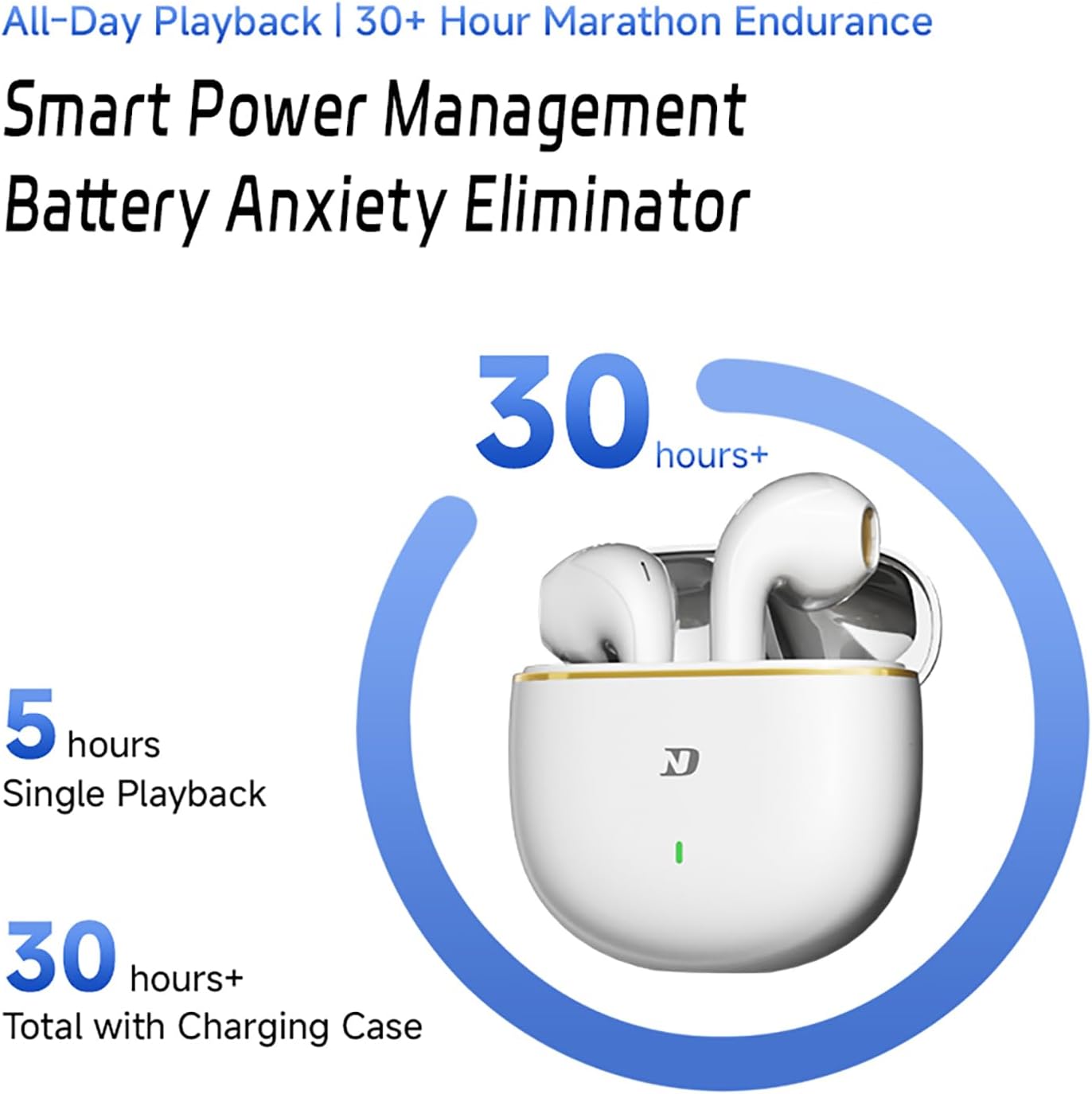
Image: An illustration detailing the Dual HD Mic Array (MIC 1 and MIC 2) and how AI acoustic control suppresses wind noise for clearer calls.
5. Údržba
Abyste zajistili dlouhou životnost a optimální výkon vašich sluchátek, dodržujte tyto pokyny pro údržbu:
- Čištění: Pravidelně čistěte sluchátka a nabíjecí pouzdro měkkým, suchým hadříkem, který nepouští vlákna. Nepoužívejte abrazivní materiály ani agresivní chemikálie.
- Skladování: Pokud sluchátka nepoužíváte, uložte je do nabíjecího pouzdra, abyste je chránili před prachem a poškozením.
- Vyhněte se vlhkosti: While the earbuds are sweat-resistant, avoid prolonged exposure to water or high humidity. Do not submerge them in liquid.
- Nabíjení: Use only the provided Type-C cable and a compatible 5V=1A charger.
6. Řešení problémů
If you encounter issues with your CCA ND Air3 earbuds, refer to the following common solutions:
- Sluchátka se nespárují:
- Ujistěte se, že jsou obě sluchátka nabitá.
- Vypněte Bluetooth na zařízení a poté jej znovu zapněte.
- Delete "Air3" from your device's Bluetooth list and attempt to pair again.
- Vložte sluchátka zpět do pouzdra, zavřete ho, počkejte několik sekund a poté jej otevřete, abyste znovu přešli do režimu párování.
- Z jednoho sluchátka žádný zvuk:
- Ujistěte se, že jsou obě sluchátka nabitá.
- Try placing both earbuds back in the charging case and then taking them out again.
- Resetujte sluchátka (pokud jsou k dispozici, přečtěte si pokyny výrobce k resetování, jinak zkuste párování zopakovat).
- Dotykové ovládání nereaguje:
- Ujistěte se, že máte prsty čisté a suché.
- Zkuste restartovat sluchátka tak, že je vložíte do pouzdra a vyjmete.
- Špatná kvalita zvuku/přerušované připojení:
- Ujistěte se, že se vaše zařízení nachází v dosahu 10 metrů od Bluetooth.
- Avoid obstacles between your device and the earbuds.
- Zkontrolujte, zda nedochází k rušení jinými bezdrátovými zařízeními.
7. Specifikace
| Funkce | Specifikace |
|---|---|
| Značka | CCA |
| Název modelu | Vzduch3 |
| Verze Bluetooth | V5.4 |
| Typ zvukového ovladače | 13mm dynamický ovladač |
| Životnost baterie sluchátek | Až 5 hodin |
| Celková doba přehrávání (s pouzdrem) | Až 30 hodin |
| Nabíjecí rozhraní | Typ-C |
| Efektivní vzdálenost | 10m+ |
| Kontrolní metoda | Dotek |
| Hmotnost sluchátek | 3.8 g (každý) |
| Speciální funkce | Noise Cancelling Mic, Touch Control, Fast Charging, Deep Bass, Lightweight, 60ms Ultra-Low Latency |
| Kompatibilní zařízení | Chytré telefony (iOS, Android) |
8. Záruka a podpora
Informace o záruce a zákaznické podpoře naleznete v dokumentaci dodané s vaším nákupem nebo se obraťte přímo na prodejce/výrobce. Uschovejte si doklad o koupi pro případné reklamace.