
1. Úvod
This manual provides essential information for setting up, operating, maintaining, and troubleshooting your GIGABYTE AORUS Elite 16 BWH gaming laptop. The AORUS Elite 16 BWH is designed for high-performance gaming and demanding applications, featuring an Intel Core Ultra 9 processor, NVIDIA GeForce RTX 5070 laptop GPU, a 16-inch WQXGA 165Hz display, and Windows 11 Pro.
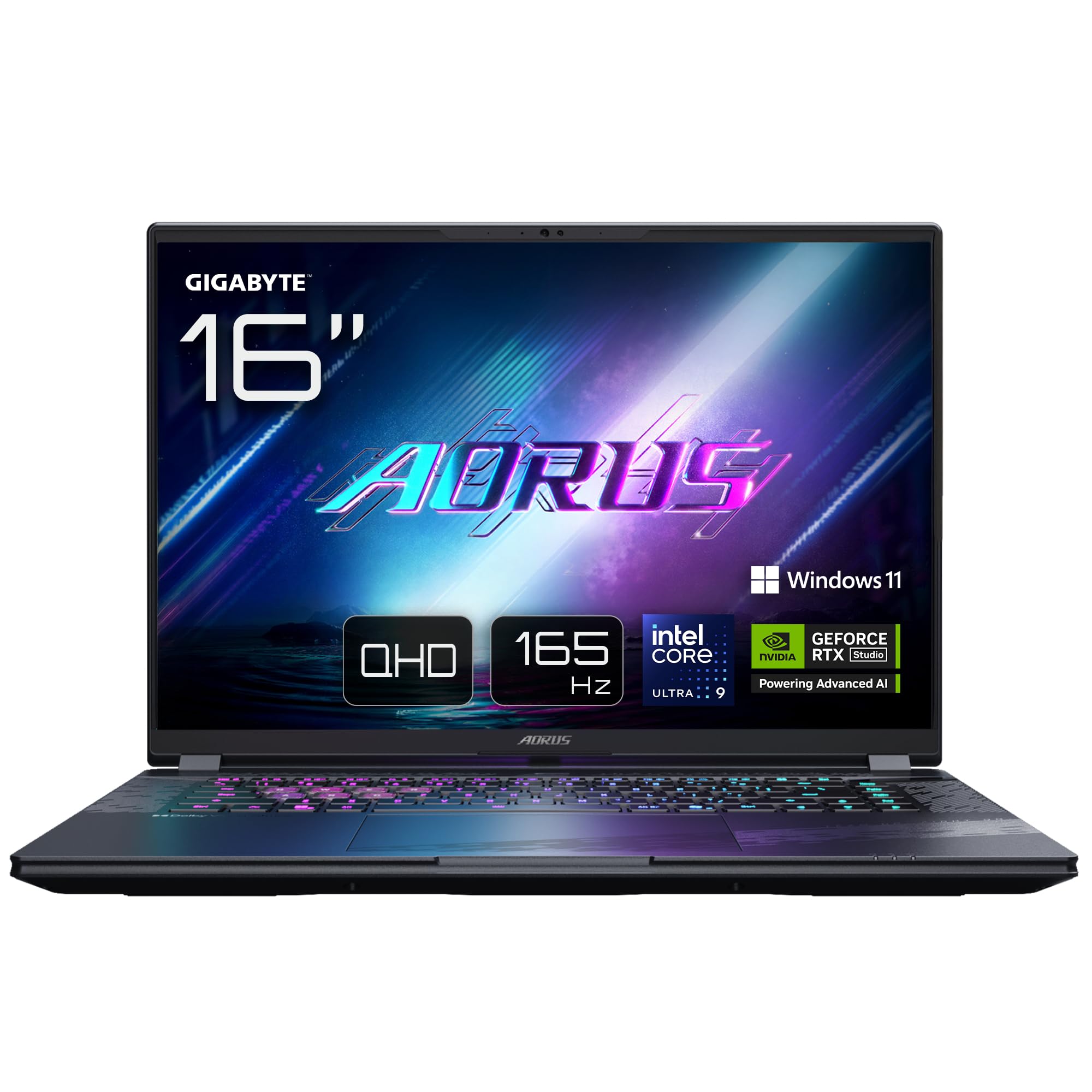
Image: The GIGABYTE AORUS Elite 16 BWH gaming laptop, showcasing its open display and keyboard.
2. Nastavení
2.1 Vybalení a úvodní kontrola
Opatrně vyjměte notebook a veškeré příslušenství z obalu. Zkontrolujte, zda jsou všechny součásti uvedené v části „Co je v krabici“ přítomny a nepoškozené.
- GIGABYTE AORUS ELITE 16 BWHC3FRC65SP Laptop
- Napájecí adaptér a kabel
- Dokumentace (tato příručka, záruční list)
2.2 Připojení napájení
Connect the power adapter to the laptop's power input port and then plug the power cable into an electrical outlet. It is recommended to fully charge the battery before initial use.
2.3 První zapnutí
Press the power button to turn on the laptop. Follow the on-screen instructions to complete the Windows 11 Pro setup process, including language selection, network connection, and user account creation.
2.4 Connecting Peripherals and Network
The laptop features various ports for connecting external devices and networks.
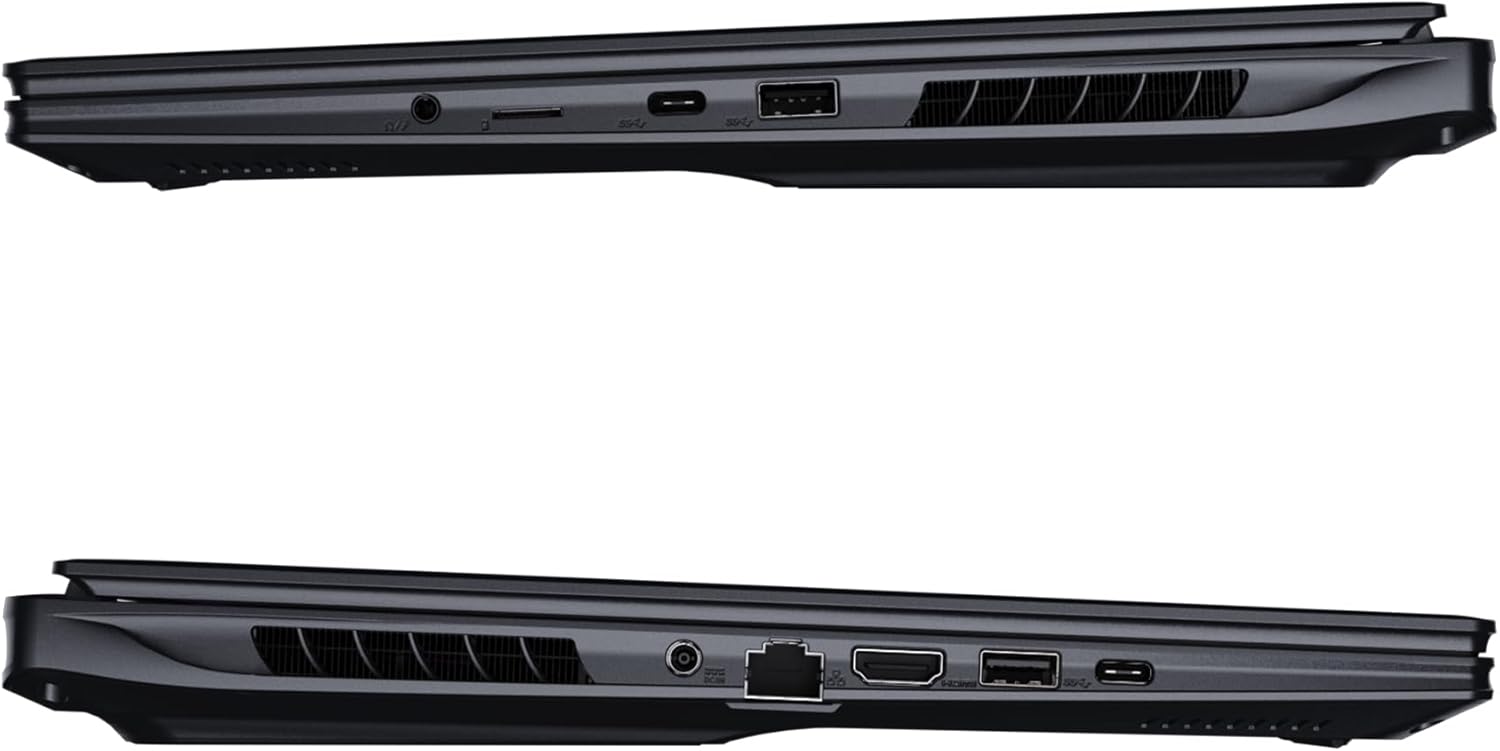
Obrázek: Boční view of the laptop illustrating the available ports for connectivity.
- USB porty: Připojte zařízení USB, jako jsou myši, klávesnice nebo externí úložiště.
- Port HDMI: Connect to an external display or TV.
- Port Thunderbolt 4: Pro vysokorychlostní přenos dat a zobrazení.
- Ethernetový port: Pro kabelové síťové připojení.
- Sluchátkový jack: Pro zvukový výstup do sluchátek nebo externích reproduktorů.
- Wi-Fi 7: Connect to wireless networks via the integrated Wi-Fi 7 module.
- Bluetooth 5.4: Spárujte se zařízeními podporujícími technologii Bluetooth.
3. Ovládání notebooku
3.1 Funkce displeje
Your AORUS Elite 16 BWH features a 16-inch WQXGA (2560x1600) IPS display with a 165Hz refresh rate and 16:10 aspect ratio, offering a wide viewing experience. It supports Dolby Vision for enhanced visual quality and is Pantone validated for color accuracy.

Image: The laptop's 16:10 aspect ratio display, highlighting its IPS panel and Pantone validation.
3.2 Klávesnice a touchpad
The laptop is equipped with a backlit keyboard for comfortable typing in various lighting conditions and a responsive touchpad for navigation.
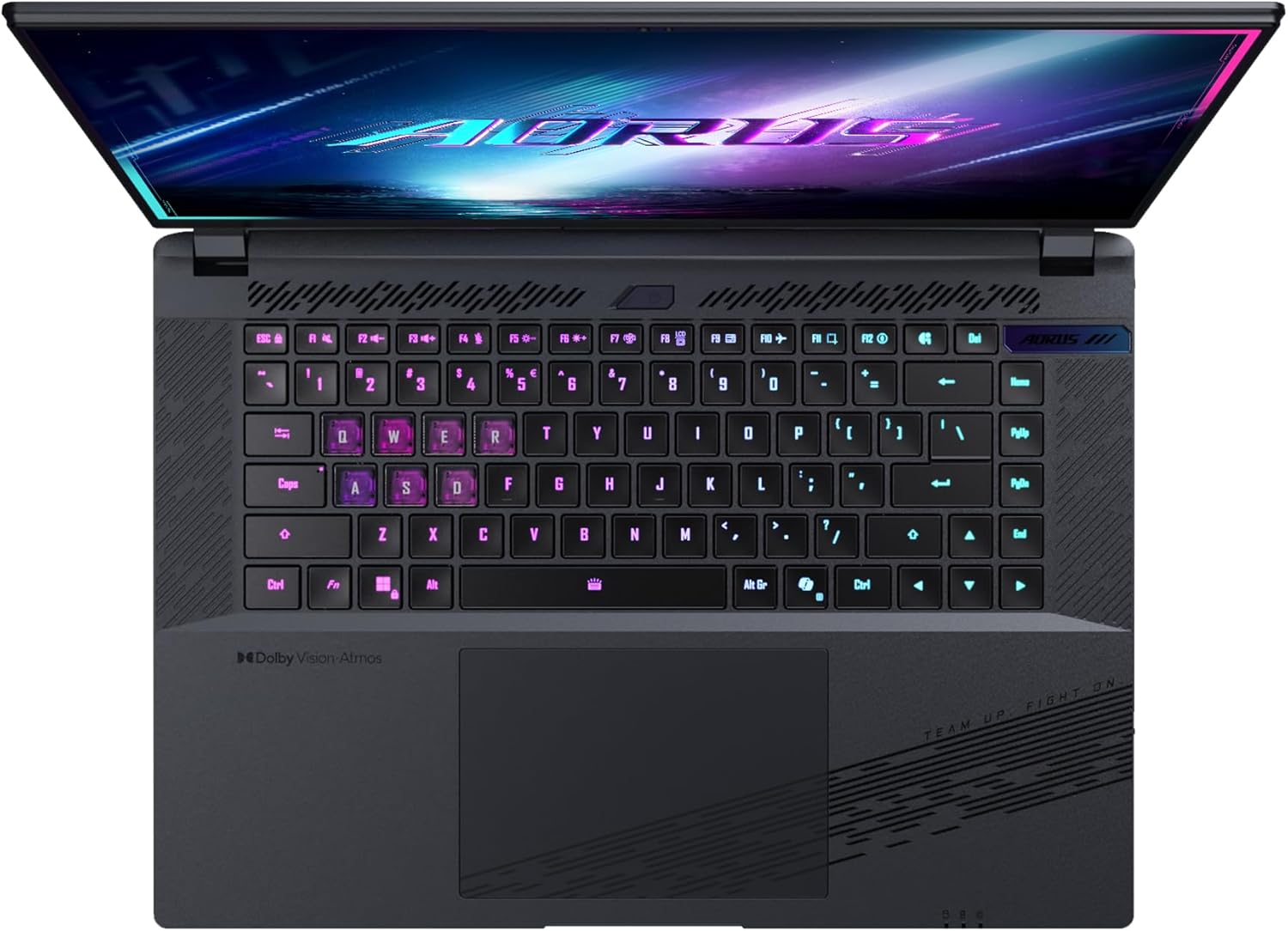
Obrázek: Shora dolů view klávesnice notebooku, showcasing its backlit keys.
The keyboard also features a dedicated Copilot Key for quick access to AI functionalities in Windows 11.

Image: Close-up of the keyboard, highlighting the Copilot Key for AI features.
3.3 Audio systém
Experience immersive audio with Dolby Atmos support and integrated 2W speakers. The laptop also includes a built-in microphone for communication.

Image: Visual representation of Dolby Atmos and Dolby Vision audio and visual enhancements.
3.4 Funkce výkonu
The AORUS Elite 16 BWH is powered by an Intel Core Ultra 9 processor with an integrated NPU for AI acceleration and an NVIDIA GeForce RTX 5070 laptop GPU, ensuring high performance for gaming and demanding tasks. It also features Advanced Optimus with DDS Technology for optimized graphics performance.

Obrázek: Podrobný view of the Intel Core Ultra 9 processor chip.

Obrázek: Podrobný view of the NVIDIA GeForce RTX 50 Series laptop GPU chip.
3.5 GiMATE AI Agent
Utilize GiMATE, your personal AI agent, to optimize performance, manage smart cooling, enhance privacy, control power settings, and improve audio and voice functionalities.

Image: GiMATE AI Agent interface showing various optimization features.
4. Údržba
4.1 Chladicí systém
The laptop features the WINDFORCE Infinity cooling system to maintain optimal temperatures during intensive use. Ensure the vents are clear of obstructions to allow proper airflow.

Image: Representation of the WINDFORCE Infinity cooling system.
4.2 Čištění
K čištění obrazovky a vnějších povrchů používejte měkký hadřík, který nepouští vlákna. V případě odolných skvrn použijteampHadřík lehce navlhčete vodou nebo roztokem na čištění obrazovek. Vyhněte se agresivním chemikáliím.
4.3 Péče o baterii
To prolong battery life, avoid extreme temperatures and do not leave the laptop fully charged or fully discharged for extended periods.
4.4 Aktualizace softwaru
Regularly update your Windows operating system, drivers, and GIGABYTE software to ensure optimal performance and security.
5. Řešení problémů
5.1 Problémy s napájením
- Notebook se nezapne: Ujistěte se, že je napájecí adaptér bezpečně připojen a zásuvka je funkční. Zkontrolujte úroveň nabití baterie.
- Baterie se nenabíjí: Zkontrolujte, zda napájecí adaptér a kabel nejsou poškozené. Zkuste jinou zásuvku.
5.2 Problémy se zobrazením
- Žádný displej: Connect an external monitor to check if the issue is with the laptop's screen. Ensure the laptop is powered on.
- Blikající nebo zkreslený obraz: Aktualizujte ovladače grafické karty. Pokud používáte externí monitor, zkontrolujte připojení kabelů displeje.
5.3 Problémy s připojením
- Nelze se připojit k Wi-Fi: Zkontrolujte, zda je v nastavení systému Windows povolena Wi-Fi. Restartujte router a notebook.
- Zařízení Bluetooth se nespáruje: Ensure the device is in pairing mode and within range. Update Bluetooth drivers.
5.4 Obecné problémy s výkonem
- Pomalý výkon: Close unnecessary applications. Check for malware. Ensure sufficient free disk space.
- Přehřívání: Ujistěte se, že jsou chladicí otvory čisté. Používejte notebook na tvrdém a rovném povrchu.
For more complex issues, refer to the GIGABYTE support webnebo kontaktujte zákaznický servis.
6. Specifikace
| Funkce | Detail |
|---|---|
| Značka | GIGABYTE |
| Název modelu | AORUS ELITE 16 BWHC3FRC65SP |
| Velikost obrazovky | 16 palce |
| Barva | Šedá |
| Velikost pevného disku | 2000 GB (2x 1TB SSD Gen4) |
| Model CPU | Intel Core Ultra 9 275HX |
| Velikost nainstalované paměti RAM | 32 GB DDR5 |
| Operační systém | Windows 11 Pro |
| Speciální funkce | Backlit Keyboard, Memory Card Slot |
| Popis grafické karty | Věnováno |
| Grafický koprocesor | NVIDIA GeForce RTX 5070 |
| Technologie pevných disků | SSD |
| Hmotnost položky | 2300 gramů |
| Webcam Capability | Yes (Frontal) |
| Velikost paměti RAM grafické karty | 8 GB GDDR6 |
| Maximální podporovaná RAM | 64 GB |
| Energetický obsah baterie | 99 Watt-hours (Lithium-polymer, 4 cells) |
| Konektivita | Bluetooth 5.4, Ethernet (10/1000 Mbit/s), HDMI (1 port), Thunderbolt 4 (1 port), USB 3.2 Gen 2 (2 ports), Wi-Fi 7 (802.11.be) |
| Rychlost procesoru | 2.7 GHz (max. 5.4 GHz) |
| Počet procesorů | 24 |
| Rozlišení obrazovky | 2560 x 1600 pixelů (WQXGA) |
| Typ zobrazení | IPS LCD |
| Zvukové funkce | Dolby Atmos, 2x 2W Integrated Speakers, Integrated Microphone |
7. Informace o záruce
Your GIGABYTE AORUS Elite 16 BWH laptop comes with a 2letá omezená záruka. This warranty covers manufacturing defects and hardware malfunctions under normal use. Please retain your proof of purchase for warranty claims. For detailed terms and conditions, refer to the warranty card included with your product or visit the official GIGABYTE webmísto.
8. Podpora
For technical assistance, driver downloads, and further product information, please visit the official GIGABYTE support webweb. Najdete tam také často kladené otázky a komunitní fóra.
- Oficiální GIGABYTE Webmísto: www.gigabyte.com
- Služby zákazníkům: Refer to your regional GIGABYTE webstránky pro místní kontaktní informace.