
1. Konec produktuview
The Makeid L1-C Smart Label Maker is a compact, portable, and rechargeable device designed for creating custom labels. It connects wirelessly to your iOS or Android device via Bluetooth, allowing you to design and print labels using a dedicated mobile application. The device features thermal printing technology, eliminating the need for ink, and includes a built-in precision cutter for clean label separation. It supports various label tape widths (9mm, 12mm, 16mm) and offers enhanced print quality (203 or 300 DPI) for waterproof and fade-resistant labels.

Obrázek 1: Přesview of the MakeID L1-C Bluetooth Label Maker and its core features including Bluetooth connectivity, ease of use, built-in cutter, no ink needed, rechargeable battery, and clear printing.
2. Obsah balení
Než začnete, ujistěte se, že máte v balení všechny položky:
- 1 x MakeID L1-C Label Maker
- 1 x Uživatelská příručka
- 1 x kabel USB Type-C
- 1 x Roll Label Tape (16mm*4m, pre-installed in the label maker)

Obrázek 2: Detailní view of the MakeID L1-C Label Maker's packing list, showing the label maker, USB-C charging cable, user manual, and a pre-installed roll of 16mm label tape.
3. Průvodce nastavením
3.1 Nabíjení zařízení
The Makeid L1-C Label Maker is rechargeable. Use the provided USB Type-C cable to charge the device. Connect one end of the cable to the label maker's charging port and the other end to a compatible USB power adapter (not included).
3.2 Vkládání štítkové pásky
The device comes with one roll of 16mm label tape pre-installed. If you need to replace or install a new roll:
- Open the label maker's cover by pressing the side button.
- Load the new label roll into the designated slot.
- Pull the transparent label lead all the way to the paper exit.
- Zavřete bezpečně kryt.

Figure 3: Visual guide for correctly installing label tape: load the roll in and pull the transparent label lead to the paper exit.
3.3 Stažení aplikace a připojení Bluetooth
To operate the label maker, you need to download the MakeID Life app and connect via Bluetooth:
- Download the "MakeID Life" app from the App Store (iOS) or Google Play (Android).
- Turn on the label maker by pressing the power button. The indicator light will turn green.
- Open the MakeID Life app on your smartphone or tablet.
- Within the app, search for and connect to your L1-C printer via Bluetooth. The app will indicate when the printer is connected.

Figure 4: Step-by-step guide on how to connect the MakeID L1-C label maker to your mobile device using the MakeID Life app.
4. Návod k obsluze
4.1 Creating and Customizing Labels
The MakeID Life app offers extensive customization options:
- Zadávání textu: Enter your desired text for the label.
- Výběr písma: Choose from a variety of fonts available in the app.
- Ikony a symboly: Add icons, emojis, and symbols to personalize your labels.
- Šablony: Utilize pre-designed templates for quick and easy label creation.
- Layout & Sizing: Adjust the layout and size of your text and elements to fit the label tape. The device features auto-detection for label size.

Figure 5: The MakeID Life app interface, showcasing various creative templates, options for frames, QR codes, barcodes, stickers, pictures, time, and text input for label design.

Figure 6: The MakeID L1-C label maker's auto-detect label size feature, simplifying the printing process by automatically recognizing the label dimensions.
4.2 Tisk štítků
Jakmile je návrh štítku v aplikaci dokončen:
- V aplikaci klepněte na tlačítko „Tisk“.
- Confirm the print preview and select the number of copies if needed.
- The label maker will print your custom label.
4.3 Řezání štítků
The L1-C features a built-in precision cutter:
- After printing, wait for the label to emerge from the printer.
- Press the circular button on the top of the device once to cleanly cut the label.
- Peel off the backing from the label and apply it to your desired surface.
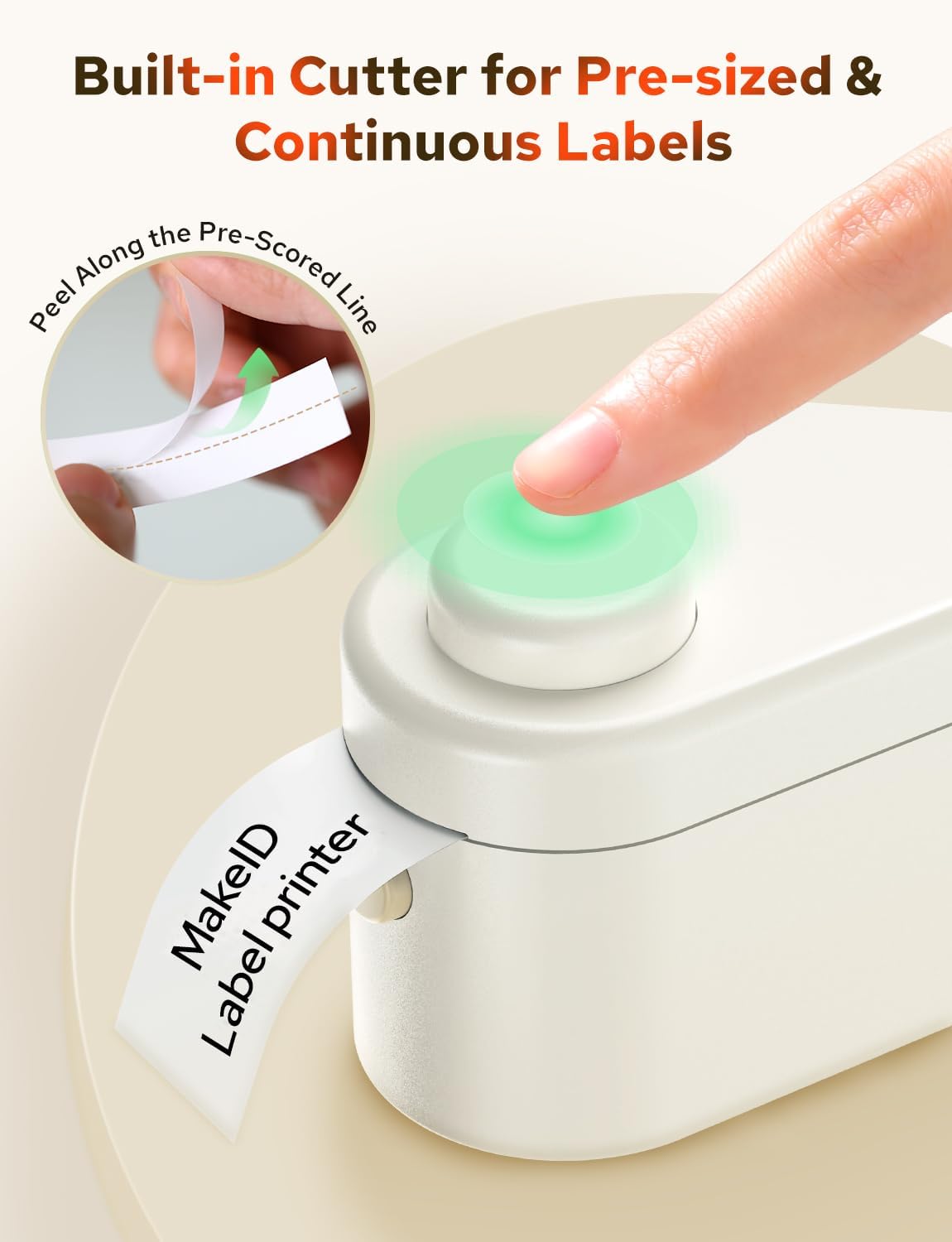
Figure 7: The one-touch precision cutter in action, demonstrating how to cleanly trim labels after printing.
5. Údržba
5.1 Čištění tiskové hlavy
To ensure optimal print quality, periodically clean the print head:
- Vypněte štítkovač.
- Otevřete přihrádku na štítky.
- Jemně otřete tiskovou hlavu měkkým hadříkem, který nepouští vlákna.amps alkoholem.
- Allow it to dry completely before closing the cover and turning the device back on.
5.2 Ukládání štítků
Store label tapes in a cool, dry place away from direct sunlight to maintain their quality and adhesive properties.
6. Řešení problémů
If you encounter issues with your Makeid L1-C Label Maker, refer to the following common problems and solutions:
- Zařízení se nezapne: Ujistěte se, že je zařízení plně nabité.
- Nelze se připojit přes Bluetooth: Make sure Bluetooth is enabled on your mobile device and the label maker is within range. Restart both devices and try connecting again.
- Špatná kvalita tisku: Check if the label tape is loaded correctly. Clean the print head as described in the Maintenance section. Ensure the label tape is not old or damaged.
- Label not cutting cleanly: Ensure the label tape is properly aligned and the cutter mechanism is free of debris.
- App not recognizing label size: Ensure the label tape is correctly installed and the device cover is fully closed.
7. Specifikace
| Funkce | Specifikace |
|---|---|
| Značka | Makeid |
| Název modelu | L1-C |
| Technologie připojení | Bluetooth |
| Technologie tisku | Tepelný |
| Speciální funkce | Přenosný |
| Tiskový výstup | Monochromatický |
| Rozměry produktu | 3.84 x 2.18 x 1.57 palce |
| Hmotnost položky | 9.6 unce |
| UPC | 717121195217 |
8. Záruka a podpora
8.1 Informace o záruce
Warranty details for the Makeid L1-C Smart Label Maker are typically provided with your product packaging or can be found on the official Makeid webstránky. Uschovejte si prosím doklad o koupi pro případ reklamace.
8.2 Zákaznická podpora
For further assistance, technical support, or inquiries regarding your Makeid L1-C Label Maker, please visit the official Makeid store or contact their customer service:
- Makeid Store: Visit the Makeid Store on Amazon
- Refer to the contact information provided in your product's user manual or on the official Makeid webstránky pro přímé kanály podpory.