
1. Úvod
Thank you for choosing QCOQ Air Tracker Tags. This manual provides essential information for setting up, operating, and maintaining your device. The QCOQ Air Tracker Tag is an MFi-certified Bluetooth tracker designed to work exclusively with Apple's Find My network, allowing you to locate your belongings with ease.
Obsah balení
Váš balíček obsahuje:
- 3 x QCOQ Air Tracker Tags
- 3 x Protective Silicone Cases (Mint Cyan)
- 3 x Lanyards (White)
- 3 x kroužky na klíče
- 1 x Uživatelská příručka

Image: Contents of the QCOQ Air Tracker Tags package, including three tracker tags, silicone cases, lanyards, and key rings.

Image: Diagram illustrating the structure and dimensions of the QCOQ Air Tracker Tag, což ukazuje jeho kompaktní velikost.
2. Nastavení
Kompatibilita
The QCOQ Air Tracker Tags are MFi-certified and designed to work exclusively with Apple's Find My app. They are compatible with iOS, iPadOS, and macOS devices. Note: Android devices are not supported.
Pairing Your Air Tracker Tag
Follow these steps to pair your QCOQ Air Tracker Tag with your Apple device:
- Open the 'Find My' application on your iOS device.
- Ensure Bluetooth and network functions are enabled on your device.
- In the 'Items' tab, tap 'Add New Item' and then 'Other Supported Item'.
- Hold the button on the Air Tracker Tag for 2 seconds until you hear a 'Di' sound to turn it on and activate pairing mode.
- Place the Air Tracker Tag close to your iPhone. The app will search for and display 'Diamond tag'.
- Tap 'Connect' and follow the on-screen prompts until the pairing process is complete.
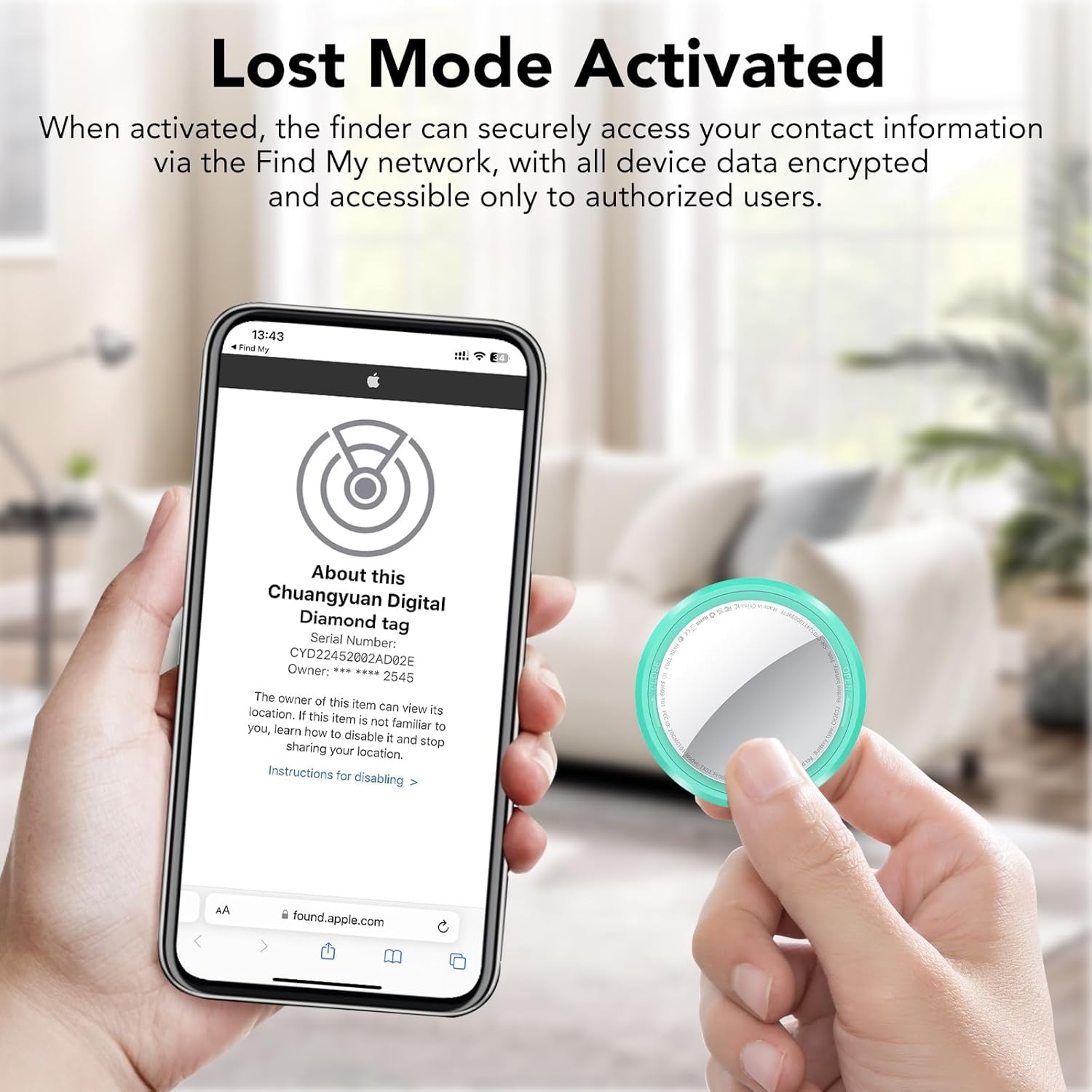
Image: Visual guide showing how to open the Find My app, add a new item, and connect the tracker tag.

Image: Detailed instructions for turning on, connecting, turning off, and resetting the QCOQ Air Tracker Tag.
Konec produktuview Video
Video: An official product showcase of the QCOQ Air Tracker Tags, demonstrating their features and use cases.
3. Návod k obsluze
Nearby Tracking (Play Sound)
When your item is nearby, use the 'Find My' app to play a sound on your QCOQ Air Tracker Tag. The built-in speaker can emit a sound up to 100dB, helping you locate items within Bluetooth range.
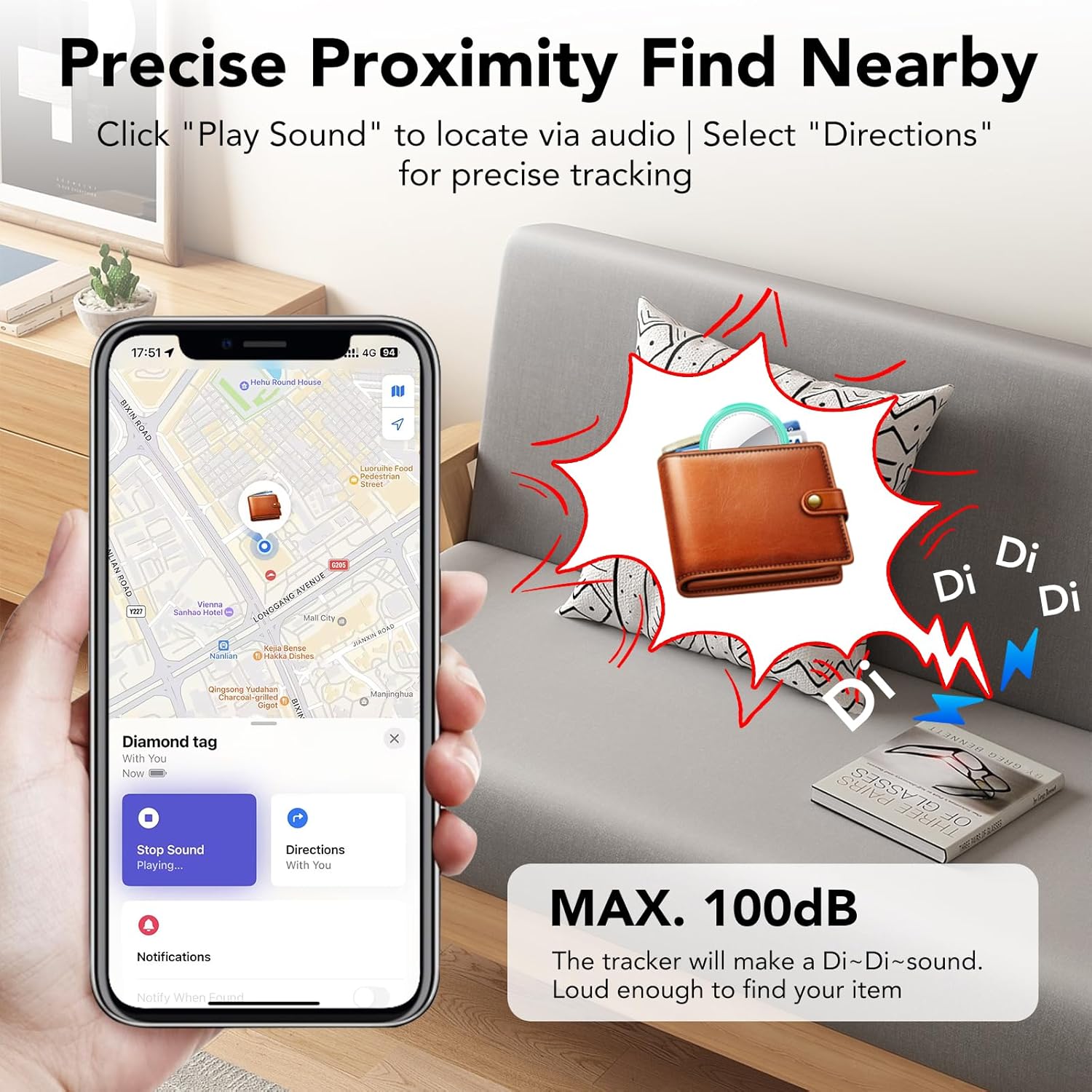
Image: A smartphone screen showing the Find My app with a 'Play Sound' option, indicating a wallet being located by sound.

Image: An illustration of the QCOQ Air Tracker Tag ringing loudly to help locate keys hidden on a sofa, with a phone displaying the Find My app.
Cross-Region Tracking (Find Far Away)
Leveraging Apple's vast Find My network, your QCOQ Air Tracker Tag can be located even when it's far beyond Bluetooth range. The network uses crowd-sourced location data from Apple devices to provide dynamic location updates. All location data is end-to-end encrypted, ensuring your privacy.

Image: A world map showing various items being tracked globally, demonstrating the wide reach of the Find My network.

Image: A smartphone displaying map navigation to find a lost wallet, indicating the 'Find Far Away' feature.
Forget Reminder
If you leave an item with an Air Tracker Tag behind, your device will send a pop-up notification with the item's last known location. To enable this feature, ensure 'Notify When Left Behind' is activated in the Find My app. You can also customize a geofence radius to prevent alerts when the tag remains within a specific safe area.
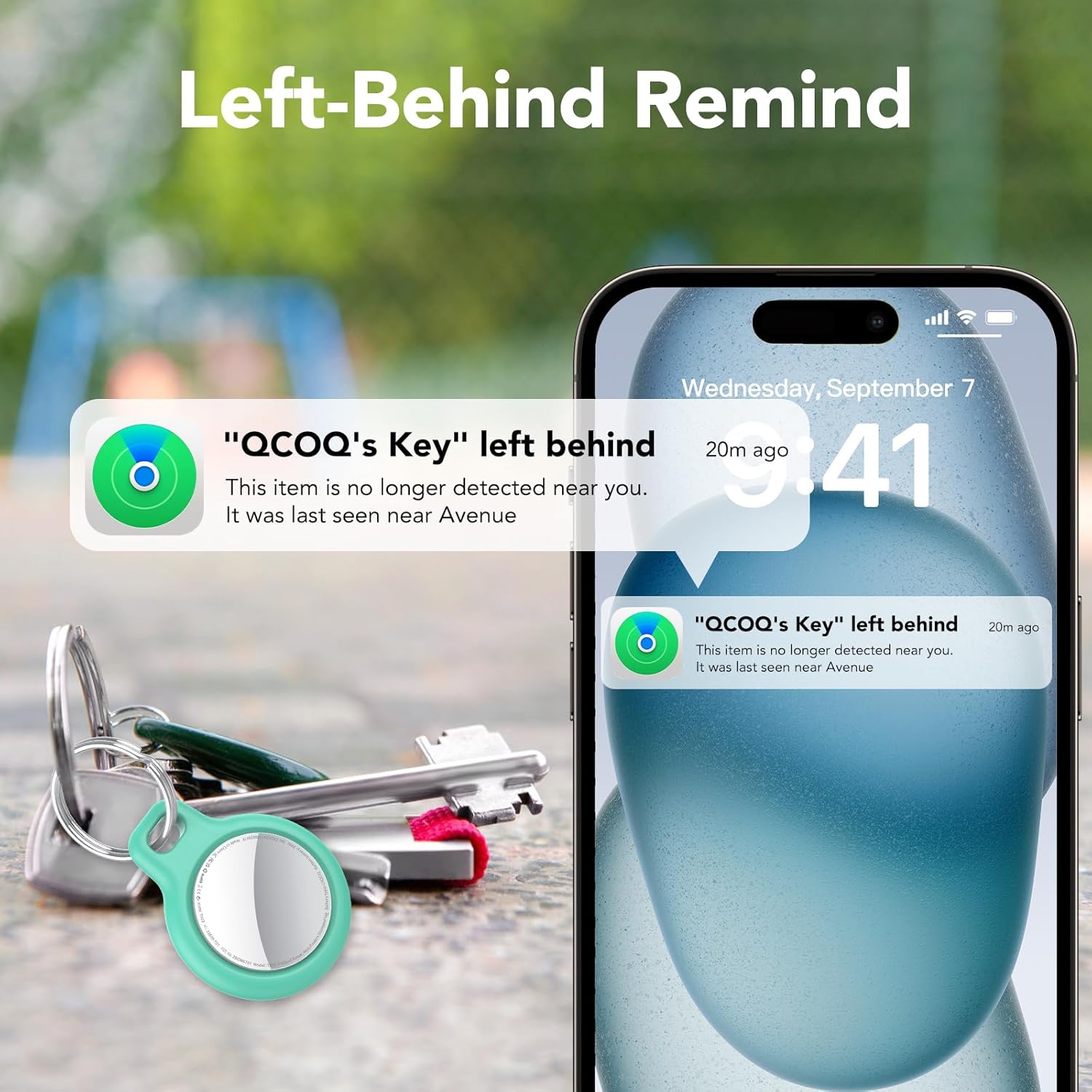
Image: A smartphone displaying a 'Left Behind' notification for a QCOQ Air Tracker Tag, showing the last known location.

Image: A visual representation of the 'Left-Behind Remind' feature, showing a notification on a phone when the tracker tag je pozadu.
Ztracený režim
Activate Lost Mode in the Find My app if your item is missing. You can preset contact details (e.g., phone number or email address). Any compatible Apple device that comes into contact with your lost item will display a 'Lost Mode' message, allowing the finder to contact you. When Lost Mode is enabled, 'Notification When Found' is automatically enabled, and your Item Locator is locked, preventing it from being paired to a new device.

Image: A smartphone screen showing the 'Lost Mode Activated' interface within the Find My app, displaying information about a lost item.

Image: A sequence of smartphone screens demonstrating how to activate 'Lost Mode' in the Find My app and how a finder can view kontaktní informace.
Item Sharing Feature
You can share the location of your QCOQ Air Tracker Tag with up to 5 other users through the 'Find My' app. All shared users can track the item's location in real-time. This feature requires iOS 17, iPadOS 17, macOS 14, or later.

Image: An illustration showing multiple users sharing the location of an item on a map via the Find My app.
Integrace Siri
If your item is nearby, you can ask Siri to help you find your QCOQ Air Tracker Tag. Simply say, for example, "Hey Siri, where are my keys?" and the tag přehraje zvuk.

Image: A smartphone displaying Siri's interface, demonstrating how to use voice commands to locate items with the tracker tag.
Ochrana soukromí
As an Apple MFi-certified device, the QCOQ Air Tracker Tag adheres to Apple's strict privacy standards. All location data is transmitted anonymously and is end-to-end encrypted. No third party, including Apple or QCOQ, can access your identity or location information.

Image: An illustration emphasizing the privacy protection features, showing the tracker tag's encrypted communication with a smartphone.
Scénáře použití

Image: Various scenarios demonstrating the versatility of the QCOQ Air Tracker Tag, attached to luggage, a backpack, a bicycle, and a camcorder.

Obrázek: Přamples of the QCOQ Air Tracker Tag being used with keys, a backpack, luggage, and a bicycle.
4. Údržba
Výměna baterie
The QCOQ Air Tracker Tag uses a replaceable CR2032 coin cell battery, offering up to 365 days of battery life. To replace the battery:
- Turn the stainless steel battery cover counter-clockwise to remove it.
- Vložte novou baterii CR2032 kladnou (+) stranou nahoru.
- Align the battery cover and press it gently.
- Rotate the battery cover clockwise to tighten it.

Image: A four-step visual guide demonstrating how to replace the CR2032 battery in the QCOQ Air Tracker Tag.
5. Řešení problémů
Běžné problémy a jejich řešení naleznete v tabulce níže:
| Funkčnost | Operace | Tón výstrahy | Poznámka |
|---|---|---|---|
| Zapnout | Stiskněte a podržte tlačítko po dobu 2 sekund | Pípnutí | |
| Stav vypnutí | Press and hold the button for approximately 6 seconds, you will hear three consecutive beeps. | Píp-píp-píp | The "Beep-Beep-Beep" sound has no function during the second alert. |
| Powered On State (Auto Shutdown) | When disconnected, the anti-loss device automatically powers off after 2 minutes and enters low-power mode. | Píp píp | |
| Pairing Successful Status | After the app connection is successfully paired, the anti-loss device will "beep, beep" twice. | Píp píp | Play sound: "Beep, Beep, Beep, Beep, Beep, Beep, Beep, Beep, Beep, Beep, Beep, Beep", it rings twelve times in total, then stops playing the sound. |
| Connection status after power-up (Temporarily Disable the Alarm Sound) | Tap "Play Sound" on the app to activate the alarm, Tap "Stop Sound" on the app to pause the alarm. Tap the play button on the app to sound the alarm. Press and hold the button for 2 seconds to pause the alarm sound. | Pípnutí | The "beep" is rather abrupt, and follows immediately after the sound of the beep being played; It requires careful listening to detect. |
| Odebrat položku | Removing items will trigger an audible alert. | Píp píp | After removing the device, it will automatically power off and will remain in pairing mode. If no pairing occurs within 2 minutes, it will automatically power off. |
| Resetovat | Press and hold the button continuously until you hear "beep, beep, beep, beep, beep, beep". Then continue holding the button for another 5 seconds until you hear a single long beep. The total hold time is approximately 15 seconds. | Beep, Beep-Beep-Beep----- | Unable to play sounds, etc. (prompt will appear). Requires reconnecting and pairing. Must remove the item and reconnect. |
| Obtain the owner's contact information | Press and hold for 5 seconds. You will hear two consecutive "beep, beep" sounds. The UI for identifying the item will appear (allowing you to access the owner's contact information). | Píp píp | Lost Mode Status: When the locator is nearby, Lost Mode cannot send contact information. This feature is only available for items that are lost and not located near you. |
| Stop sharing location (Power off) | Press and hold for 6 seconds. You will hear three consecutive beeps: "beep, beep, beep, beep, beep, beep." Stop sharing your location. | Beep-Beep-Beep-Beep-Beep-Beep | The "beep" sound has no function during the second alert. |

Image: A table detailing various functionalities, operations, alert tones, and notes for troubleshooting the QCOQ Air Tracker Tag.
6. Specifikace
| Funkce | Detail |
|---|---|
| Značka | QCOQ |
| Model | Air Tracker Tags |
| Technologie připojení | Bluetooth 5.3 |
| Podporovaná aplikace | Apple Find My |
| Kompatibilní zařízení | iOS, iPadOS, macOS devices (Personal Computer, Smartphone, Tablet) |
| Výstup reproduktoru | Max. 100 dB |
| Typ baterie | Replaceable CR2032 Coin Cell |
| Životnost baterie | Až 365 dní |
| Rozměry (průměr) | 31.2 mm (1.23 palce) |
| Rozměry (tloušťka) | 8.9 mm (0.35 palce) |
| Hmotnost položky | 7.3 g (0.25 unce) |
| Voděodolnost | IP67 |
| Barva | Mint Cyan |
| Datum první dostupnosti | 5. června 2025 |

Image: A visual representation of the QCOQ Air Tracker Tag's compact and lightweight design, highlighting its dimensions and weight.

Obrázek: Infografická přehlídkaasing key features such as 360° full wrap design, 365 days battery life, replaceable battery, and Apple MFi certified chip.
7. Záruka a podpora
Informace o záruce
QCOQ Air Tracker Tags come with a 2-year warranty from the date of purchase, covering manufacturing defects and malfunctions under normal use.
Zákaznická podpora
For any inquiries, technical assistance, or warranty claims, please contact QCOQ customer service. We offer 12-hour customer support to assist you.
You can find contact information on the official QCOQ webwebu nebo prostřednictvím vaší nákupní platformy.

Image: An infographic highlighting QCOQ's 2-year warranty and 12-hour customer support.