
SANSUI W26
SANSUI W26 Wireless Earphones User Manual
Model: W26
Zavedení
Thank you for choosing the SANSUI W26 Wireless Earphones. This manual provides detailed instructions for the proper use, maintenance, and troubleshooting of your device. Please read this manual carefully before use and retain it for future reference.
Obsah balení
Ujistěte se, že v balení jsou přítomny všechny položky:
- SANSUI W26 Wireless Earphones (Left and Right)
- Nabíjecí pouzdro
- Nabíjecí kabel USB typu C.
- Uživatelská příručka (tento dokument)
Konec produktuview
The SANSUI W26 earphones feature an open-ear design, Bluetooth 5.4 connectivity, and ENC noise cancellation for clear calls. They are designed for comfort and stability during extended use.

Obraz: SANSUI W26 Wireless Earphones and Charging Case. This image displays the open-ear design of the earphones and their transparent charging case, highlighting the "ears not blocked" feature, surround effect, directional sound, call noise reduction, and 36 hours of playback.

Obraz: Illustration of Directional Driver Technology. This image shows how the directional driver guides sound into the ear, preventing sound leakage. It features the "DIRECTIN TONE" and "PeakStroy" logos.
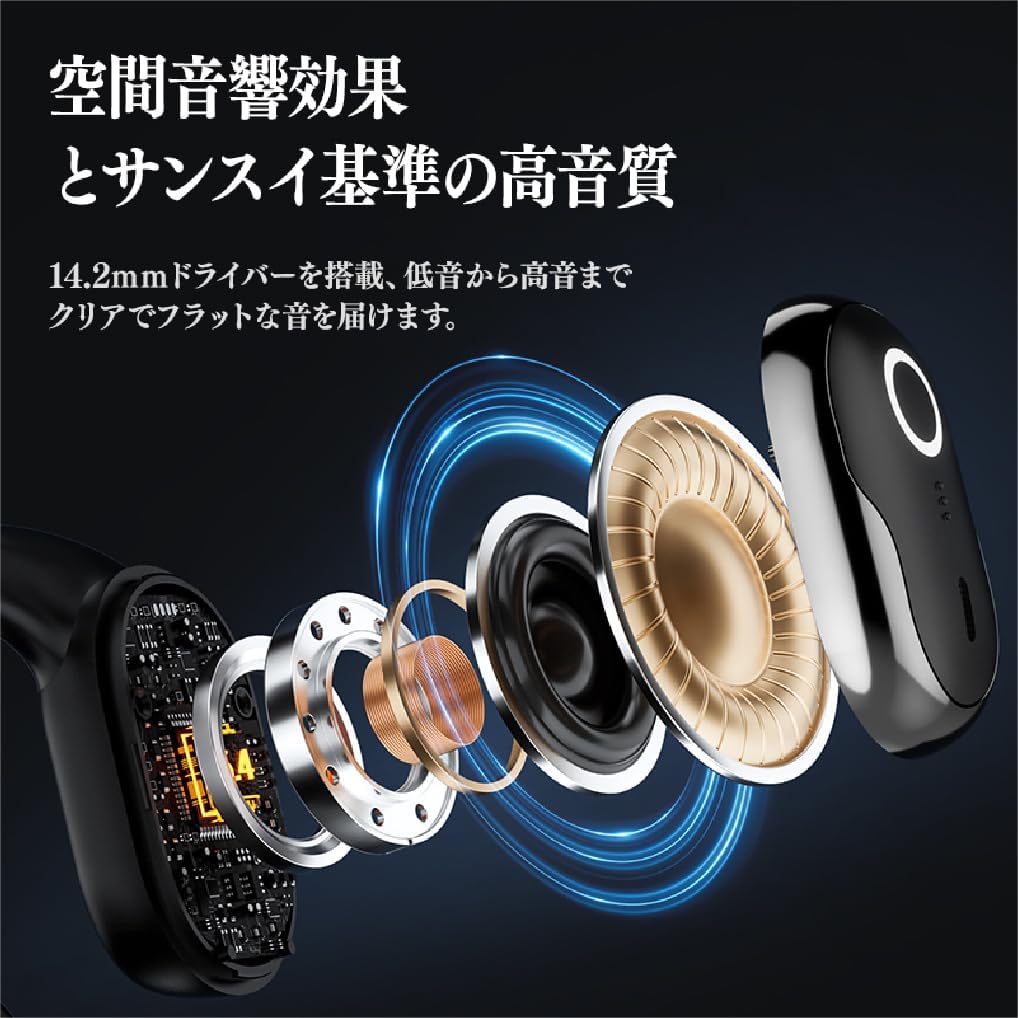
Obraz: Explodoval view of SANSUI W26 Earphone Internal Components. This image illustrates the internal structure, including the 14.2mm driver, which contributes to spatial acoustic effects and high-quality sound.
Nastavení
1. Nabíjení sluchátek a pouzdra
Před prvním použitím sluchátka a nabíjecí pouzdro plně nabijte.
- Vložte sluchátka do nabíjecího pouzdra.
- Connect the provided USB Type-C cable to the charging port on the case and a power source (e.g., USB wall adapter, computer USB port).
- Kontrolky na pouzdře budou ukazovat stav nabíjení. Po úplném nabití budou kontrolky signalizovat dokončení.
A full charge provides up to 12 hours of playback for the earphones alone, and up to 36 hours with the charging case.
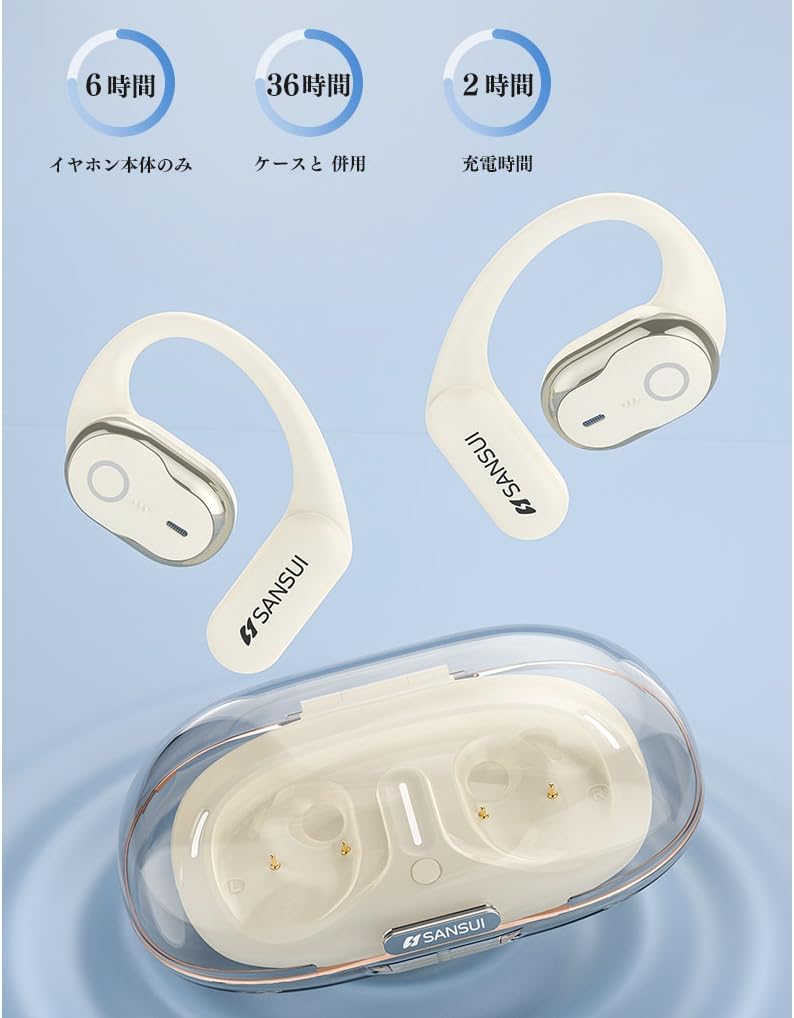
Obraz: SANSUI W26 Earphone Battery Life and Charging. This image illustrates the battery life: 6 hours for earphones only, 36 hours with the charging case, and a 2-hour charging time for the case.
2. Párování Bluetooth
The earphones support Bluetooth V5.4 for a stable and low-latency connection.
- Otevřete nabíjecí pouzdro. Sluchátka se automaticky přepnou do režimu párování.
- Na svém zařízení (chytrém telefonu, tabletu atd.) povolte Bluetooth a vyhledejte dostupná zařízení.
- Select "SANSUI W26" from the list of found devices.
- Po připojení hlasový pokyn potvrdí úspěšné spárování.
- Sluchátka se po vyjmutí z pouzdra automaticky znovu připojí k poslednímu spárovanému zařízení.
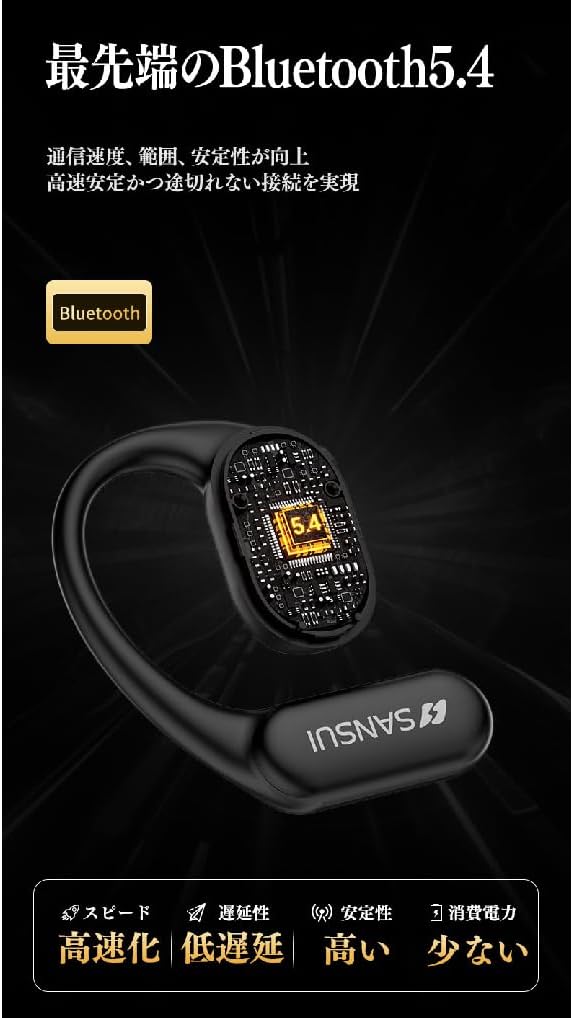
Obraz: SANSUI W26 Bluetooth 5.4 Connectivity. This image highlights the advanced Bluetooth 5.4 technology, emphasizing improved communication speed, range, stability, low latency, and reduced power consumption.
Návod k obsluze
1. Nošení sluchátek
The SANSUI W26 features an ergonomic ear-hook design for secure and comfortable fit.
- Určete levé (L) a pravé (R) sluchátko.
- Gently hook the earphone over your ear, ensuring the speaker part is positioned correctly near your ear canal without blocking it.
- Adjust for a snug and comfortable fit. The design allows you to hear ambient sounds while enjoying audio.

Obraz: SANSUI W26 Ear-Hook Design. This image demonstrates the stable and non-falling ear-hook design, showing how it fits securely with three support points and features skin-friendly silicone material.
2. Stiskněte Ovládací prvky
The earphones are equipped with touch-sensitive controls for various functions. Refer to the table below for common operations:
| Funkce | Akce |
|---|---|
| Přehrát/Pozastavit hudbu | Jediným klepnutím na kterékoli sluchátko |
| Další stopa | Double tap on the right earphone |
| Předchozí stopa | Dvakrát klepněte na levé sluchátko |
| Přijmout/ukončit hovor | Jediným klepnutím na kterékoli sluchátko |
| Odmítnout hovor | Long press on either earphone |
| Aktivujte hlasového asistenta | Triple tap on either earphone |
3. Call Functions (ENC Noise Cancelling)
The built-in ENC (Environmental Noise Cancellation) engine separates your voice from ambient noise, ensuring clear communication during calls and online meetings.
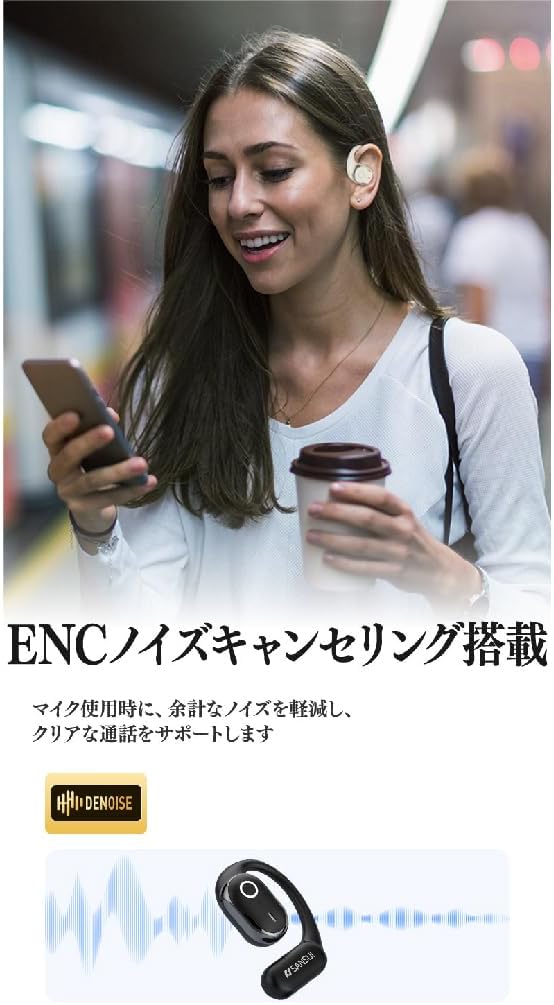
Obraz: SANSUI W26 ENC Noise Cancelling Feature. This image shows a person using the earphones in a busy environment, illustrating how the ENC technology reduces background noise for clearer calls.
Údržba
- Čištění: Regularly clean the earphones and charging case with a soft, dry cloth. For stubborn dirt, a slightly damp cloth can be used, but ensure no moisture enters the charging ports or speaker grilles. The earphones are IPX5 waterproof, allowing for rinsing under tap water if needed, but avoid prolonged submersion.
- Skladování: Pokud sluchátka nepoužíváte, uložte je do nabíjecího pouzdra, aby byly chráněny před prachem a poškozením. Skladujte na chladném a suchém místě mimo dosah přímého slunečního záření a extrémních teplot.
- Péče o baterie: Chcete-li prodloužit životnost baterie, vyvarujte se častého úplného vybíjení sluchátek. Pravidelně je nabíjejte, i když je delší dobu nepoužíváte.
Odstraňování problémů
If you encounter issues with your SANSUI W26 earphones, refer to the following common problems and solutions:
- Sluchátka se nespárují:
- Ujistěte se, že je na vašem zařízení povoleno Bluetooth.
- Ujistěte se, že jsou sluchátka nabitá.
- Place the earphones back in the case, close it, then open it again to re-enter pairing mode.
- Forget "SANSUI W26" from your device's Bluetooth list and try pairing again.
- Žádný zvuk:
- Zkontrolujte úroveň hlasitosti na zařízení i ve sluchátkách.
- Ujistěte se, že jsou sluchátka správně připojena k vašemu zařízení.
- Zkuste přehrát zvuk z jiné aplikace nebo zdroje.
- Špatná kvalita hovoru:
- Ujistěte se, že mikrofon není nijak zakrytý.
- Pro zlepšení síly signálu se přiblížte k připojenému zařízení.
- Check for excessive background noise in your environment.
- Sluchátka se nenabíjejí:
- Ujistěte se, že je nabíjecí kabel bezpečně připojen k pouzdru i ke zdroji napájení.
- Check if the charging contacts on the earphones and inside the case are clean.
- Zkuste použít jiný kabel USB typu C nebo napájecí adaptér.
Specifikace
| Funkce | Detail |
|---|---|
| Značka | SANSUI |
| Název modelu | W26 |
| Technologie připojení | Bezdrátové připojení (Bluetooth V5.4) |
| Styl sluchátek | Ear-hook, Open-ear |
| Barva | Bílý |
| Potlačení hluku | ENC (potlačení hluku z prostředí) pro hovory |
| Voděodolnost | IPX5 ekvivalent |
| Audio kodeky | AAC, SBC |
| Doba přehrávání přes sluchátka | Až 12 hodin |
| Celková doba přehrávání (s pouzdrem) | Až 36 hodin |
| Nabíjecí port | USB Type-C |
| Země původu | Čína |
Záruka a podpora
Záruka výrobce: The SANSUI W26 Wireless Earphones come with a 1-year manufacturer warranty from the date of purchase. This warranty covers defects in materials and workmanship under normal use.
Vyloučení: Záruka se nevztahuje na škody způsobené nesprávným použitím, nehodami, neoprávněnými úpravami nebo běžným opotřebením.
Zákaznická podpora: For warranty claims, technical assistance, or any questions regarding your SANSUI W26 earphones, please contact your retailer or the official SANSUI customer support channel. Refer to the product packaging or official webstránky pro kontaktní informace.
Ask a question about this manual
Ask about setup, troubleshooting, compatibility, parts, safety, or missing instructions. Manuals+ will review the question and use this page’s manual context to help answer it.