
1. Konec produktuview
The SIXTOP 8 Core 6+128G Android Car Radio is an advanced multimedia system designed to enhance your driving experience. It features a 9-inch IPS touchscreen, runs on Android 13, and is powered by an 8-core chip with 6GB RAM and 128GB internal storage. This unit is specifically compatible with Volkswagen Sharan II 7N and Seat Alhambra II models manufactured between 2012 and 2015.
Key features include Wireless Carplay and Android Auto for seamless smartphone integration, Bluetooth for hands-free calls and music streaming, built-in GPS navigation, FM/RDS radio, and WiFi connectivity. It also supports Steering Wheel Control (SWC) and an optional rear view camera with AHD/CVBS formats.
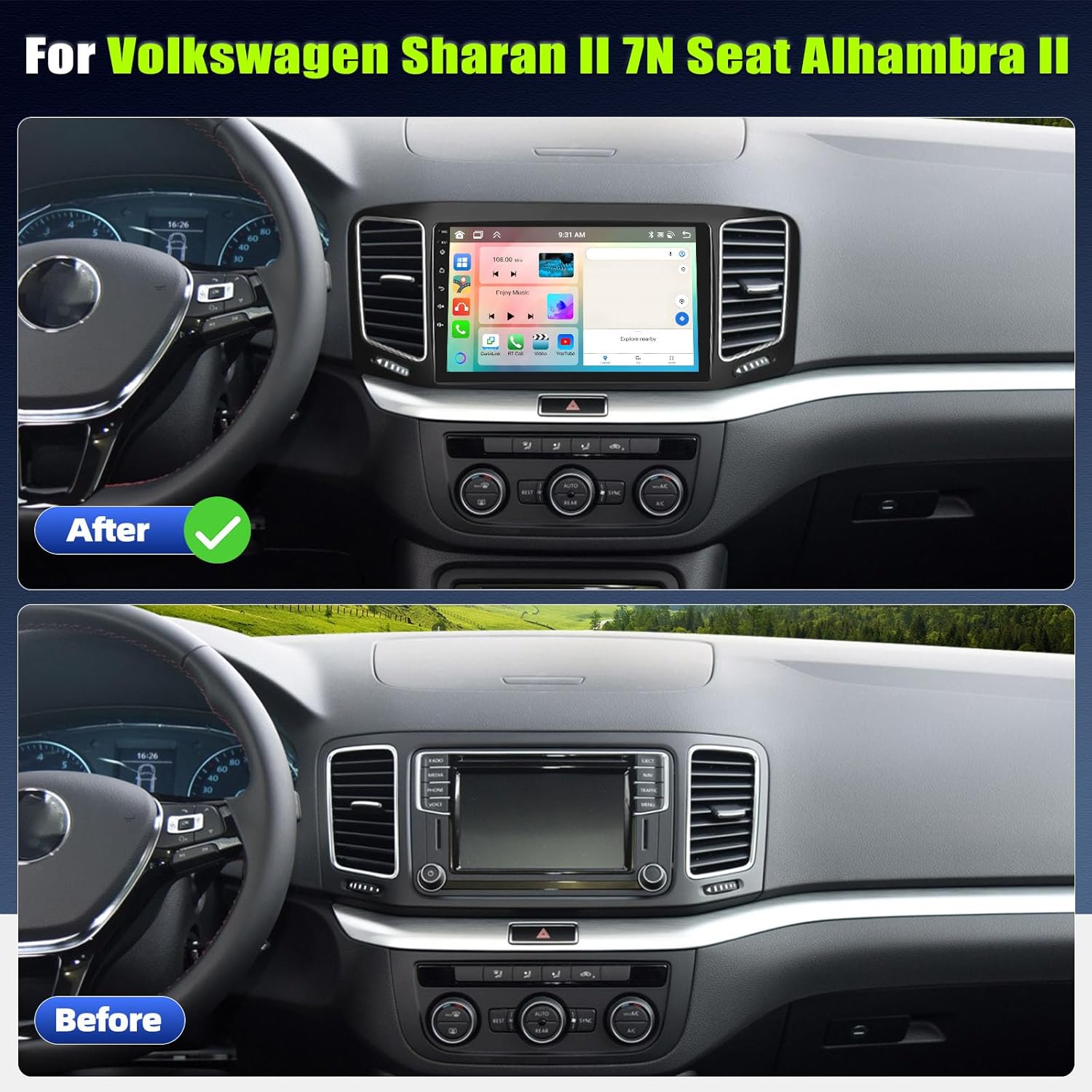
Obrázek 1.1: Comparison of the car dashboard before and after installing the SIXTOP Android Car Radio, showing the integrated 9-inch display.
2. Obsah balení
Ověřte prosím, zda jsou ve vašem balení obsaženy všechny níže uvedené položky:
- Hlavní jednotka autorádia
- Uživatelská příručka
- Napájecí kabel
- USB kabel
- GPS anténa
- Rádiová anténa
- RCA kabel
- Zadní View Vstupní kabel
- Canbus Box
- Mikrofon
- Instalační nástroj
- Camera (Optional, if purchased)
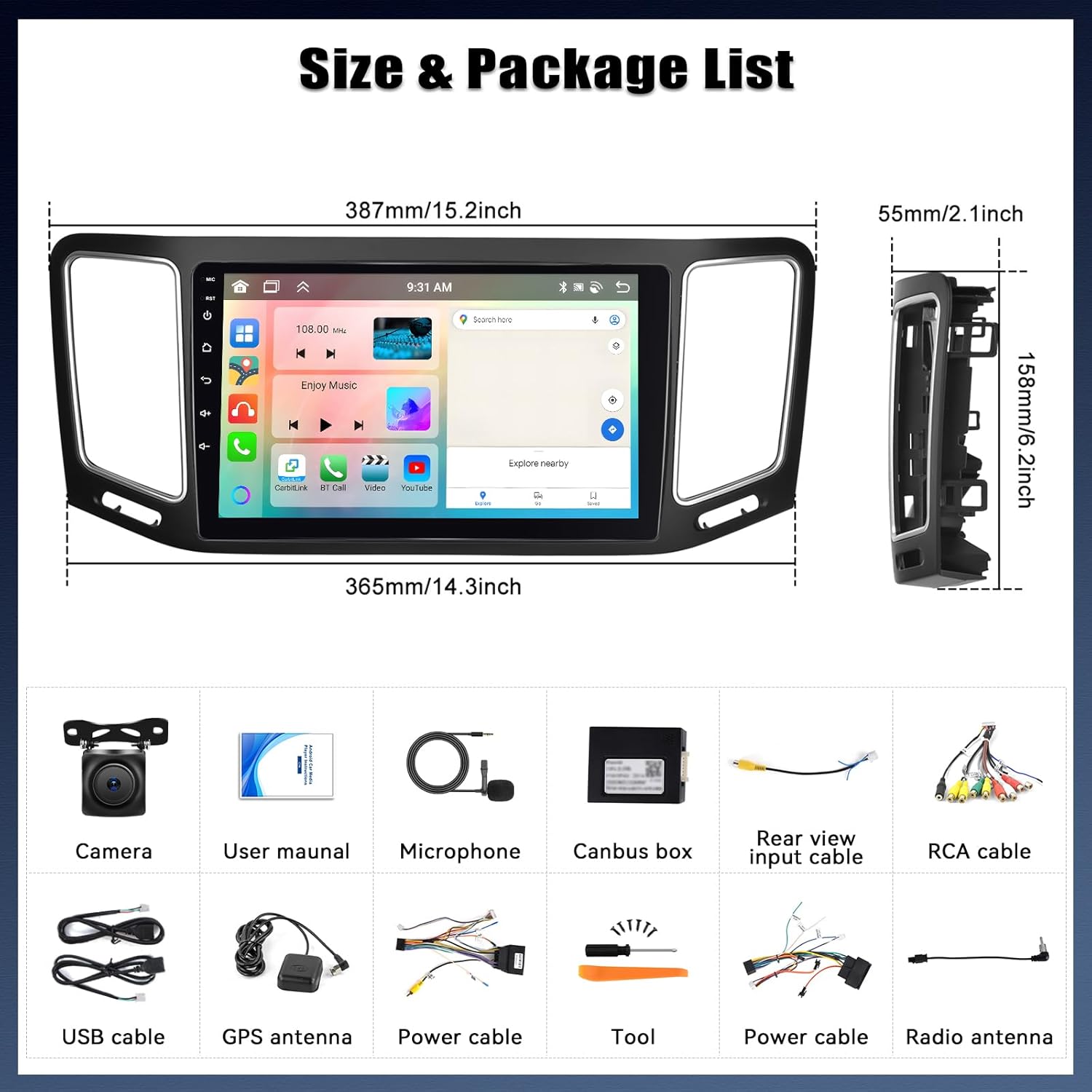
Obrázek 2.1: Visual representation of the car radio dimensions and the complete list of accessories included in the package.
3. Nastavení a instalace
3.1 Fyzická instalace
Installation of the car radio requires professional knowledge. It is highly recommended to have the unit installed by a qualified technician to ensure proper functionality and avoid damage to your vehicle or the device. Refer to the wiring diagram and your vehicle's specific installation guide.
3.2 Port and Cable Details
Familiarize yourself with the various ports and connections on the back of the unit:
- Napájecí kabel: Připojuje se k elektrické síti vozidla.
- Vstup/výstup RCA: Pro externí audio/video zařízení.
- Vstup pro couvací kameru: Vyhrazený vstup pro zadní část view fotoaparát.
- USB kabel: Pro připojení USB zařízení.
- GPS anténa: Pro příjem signálu satelitní navigace.
- Anténa rádia: Pro příjem rádia FM/RDS.

Obrázek 3.1: Detailní view of the car radio's rear panel showing labeled ports and a wiring diagram for various connections.
3.3 Připojení couvací kamery
If you have an optional backup camera, follow these steps for connection:
- Connect the red cable (labeled '2' in the diagram) from the camera to the vehicle's backup light positive ('+').
- Connect the black cable (labeled '1' in the diagram) from the camera to the vehicle's ground ('GND').
- Connect the video signal cable from the camera to the 'Reversing Camera Input' on the car radio.

Obrázek 3.2: Step-by-step diagram for connecting the backup camera, highlighting the red wire to the backup light and the black wire to ground.
4. Návod k obsluze
4.1 Uživatelské rozhraní a přizpůsobení
The Android 13 operating system provides a fast and fluid interface. You can customize the desktop with various UI themes and wallpapers to suit your preference.
4.1 video: Demonstration of various UI desktop themes and wallpaper customization options available on the car radio.
4.2 Bezdrátové Carplay a Android Auto
Connect your smartphone wirelessly or via cable to access Carplay or Android Auto features, including navigation, music, phone calls, messages, and voice control.
- Carplay Connection: Turn on the CPLink app on the car radio, then connect Carplay via WiFi/Bluetooth or USB cable.
- Připojení Android Auto: Install the "Android Auto" app on your phone, turn on the CPLink app on the car radio, then connect Android Auto via WiFi/Bluetooth or USB cable.

Obrázek 4.2: Visual guide for establishing Wireless Carplay and Android Auto connections, including app interfaces and connection options.
4.3 Funkce Bluetooth
The car radio supports Bluetooth connectivity for mobile phones, enabling hands-free calls, contact synchronization, and Bluetooth music streaming.
- Přejděte do nastavení Bluetooth v autorádiu.
- Ensure Bluetooth is enabled on both the radio and your mobile phone.
- Hledat available devices on your phone and select 'Car BT' (or similar name) to pair.
- Potvrďte párovací kód na obou zařízeních.
- Po zobrazení výzvy povolte přístup ke kontaktům a historii hovorů.

Obrázek 4.3: Interface for Bluetooth calls and music playback, alongside FM/RDS radio and DSP audio settings.
4.4 GPS navigace a Wi-Fi
The unit features built-in GPS and WiFi. Connect to a WiFi hotspot to download offline maps or use online navigation services. WiFi also allows for internet browsing and app downloads.

Obrázek 4.4: The car radio's screen displaying GPS navigation with map details and indicators for WiFi connectivity.
4.5 Radio Functions (FM/RDS & Internet Radio)
Listen to local FM/RDS stations for news, music, and traffic updates. With Internet Radio, you can access stations from over 20 countries and regions worldwide.
4.6 Audio Settings (DSP/EQ)
Utilize the integrated DSP (Digital Signal Processor) and EQ (Equalizer) to fine-tune audio frequencies and customize your sound experience to the vehicle's environment.
4.7 Ovládání na volantu (SWC)
The unit supports your vehicle's original steering wheel controls, allowing you to manage audio playback, volume, and other functions without taking your hands off the wheel. Configuration may be required in the settings menu.

Obrázek 4.5: Obrazovka autorádia zobrazující zadní view camera feed with parking assistance lines, and an interface for setting up steering wheel controls.
4.8 Hlasový asistent
Control the device and access various functions using the integrated voice assistant for a safer and more convenient driving experience.
4.9 Funkce rozdělené obrazovky
The split-screen feature allows two applications to run simultaneously, such as navigation and music playback, enhancing multitasking capabilities.

Obrázek 4.6: The car radio interface showing how to create shortcuts and utilize the split-screen mode for running multiple applications.
4.10 Externí zařízení (volitelné)
The system supports various optional external devices for expanded functionality:
- USB rozhraní: Pro připojení USB disků.
- USB rekordér (DVR): Pro funkčnost palubní kamery.
- DAB+: For Digital Audio Broadcasting.
- OBD2: Pro diagnostiku vozidel.
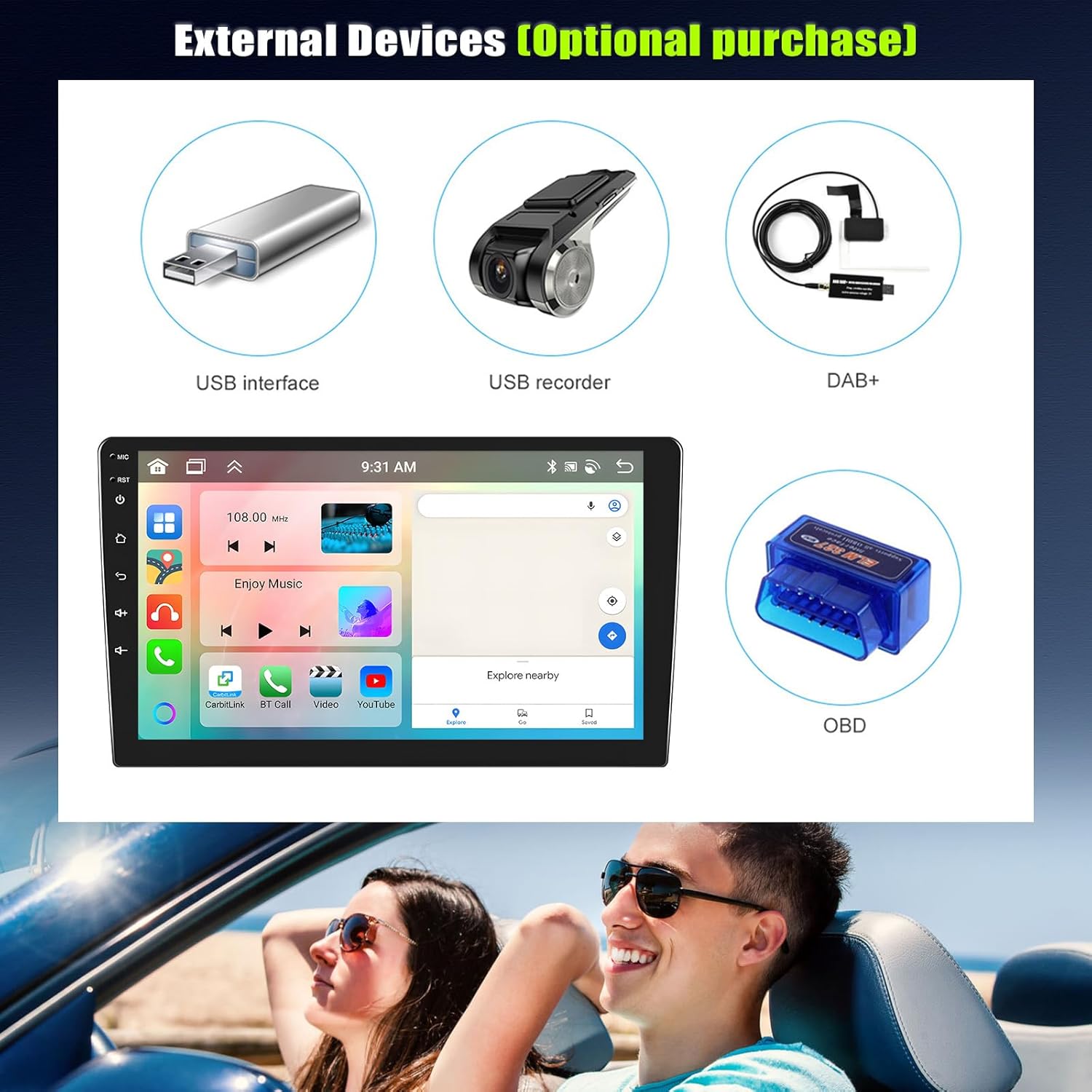
Obrázek 4.7: Examples of optional external devices like USB drives, DVRs, DAB+ modules, and OBD2 scanners that can be integrated with the car radio.
5. Údržba
To ensure the longevity and optimal performance of your SIXTOP Android Car Radio, follow these maintenance guidelines:
- Čištění: K čištění obrazovky a vnějšího povrchu používejte měkký, suchý hadřík. Nepoužívejte abrazivní čisticí prostředky ani rozpouštědla.
- Aktualizace softwaru: Pravidelně kontrolujte aktualizace softwaru prostřednictvím nastavení systému, abyste měli jistotu, že máte nejnovější funkce a opravy chyb.
- Teplota: Nevystavujte jednotku extrémním teplotám, ať už horkým nebo nízkým, po delší dobu.
- Řízení spotřeby: Ensure your vehicle's electrical system is in good condition to prevent power fluctuations that could damage the unit.
6. Řešení problémů
Pokud narazíte na problémy s autorádiem, postupujte podle následujících běžných kroků pro řešení problémů:
| Problém | Možná příčina | Řešení |
|---|---|---|
| Žádná síla | Uvolněné připojení napájení, spálená pojistka. | Check power cables and vehicle fuses. Consult a technician if unsure. |
| Žádný zvuk | Příliš nízká hlasitost, nesprávný zdroj zvuku, uvolněné kabely reproduktoru. | Increase volume, select correct audio source, check speaker connections. |
| Bluetooth se nepřipojuje | Bluetooth off, device not discoverable, pairing issue. | Ensure Bluetooth is on, make device discoverable, re-pair the device. |
| Ztráta signálu GPS | GPS antenna obstruction, poor satellite reception. | Ujistěte se, že má anténa GPS volný view oblohy. Přejděte na otevřené prostranství. |
| Dotyková obrazovka nereaguje | Softwarová závada, dočasné zamrznutí. | Restartujte jednotku (vypněte a zapněte). Pokud problém přetrvává, kontaktujte podporu. |
For persistent issues or complex problems, please contact SIXTOP customer support.
7. Specifikace
Detailed technical specifications for the SIXTOP 8 Core 6+128G Android Car Radio:
| Funkce | Detail |
|---|---|
| Značka | SIXTOP |
| Model | 8 jádrový 6+128G |
| Operační systém | Android 13 |
| Procesor | 8-jádrový |
| BERAN | 6 GB |
| Interní úložiště | 128 GB |
| Velikost obrazovky | 9 palce |
| Typ obrazovky | IPS dotykový displej |
| Rozlišení obrazovky | 1280 x 720 |
| Konektivita | Bluetooth, WiFi, GPS |
| Integrace smartphonu | Wireless Carplay, Android Auto, Mirrorlink |
| Režim zvukového výstupu | Surround |
| Konfigurace reproduktorů | 4.0 kanál |
| Výstupní výkon | 180 W (max.), 45 W (elektrický) |
| Zvukové formáty | WAV, WMA |
| Kódování videa | H.264, H.265/HEVC, MPEG-4 |
| HDMI porty | 1 |
| Jiné konektory | AHD, CVBS, Ethernet, RCA, Coaxial, Optical |
| Rozměry (balení) | 39.8 x 17 x 8.7 cm |
| Hmotnost (výrobek) | 1.52 kg |
8. Záruka a podpora
SIXTOP is committed to providing high-quality products and excellent customer service. Your car radio comes with the following:
- 2 Years Repair or Replacement: Pro výrobní vady.
- 30 Day Replacement: Pro počáteční problémy s produktem.
- 18 Hours Online Response: Customer service available for quick assistance.
- Doživotní technická podpora: Průběžná podpora po celou dobu životnosti produktu.
For any inquiries, technical assistance, or warranty claims, please contact us at: skdxp129@163.com
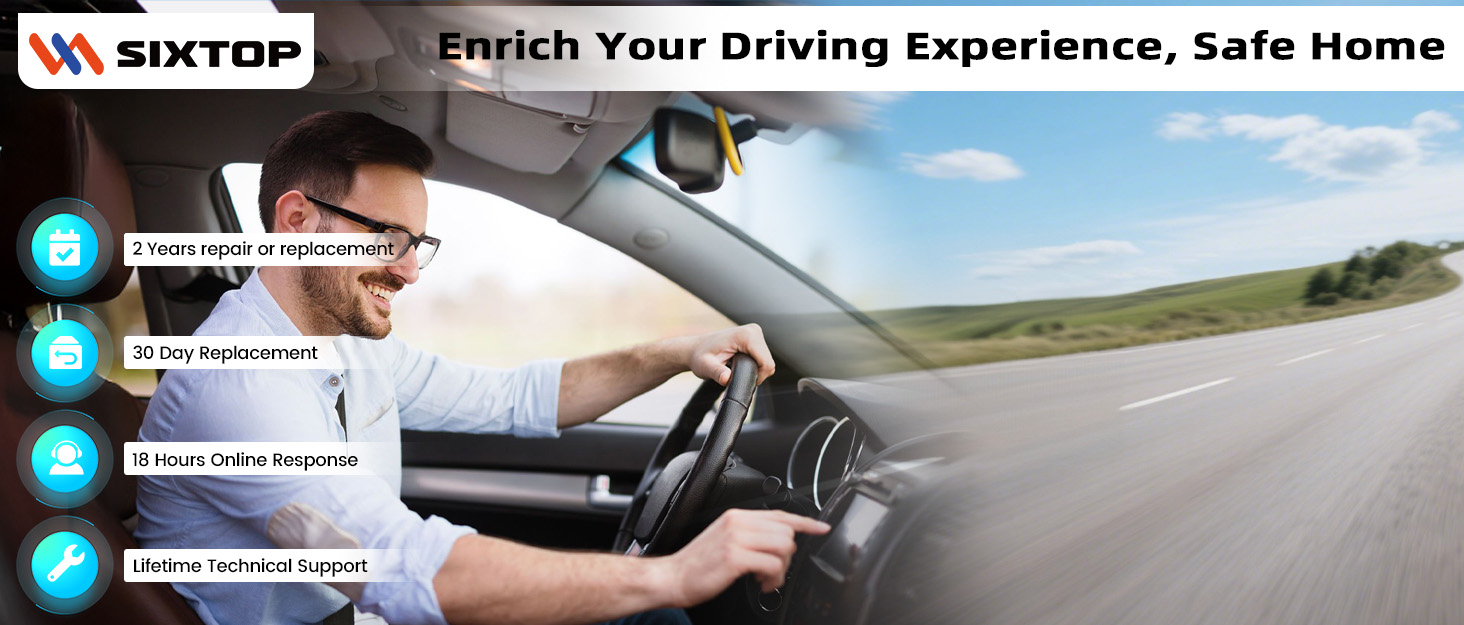
Obrázek 8.1: Nadview of SIXTOP's customer support and warranty commitments.