
DigiLand R10 PRO
DigiLand 10.1" Android 14 Tablet User Manual
Model: R10 PRO | Brand: DigiLand
Zavedení
This manual provides comprehensive instructions for setting up, operating, and maintaining your DigiLand 10.1" Android 14 Tablet. Please read this manual carefully before using your device to ensure optimal performance and longevity. For any further assistance, refer to the Warranty and Support section.
Co je v krabici
- Uživatelská příručka
- R10XS Tablet
- Nabíječka
- Nabíjecí kabel
- Tablet Stand Case
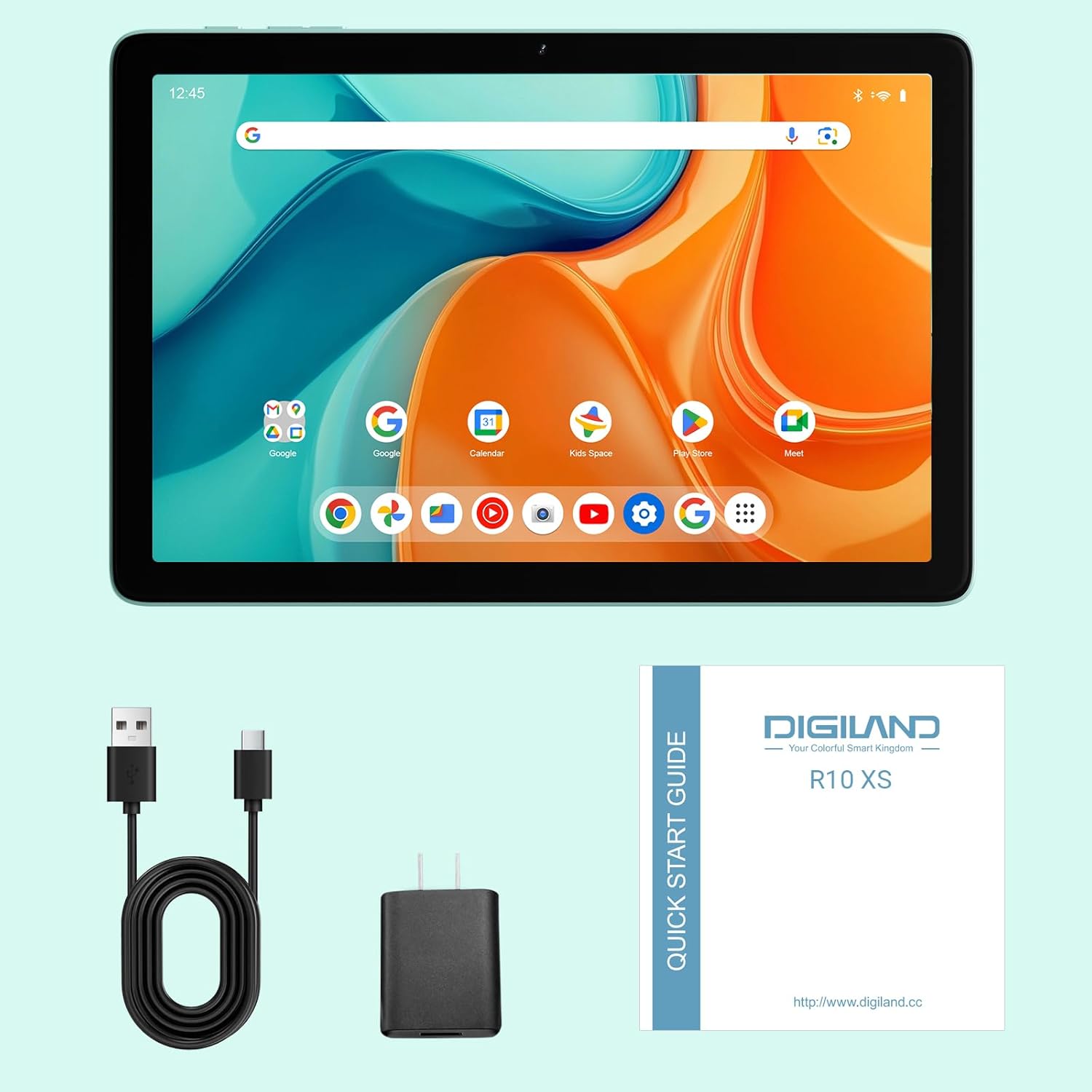
Image: The DigiLand R10 PRO tablet, along with its included accessories: charger, USB cable, and quick start guide.
Nastavení
Počáteční nabíjení
Before first use, fully charge your tablet using the provided charger and USB cable. The battery indicator on the screen will show the charging status. A full charge ensures optimal performance from the start.
Zapnutí/vypnutí
To power on, press and hold the power button located on the side of the tablet until the screen lights up and the DigiLand logo appears. To power off, press and hold the power button, then select "Power off" from the on-screen options.
Průvodce počátečním nastavením
Upon first power-on, you will be guided through an initial setup wizard. Follow the on-screen prompts to select your preferred language, connect to a Wi-Fi network, and set up your Google account. This process is essential for accessing Android features and applications.
Vložení karty MicroSD
Locate the MicroSD card slot on the side of the tablet. Gently insert a compatible MicroSD card (up to 1TB capacity supported) into the slot until it clicks into place. This allows for significant expansion of your tablet's storage capacity for photos, videos, and applications.
Ovládání tabletu
Zobrazení a interakce
Your tablet features a vibrant 10.1-inch HD IPS screen with a resolution of 800x1280 pixels, providing clear and crisp visuals for all your content. The multi-touch display ensures intuitive navigation and interaction with applications.

Image: A close-up of the tablet screen highlighting its 10.1-inch wide-viewing angle and 1280x800 resolution, ideal for media consumption.
Výkon
Equipped with an MTK Helio G80 Octa-Core processor and 10GB RAM (4GB physical + 6GB expandable virtual RAM), the tablet delivers smooth performance for multitasking, gaming, and running various applications. The Android 14 operating system provides enhanced privacy features and a streamlined user experience.

Image: An infographic detailing the tablet's core specifications, including the MTK Helio G80 Octa-Core processor and 10GB RAM.
Skladování
The tablet comes with 64GB of internal storage (ROM), providing ample space for your essential apps and files. This can be further expanded up to 1TB using a TF (MicroSD) card, allowing you to store a vast library of photos, videos, and documents.

Image: A visual representation emphasizing the tablet's 4GB RAM, 64GB ROM, and 1TB expansion capability for extensive storage.
Kamery
Capture your memories with the tablet's 13MP rear camera, suitable for everyday photography. The 8MP front camera is ideal for clear video calls and selfies.

Obrázek: Grafická ukázkaasing the tablet's 13MP rear camera and 8MP front camera, accompanied by exampfotografie pořízené tímto zařízením.
Zvuk
The tablet is equipped with dual BOX speakers, delivering rich and immersive audio for an enhanced experience when watching movies, listening to music, or participating in video conferences.
Konektivita
Stay connected with Dual-Band Wi-Fi 5 (2.4G/5G) for fast and reliable internet access. Bluetooth 5.0 ensures stable and efficient connections with your wireless headphones, keyboards, and other accessories.
Video: An official product video demonstrating the DigiLand 10.1" Android 14 Tablet's features, including its design, camera capabilities, and overall performance.
Údržba
Péče o baterie
The tablet is powered by a 6000mAh battery, offering up to 12 hours of typical usage. To maximize battery lifespan, avoid exposing the tablet to extreme temperatures. It is recommended to fully discharge and recharge the battery periodically.
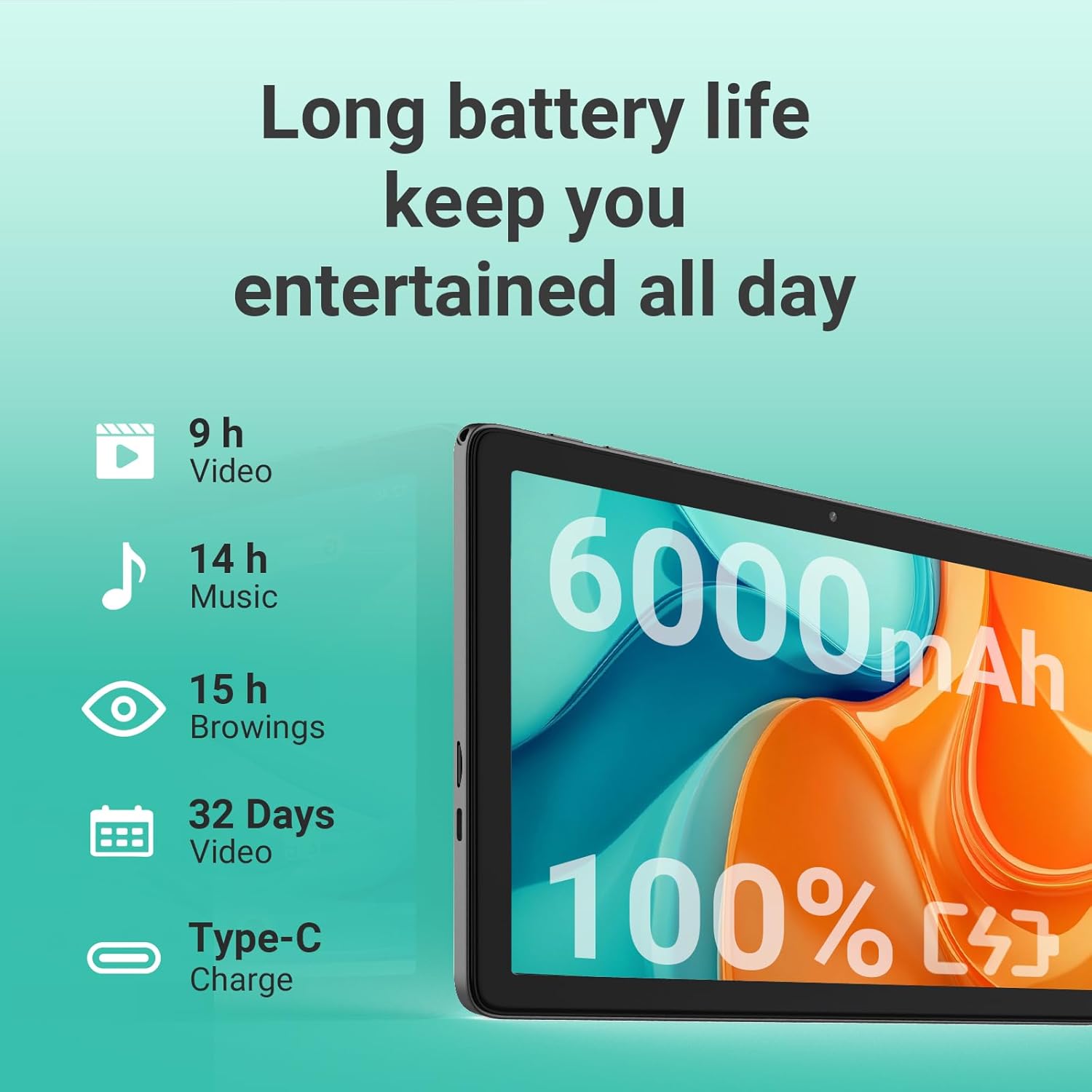
Image: An illustration detailing the long battery life of the tablet, with estimated usage times for video playback, music, and web procházení.
Čištění
To clean the screen and body of your tablet, use a soft, lint-free cloth. For stubborn smudges, slightly dampen the cloth with water. Avoid using abrasive materials, harsh chemicals, or aerosol sprays, as these can damage the device's finish.
Aktualizace softwaru
Regularly check for system software updates through the tablet's settings menu. Updates often include performance improvements, new features, and important security patches that enhance your device's functionality and protection.
Odstraňování problémů
Běžné problémy a řešení
- Tablet se nezapne: Ensure the battery is sufficiently charged. Connect the charger and wait a few minutes before attempting to power on again. If the issue persists, try holding the power button for 10-15 seconds for a forced restart.
- Problémy s připojením Wi-Fi: Verify that Wi-Fi is enabled in the tablet's settings. Restart your Wi-Fi router and the tablet. Ensure you are within range of the Wi-Fi signal and that the password is entered correctly.
- Slow performance or freezing: Close unused applications running in the background. Clear the cache of frequently used apps. If performance remains sluggish, consider backing up your data and performing a factory reset (Settings > System > Reset options).
- Obrazovka nereaguje na dotyk: Try restarting the tablet. If the screen remains unresponsive, ensure there is no physical damage or debris on the screen.
Kontaktujte podporu
If you encounter issues not covered in this troubleshooting guide, or if the suggested solutions do not resolve your problem, please refer to the Warranty and Support section for information on how to contact DigiLand customer service.
Specifikace
| Funkce | Detail |
|---|---|
| Značka | DigiLand |
| Název modelu | R10 XS |
| Číslo modelu položky | R10 PRO |
| Operační systém | Android 14 |
| Velikost zobrazení na stojící obrazovce | 10.1 palce |
| Rozlišení obrazovky | 1280x800 |
| Maximální rozlišení obrazovky | 800 x 1280 MP |
| Procesor | 2 GHz |
| Značka čipové sady | PAŽE |
| Popis karty | Integrovaný |
| Bezdrátový typ | 802.11a, 802.11ac, 802.11b, 802.11g, 802.11n |
| Průměrná výdrž baterie (v hodinách) | 10 hodiny |
| Hmotnost položky | 1.07 libry |
| Rozměry produktu | 9.54 x 6.35 x 0.31 palce |
| Rozměry položky DxŠxV | 9.54 x 6.35 x 0.31 palce |
| Barva | šedá |
| Zadní WebRozlišení vačky | 13 MP |
| Značka procesoru | MediaTek |
| Velikost paměti Flash | 64 GB |
| Baterie | 1 Jsou vyžadovány nestandardní baterie. (v ceně) |
| ASIN | B0F3X886H5 |
| Zákazník Reviews | 4.4 4.4 z 5 hvězdiček 23 hodnocení 4.4 z 5 hvězdiček |
| Pořadí nejprodávanějších | #461,055 in Electronics (See Top 100 in Electronics) #6,537 in Computer Tablets |
| Datum první dostupnosti | 7. dubna 2025 |
| Kapacita paměti | 64 GB |
| Velikost obrazovky | 10.1 palce |
| Maximální rozlišení displeje | 800 x 1280 MP |
Záruka a podpora
Your DigiLand R10 PRO tablet comes with a 1-Year Warranty, ensuring peace of mind regarding manufacturing defects and performance issues. For technical support, warranty claims, or any inquiries, please contact DigiLand customer service.
You can find more information and support resources on the official DigiLand webmísto: www.digiland.cc. Please have your model number (R10 PRO) and purchase information ready when contacting support.
Ask a question about this manual
Ask about setup, troubleshooting, compatibility, parts, safety, or missing instructions. Manuals+ will review the question and use this page’s manual context to help answer it.