
1. Úvod
This manual provides essential information for the safe and efficient operation, maintenance, and troubleshooting of your BWT EV03CBX Rechargeable Pool Vacuum Kit. Please read this manual thoroughly before using the product and retain it for future reference.
The BWT EV03CBX is a cordless, portable cleaning device designed for maintaining spas and small pools. It features a rechargeable lithium battery for convenient operation and a filter system to capture fine debris.
2. Bezpečnostní informace
VAROVÁNÍ: Nedodržení těchto pokynů může vést k úrazu elektrickým proudem, požáru a/nebo vážnému zranění.
- Před použitím tohoto zařízení si přečtěte všechny pokyny.
- Do not operate the vacuum when people are in the pool.
- Keep the charging port dry. Do not charge the vacuum near water or with wet hands.
- Používejte pouze nabíječku dodanou výrobcem.
- Do not attempt to disassemble or repair the battery or motor unit. Contact qualified service personnel.
- Store the vacuum in a cool, dry place away from direct sunlight when not in use.
- Tento spotřebič není určen pro použití osobami (včetně dětí) se sníženými fyzickými, smyslovými nebo duševními schopnostmi nebo nedostatečnými zkušenostmi a znalostmi, pokud na ně nedohlíží osoba odpovědná za jejich bezpečnost nebo jim nebyla poskytnuta instrukce ohledně používání spotřebiče.
3. Obsah balení
Verify that all items listed below are present in your package. If any parts are missing or damaged, contact customer support.
- BWT EV03CBX Pool Vacuum Unit
- Filter Bag (0.3-liter capacity)
- Nabíjecí kabel (USB)
- Pole Sections (2 sections, total 36.6 inches)
- Vacuum Head with Wheels
- Kartáčový nástavec
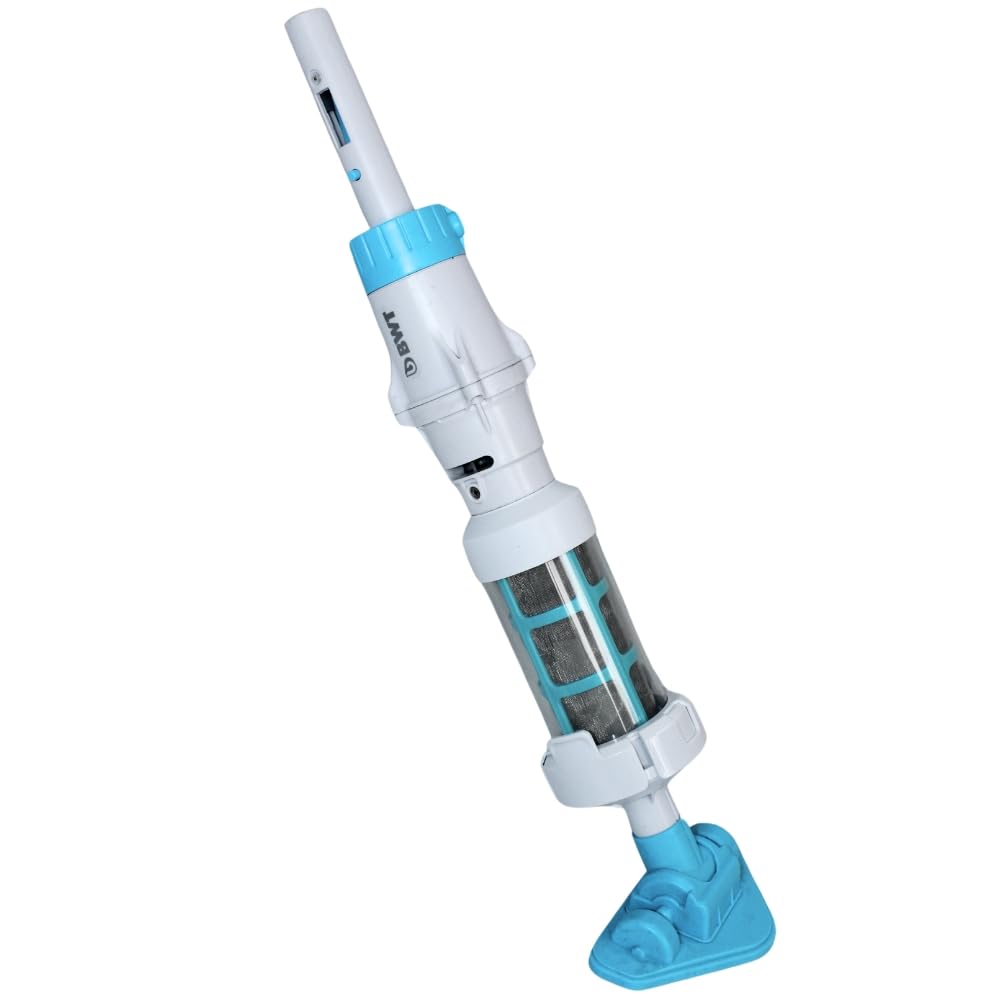
Image 1: Fully assembled BWT EV03CBX Rechargeable Pool Vacuum Kit.
4. Nastavení a montáž
4.1 Nabíjení baterie
- Ensure the vacuum unit is dry before charging.
- Vyhledejte nabíjecí port na vysavači.
- Connect the provided USB charging cable to the vacuum unit and to a suitable USB power adapter (not included).
- Allow the vacuum to charge fully before first use. The charging indicator light will change color or turn off when charging is complete.

Image 2: USB charging cable.
4.2 Assembling the Pole
- Take the two pole sections.
- Connect the two sections by aligning the holes and pressing the spring clips. Ensure they lock securely.
- Attach the assembled pole to the vacuum unit. The pole is compatible with standard 1-1/4 inch attachments.

Image 3: Two pole sections for assembly.
4.3 Attaching the Vacuum Head or Brush
- Select either the vacuum head with wheels or the brush attachment based on your cleaning needs.
- Align the chosen attachment with the bottom of the vacuum unit and push firmly until it clicks into place.
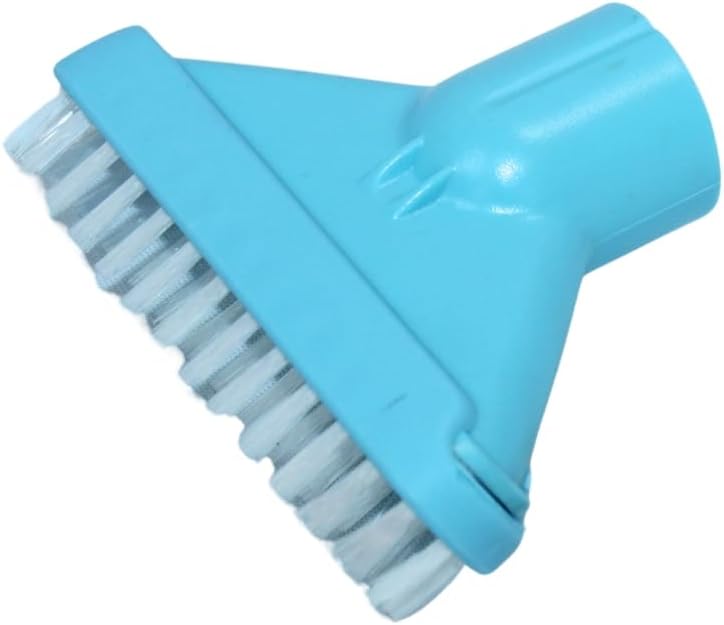
Image 4: Brush attachment.
5. Návod k obsluze
5.1 Starting the Vacuum
- Ujistěte se, že je vakuum plně nabité.
- Submerge the vacuum unit completely in water. The non-return valve prevents water from flowing back out.
- Locate the power switch on the vacuum unit. Turn it ON. The motor will start, and the vacuum will begin to draw water and debris.
5.2 Cleaning the Pool/Spa
- Gently guide the vacuum head along the bottom and sides of your pool or spa.
- Move the vacuum slowly to allow sufficient time for debris to be collected.
- The vacuum is designed to operate effectively in water depths up to 2 meters.
- The lithium battery provides up to 30 minutes of continuous operation on a full charge.
5.3 Stopping the Vacuum
- Vypněte hlavní vypínač.
- Carefully remove the vacuum from the water.
6. Údržba
6.1 Cleaning the Filter Bag
It is recommended to clean the filter bag after each use or when suction power decreases.
- Ensure the vacuum is turned OFF and removed from water.
- Locate the click-lock opening system on the vacuum unit. Open it to access the filter compartment.
- Vyjměte filtrační sáček.
- Empty any collected debris from the filter bag.
- Rinse the filter bag thoroughly with clean water until all debris is removed.
- Reinsert the clean filter bag into the vacuum unit and securely close the click-lock system.

Image 5: Vacuum body with visible filter compartment.
6.2 Skladování
- After cleaning, ensure the vacuum unit and filter bag are completely dry before storage.
- Vysavač skladujte na chladném a suchém místě, mimo dosah přímého slunečního záření a extrémních teplot.
- For long-term storage, it is recommended to charge the battery periodically to maintain its health.
7. Řešení problémů
| Problém | Možná příčina | Řešení |
|---|---|---|
| Vakuum se nezapne. | Baterie není nabitá. | Baterii plně nabijte. |
| Nízký sací výkon. | Filtrační sáček je plný nebo ucpaný. | Vyčistěte filtrační sáček. |
| Nízký sací výkon. | Debris is blocking the intake. | Inspect and clear any blockages from the vacuum head or intake port. |
| Vysavač se neočekávaně zastaví. | Baterie je vybitá. | Nabijte baterii. |
8. Specifikace
- Model: EV03CBX
- Zdroj napájení: Dobíjecí lithiová baterie
- Provozní doba: Až 30 minut (při plném nabití)
- Kapacita filtru: 0.3 litrů
- Maximální provozní hloubka: 2 metrů (6.5 stop)
- Délka tyče: 36.6 inches (two sections)
- Kompatibilita s tyčemi: Standard 1-1/4 inch attachments
- Rozměry produktu: 6"L x 2"W x 10"H (vacuum unit only)
9. Záruka a podpora
For warranty information or technical support, please refer to the warranty card included with your product or visit the official BWT webUschovejte si doklad o koupi pro případ reklamace.
Zákaznická podpora: For assistance, please contact BWT customer service through their official channels.