
1. Konec produktuview
The LEVN Open Ear Headphones (Model: LE-HS017-V1) are designed to provide audio while allowing you to remain aware of your surroundings. Featuring an ultra-lightweight design and advanced noise-cancelling microphone, these headphones are suitable for various activities including work, exercise, and calls.

Figure 1: LEVN Open Ear Headphones LE-HS017-V1
The open-ear design ensures comfort during extended wear and compatibility with glasses, hats, or helmets. The flexible and non-slip construction keeps the headphones securely in place.

Figure 2: Open-ear design for situational awareness and comfort.
2. Obsah balení
Ověřte, zda jsou v balení přítomny všechny položky:
- LEVN Open Ear Headphones (Model: LE-HS017-V1)
- Magnetický nabíjecí kabel
- Uživatelská příručka

Figure 3: Included accessories with the headphones.
3. Nastavení
3.1 Nabíjení sluchátek
Before first use, fully charge the headphones. Connect the magnetic charging cable to the charging port on the headphones. Connect the other end of the cable to a USB power source. The LED indicator on the headphones will show the charging status.
3.2 Zapnutí/vypnutí
- Zapnutí: Press and hold the Multi-Function Button (MFB) for approximately 3 seconds until the LED indicator flashes.
- Vypnutí: Press and hold the Multi-Function Button (MFB) for approximately 5 seconds until the LED indicator turns off.
3.3 Párování Bluetooth
- Ujistěte se, že jsou sluchátka vypnutá.
- Press and hold the MFB for 5-7 seconds until the LED indicator flashes red and blue alternately, indicating pairing mode.
- Na svém zařízení (chytrý telefon, tablet, počítač) povolte Bluetooth a vyhledejte dostupná zařízení.
- Select "LEVN LE-HS017-V1" from the list of devices.
- Po připojení bude LED indikátor pomalu blikat modře.
3.4 Vícebodové připojení
The headphones support connecting to two Bluetooth devices simultaneously (Bluetooth 5.3). To use this feature:
- Spárujte sluchátka s prvním zařízením, jak je popsáno v části 3.3.
- Vypněte Bluetooth na prvním zařízení. Sluchátka se znovu přepnou do režimu párování.
- Spárujte sluchátka s druhým zařízením.
- Povolte Bluetooth na prvním zařízení. Sluchátka se automaticky připojí k oběma zařízením.

Figure 4: Headphones supporting multipoint connection to two devices.
3.5 Nošení sluchátek
Place the headphones over your ears with the ear hooks resting comfortably behind your ears. The lightweight (29g) and ergonomic design ensures a secure and comfortable fit without slipping, even during intense activities.
4. Návod k obsluze
4.1 Ovládací prvky Overview
The headphones feature intuitive controls for easy management of audio and calls:
- Multifunkční tlačítko (MFB): Located on the right earbud.
- Tlačítka hlasitosti (+/-): Located on the right earbud.
- Tlačítko ztlumení: Located on the microphone boom.
- Mikrofon: 270° rotatable for optimal positioning.

Figure 5: Key control buttons and microphone.
4.2 Správa hovorů
- Přijmout/ukončit hovor: Stiskněte jednou MFB.
- Odmítnout hovor: Stiskněte a podržte MFB po dobu 2 sekund.
- Ztlumit/zapnout mikrofon: Press the dedicated Mute Button on the microphone boom. The 270° rotatable microphone allows for precise positioning to ensure clear voice transmission, enhanced by AI noise cancellation.
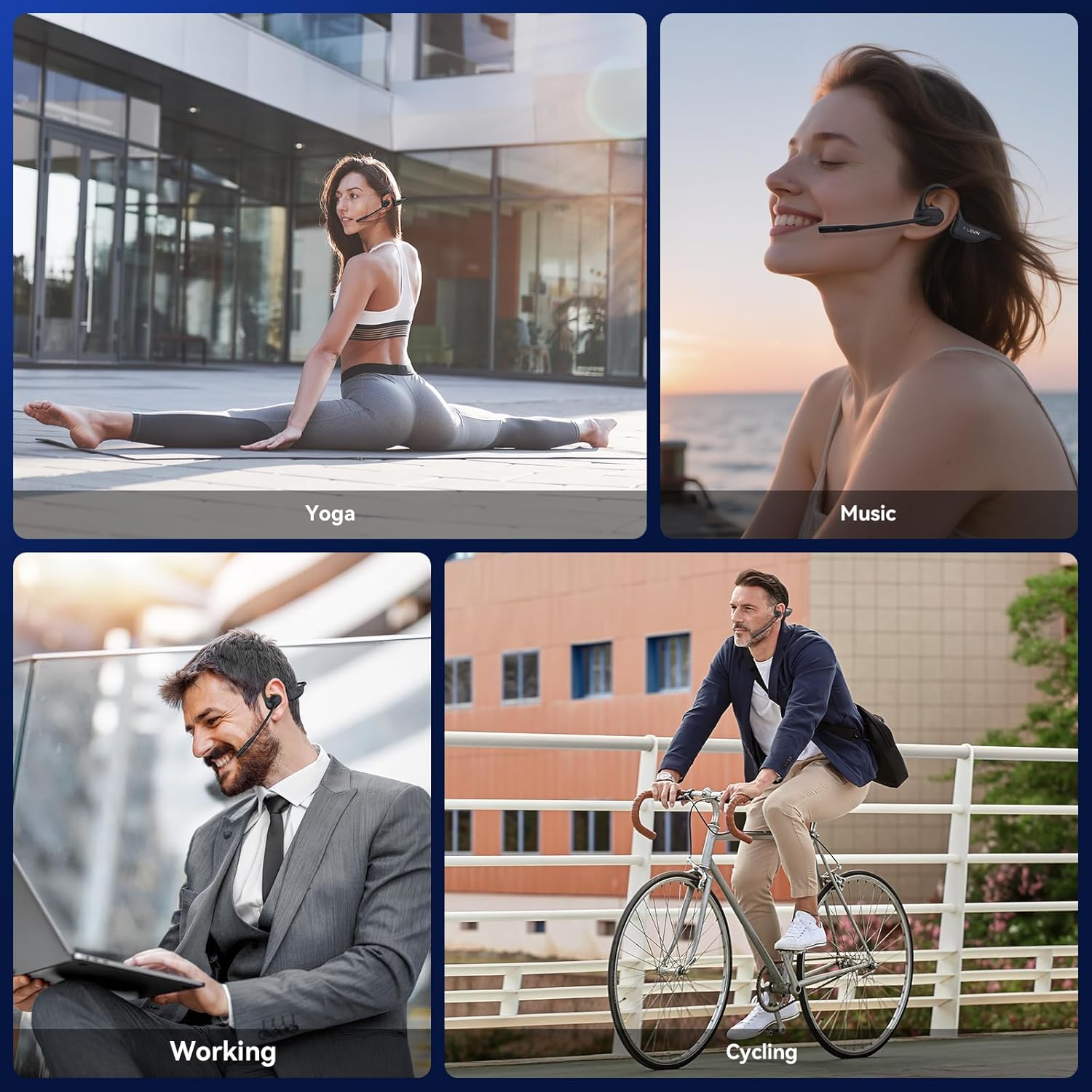
Figure 6: Using the headphones for clear communication.
4.3 Přehrávání hudby
- Přehrát/pozastavit: Stiskněte jednou MFB.
- Další skladba: Dvakrát stiskněte MFB.
- Předchozí skladba: Třikrát stiskněte MFB.
- Zvýšit hlasitost: Stiskněte tlačítko „+“.
- Snížit hlasitost: Stiskněte tlačítko „-“.
5. Údržba
5.1 Čištění
Wipe the headphones with a soft, dry, lint-free cloth. Avoid using abrasive cleaners, solvents, or harsh chemicals, as these may damage the device.
5.2 Skladování
Sluchátka skladujte na chladném a suchém místě mimo dosah přímého slunečního záření a extrémních teplot. Nepokládejte na sluchátka těžké předměty.
5.3 Voděodolnost
The LEVN Open Ear Headphones have an IP65 water resistance rating, meaning they are protected against dust ingress and low-pressure water jets from any direction. This makes them suitable for workouts and light rain. Do not submerge the headphones in water or expose them to high-pressure water.

Figure 7: IP65 water resistance for durability.
6. Řešení problémů
Pokud se se sluchátky setkáte s problémy, podívejte se na následující běžná řešení:
| Problém | Možné řešení |
|---|---|
| Sluchátka se nezapínají | Ensure the headphones are fully charged. Connect to the magnetic charging cable and check the LED indicator. |
| Nelze spárovat se zařízením | Ensure headphones are in pairing mode (LED flashes red/blue). Disable and re-enable Bluetooth on your device. Forget previous pairings on your device and try again. Ensure headphones are within Bluetooth range (up to 49 feet). |
| Žádný nebo slabý zvuk | Adjust the volume on both the headphones and your connected device. Ensure the headphones are properly connected. |
| Microphone not working or unclear | Ensure the microphone is not muted. Rotate the microphone boom to position it closer to your mouth. Check microphone settings on your connected device. |
| Přerušované připojení | Ensure you are within the optimal Bluetooth range. Avoid obstacles between the headphones and your device. Reduce interference from other wireless devices. |
7. Specifikace
| Funkce | Detail |
|---|---|
| Značka | LEVN |
| Číslo modelu | LE-HS017-V1 |
| Barva | Černý |
| Verze Bluetooth | 5.3 |
| Hmotnost | 29 gramů |
| Voděodolnost | IP65 |
| Jack pro sluchátka | Žádný Jack |
| Kontrolní metoda | Stiskněte tlačítko |
| Typ zvukového ovladače | Dynamický ovladač |
| Frekvenční rozsah | 20Hz - 20,000Hz |
8. Záruka a podpora
For any issues with your order or to inquire about warranty information, please contact LEVN customer support directly via email:
E-mail: levn001@outlook.com
Additional support and product information may be available on the official LEVN brand store: LEVN Brand Store