
RifePhi f0f284af-34a5-4530-a3bb-3cc5e6742082
RifePhi Smart Watch User Manual
Model: f0f284af-34a5-4530-a3bb-3cc5e6742082
Zavedení
The RifePhi Smart Watch is designed to be a comprehensive fitness and health companion for women. Featuring a 1.39-inch full-screen touch display, it offers real-time health monitoring including heart rate, blood pressure, and SpO2 levels, alongside advanced female cycle tracking. With over 100 sport modes, Bluetooth call functionality, and smart notifications, this IP67 waterproof smartwatch seamlessly integrates into your daily life, providing convenience and insights into your well-being.
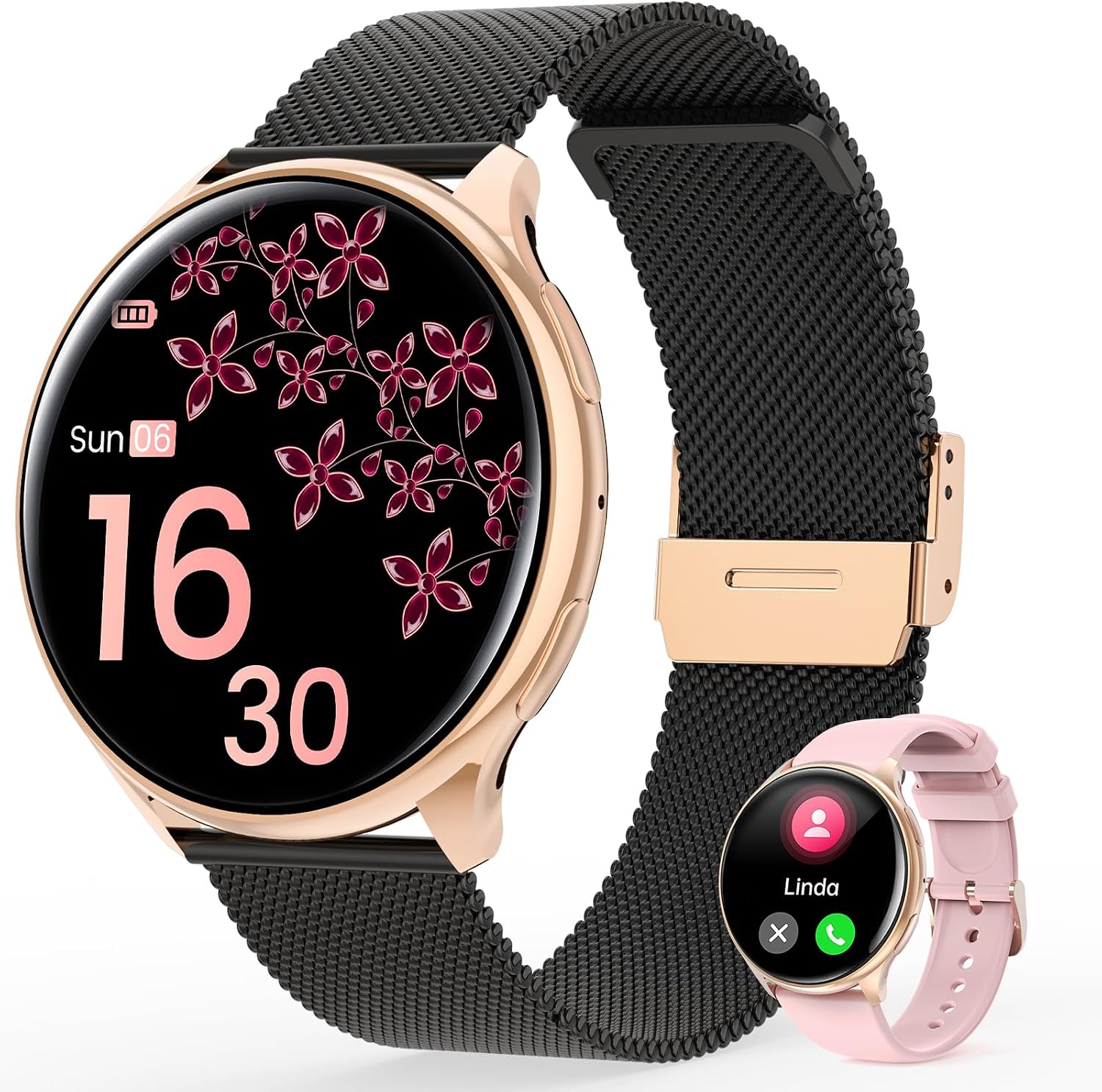
Image: The RifePhi Smart Watch in Black Rose Gold, showcasing its elegant design with a black Milanese strap. A smaller image of the watch with a pink silicone strap is also visible, highlighting color options.
Průvodce nastavením
1. Nabíjení chytrých hodinek
Before first use, fully charge your RifePhi Smart Watch. Connect the magnetic charging cable to the charging points on the back of the watch and plug the USB end into a compatible power adapter (not included) or a computer USB port. A full charge typically takes approximately 2.5 hours. The battery indicator on the watch screen will show charging progress.
- Kapacita baterie: 260 XNUMX mAh
- Doba nabíjení: Přibližně 2.5 hodiny
- Normal Use Duration: 4-6 dní
- Pohotovostní doba: Až 25 dní
2. Stažení a instalace aplikace
To unlock the full functionality of your RifePhi Smart Watch, you need to download and install the FitCloudPro APP on your smartphone. The app is compatible with Android 4.4 or above and iOS 9.0 or above.
- Scan the QR code provided in the watch's packaging or search for "FitCloudPro" in your smartphone's app store (Google Play Store for Android, Apple App Store for iOS).
- Stáhněte a nainstalujte aplikaci.
- Grant necessary permissions when prompted by the app for optimal performance (e.g., Bluetooth, notifications, location).
3. Pairing the Smart Watch with Your Smartphone
After installing the FitCloudPro APP, follow these steps to pair your watch:
- Ujistěte se, že je na vašem smartphonu povoleno Bluetooth.
- Open the FitCloudPro APP.
- V aplikaci přejděte do sekce „Zařízení“.
- Select "Add a device".
- The app will search for nearby devices. Look for a device named "S93" (or similar identifier for your RifePhi Smart Watch) and select it.
- A pairing request will appear on your phone. Select "Allow" or "Pair" to confirm the connection.
- Once successfully paired, the watch will synchronize data with the app, and you can begin customizing settings and tracking your activities.
Návod k obsluze
Displej a uživatelské rozhraní
The RifePhi Smart Watch features a 1.39-inch full-color HD display with 360x360 ultra-high resolution. The 2.5D curved glass provides a clear and comfortable visual experience in various lighting conditions.

Image: A close-up of the RifePhi Smart Watch display, illustrating its vibrant 1.39-inch full-color HD screen and clear visibility of notifications and time.
- Dotyková obrazovka: Navigate by swiping left, right, up, or down, and tapping to select.
- Přizpůsobitelné ciferníky: Choose from multiple watch faces within the FitCloudPro APP or customize your own.
- UI Interactions: The main interface supports 4 different types of UI interactions.
Monitorování zdraví
Hodinky poskytují komplexní funkce pro sledování zdraví:
- Monitorování tepové frekvence (HR): Sledování tepové frekvence v reálném čase.
- Blood Pressure (BP) Measurement: On-demand blood pressure readings.
- Hladiny kyslíku v krvi (SpO2): Měří saturaci krve kyslíkem.
- Sledování spánku: Automatically records sleep patterns, including deep sleep, light sleep, and awake time. Analyze your sleep data in the FitCloudPro APP for scientific adjustments to your sleep habits.

Image: A woman wearing the RifePhi Smart Watch, with graphics highlighting features like menstrual records, women's health, and breathing exercises, emphasizing its focus on female well-being.

Image: The RifePhi Smart Watch displaying sleep monitoring records, showing duration of deep sleep, light sleep, and awake time, along with a visual representation of sleep stages.
Sledování ženského cyklu
A dedicated feature helps women predict and record their menstrual period and ovulation. This assists in better care and preparation for pregnancy and delivery.
Bluetooth Call and Message Alerts
Equipped with Bluetooth 5.2 technology, the watch allows for stable and fast call management and message notifications.

Image: An illustration of the RifePhi Smart Watch's Bluetooth call and message alert capabilities, showing icons for various social media apps and a microphone for voice functions.
- Bluetooth hovory: Answer, dial, and hang up calls directly from your watch.
- Odeslání zprávy: Receive notifications from Facebook, Twitter, WhatsApp, Instagram, TikTok, and other applications.
- Hlasový asistent: The watch can be paired with a voice assistant for simplified operations.
Sportovní režimy
The RifePhi Smart Watch offers extensive sport tracking capabilities with over 100 exercise modes, including 9 general training modes.

Image: A woman stretching during a yoga session, with the RifePhi Smart Watch on her wrist, surrounded by icons representing various sports modes like running, cycling, and basketball.
- Track your performance for activities like yoga, pilates, running, badminton, and more.
- Allows users to create personalized training programs.
Smart Companion Features
Beyond health and fitness, the watch includes several practical functions:

Image: Three panels illustrating the RifePhi Smart Watch's smart features: weather notifications with a snowy mountain scene, music control with a person listening to headphones, and remote photo capture with two people taking a selfie.
- Weather Push: Získejte aktuální informace o počasí v reálném čase.
- Sedavé připomenutí: Upozorní vás na pohyb po obdobích nečinnosti.
- Připomenutí vody: Nabádá vás k pití vody.
- Wrist Bright Screen: Screen activates when you raise your wrist.
- Ovládání kamery: Ovládejte fotoaparát svého smartphonu na dálku.
- Ovládání hudby: Spravujte přehrávání hudby na svém smartphonu.
Údržba a péče
Vodotěsnost (IP67)
The RifePhi Smart Watch has an IP67 waterproof rating. This means it is resistant to splashes, rain, and can withstand hand washing. It is not suitable for swimming, showering with hot water, or diving. Avoid prolonged submersion in water.
- Dělat: Wear during hand washing, in light rain, or during sweating.
- Ne: Submerge in water for extended periods, use in hot showers or saunas, or during swimming/diving.
Čištění a skladování
- Wipe the watch and strap regularly with a soft, dry cloth to remove dust and sweat.
- V případě potřeby použijte mírně damp hadříkem k čištění a poté důkladně osušte.
- Nepoužívejte agresivní chemikálie, čisticí rozpouštědla nebo silné čisticí prostředky, protože by mohly poškodit povrchovou úpravu a těsnění hodinek.
- Store the watch in a cool, dry place when not in use, away from direct sunlight and extreme temperatures.
Odstraňování problémů
| Problém | Možné řešení |
|---|---|
| Hodinky se nezapínají | Ujistěte se, že jsou hodinky plně nabité. Připojte je k nabíječce alespoň na 30 minut. |
| Nelze spárovat se smartphonem |
|
| Oznámení nebyla přijata |
|
| Nepřesné zdravotní údaje |
|
| Obrazovka nereaguje | Restart the watch by pressing and holding the side button (if available) or by charging it if the battery is completely drained. |
Specifikace
| Funkce | Detail |
|---|---|
| Číslo modelu | f0f284af-34a5-4530-a3bb-3cc5e6742082 |
| Velikost displeje | 1.39 palců |
| Rezoluce | 360x360 pixelů |
| Kapacita baterie | 260 XNUMX mAh |
| Konektivita | Bluetooth 5.2 |
| Voděodolnost | IP67 |
| Kompatibilita operačního systému | Android 4.4+ / iOS 9.0+ |
| Hmotnost položky | 5.6 unce |
| Rozměry balení | 10.98 x 3.54 x 0.75 palce |
| Co je v krabici | 1*dial, 2*strap (one Milanese, one silicone) |
Záruka a podpora
RifePhi products are manufactured with high-quality standards. For any issues or inquiries regarding your Smart Watch, please contact RifePhi customer support. Refer to your purchase documentation for specific warranty terms and contact information.
For the latest information, FAQs, and support resources, please visit the official RifePhi website or contact the seller directly through the platform where you purchased the product.