
1. Úvod
Thank you for choosing the Redkey R10 Robot Vacuum Cleaner and Mop. This device is designed to provide efficient and automated cleaning for your home, combining powerful vacuuming with effective mopping capabilities. Equipped with advanced LiDAR navigation and a self-emptying station, the R10 offers a convenient and hands-free cleaning experience. This manual provides essential information for the safe and proper use, maintenance, and troubleshooting of your Redkey R10.
Před použitím zařízení si prosím pečlivě přečtěte tento návod k obsluze a uschovejte si jej pro budoucí použití.
2. Bezpečnostní informace
To reduce the risk of injury or damage, read these safety instructions carefully and keep them accessible when setting up, using, and maintaining your robot.
- The robot is for indoor use only. Do not use it outdoors or on commercial or industrial surfaces.
- Do not use the robot in environments with high humidity or near water sources.
- Before using the robot, remove any loose cables, small objects, or fragile items from the cleaning area to prevent entanglement or damage.
- Do not allow children or pets to play with the robot or the charging station.
- Use only the original charging station and power adapter provided by the manufacturer.
- Do not handle the robot or charging station with wet hands.
- Nepoužívejte robota k vysávání velkých nečistot, ostrých předmětů nebo kapalin.
- Ensure the robot is turned off and unplugged from the charging station before performing any maintenance or cleaning.
- Pokud je napájecí kabel poškozen, musí jej vyměnit výrobce, jeho servisní zástupce nebo podobně kvalifikovaná osoba, aby se předešlo nebezpečí.
3. Obsah balení
Po vybalení ověřte, zda jsou všechny součásti přítomny a v dobrém stavu.
- Robotický vysavač Redkey R10
- Samovyprazdňovací stanice
- Napájecí kabel
- Dust Collection Bag (pre-installed in station)
- Nádrž na vodu
- Vytírací podložka
- Boční kartáče (x2)
- Nástroj na čištění
- Uživatelská příručka
4. Konec produktuview
Robotický vysavač 4.1

Image: The Redkey R10 robot vacuum cleaner, its self-emptying station, and mopping accessories.
- Nahoru View: LiDAR Navigation Sensor, Power/Clean Button, Spot Clean Button.
- Přední strana View: Bumper, Wall Sensor, Charging Contacts, Dustbin Release Button.
- Dno View: Main Brush, Side Brushes, Driving Wheels, Universal Wheel, Cliff Sensors, Charging Contacts.
4.2 Samovyprazdňovací stanice
- Port pro sběr prachu
- Přihrádka na prachový sáček
- Nabíjecí kontakty
- Kontrolka napájení
5. Nastavení
5.1 Umístění nabíjecí stanice
Place the self-emptying station on a hard, level surface against a wall. Ensure there is at least 0.5 meters (1.6 feet) of clear space on both sides and 1.5 meters (4.9 feet) in front of the station for optimal robot navigation and docking. Plug the power cord into the station and then into a wall outlet. Ensure the station is connected to power.
5.2 Počáteční nabíjení
Place the Redkey R10 robot onto the charging station, aligning its charging contacts with those on the station. The robot will automatically begin charging. For first-time use, fully charge the robot before operation. The indicator light on the robot will show charging status.
5.3 Water Tank and Mopping Pad Preparation (for Mopping Function)
If you intend to use the mopping function, fill the water tank with clean water. Attach the mopping pad securely to the water tank module. Insert the prepared water tank module into the designated slot on the robot.
6. Návod k obsluze
6.1 Zapnutí/vypnutí
- Zapnutí: Press and hold the Power/Clean button on the robot for a few seconds until the indicator lights illuminate.
- Vypnout: Press and hold the Power/Clean button for a few seconds until the indicator lights turn off.
6.2 Connecting to the Redkey App

Image: A smartphone displaying the Redkey app interface for controlling the robot vacuum cleaner, showing cleaning programs, specific room cleaning, and cleaning order settings.
- Download the 'Redkey' app from your smartphone's app store (iOS or Android).
- Register or log in to your Redkey account.
- Follow the in-app instructions to add your Redkey R10 device. Ensure your Wi-Fi network is 2.4GHz.
6.3 Mapování a navigace

Image: The Redkey R10 robot vacuum cleaner actively mapping a room using its LiDAR sensor, with text indicating 360° LiDAR navigation, room mapping, path planning, and efficient cleaning.
The R10 uses LiDAR navigation to create a precise map of your home. During its first cleaning cycle, it will map out your floor plan. This map can be viewed and managed within the Redkey app.
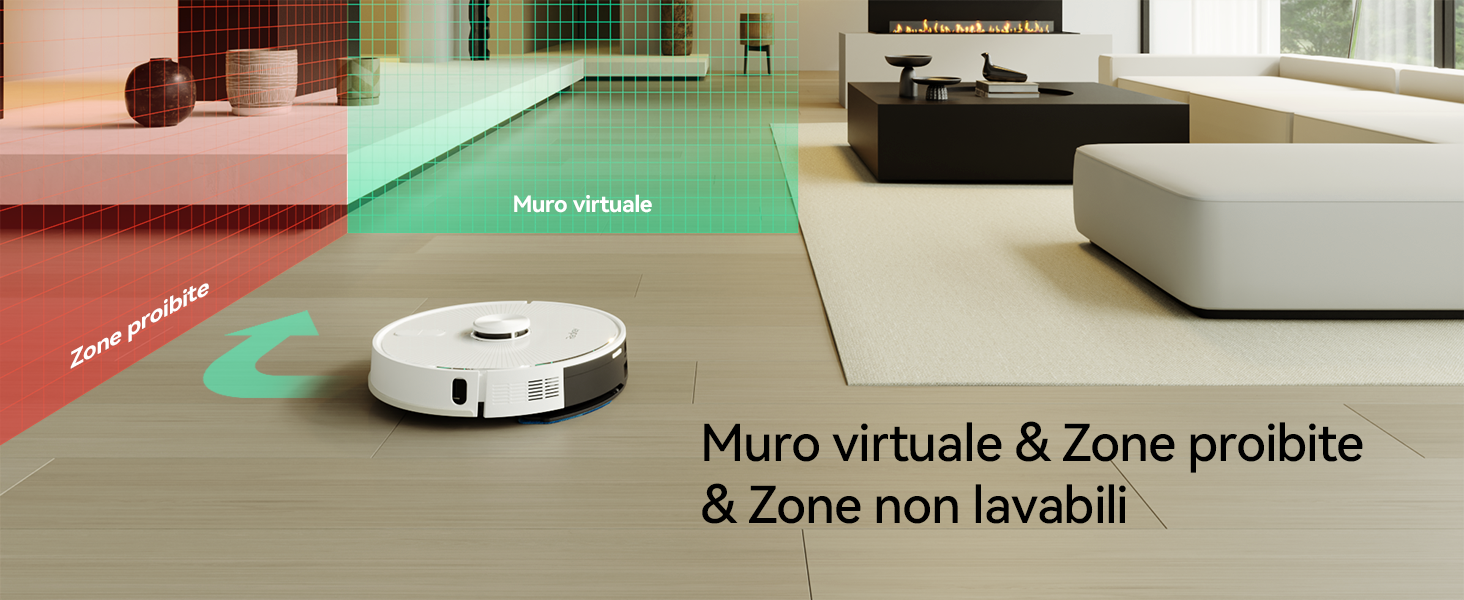
Image: A woman relaxing on a sofa while the Redkey R10 robot vacuum cleaner maps her home, with a holographic representation of a house map indicating customized mapping for efficient cleaning.
6.4 Režimy čištění

Image: A woman reading on a sofa while the Redkey R10 robot vacuum cleaner operates on a rug, with icons indicating 'Silent', 'Standard', 'Strong', and 'MAX' suction modes up to 4000Pa.
- Automatické čištění: Robot automaticky vyčistí celou zmapovanou oblast.
- Čištění místa: Robot intenzivně čistí specifickou malou oblast.
- Čištění zóny: Select specific rooms or zones on the app map for the robot to clean.
- Režim mopování: Attach the water tank and mopping pad. The robot will mop the selected area. It can adjust water flow automatically.
- Vysavač a mop: The robot can perform both vacuuming and mopping simultaneously.
6.5 Setting Virtual Walls and No-Go Zones
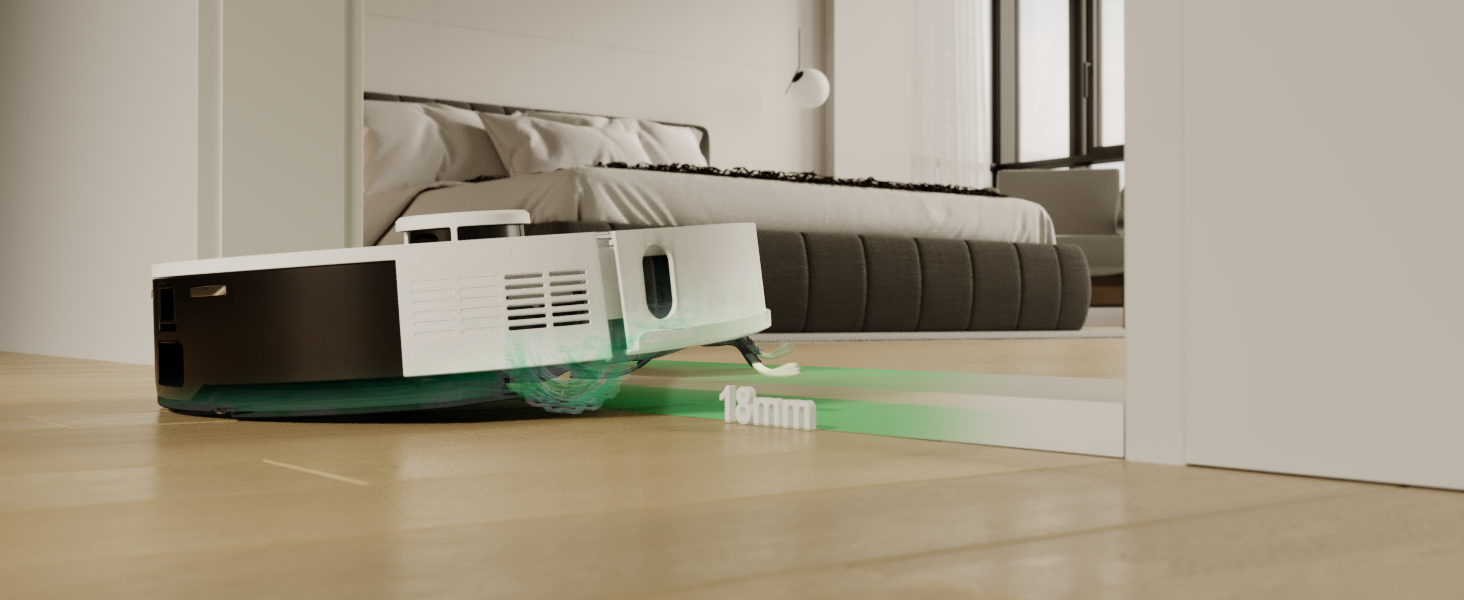
Image: The Redkey R10 robot vacuum cleaner navigating a room, with red and green shaded areas indicating 'Prohibited Zones' and 'Virtual Wall' respectively, demonstrating its ability to avoid restricted areas.
Using the Redkey app, you can draw virtual walls or define no-go zones on the map to prevent the robot from entering specific areas (e.g., pet bowls, fragile items, or areas with loose cables).
6.6 Plánování
Set up cleaning schedules through the app for automated cleaning at preferred times and days.
6.7 Hlasové ovládání
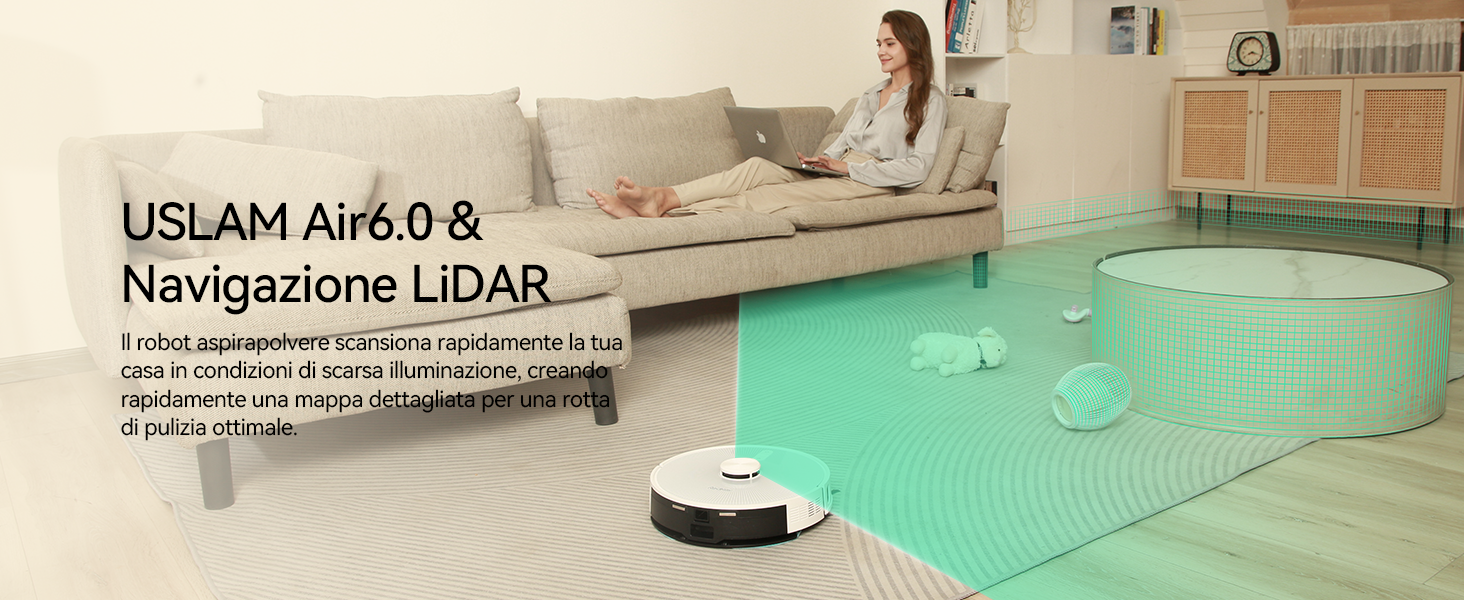
Image: A woman sitting on a sofa, speaking into her phone, with the Redkey R10 robot vacuum cleaner in the foreground. Text indicates voice control compatibility with Alexa and Google Assistant, allowing commands like 'Tell R10 to vacuum and mop in front of the counter.'
The Redkey R10 supports voice control via Amazon Alexa and Google Assistant. Link your Redkey account in the respective voice assistant app and use commands to start, stop, or send the robot to its charging station.
7. Údržba
Pravidelná údržba zajišťuje optimální výkon a prodlužuje životnost vašeho Redkey R10.
7.1 Emptying Dustbin / Self-Emptying Station Bag

Image: The Redkey R10 robot vacuum cleaner docked at its self-emptying station, with a visual representation of dust being transferred from the robot's dustbin to the station's 4L dust bag, indicating up to 90 days of hands-free cleaning.
- Robotický odpadkový koš: Even with the self-emptying station, it is recommended to periodically check and manually empty the robot's internal dustbin, especially if you notice reduced suction. Press the dustbin release button and pull out the dustbin. Empty its contents into a trash bin.
- Samovyprazdňovací sáček na prach: The 4L dust bag in the self-emptying station can hold debris for up to 90 days. When the bag is full, the app will notify you. Open the station's lid, remove the full bag, and dispose of it. Install a new dust bag.
7.2 čisticí kartáčky
- Hlavní kartáč: Turn the robot over. Remove the main brush cover and lift out the main brush. Use the provided cleaning tool to remove hair and debris tangled around the brush. Reinstall the brush and cover.
- Boční kartáče: Zkontrolujte boční kartáče, zda v nich nejsou zamotané vlasy nebo nečistoty. Pokud jsou poškozené nebo opotřebované, vyměňte je.
7.3 Čištění filtrů
Remove the dustbin. Take out the filter assembly. Tap the filter to remove loose dust. Do not wash the HEPA filter with water. Replace filters every 3-6 months depending on usage.
7.4 Čištění senzorů
Wipe the cliff sensors (on the bottom of the robot), wall sensors (on the side), and charging contacts (on the robot and station) with a clean, dry cloth to ensure proper function.
7.5 Čištění nádrže na vodu a mopovací podložky
- Nádrž na vodu: Po každém vytírání vylijte zbývající vodu z nádržky a nechte ji uschnout na vzduchu.
- Mopovací podložka: Remove the mopping pad and wash it by hand or machine. Allow it to air dry completely before reattaching.
7.6 Péče o baterii
To maintain battery life, ensure the robot is regularly charged. If storing the robot for an extended period, fully charge it and power it off. Recharge every three months to prevent battery degradation.
8. Řešení problémů
| Problém | Možná příčina | Řešení |
|---|---|---|
| Robot se nezapne. | Slabá baterie; nenabitá. | Place robot on charging station and ensure it is charging. |
| Robot cannot dock. | Charging station obstructed; contacts dirty. | Clear area around station; clean charging contacts on robot and station. |
| Snížený sací výkon. | Plná nádoba na prach; ucpaný filtr; zamotaný hlavní kartáč. | Vyprázdněte nádobu na prach; vyčistěte/vyměňte filtr; vyčistěte hlavní kartáč. |
| Robot se často zasekává. | Obstacles in path; cliff sensors dirty. | Vyčistěte čisticí prostor; očistěte senzory proti srázu. |
| Funkce mopování nefunguje. | Nádrž na vodu je prázdná; mopovací podložka není správně připevněna. | Fill water tank; ensure mopping pad is correctly installed. |
| Problémy s připojením k aplikaci. | Incorrect Wi-Fi password; 5GHz Wi-Fi network. | Ensure correct password; connect to a 2.4GHz Wi-Fi network. |
9. Specifikace
| Funkce | Specifikace |
|---|---|
| Značka | Červený klíč |
| Název modelu | R10 |
| Barva | Bílý |
| Rozměry produktu (robot) | 33 cm (průměr) x 9.4 cm (výška) |
| Rozměry produktu (celkově) | 38D x 41D x 37V cm |
| Hmotnost položky | 8.16 kg |
| Sací výkon | Až 4000 Pa |
| Kapacita prachového sáčku (stanice) | 4 l (až 90 dní čištění bez použití rukou) |
| Kapacita vodní nádrže | 350 ml |
| Typ navigace | LiDAR (360° intelligent navigation) |
| Schopnost překonávání překážek | Až 18 mm |
| Výdrž baterie (max.) | 150 minut (až 180 minut v tichém režimu) |
| Kontrolní metoda | APP Control (2.4GHz Wi-Fi), Voice Control (Alexa, Google Assistant) |
| Speciální funkce | Exclusion zones, Auto-emptying, 2-in-1 Vacuum & Mop |
10. Záruka a podpora
Redkey provides a limited warranty for this product. For detailed warranty information, please refer to the warranty card included in your package or visit the official Redkey website. If you encounter any issues or require technical assistance, please contact Redkey customer support through the contact information provided on the product packaging or the official webweb. Před kontaktováním podpory si prosím připravte číslo modelu a podrobnosti o nákupu.