
Evanshow 190NOA
Evanshow Fingerprint Door Lock Biometric Door Knob (Model 190NOA) Instruction Manual
Model: 190NOA
1. Úvod
This manual provides detailed instructions for the installation, operation, and maintenance of your Evanshow Fingerprint Door Lock (Model 190NOA). This biometric door knob offers multiple access methods, including fingerprint, password, IC card, and mechanical key. Please read this manual thoroughly before installation and use to ensure proper function and security.

Image 1.1: Evanshow Fingerprint Door Lock components, including the main unit, IC cards, and mechanical keys.
2. Konec produktuview
2.1 Klíčové vlastnosti
- 4-in-1 Access Methods: Unlock using fingerprint, password, IC card, or mechanical key.
- Advanced Fingerprint Sensor: 0.5-second recognition speed with a 99% recognition rate, supporting up to 100 unique fingerprints.
- Vstup na klávesnici: Supports up to 100 passwords, featuring an anti-peep function for enhanced security.
- IC Card Access: Includes 4 IC cards for convenient entry.
- Mechanical Key Backup: Two physical keys are provided for emergency access.
- Funkce automatického zámku: Automatically locks the door after a set period.
- Snadná instalace: Designed for simple installation on wooden doors 1.18"-1.97" thick, without requiring drilling or wiring.

Obrázek 2.1: Konecview of the lock's capacity for user credentials and included accessories.

Image 2.2: Details of the advanced fingerprint recognition technology.
3. Specifikace
| Funkce | Detail |
|---|---|
| Číslo modelu | 190NOA |
| Materiál | Kov |
| Barva | Černý |
| Vnější povrch | Matná černá |
| Typ zámku | Soukromí |
| Hmotnost položky | 1.2 libry |
| Rozměry produktu | 2 x 1.97 x 1 palce |
| Orientace rukou | Reverzibilní |
| Kompatibilita tloušťky dveří | 1.18" - 1.97" (30 mm - 50 mm) |
| Zdroj napájení | Batteries (4x AAA, included) |
| Typ baterie | Zinek |
| Kapacita otisků prstů | Až do 100 |
| Kapacita hesla | Až do 100 |
| Zahrnuté komponenty | Door Handle, 4 IC Cards, 2 Mechanical Keys |
4. Nastavení a instalace
The Evanshow Fingerprint Door Lock is designed for easy installation. No special wiring or drilling is typically required for standard door preparations. A screwdriver is the primary tool needed.
4.1 Kontrola kompatibility dveří
Before installation, verify your door's dimensions and type. This lock is compatible with door thicknesses between 1.18 inches (30mm) and 1.97 inches (50mm). Ensure your door has a standard backset (2-3/8" or 2-3/4") and a 1" (25mm) latch hole.

Image 4.1: Guide to checking your door's dimensions for proper fit.

Image 4.2: Compatibility check for various door lock configurations.
4.2 Kroky instalace (obecné)
- Odebrat stávající zámek: Carefully remove your current door knob or lockset.
- Install Latch: Insert the new latch into the door edge and secure it with screws. Ensure the latch bolt faces the correct direction for your door swing.
- Namontujte vnější kliku: Place the exterior handle assembly through the door, aligning it with the latch.
- Montáž vnitřní kliky: Connect the interior handle assembly to the exterior handle, ensuring all cables are properly routed and not pinched. Secure with mounting screws.
- Vložte baterie: Open the battery cover on the interior handle and insert 4 AAA batteries (included), observing polarity.
- Test funkčnosti: After installation, test the mechanical key, and then proceed to program user access methods.
Refer to the included video tutorials or detailed graphical instructions provided with your product for specific step-by-step guidance.
5. Návod k obsluze
5.1 Initial Setup and Admin Programming
Upon first power-up, you will need to set an administrator fingerprint or password. This administrator will have the authority to add or delete other users.
- To Set Admin Fingerprint: Follow the voice prompts or indicator lights. Place your finger on the sensor multiple times until successfully registered.
- To Set Admin Password: Follow the voice prompts or indicator lights. Enter a 6-10 digit password, then confirm.
5.2 Adding User Access Methods
Once an administrator is set, you can add up to 99 additional fingerprints, 99 passwords, and IC cards.
- Přidání otisků prstů: Access the programming menu (usually by pressing a specific button or using the admin fingerprint/password). Select 'Add Fingerprint' and follow the prompts to register new fingerprints.
- Adding Passwords: Access the programming menu. Select 'Add Password' and enter a new 6-10 digit password, then confirm.
- Adding IC Cards: Access the programming menu. Select 'Add Card' and present the IC card to the sensor area when prompted.
5.3 Odemknutí dveří

Image 5.1: Multiple access options for unlocking the door.
- Odemknutí otisků prstů: Place your registered finger on the fingerprint sensor. The lock will unlock in approximately 0.5 seconds if recognized.
- Odemknutí heslem: Zadejte své registrované heslo na klávesnici a poté stiskněte klávesu „#“.
- Heslo proti narušení přístupu: To prevent others from guessing your password, you can enter random digits before and after your actual password. For example, if your password is '123456', you can enter '987123456321'. The lock will recognize the correct sequence within the longer string.
- Odemknutí IC karty: Present a registered IC card to the card reader area on the lock.
- Mechanické odemknutí klíčem: Insert the mechanical key into the keyhole and turn to unlock. This is for emergency use or when batteries are depleted.
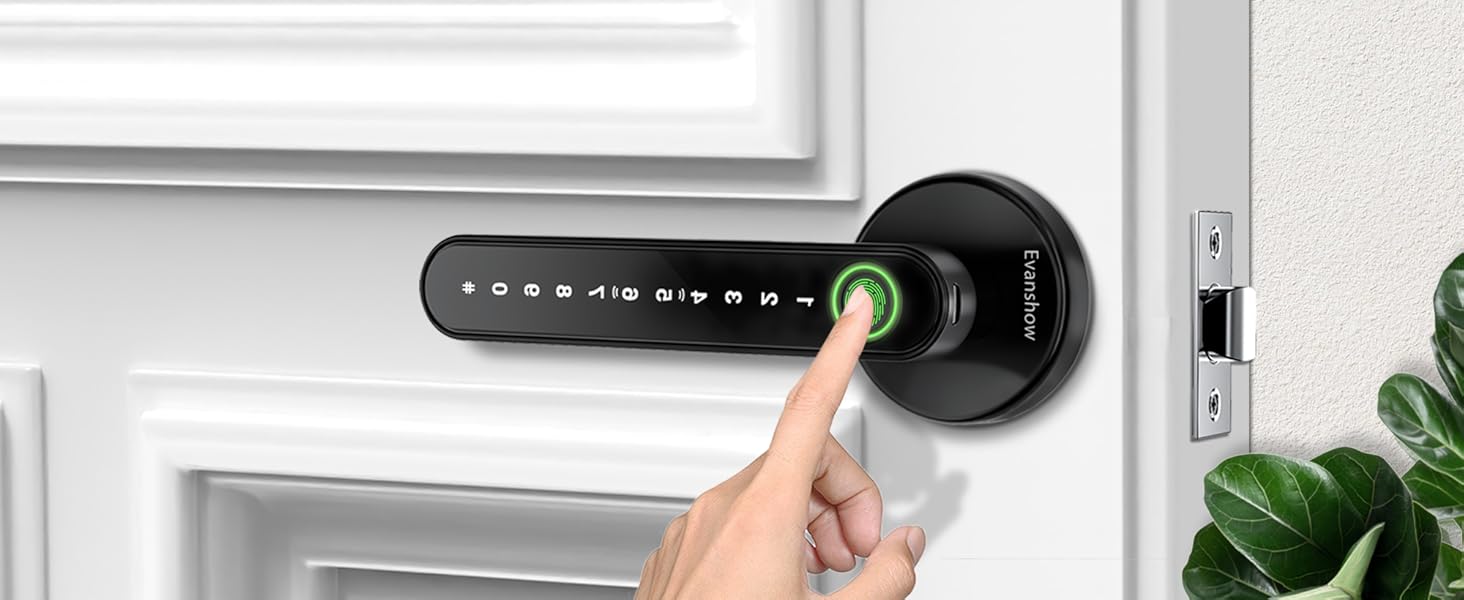
Image 5.2: Unlocking the door using a registered fingerprint.
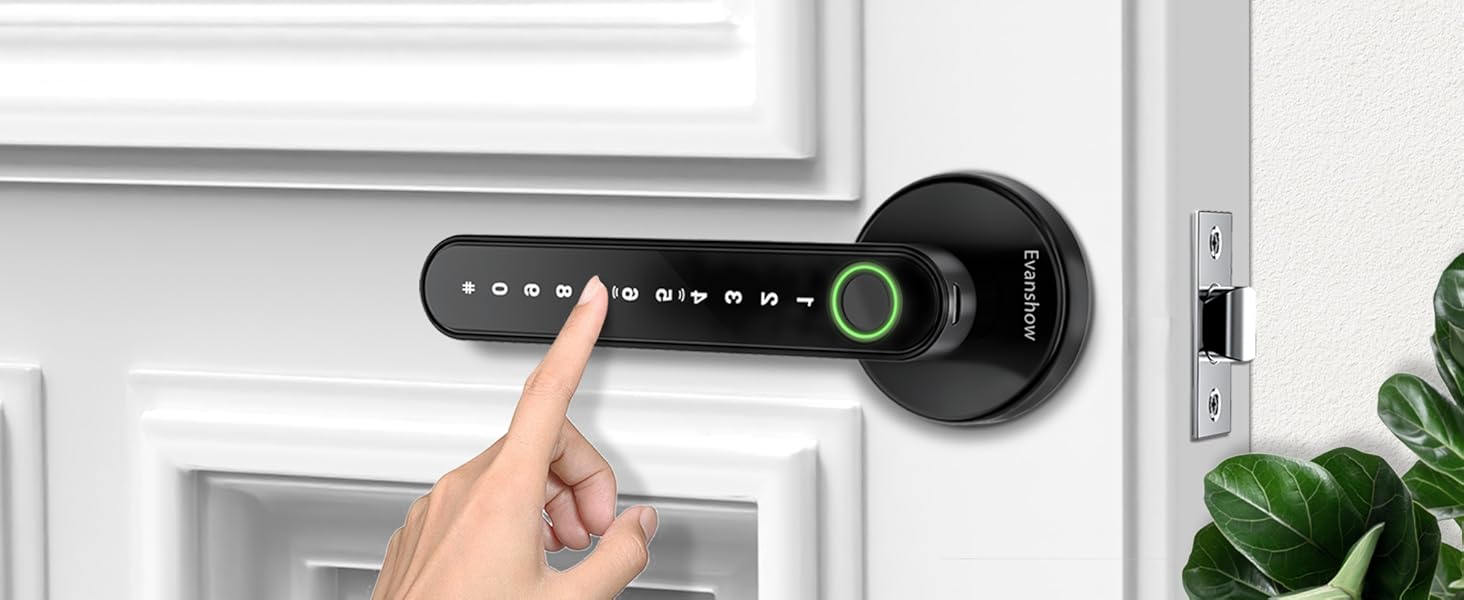
Image 5.3: Entering a password on the keypad to unlock the door.
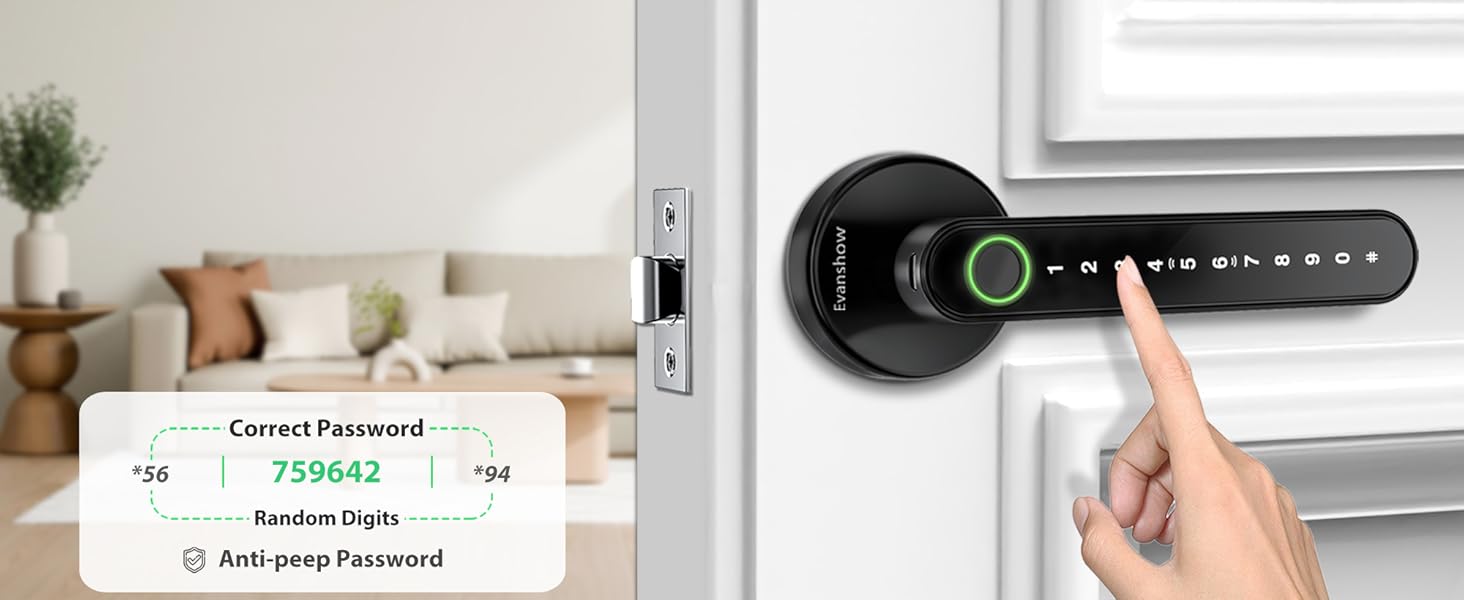
Image 5.4: Illustration of the anti-peep password function.
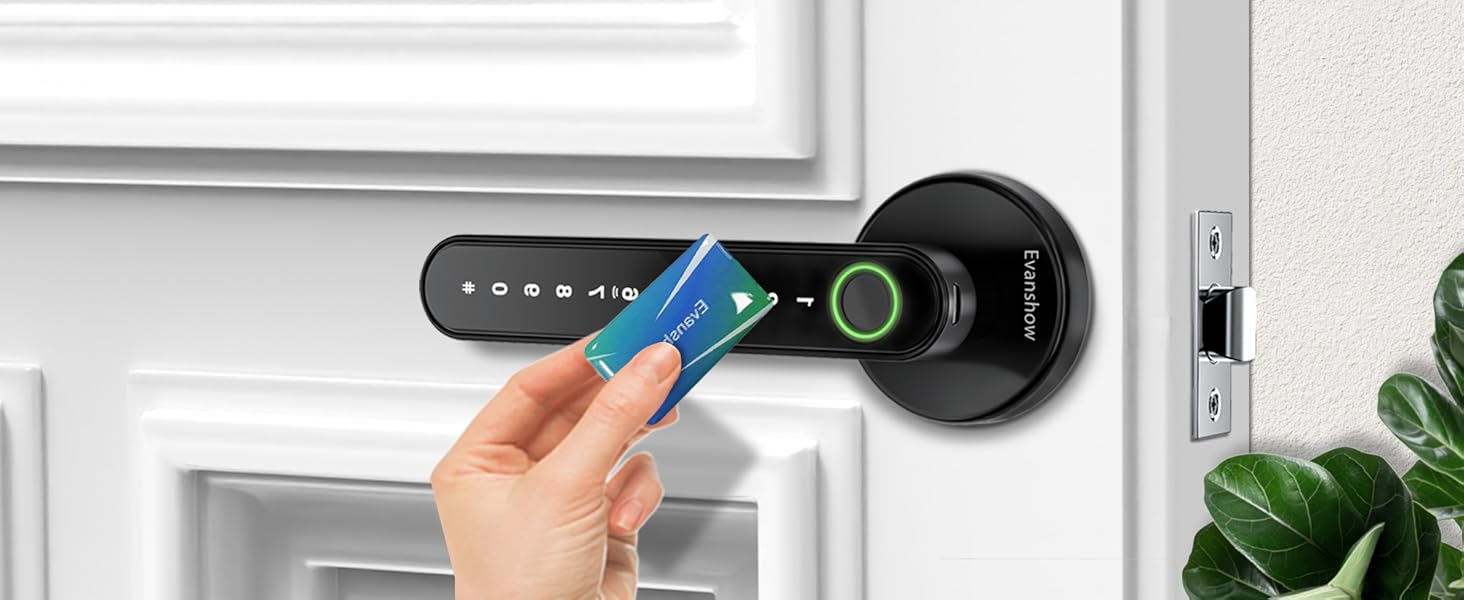
Image 5.5: Unlocking the door using an IC card.
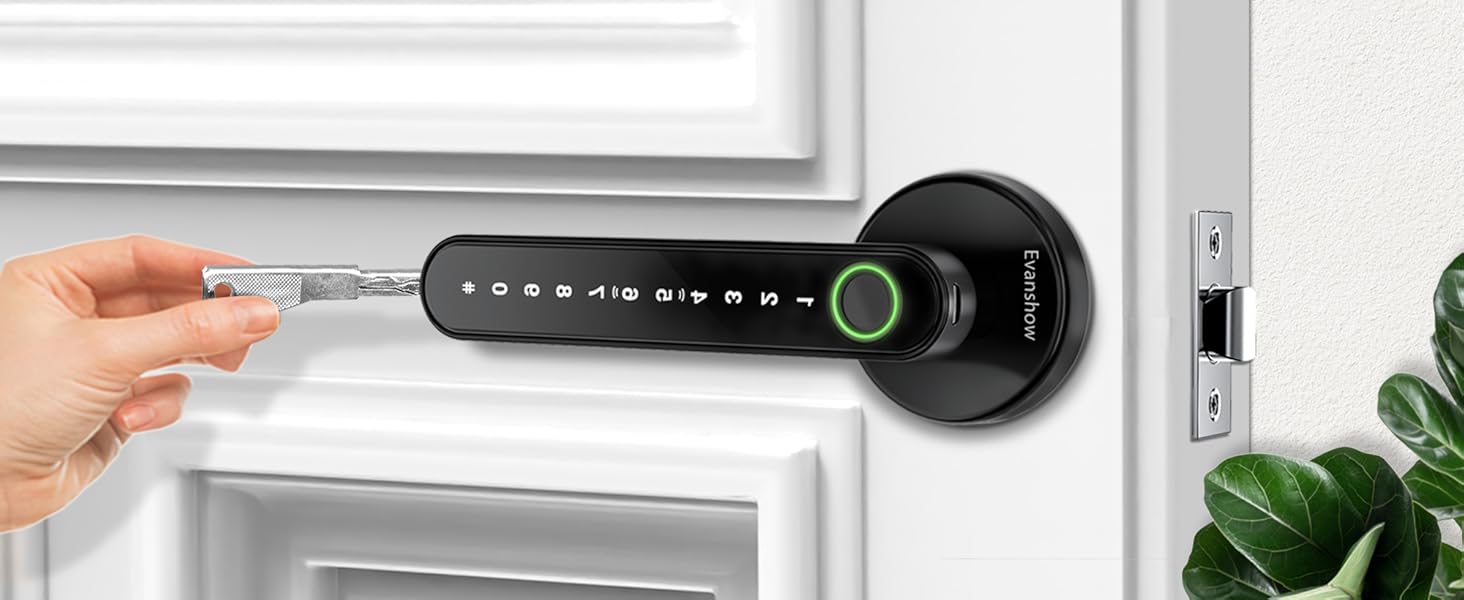
Image 5.6: Unlocking the door with a mechanical key.
5.4 Funkce automatického zámku
The lock features an auto-lock function, which automatically secures the door after a short delay once it is closed. This feature enhances security by ensuring the door is always locked. The specific delay time may be pre-set or configurable directly on the lock.
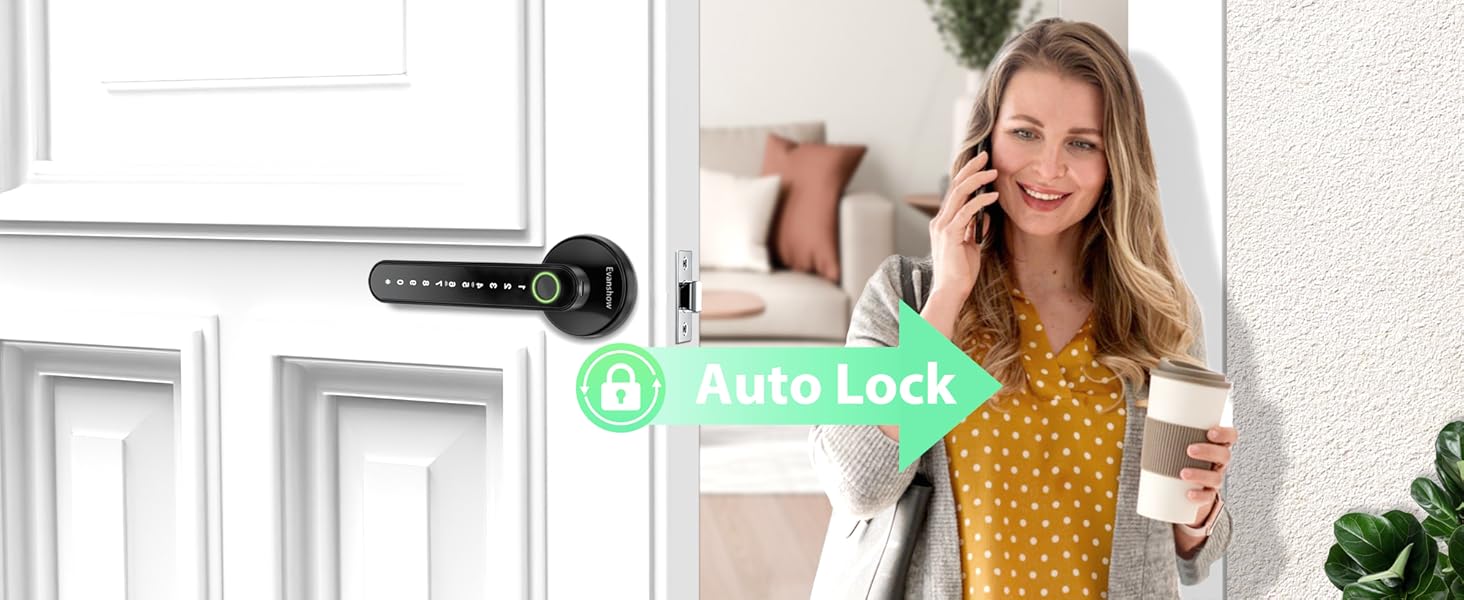
Image 5.7: The auto-lock feature securing the door automatically.
6. Údržba
6.1 Výměna baterie
The lock is powered by 4 AAA batteries. When the battery level is low, the lock will provide an audible or visual warning. Replace all four batteries promptly to ensure continuous operation.
- Locate the battery cover on the interior handle.
- Odstraňte kryt.
- Vyjměte staré baterie a zlikvidujte je zodpovědně.
- Vložte 4 nové baterie typu AAA a dbejte na správnou polaritu (+/-).
- Nasaďte kryt baterie.
Pro optimální výkon a životnost baterií se doporučuje používat vysoce kvalitní alkalické baterie.
6.2 Čištění
To maintain the appearance and functionality of your lock, clean it regularly with a soft, dry cloth. Avoid using abrasive cleaners, solvents, or harsh chemicals, as these can damage the finish and electronic components.
7. Řešení problémů
- Otisk prstu nebyl rozpoznán:
- Ujistěte se, že máte prst čistý a suchý.
- Zkuste změnit polohu prstu na senzoru.
- Pokud problémy přetrvávají, znovu zaregistrujte svůj otisk prstu.
- Klávesnice nereaguje:
- Zkontrolujte stav baterie; pokud je baterie vybitá, vyměňte ji.
- Ensure you are pressing the keys firmly.
- Zámek se nezapíná/neodpíná:
- Check for any obstructions in the door frame or latch area.
- Ujistěte se, že je zámek správně zarovnán a nainstalován.
- Mechanický klíč nefunguje:
- Ujistěte se, že je klíč zcela zasunutý a správně otočený.
- Zkontrolujte, zda se v klíčové dírce nenacházejí nějaké nečistoty.
- Upozornění na vybitou baterii:
- Replace all 4 AAA batteries immediately.
8. Záruka a podpora
For warranty information, technical support, or service inquiries, please contact Evanshow customer service directly. Contact details can typically be found on the product packaging or the official Evanshow webmísto.
Ask a question about this manual
Ask about setup, troubleshooting, compatibility, parts, safety, or missing instructions. Manuals+ will review the question and use this page’s manual context to help answer it.