
1. Úvod
This manual provides detailed instructions for the installation, operation, and maintenance of your KiriNavi 15.6 Inch Car Radio. This advanced head unit is designed to enhance your driving experience with its 2K IPS touch screen, Android 13 operating system, and integrated features like Apple CarPlay, Android Auto, and GPS navigation. Please read this manual thoroughly before installation and use to ensure proper function and safety.
2. Kompatibilita
Toto autorádio je speciálně navrženo pro:
- Chevrolet Silverado (2014-2019)
- GMC Sierra (2014-2019)
Důležitá poznámka:
- Only compatible with vehicles equipped with the OEM 8-inch screen version.
- Not compatible with OEM 4.2-inch or 7-inch screen versions.
- Supports original car BOSE and B&O sound systems.
- Retains original car system functions and original car camera usage.
3. Zahrnuté komponenty
Verify that all the following components are present in the package:
- 1x KiriNavi Android Head Unit (15.6 Inch)
- 1x GPS anténa
- 1x napájecí kabel
- 1x externí mikrofon
- 1x couvací kamera
- 1x Car Dash Cam
- Pokyny k instalaci
4. Nastavení a instalace
Installation of this head unit requires technical knowledge and experience with car electronics. Professional installation is highly recommended to ensure correct wiring and functionality, and to prevent damage to your vehicle or the unit.
4.1 Kontrola před instalací
- Ensure your vehicle's original AUX channel is functioning correctly. If it is not, the head unit will not produce sound. Repair the original AUX channel if necessary.
- Confirm your vehicle's central control matches the compatible OEM 8-inch screen version.
4.2 Instalace skončilaview
The KiriNavi head unit is designed for a standard size fit, eliminating the need for additional accessories. Follow the provided installation instructions carefully. The process generally involves:
- Disconnecting the vehicle's battery.
- Removing the original head unit and trim.
- Connecting the new head unit's wiring harness to the vehicle's existing connectors.
- Installing the GPS antenna, external microphone, backup camera, and dash cam.
- Mounting the new 15.6-inch head unit into the dashboard.
- Reconnecting the battery and testing all functions.

Obrázek 4.1: Visual comparison of the vehicle's dashboard before and after the KiriNavi 15.6 inch car radio installation. The top image shows the new unit installed, while the bottom images show the original 8-inch screen setup.
5. Návod k obsluze
5.1 Základní obsluha
The KiriNavi head unit features a 15.6-inch 2K IPS touchscreen. Navigate the Android 13 operating system by tapping, swiping, and pinching gestures similar to a tablet or smartphone. The interface provides access to various applications and settings.
5.2 Zvukové funkce
The unit supports FM/AM radio with RDS (Radio Data System). You can save your favorite stations for quick access. The integrated 16-band Equalizer (EQ) and Digital Sound Processor (DSP) allow for precise audio customization, including subwoofer control, to optimize sound quality within your vehicle.

Obrázek 5.1: Display of the audio settings interface, highlighting FM/AM/RDS radio functions, 16-band equalizer, subwoofer controls, and DSP for enhanced sound customization.
5.3 Connectivity (Bluetooth, Wi-Fi, 4G)
- Bluetooth 5.0: Připojte svůj smartphone pro handsfree volání a streamování hudby.
- Wi-Fi: Connect to a Wi-Fi hotspot to access online services, download apps, and stream content.
- 4G síť: Insert a 4G SIM card (not included) to enable direct internet access for online navigation, video streaming, and app downloads without relying on a Wi-Fi hotspot.

Obrázek 5.2: Illustration of 4G and Wi-Fi connectivity features, alongside various GPS navigation application icons.
5.4 Navigace
The unit features a built-in GPS + GLONASS module for high-precision navigation. It supports both online and offline maps, including popular applications like Apple Maps, Google Maps, and Waze. Download offline maps for navigation without an internet connection.
5.5 Integrace chytrých telefonů (Apple CarPlay a Android Auto)
Connect your smartphone to access Apple CarPlay or Android Auto. This allows you to use your phone's navigation, music, messages, and other compatible apps directly on the car radio's screen. Voice control (Siri/Google Assistant) is supported for hands-free operation.

Obrázek 5.3: Screenshots demonstrating the Wireless & Wired Apple CarPlay and Android Auto interfaces, showing integration with smartphone applications.
5.6 Ovládání na volantu
The unit supports learning and utilizing your vehicle's original steering wheel buttons. This allows you to control various functions of the head unit, such as volume, track changes, and call management, without taking your hands off the steering wheel.
Podpora 5.7 ° kamery
The system supports your original car camera, providing clear night vision and wide-angle views for safer reversing. An AHD backup camera and a car dash cam are included for enhanced safety and recording capabilities.

Obrázek 5.4: Display illustrating the integration of the original car camera with features like AHD and night vision, alongside the interface for programming steering wheel controls.
5.8 Přepínač duálního systému
The KiriNavi car radio is designed to retain your original car system. This means all original car functions remain accessible and operational, allowing you to switch between the Android system and your vehicle's native system as needed.
6. Specifikace
Detailed technical specifications of the KiriNavi 15.6 Inch Car Radio:
| Značka | KiriNavi |
| Název modelu | KiriNavi 15.6 Touch GPS |
| Typ služby vozidla | Truck (Chevrolet Silverado, GMC Sierra) |
| Operační systém | Android 13 |
| CPU | 8 Core Qualcomm Processor |
| BERAN | 8 GB |
| ROM | 128 GB |
| Velikost obrazovky | 15.6 palců |
| Rozlišení obrazovky | Dotykový displej IPS s rozlišením 1920x1440P |
| Speciální funkce | Bluetooth 5.0, Touchscreen, GPS Navigation, Apple CarPlay, Android Auto, Steering Wheel Control, Dual System Switch |
| Technologie připojení | Bluetooth, Ethernet, USB, Wi-Fi, 4G |
| Typ mapy | Worldwide (Online & Offline) |
| Režim zvukového výstupu | Stereo with 16-band EQ and DSP |
| Typ montáže | Držák na palubní desku |

Obrázek 6.1: Diagram illustrating the internal hardware, including the Qualcomm 8-core processor, 8GB RAM, and 128GB ROM, highlighting performance capabilities.
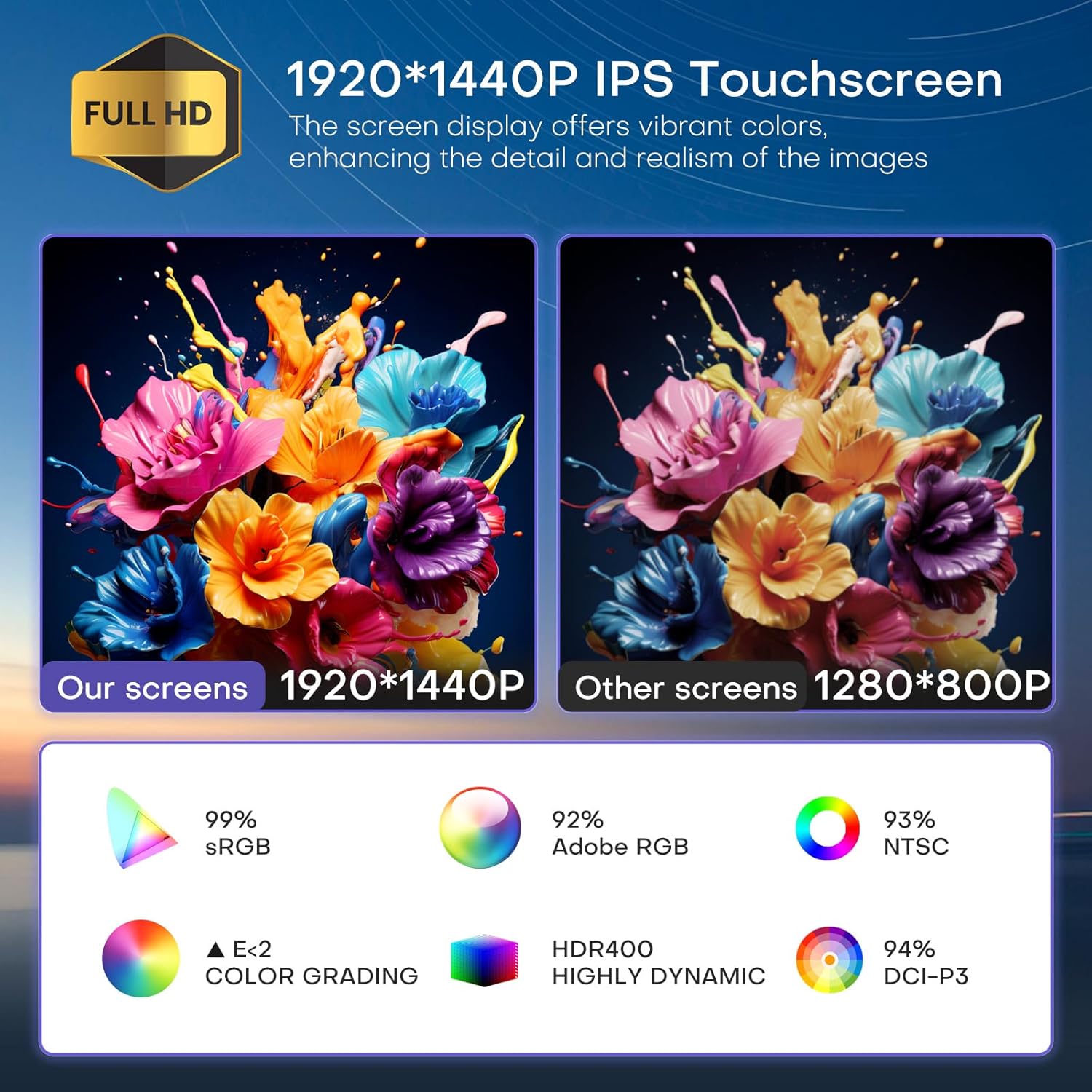
Obrázek 6.2: Visual comparison demonstrating the superior 1920x1440P IPS touchscreen resolution and color accuracy of the KiriNavi unit compared to standard displays.

Obrázek 6.3: Nadview of key features including the Qualcomm 8-core processor, Bluetooth 5.0, Android 13 system, large HD screen, 170-degree viewing angle, and integrated CarPlay/Android Auto.
7. Řešení problémů
7.1 Žádný zvukový výstup
- Check AUX Channel: Ensure your vehicle's original AUX channel is working correctly. If it is not, the head unit will not produce sound. Repair the original AUX channel if necessary.
- Nastavení hlasitosti: Verify that the volume on both the head unit and your vehicle's amplifier (if applicable) is not muted or set too low.
- Připojení kabeláže: Confirm all audio wiring connections are secure and correctly installed.
7.2 Jednotka se nezapíná
- Napájecí kabel: Check if the power cable is securely connected to both the head unit and the vehicle's power source.
- Pojistky: Inspect the vehicle's fuse box and the head unit's inline fuse for any blown fuses. Replace if necessary.
- Připojení baterie: Ujistěte se, že je baterie vozidla správně připojena a nabitá.
7.3 Problémy se signálem GPS
- Umístění antény: Ujistěte se, že je anténa GPS instalována na místě s volným view oblohy, bez překážek.
- Připojení antény: Verify the GPS antenna is securely connected to the head unit.
- Data mapy: Ensure your navigation app's maps are up-to-date, especially for offline use.
8. Údržba
- Čištění obrazovky: Use a soft, lint-free cloth specifically designed for electronics screens to clean the touchscreen. Do not use abrasive cleaners or solvents.
- Aktualizace softwaru: Pravidelně kontrolujte a instalujte aktualizace softwaru, abyste zajistili optimální výkon a přístup k novým funkcím.
- Podmínky prostředí: Nevystavujte jednotku extrémním teplotám, delšímu přímému slunečnímu záření nebo nadměrné vlhkosti.
9. Podpora
For technical assistance, installation inquiries, or any other questions regarding your KiriNavi car radio, please contact KiriNavi customer support. Before contacting support, it is helpful to have your product model name and purchase details ready.
If you are unsure about vehicle compatibility before purchasing, you can send a picture of your car's central control to KiriNavi customer service for confirmation.
Kontaktní údaje: Refer to the contact details provided with your purchase or visit the official KiriNavi webstránky pro možnosti podpory.