
1. Úvod
The BORUIT EV20 is a compact and versatile Everyday Carry (EDC) flashlight designed for various applications, from outdoor adventures to daily tasks. It features a powerful main light, a 365nm UV light, and a multi-color RGB side light, all housed in a durable, waterproof aluminum body. This manual provides detailed instructions for the safe and effective use of your EV20 flashlight.
2. Vlastnosti produktu
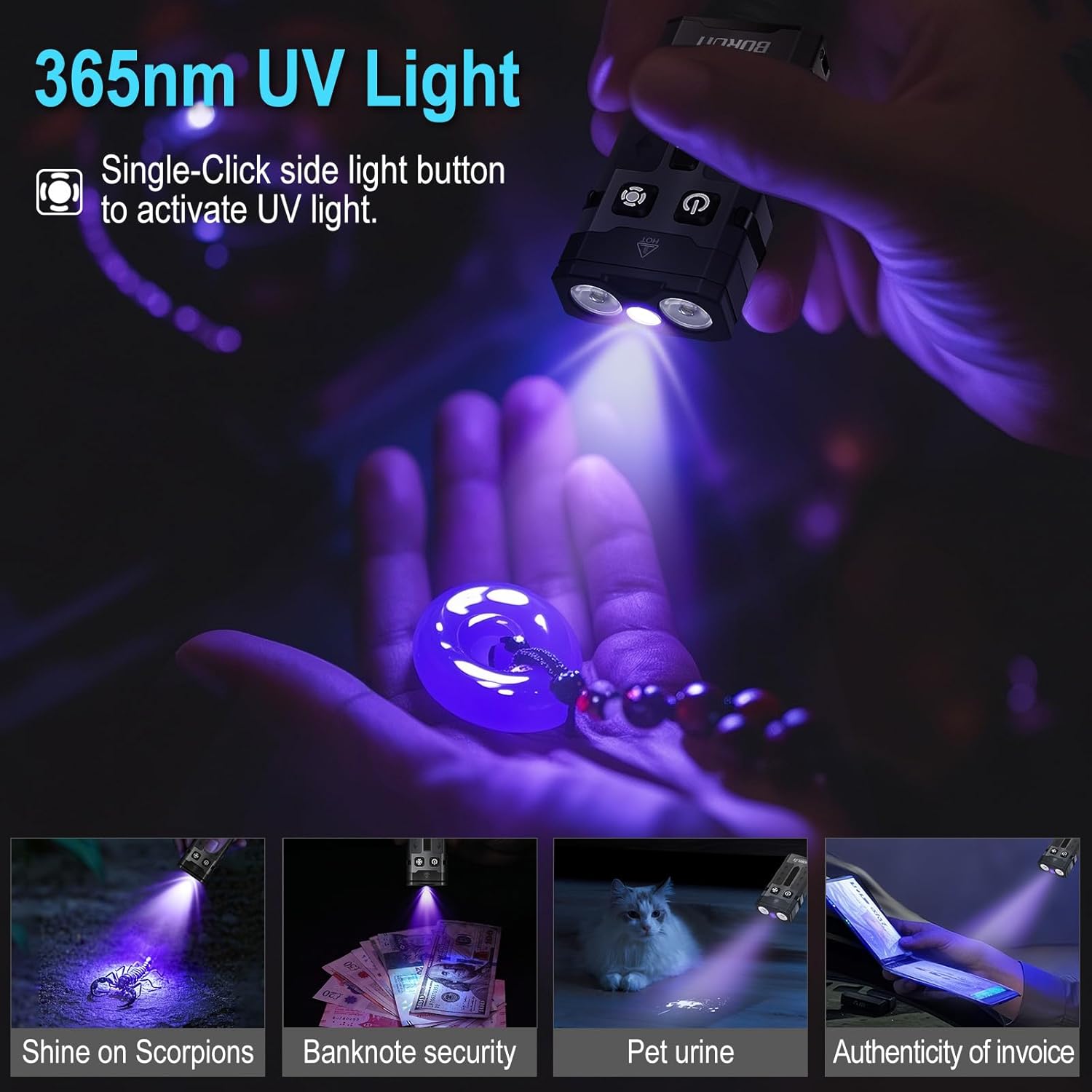
- Super Bright Main Light: Delivers up to 1100 lumens with a 365nm UV light option and a beam distance of 100 meters. Features a memory function for convenience.
- Versatile RGB Side Light: Equipped with 14 RGB LEDs offering white, red, green, blue, orange, yellow, ice blue, and pink light. Includes dynamic modes such as breathing, streamline, dropflow, and rainbow.
- Efektivní řízení spotřeby: Built-in 1000mAh rechargeable battery with USB-C fast charging, fully recharging in approximately 2 hours. Provides up to 50 hours of runtime in low white-light mode and over 100 hours in RGB modes. Features an intelligent power indicator.
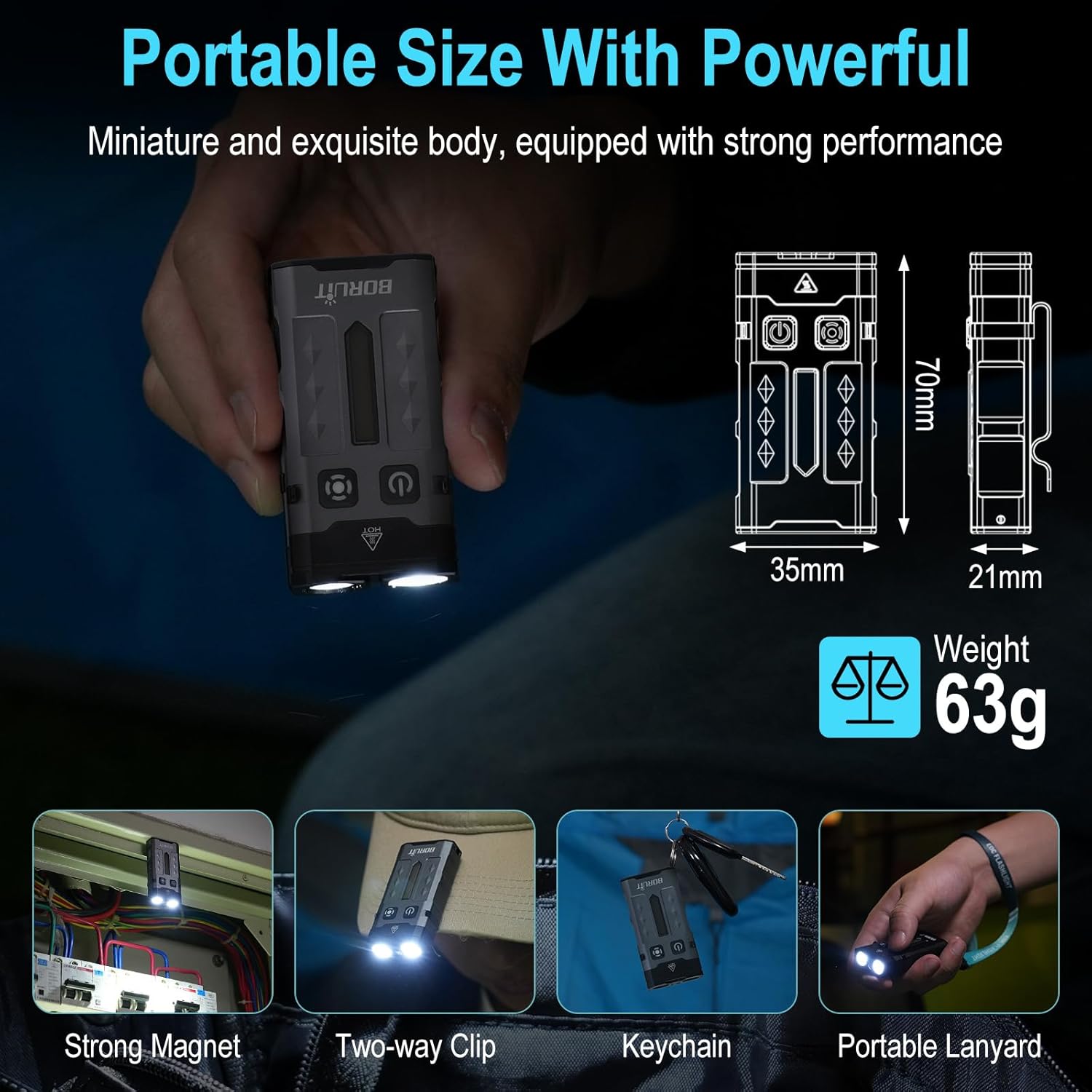
- Portable & Hands-Free Design: Includes a magnetic tail cap for attachment to metal surfaces, a two-way back clip for securing to hats, pockets, or backpacks, and comes with a keychain and lanyard for easy carrying.
- Odolná konstrukce: Lightweight at only 63g, made from sturdy aluminum alloy, and rated IP66 waterproof for reliability in various conditions. Offers 1-meter anti-fall protection.
3. Obsah balení
Ujistěte se prosím, že balení obsahuje všechny položky:
- 1 x BORUIT EV20 Flashlight
- Nabíjecí kabel 1 x USB-C
- 1 x Keychain
- 1 x šňůrka

4. Specifikace
| Funkce | Specifikace |
|---|---|
| Bílý jas | 1100 lumenů (max.) |
| Typ světelného zdroje | LED (White, 365nm UV, RGB) |
| Materiál | Hliníková slitina |
| Rozměry produktu | 70 mm x 35 mm x 21 mm (hloubka x šířka x výška) |
| Hmotnost položky | 2.2 unce (63 g) |
| Kapacita baterie | 1000mAh lithium-iontová baterie (součástí balení) |
| Úroveň odolnosti proti vodě | IP66 Vodotěsný |
| Max. Beam Distance | 100 metrů |
| Drop Height Resistance | 1 metrů |
| Nabíjecí port | USB-C |

5. Nastavení a nabíjení
Before first use, fully charge the flashlight. The BORUIT EV20 features a built-in 1000mAh battery and supports USB-C fast charging.
Pokyny pro nabíjení:
- Na boku svítilny vyhledejte nabíjecí port USB-C.
- Connect the provided USB-C cable to the flashlight and a compatible USB power source (e.g., wall adapter, computer USB port).
- The intelligent power indicator on the flashlight will show the charging status: a red light flash indicates charging, and a green light indicates a full charge.
- Nabíjení obvykle trvá přibližně 2 hodiny pro úplné nabití.
6. Návod k obsluze
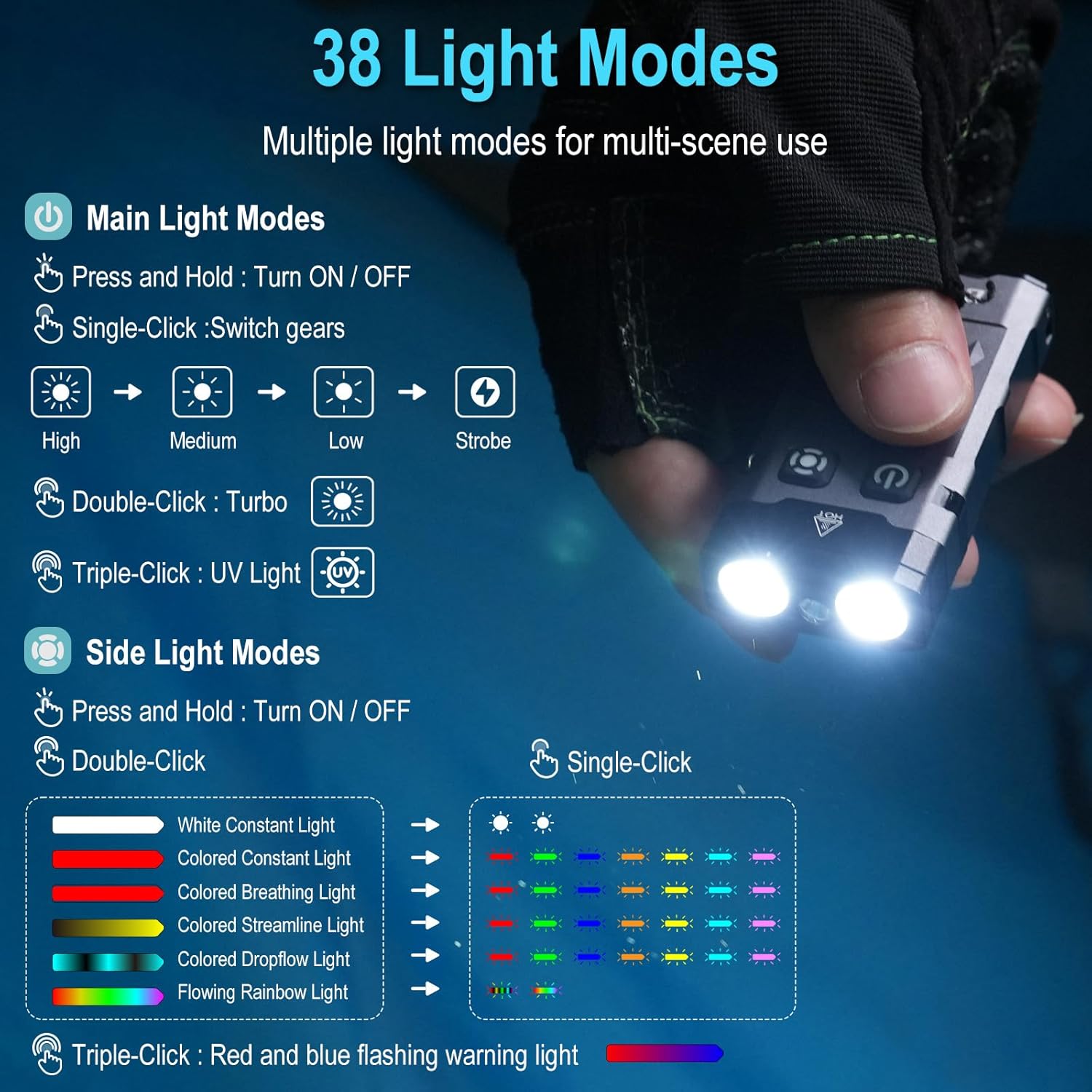
The BORUIT EV20 features two main buttons: the Power Button (left) and the Mode Button (right).

6.1. Main Light Modes (Front LEDs)
- Zapnout/vypnout: Stiskněte a podržte tlačítko napájení.
- Jas cyklu: With the main light ON, single-click the Power Button to cycle through High, Medium, Low, and Strobe modes. The flashlight has a memory function and will return to the last used mode.
- Turbo režim: Double-click the Power Button for maximum brightness (1100 lumens).
- Režim UV světla: Triple-click the Power Button to activate the 365nm UV light.
6.2. Side Light Modes (RGB LEDs)
- Zapnout/vypnout: Stiskněte a podržte tlačítko Mode.
- White Constant Light: Double-click the Mode Button to activate white constant light. Single-click to switch between High and Low brightness.
- Colored Constant Light: After activating white constant light, double-click the Mode Button again to enter colored constant light mode. Single-click to cycle through Red, Green, Blue, Orange, Yellow, Cyan, and Purple.
- Dynamic RGB Modes: From colored constant light mode, double-click the Mode Button to cycle through Colored Breathing Light, Colored Streamline Light, Colored Dropflow Light, and Flowing Rainbow Light (single-click to adjust speed).
- Red and Blue Flashing Warning Light: Triple-click the Mode Button to activate the red and blue flashing warning light.

7. Údržba
To ensure the longevity and optimal performance of your BORUIT EV20 flashlight, follow these maintenance guidelines:
- Čištění: Wipe the flashlight with a clean, soft cloth. For stubborn dirt, use a damp tkanina. Nepoužívejte abrazivní čisticí prostředky nebo rozpouštědla.
- Skladování: Store the flashlight in a cool, dry place away from direct sunlight and extreme temperatures. If storing for an extended period, charge the battery every 3-6 months to maintain battery health.
- Voděodolnost: While IP66 waterproof, avoid prolonged submersion. Ensure the USB-C port cover is securely closed to prevent water ingress.
8. Bezpečnostní informace
Přečtěte si prosím a dodržujte následující bezpečnostní opatření:
- Bezpečnost očí: Do not shine the flashlight directly into eyes or at other people or animals. The high lumen output can cause temporary vision impairment or permanent eye damage.
- Teplo: The flashlight may become warm during prolonged use, especially in Turbo mode. This is normal. Avoid touching the hot surface for extended periods.
- Děti: Uchovávejte mimo dosah dětí.
- Baterie: Do not attempt to disassemble or replace the built-in battery. Do not expose the battery to fire or extreme heat.
- UV světlo: Avoid prolonged direct exposure to the 365nm UV light.
9. Řešení problémů
If you encounter issues with your BORUIT EV20 flashlight, refer to the following common solutions:
- Svítilna se nezapíná: Ensure the battery is charged. Connect to a USB-C power source and check the charging indicator.
- Light Output is Dim: Baterie může být vybitá. Dobijte baterku.
- Nabíjení nefunguje: Check the USB-C cable and power source. Ensure the cable is properly connected to both the flashlight and the power adapter. Try a different cable or power source.
- Tlačítka nereagují: Ensure the flashlight is not in lockout mode (if applicable, refer to specific product documentation for lockout features). Try a soft reset by fully discharging and then recharging the battery.
Pokud problém přetrvává, kontaktujte prosím zákaznickou podporu.
10. Záruka a podpora
BORUIT provides a 30denní záruka vrácení peněz a a 1-letá záruka for the EV20 flashlight. This warranty covers manufacturing defects and issues arising from normal use.
For warranty claims, technical support, or any questions regarding your product, please contact the seller or BORUIT customer service through the platform where you purchased the item. Please have your purchase details ready to expedite the support process.