
1. Úvod
The Sony WH-1000XM6 are over-ear wireless Bluetooth headphones designed to provide an immersive audio experience with advanced noise-cancelling capabilities. This manual provides essential information for the proper setup, operation, and maintenance of your headphones.
Key features include the HD Noise Cancelling Processor QN3, Multi Noise Sensor Technology, High-Resolution Audio support, DSEE Extreme, and a foldable design for portability. The headphones also offer up to 30 hours of battery life and support multipoint connection.
2. Co je v krabici
Ověřte, zda jsou v balení přítomny všechny položky:
- Sony WH-1000XM6 Headphones
- Compact Protective Carrying Case
- USB-C kabel
- Dokumentace (tato příručka a další průvodci)
3. Konec produktuview
The WH-1000XM6 headphones feature a lightweight design with soft, cushioned ear pads and an adjustable headband for comfort during extended listening sessions. The headphones are foldable for easy storage and transport in the included carrying case.
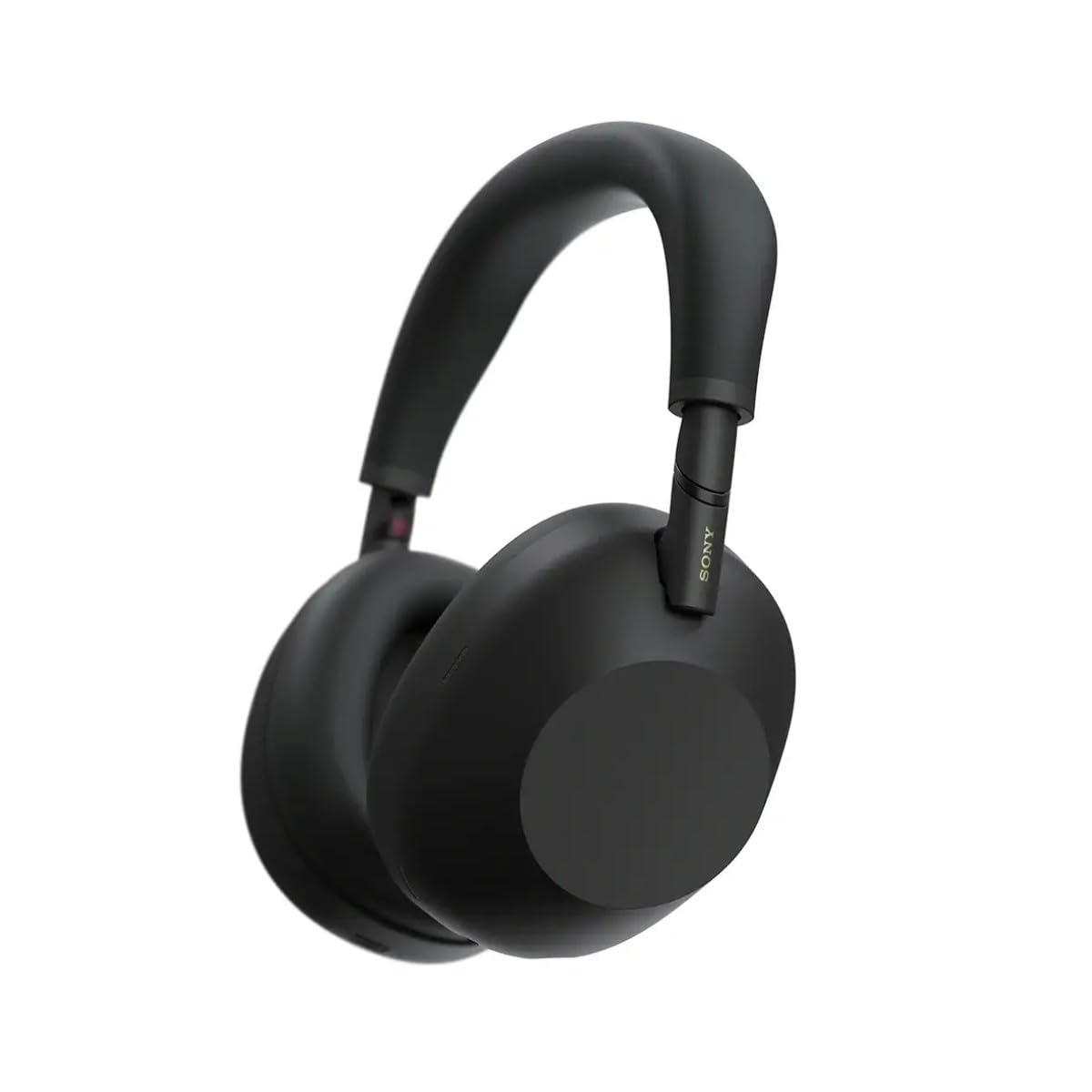
Obrázek 3.1: Přední strana view of the Sony WH-1000XM6 headphones in black.
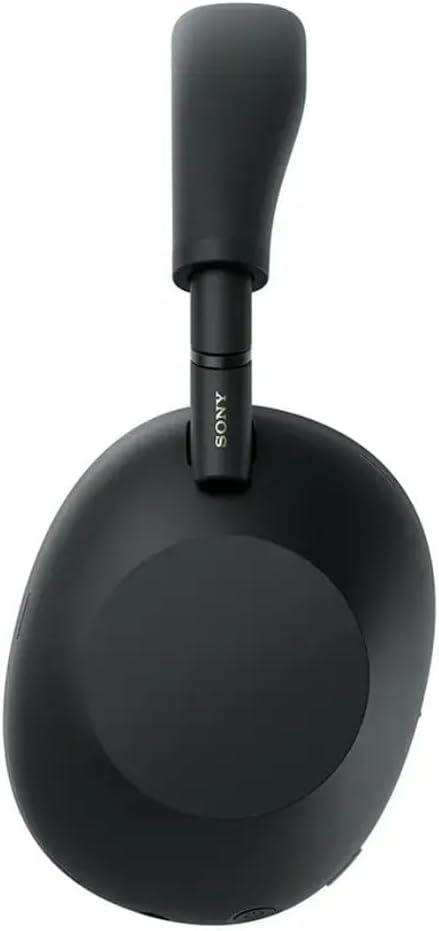
Obrázek 3.2: Strana view of the Sony WH-1000XM6 headphones.

Figure 3.3: WH-1000XM6 headphones stored in their protective carrying case.
4. Nastavení
4.1. Nabíjení sluchátek
Before initial use, fully charge the headphones. Connect the supplied USB-C cable to the charging port on the headphones and to a USB power source. A full charge provides up to 30 hours of playback. A quick 3-minute charge can provide approximately 3 hours of playback. The headphones can be used while charging.
4.2. Zapnutí/vypnutí
- Zapnutí: Stiskněte a podržte tlačítko napájení, dokud se nerozsvítí kontrolka.
- Vypnutí: Stiskněte a podržte tlačítko napájení, dokud kontrolka nezhasne.
4.3. Párování Bluetooth
Připojení sluchátek k zařízení Bluetooth:
- Ujistěte se, že jsou sluchátka vypnutá.
- Press and hold the power button for approximately 7 seconds until the indicator light flashes blue rapidly and a voice guidance announces "Bluetooth pairing mode."
- Na svém zařízení (chytrý telefon, tablet, počítač) povolte Bluetooth a vyhledejte dostupná zařízení.
- Select "WH-1000XM6" from the list of detected devices.
- Once connected, the indicator light will flash slowly, and a voice guidance will announce "Bluetooth connected."
4.4. Aplikace Sony | Headphones Connect
Download the Sony | Headphones Connect app from your device's app store. This app allows you to customize sound settings, manage noise cancellation, update firmware, and access additional features for your WH-1000XM6 headphones.
5. Návod k obsluze
5.1. Noise Cancelling and Ambient Sound Mode
The WH-1000XM6 features advanced noise cancellation powered by the HD Noise Cancelling Processor QN3 and Multi Noise Sensor Technology. The Auto NC Optimizer adapts to your environment for optimal performance.
- Potlačení hluku: Snižuje okolní hluk pro pohlcující poslechový zážitek.
- Režim okolního zvuku: Allows you to hear surrounding sounds while listening to music, enhancing situational awareness. The Auto Ambient Sound Mode adjusts the level based on your environment.
- Režim rychlé pozornosti: Cover the right earcup with your hand to instantly lower music volume and allow ambient sound in, useful for quick conversations.
5.2. Přehrávání zvuku
The headphones feature 30mm driver units, support High-Resolution Audio, and include DSEE Extreme for upscaling compressed digital music files. Audio playback can be controlled via the touch panel on the right earcup:
- Přehrát/pozastavit: Poklepejte na dotykový panel.
- Další skladba: Přejeďte dopředu.
- Předchozí skladba: Přejeďte dozadu.
- Zvýšit hlasitost: Přejeďte prstem nahoru.
- Snížit hlasitost: Přejeďte prstem dolů.
Přizpůsobte si svého zvukového profesionálafile using the 10-band equalizer in the Sony | Headphones Connect app.
5.3. Volání funkcí
The WH-1000XM6 features 6 AI-powered beam-forming microphones and AI Noise Reduction for clear call quality, even in noisy environments.
- Přijmout/ukončit hovor: Poklepejte na dotykový panel.
- Odmítnout hovor: Stiskněte a podržte dotykový panel.
- Ztlumit mikrofon: Double-press the ANC button during a call.
5.4. Vícebodové připojení
The Multipoint Connection feature allows you to connect the headphones to two Bluetooth devices simultaneously. This enables seamless switching between devices, such as a smartphone and a laptop, without needing to manually reconnect.
5.5. Adaptive Sound Control
Adaptive Sound Control automatically detects your activity (e.g., sitting, walking, traveling) and adjusts the noise cancellation or ambient sound settings accordingly. This feature can be configured via the Sony | Headphones Connect app.
5.6. Specialized Audio Features
- 360 Upmix for Cinema: Transforms stereo content into an immersive surround sound experience.
- Herní ekvalizér: Enhances clarity and detail in gaming audio.
- Personalized Spatial Sound: Available through the app for an optimized listening experience.
6. Údržba
6.1. Čištění
- Sluchátka otřete měkkým, suchým hadříkem.
- Nepoužívejte alkohol, benzen, ředidla ani jiné chemické čisticí prostředky, protože by mohly poškodit povrchovou úpravu.
- Clean the ear pads and headband gently to remove any buildup.
6.2. Skladování
When not in use, store the headphones in their compact protective carrying case to prevent damage from dust, scratches, and impacts. Avoid storing in direct sunlight or in excessively hot or humid environments.
7. Řešení problémů
If you encounter issues with your WH-1000XM6 headphones, try the following steps:
- Bez napájení: Ujistěte se, že jsou sluchátka nabitá. Připojte je ke zdroji napájení pomocí kabelu USB-C.
- Žádný zvuk: Check the volume level on both the headphones and the connected device. Ensure the headphones are properly paired via Bluetooth.
- Špatná kvalita zvuku: Verify that the audio source is of good quality. Try moving closer to the connected device to avoid interference. Check equalizer settings in the Sony | Headphones Connect app.
- Problémy s párováním Bluetooth: Ensure the headphones are in pairing mode. Turn off and on Bluetooth on your device. Delete the headphones from your device's Bluetooth list and attempt to pair again.
- Potlačení hluku není účinné: Ensure the headphones are properly seated on your ears. Use the Auto NC Optimizer feature via the app.
- Headphones Unresponsive: Perform a factory reset if available (refer to the Sony | Headphones Connect app or Sony support webweb s konkrétními pokyny).
For further assistance, refer to the Sony | Headphones Connect app or the official Sony support webmísto.
8. Specifikace
| Značka | Sony |
| Název modelu | WH-1000XM6 |
| Barva | Černý |
| Umístění uší | Přes ucho |
| Technologie připojení | Bezdrátové připojení (Bluetooth 5.1) |
| Kontrola hluku | Aktivní potlačení hluku |
| Typ zvukového ovladače | Dynamický ovladač |
| Frekvenční odezva | 20 Hz - 40,000 XNUMX Hz |
| Impedance | 48 ohmů |
| Průměrná životnost baterie | 30 hodiny |
| Doba nabíjení baterie | 3 minut pro 3 hodiny přehrávání |
| Hmotnost položky | 250 gramů |
| Materiál | Hliník (kryt) |
| Typ ovládání | Hlasové ovládání, aplikace |
| Úroveň odolnosti proti vodě | Není odolný vůči vodě |
9. Záruka a podpora
Podrobné informace o záruce naleznete v záruční kartě dodané s vaším produktem nebo navštivte oficiální podporu Sony. website. For technical support, product registration, or service inquiries, please contact Sony customer service or visit their online support resources.