
Tesvor S7 Pro AES
Uživatelská příručka k robotickému vysavači Tesvor S7 Pro AES
Model: S7 Pro AES
1. Úvod
This manual provides detailed instructions for the setup, operation, and maintenance of your Tesvor S7 Pro AES Robot Vacuum. Designed for efficient home cleaning, this robot vacuum features powerful suction, automatic dust emptying, and smart control capabilities. Please read this manual thoroughly before using the device to ensure proper function and longevity.

Figure 1: Tesvor S7 Pro AES Robot Vacuum and Auto-Emptying Dock.
2. Nastavení a první použití
2.1 Vybalení a umístění
- Opatrně vyjměte všechny součásti z obalu.
- Choose a suitable location for the auto-emptying dock. Ensure it is placed against a wall, on a hard, level surface, with at least 0.5 meters of clear space on either side and 1.5 meters in front.
- Připojte napájecí adaptér k doku a zapojte jej do zásuvky ve zdi.

Figure 2: Proper placement of the Base Station for optimal performance.
2.2 Počáteční nabíjení
Place the robot vacuum onto the charging contacts of the auto-emptying dock. Ensure the robot is properly aligned. The robot will automatically begin charging. For first-time use, fully charge the robot (approximately 4-5 hours) before its initial cleaning cycle. The 5200mAh battery provides extended runtime.
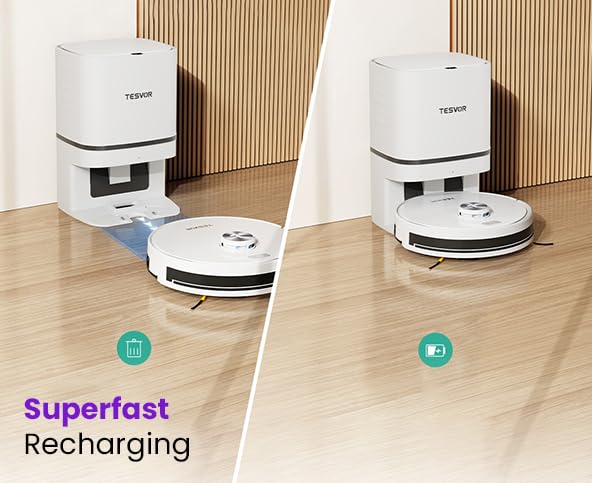
Figure 3: The robot vacuum automatically returns to the dock for recharging.
2.3 Připojení k aplikaci a inteligentní ovládání
- Download the "Tesvor" app from your mobile device's app store (iOS or Android).
- Open the app and follow the on-screen instructions to create an account and add your Tesvor S7 Pro AES.
- Pro úspěšné připojení se ujistěte, že vaše Wi-Fi síť pracuje na frekvenci 2.4 GHz.
- Once connected, you can control the robot, schedule cleanings, view cleaning maps, and adjust settings via the app.
- The robot also supports voice control via Alexa and Google Home. Refer to the app for integration instructions.
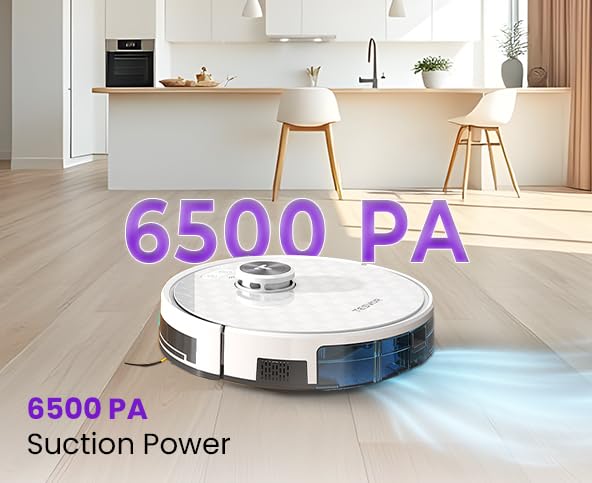
Figure 4: Manage your robot vacuum with the Tesvor app for scheduling and control.
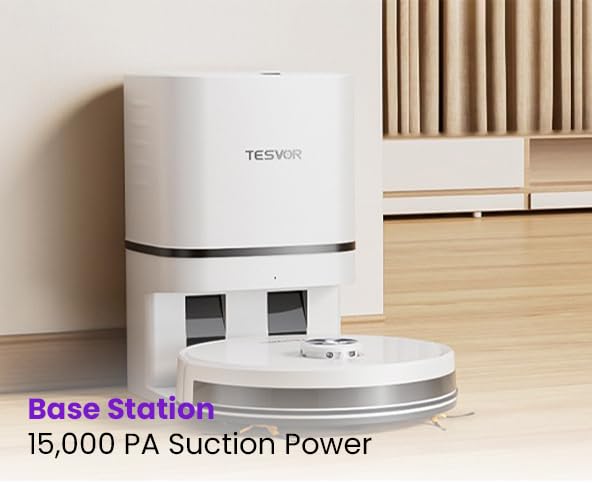
Figure 5: The Tesvor app provides comprehensive control and mapping features.
3. Návod k obsluze
3.1 Spuštění čisticího cyklu
- Prostřednictvím tlačítka robota: Press the power button on the robot once to start a general cleaning cycle. Press again to pause.
- Via Tesvor App: Open the app and select "Start Cleaning" or choose a specific cleaning mode (e.g., spot clean, zone clean) from the map interface.
- Prostřednictvím hlasového příkazu: Use integrated voice assistants (Alexa, Google Home) with commands like "Alexa, tell Tesvor to start cleaning."
The Tesvor S7 Pro AES features 6500Pa strong suction, effectively capturing dust, dirt, and pet hair from various floor types.
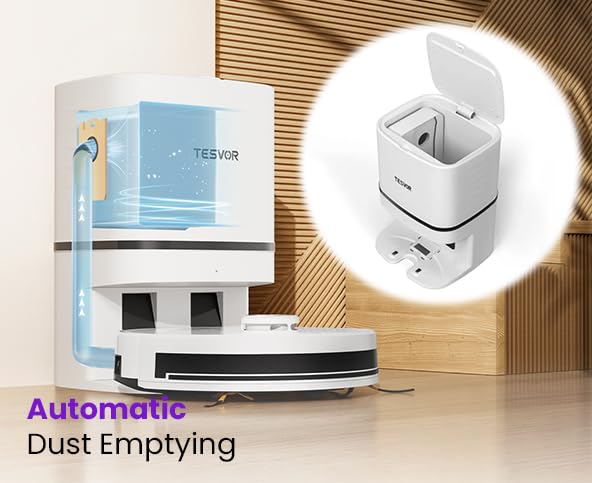
Figure 6: The robot vacuum demonstrating its powerful 6500 PA suction.
3.2 Automatické vyprazdňování prachu
After completing a cleaning cycle or when the robot's dustbin is full, the Tesvor S7 Pro AES will automatically return to its auto-emptying dock. The dock will then suction the debris from the robot's internal dustbin into a large disposable dust bag within the dock. These large dust bags can last over a month, minimizing manual intervention. Six spare bags are included for convenient maintenance.
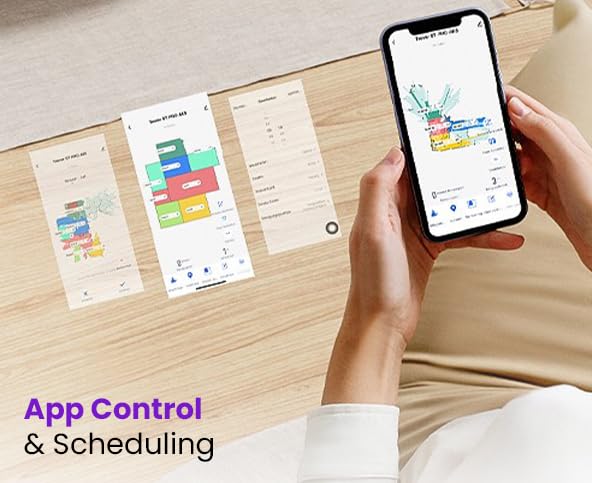
Figure 7: Illustration of the automatic dust emptying process into the dock's dust bag.
4. Údržba
Regular maintenance ensures optimal performance and extends the lifespan of your Tesvor S7 Pro AES.
4.1 Auto-Emptying Dock Dust Bag Replacement
- When the dust bag in the auto-emptying dock is full (indicated by the app or a light on the dock), open the top cover of the dock.
- Opatrně vyjměte plný prachový sáček a zlikvidujte jej.
- Insert a new dust bag, ensuring it is properly seated. Close the cover.
4.2 Čištění robotického odpadkového koše a filtru
Although the dock empties the robot's dustbin, occasional manual cleaning of the robot's internal dustbin and filter is recommended.
- Press the release button to remove the robot's dustbin.
- Vysypte všechny zbývající nečistoty.
- Vyjměte filtr a jemně na něj poklepejte, abyste odstranili prach. HEPA filtr neomyjte vodou.
- Brush the dustbin clean with a small brush.
- Znovu vložte filtr a nádobu na prach.
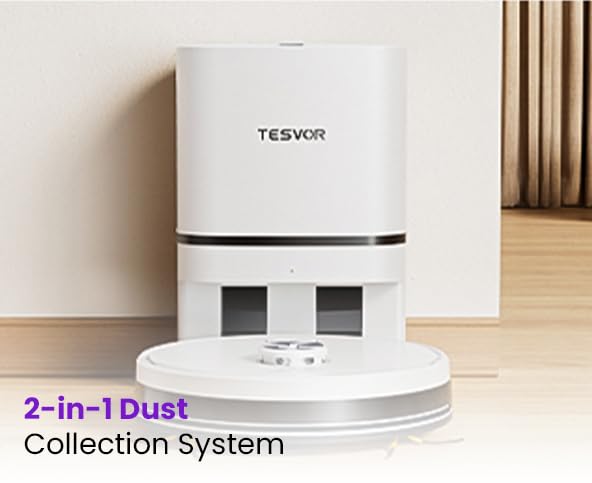
Figure 8: The robot's 2-in-1 dust collection system, showing the internal dustbin.
4.3 Brushes and Sensors Cleaning
- Hlavní kartáč: Sejměte kryt hlavního kartáče a vyjměte kartáč. Pomocí čisticího nástroje odstraňte vlasy a nečistoty.
- Boční kartáče: Check side brushes for tangled hair or debris. Remove and clean if necessary.
- Senzory: Gently wipe the cliff sensors, wall sensors, and charging contacts on both the robot and the dock with a clean, dry cloth.
5. Řešení problémů
If you encounter issues with your Tesvor S7 Pro AES, refer to the following common solutions. For more complex problems, contact customer support.
| Problém | Možná příčina | Řešení |
|---|---|---|
| Robot se nespustí ani nenabíjí. | Not properly docked; power adapter unplugged; low battery. | Ensure robot is correctly placed on the dock. Check power connection. Allow robot to charge fully. |
| Robot se často zasekává. | Překážky (kabely, koberce); znečištěné senzory. | Clear obstacles from cleaning path. Clean all sensors on the robot. |
| Špatný čisticí výkon. | Plný zásobník na prach; ucpaný filtr; opotřebované kartáče. | Empty robot dustbin. Clean or replace filter. Clean or replace main/side brushes. |
| Problémy s připojením k aplikaci. | Nesprávné heslo k Wi-Fi; síť Wi-Fi 5 GHz; robot je příliš daleko od routeru. | Ensure correct 2.4GHz Wi-Fi network. Move robot closer to router. Restart robot and router. |
| Auto-emptying not working. | Dock dust bag full; dock suction port blocked. | Replace dust bag in the dock. Check for blockages in the dock's suction port. |
6. Specifikace
| Funkce | Detail |
|---|---|
| Značka | Tesvor |
| Název modelu | S7 |
| Speciální funkce | Smart Mapping, Automatic Dust Emptying |
| Barva | Bílý |
| Rozměry produktu | 46L x 40W x 40.5H centimetrů |
| Životnost baterie | Up to 45 Days (standby/usage dependent) |
| Kapacita baterie | 5200 XNUMX mAh |
| Suction Power (Robot) | 6500 Pa |
| Suction Power (Base Station) | 15,000Pa (for dust emptying) |
| Výrobce | Doodle Tech Pvt. Ltd |
| Země původu | Indie |
| Hmotnost položky | 10 kg |
| Obecný název | Robotic Vacuum Cleaner (Semi Automatic) |
7. Záruka a podpora
7.1 Informace o záruce
The Tesvor S7 Pro AES comes with a 2letá oficiální záruka, supported by Caiva. Please retain your proof of purchase for warranty claims.
7.2 Zákaznická podpora
For any queries, technical assistance, or warranty claims, please contact Tesvor customer support:
- Telefon: +91 8733892933
- E-mail: connect@doodlegroup.in
- Dostupnost: 24/7
Tesvor has active service centers across pan India to provide comprehensive support.

Figure 9: Tesvor's extensive service network across India.
Ask a question about this manual
Ask about setup, troubleshooting, compatibility, parts, safety, or missing instructions. Manuals+ will review the question and use this page’s manual context to help answer it.