
1. Bezpečnostní informace
Please read this entire manual before assembling or operating the MERACH Elliptical Trainer. Keep this manual for future reference. Failure to follow these instructions could result in injury or damage to the product.
- Ensure all parts are present and in good condition before assembly.
- Umístěte eliptický trenažér na rovný a stabilní povrch s dostatečným volným prostorem kolem něj.
- Během provozu udržujte děti a domácí zvířata mimo dosah zařízení.
- Maximální nosnost uživatele pro tento eliptický vozík je 150 kg.
- Před zahájením jakéhokoli nového cvičebního programu se poraďte s lékařem.
- Noste vhodné sportovní oblečení a obuv.
- Pokud pocítíte mdloby, závratě nebo bolest, okamžitě přestaňte cvičit.
- This product is certified according to CE and RoHS standards, ensuring mechanical stability and safety.
2. Konec produktuview
The MERACH MR-E33B4-EU Elliptical Trainer is designed for effective cardiovascular workouts at home. It features a silent magnetic resistance system, an LCD monitor, and Bluetooth connectivity for interactive training.
Klíčové vlastnosti:
- 42 cm Stride Length: Provides a natural and fluid motion, suitable for users up to 1.93 m (6'4").
- 16 Levels of Magnetic Resistance: Allows for varied intensity workouts, from beginner to advanced.
- Tichý provoz: Magnetic braking system ensures quiet pedaling, typically below 20 dB.
- Lcd monitor: Displays real-time data including time, speed, distance, calories burned, and heart rate.
- Bluetooth připojení: Compatible with the MERACH App and KINOMAP for personalized programs and interactive training.
- Integrated Pulse Sensors: For real-time heart rate monitoring.
- Robustní ocelový rám: Supports users up to 150 kg (330 lbs).
- Kompaktní design: Dimensions of 101 cm (L) × 58 cm (W) × 155.8 cm (H) with transport wheels for easy movement.
Komponenty:
- Main Frame with Flywheel and Resistance Mechanism
- Řídítka (pevná a pohyblivá)
- Pedály
- LCD konzole
- Stabilizers and Transport Wheels
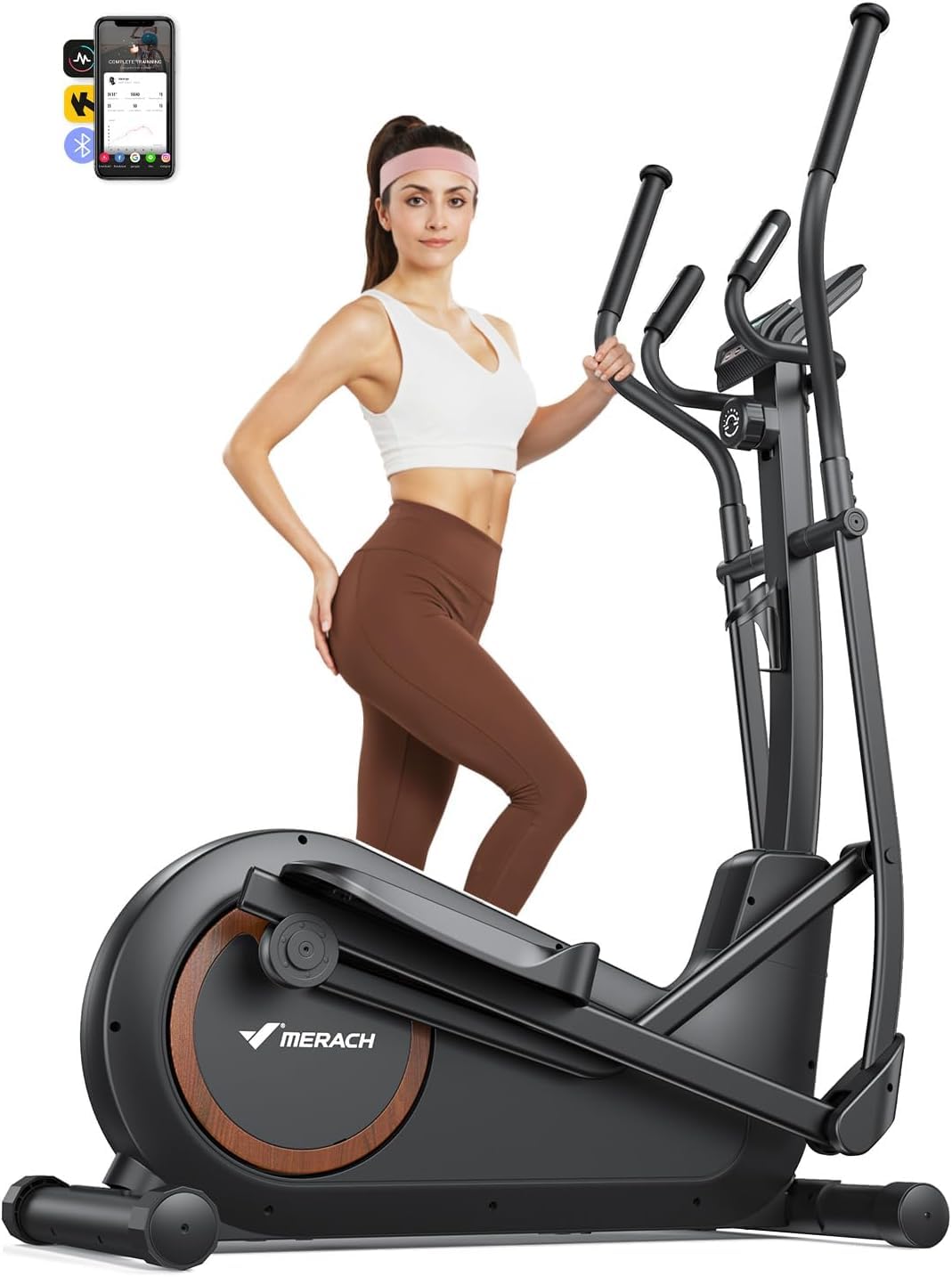
Image 2.1: The MERACH Elliptical Trainer MR-E33B4-EU.

Image 2.2: Elliptical trainer highlighting 42 cm stride length and compact dimensions (101 cm length).

Image 2.3: Close-up of the MERACH elliptical's silent magnetic resistance system, indicating quiet operation below 18dB and 16 resistance levels.
3. Nastavení a montáž
The MERACH Elliptical Trainer comes 80% pre-assembled, allowing for quick setup. Most users can complete assembly in under 20 minutes using the included tools and following the instructions.
Montážní kroky:
- Rozbalte komponenty: Opatrně vyjměte všechny díly z obalu. Zkontrolujte, zda jsou přítomny všechny součásti uvedené v dodacím listu.
- Připevněte stabilizátory: Připevněte přední a zadní stabilizátory k hlavnímu rámu pomocí dodaných šroubů a nářadí.
- Instalace pedálů: Attach the left and right pedals to their respective crank arms. Note the 'L' and 'R' markings.
- Connect Handlebars: Mount the moving handlebars and fixed handlebars to the main frame, ensuring all connections are secure.
- Connect Console Cables: Carefully connect the console cables from the main frame to the LCD monitor.
- Mount LCD Console: Secure the LCD console to the console post.
- Závěrečné kontroly: Ensure all bolts and nuts are tightened. Test the movement of the pedals and handlebars for smooth operation.
For detailed visual guidance, refer to the installation video provided by MERACH.

Image 3.1: A user assembling the elliptical trainer, demonstrating the ease of setup with included tools.

Image 3.2: Graphic illustrating the 90% pre-assembled status and quick installation process.
4. Návod k obsluze
Operating your MERACH Elliptical Trainer is straightforward. Follow these steps to begin your workout.
4.1. Začínáme
- Step onto the pedals, gripping the fixed or moving handlebars for balance.
- Začněte šlapat plynulým, eliptickým pohybem.
- The LCD monitor will automatically activate and display your workout data.
4.2. Používání LCD monitoru
The integrated LCD monitor provides essential workout metrics:
- Čas: Délka vašeho tréninku.
- Rychlost: Aktuální rychlost v km/h nebo mph.
- Vzdálenost: Celková uběhnutá vzdálenost během tréninku.
- Kalorie: Odhad spálených kalorií.
- Srdeční frekvence: Your pulse, detected by the hand pulse sensors on the fixed handlebars.
4.3. Nastavení odporu
The elliptical features 16 levels of magnetic resistance. To adjust the intensity:
- Locate the resistance adjustment knob, typically found below the console.
- Turn the knob clockwise to increase resistance (higher intensity).
- Turn the knob counter-clockwise to decrease resistance (lower intensity).

Image 4.1: Visual representation of the 16 adjustable resistance levels, suitable for various fitness goals.
4.4. Using the MERACH App & Bluetooth Connectivity
Enhance your workout experience by connecting your elliptical to the MERACH App or KINOMAP via Bluetooth.
- Stáhněte si aplikaci: Hledat "MERACH" or "KINOMAP" in your device's app store (available on Apple App Store and Google Play).
- Povolit Bluetooth: Ujistěte se, že je na vašem smartphonu nebo tabletu povoleno rozhraní Bluetooth.
- Spárovat zařízení: Open the app and follow the on-screen instructions to pair with your MERACH Elliptical Trainer.
- Prozkoumat funkce: Access personalized training programs, real-time workout tracking, interactive routes, and connect with other fitness devices like Apple Watch or Garmin.

Image 4.2: User interacting with the MERACH fitness app while using the elliptical, showing real-time data and virtual routes.

Image 4.3: Screenshot of the MERACH App interface, demonstrating personalized training plans and activity data tracking.
5. Údržba
Regular maintenance ensures the longevity and optimal performance of your MERACH Elliptical Trainer.
5.1. Čištění
- Otřete eliptický trenažér reklamouamp hadříkem po každém použití k odstranění potu a prachu.
- Nepoužívejte abrazivní čisticí prostředky nebo rozpouštědla, protože by mohly poškodit povrchovou úpravu a elektronické součástky.
- Keep the LCD monitor dry and clean.
5.2. Inspection and Tightening
- Periodically check all bolts, nuts, and moving parts for tightness.
- Tighten any loose fasteners to prevent noise and ensure stability. This is particularly important for components that experience frequent movement.
- Inspect the pedals, handlebars, and frame for any signs of wear or damage. Contact customer support if you notice any issues.
5.3. Mazání
- While the magnetic resistance system is generally maintenance-free, occasionally check the pivot points and joints for smooth operation.
- If any squeaking or friction occurs, apply a small amount of silicone-based lubricant to the affected areas. Avoid oil-based lubricants.
6. Řešení problémů
Tato část se zabývá běžnými problémy, se kterými se můžete setkat při používání eliptického trenažéru.
| Problém | Možná příčina | Řešení |
|---|---|---|
| Elliptical is noisy or unstable during use. | Uvolněné šrouby nebo nerovný povrch. | Check and tighten all assembly bolts. Ensure the elliptical is on a level surface; adjust stabilizers if necessary. |
| LCD monitor is not displaying data. | Loose cable connection or depleted batteries (if applicable). | Check all cable connections to the console. Replace batteries in the console if it is battery-powered. |
| Resistance adjustment is not working. | Odpojení kabelu nebo problém s vnitřním mechanismem. | Ujistěte se, že je odporový kabel správně připojen. Pokud problém přetrvává, kontaktujte zákaznickou podporu. |
| Bluetooth app cannot connect to the elliptical. | Bluetooth není povoleno, aplikace není aktualizována nebo dochází k rušení. | Ensure Bluetooth is active on your device. Update the MERACH App to the latest version. Restart both the elliptical (if possible) and your device. Try pairing again. |
| Heart rate sensor is inaccurate or not working. | Improper hand placement or sensor malfunction. | Ensure both hands are firmly gripping the pulse sensors. Skin contact must be consistent. If the problem continues, contact support. |
If you encounter a problem not listed here or if the suggested solutions do not resolve the issue, please contact MERACH customer support for assistance.
7. Specifikace
| Funkce | Detail |
|---|---|
| Název modelu | MR-E33B4-EU |
| Značka | MERACH |
| Rozměry produktu (D x Š x V) | 149 cm x 57 cm x 165 cm (58.7 x 22.4 x 65 palce) |
| Hmotnost produktu | 52 kg (114.6 lb) |
| Maximální hmotnost uživatele | 150 kg (330 lb) |
| Délka kroku | 42 cm (16.5 palců) |
| Mechanismus odporu | Magnetický |
| Počet úrovní odporu | 16 |
| Materiál | Kov |
| Typ zobrazení | LCD monitor |
| Konektivita | Bluetooth (MERACH App, KINOMAP compatible) |
| Zahrnuté položky | Elliptical Trainer x1, User Manual x1 |
8. Záruka a podpora
MERACH is committed to providing high-quality products and excellent customer service.
8.1. Informace o záruce
Your MERACH Elliptical Trainer is covered by a manufacturer's warranty. Please refer to the warranty card included in your package or visit the official MERACH website for specific terms and conditions regarding your product's warranty period and coverage.
8.2. Zákaznická podpora
MERACH offers lifetime technical support and fast, reliable customer service in Europe. If you have any questions regarding assembly, operation, maintenance, or require assistance with accessories, please do not hesitate to contact us.
Kontaktní údaje:
- For support, please visit the MERACH official webwebu nebo se podívejte na kontaktní údaje uvedené na obalu produktu.
- You can also reach out to the seller, MERACH Direct EU, through your Amazon purchase history for assistance.