
1. Úvod
Děkuji za nákupasing the Sofirn HS21 and D25S headlamps. These headlamps are designed for various outdoor activities, offering reliable illumination and convenient features. This manual provides detailed instructions for the safe and effective use, setup, operation, and maintenance of your new headlamps. Před použitím si prosím pečlivě přečtěte tento návod a uschovejte si jej pro budoucí použití.
2. Bezpečnostní pokyny
- Nesvíťte přímo do očí. Silný paprsek může způsobit dočasné zhoršení zraku nebo trvalé poškození očí.
- Uchovávejte mimo dosah dětí.
- Hlavu nerozebírejteamp. This may damage the device and void the warranty.
- Use only the recommended battery types. Improper battery use can lead to fire, explosion, or leakage.
- Vyvarujte se odkrytí hlavyamp extrémním teplotám nebo přímému slunečnímu záření po delší dobu.
- Pokud se zařízení nenabíjí, ujistěte se, že je kryt nabíjecího portu USB-C bezpečně uzavřen, aby byla zachována vodotěsnost.
3. Obsah balení
- 1 x Sofirn HS21 Headlamp
- 1 x Sofirn D25S Headlamp
- 2x čelenky
- 2 x USB-C nabíjecí kabel
- 2 x Rechargeable Batteries (pre-installed or separate)
- 1 x Uživatelská příručka
4. Konec produktuview
4.1 Sofirn HS21 Headlamp
The Sofirn HS21 is a versatile headlamp featuring a combination of spotlight, floodlight, and red light. It is equipped with a convenient rotary switch for easy mode selection and offers a wide 130° rotation adjustment for optimal illumination angle.

Image 1: Sofirn HS21 Headlamp showing its various light modes including red light, spotlight, and floodlight.

Image 2: The Sofirn HS21 headlamp demonstrating its 130-degree rotation capability for adjustable light direction.
4.2 Sofirn D25S Headlamp
The Sofirn D25S is a compact and powerful headlamp utilizing an SST40 LED, offering multiple brightness levels. It features a hidden USB-C charging port for convenient recharging and a simple user interface with memory mode.

Image 3: Sofirn D25S Headlamp highlighting its comfortable switch and simple user interface.
5. Nastavení
5.1 Instalace baterie
Both HS21 and D25S headlamps typically come with batteries pre-installed. If not, or if replacing batteries:
- Unscrew the tail cap of the headlamp tělo.
- Insert the rechargeable battery with the positive (+) terminal facing towards the head of the lamp.
- Pevně zašroubujte zadní krytku zpět, abyste zajistili správný kontakt a vodotěsnost.
5.2 Nabíjení
Obě hlavyamps feature a built-in USB-C charging port.
For HS21:
- Vyhledejte nabíjecí port USB-C na boku hlavového sloupkuamp tělo.
- Gently lift the protective rubber cover to expose the port.
- Připojte dodaný kabel USB-C k hlavěamp and to a USB power source (e.g., wall adapter, power bank, computer).
- Během nabíjení bude kontrolka svítit červeně a po plném nabití se rozsvítí zeleně.
- Once charging is complete, securely close the rubber cover to protect the port from dust and water.
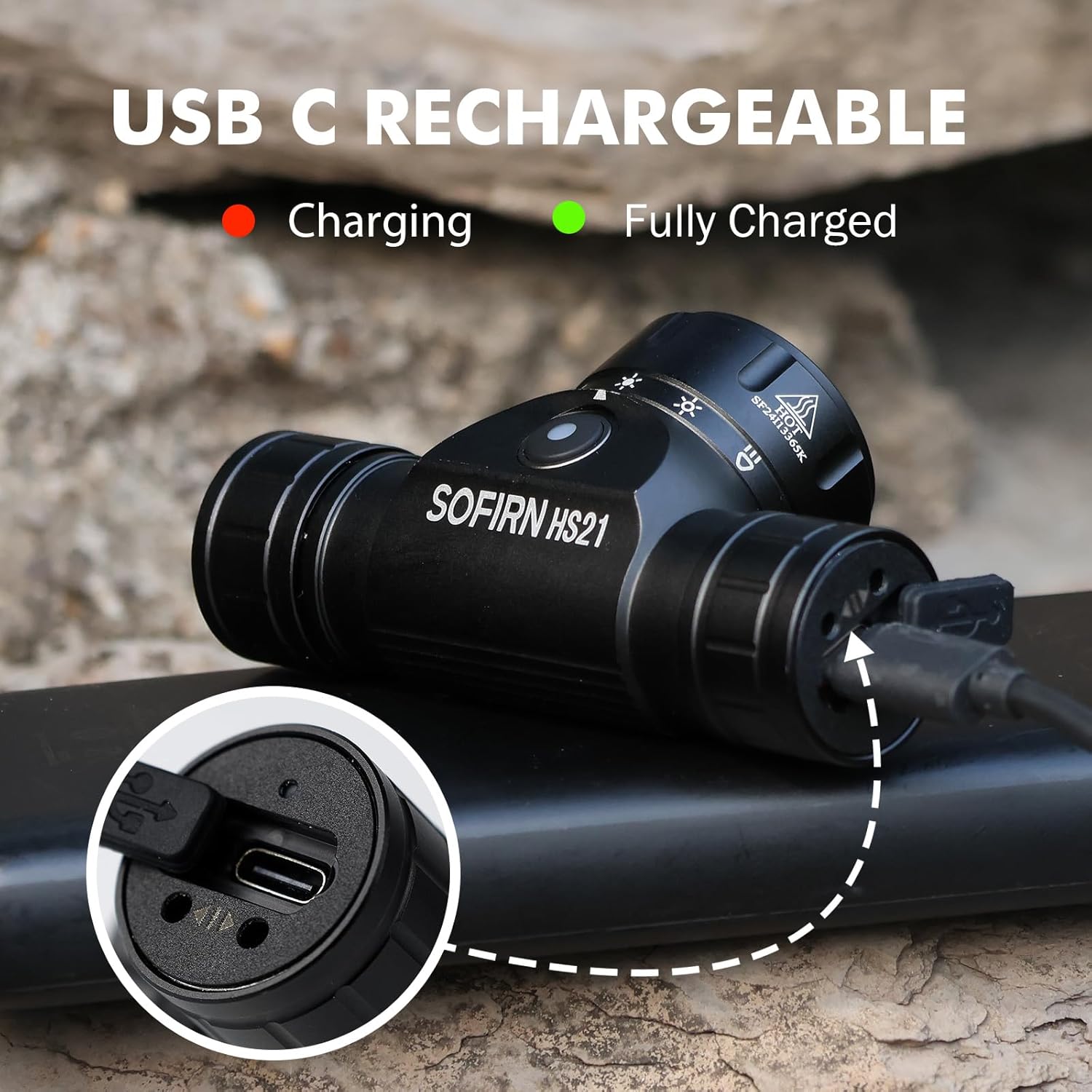
Image 4: Sofirn HS21 Headlamp connected to a USB-C charging cable, showing the charging indicator light.
For D25S:
- Unscrew the head of the D25S headlamp to reveal the hidden USB-C charging port.
- Připojte dodaný kabel USB-C k hlavěamp and to a USB power source.
- Během nabíjení bude kontrolka svítit červeně a po plném nabití se rozsvítí zeleně.
- After charging, screw the head back on tightly to ensure water resistance.

Image 5: Sofirn D25S Headlamp with its head unscrewed, revealing the built-in USB-C charging port.
6. Návod k obsluze
6.1 Sofirn HS21 Headlamp Operace
The HS21 features a rotary switch for easy mode selection and a separate power button.
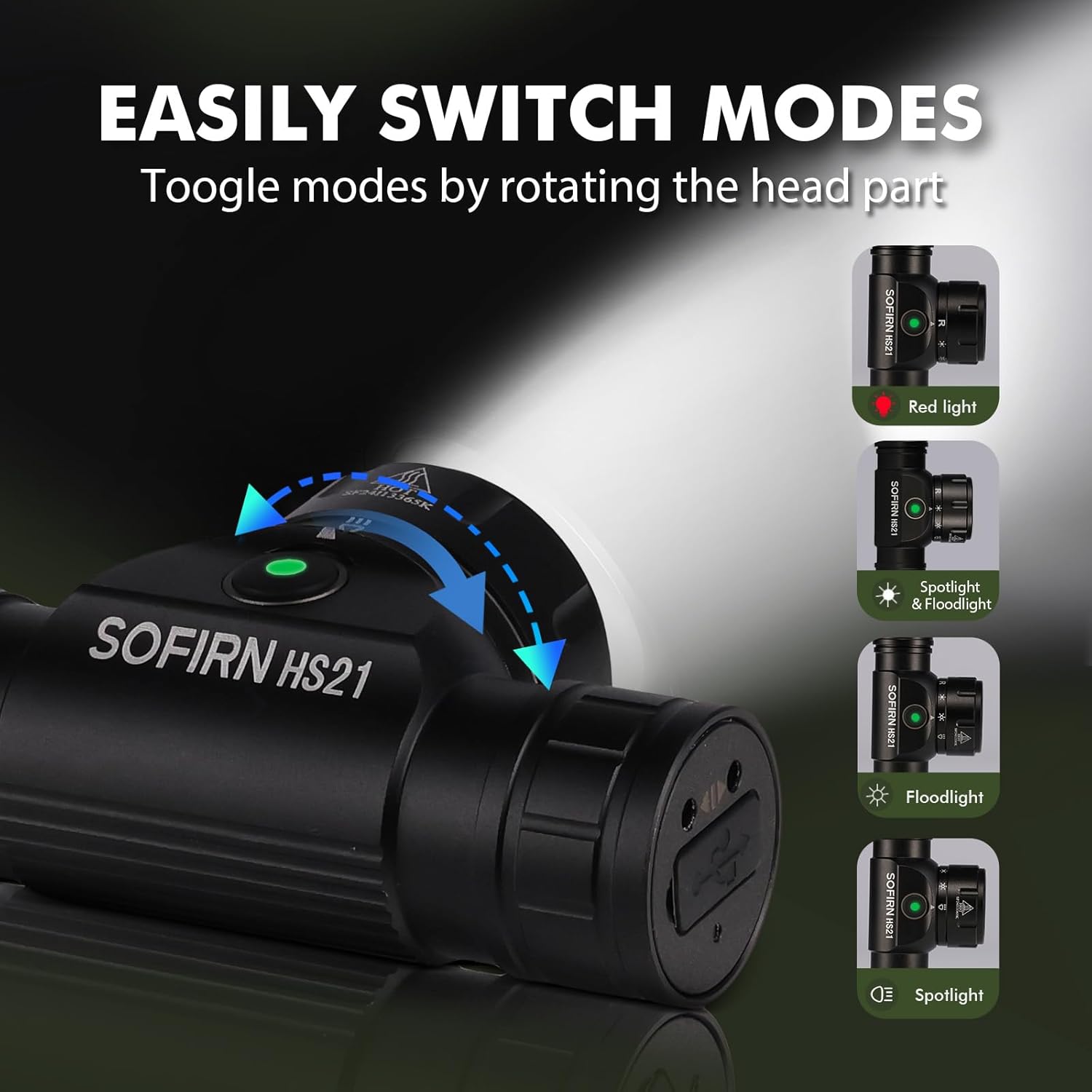
Image 6: Illustration of the Sofirn HS21's rotary switch mechanism for changing light modes.
- Zapnutí/vypnutí: Jedním stisknutím tlačítka napájení otočíte čelovkuamp zapnuto nebo vypnuto.
- Výběr režimu: Rotate the head part of the headlamp to cycle through the main light modes: Red Light, Spotlight, Floodlight, and Spotlight + Floodlight (combined).
- Nastavení jasu: While a mode is active, press and hold the power button to cycle through brightness levels (Low, Medium, High). Release the button at your desired brightness.
- Red Light Activation: Rotate to the red light setting. Press and hold the power button for additional red light modes (e.g., red strobe, red beacon).
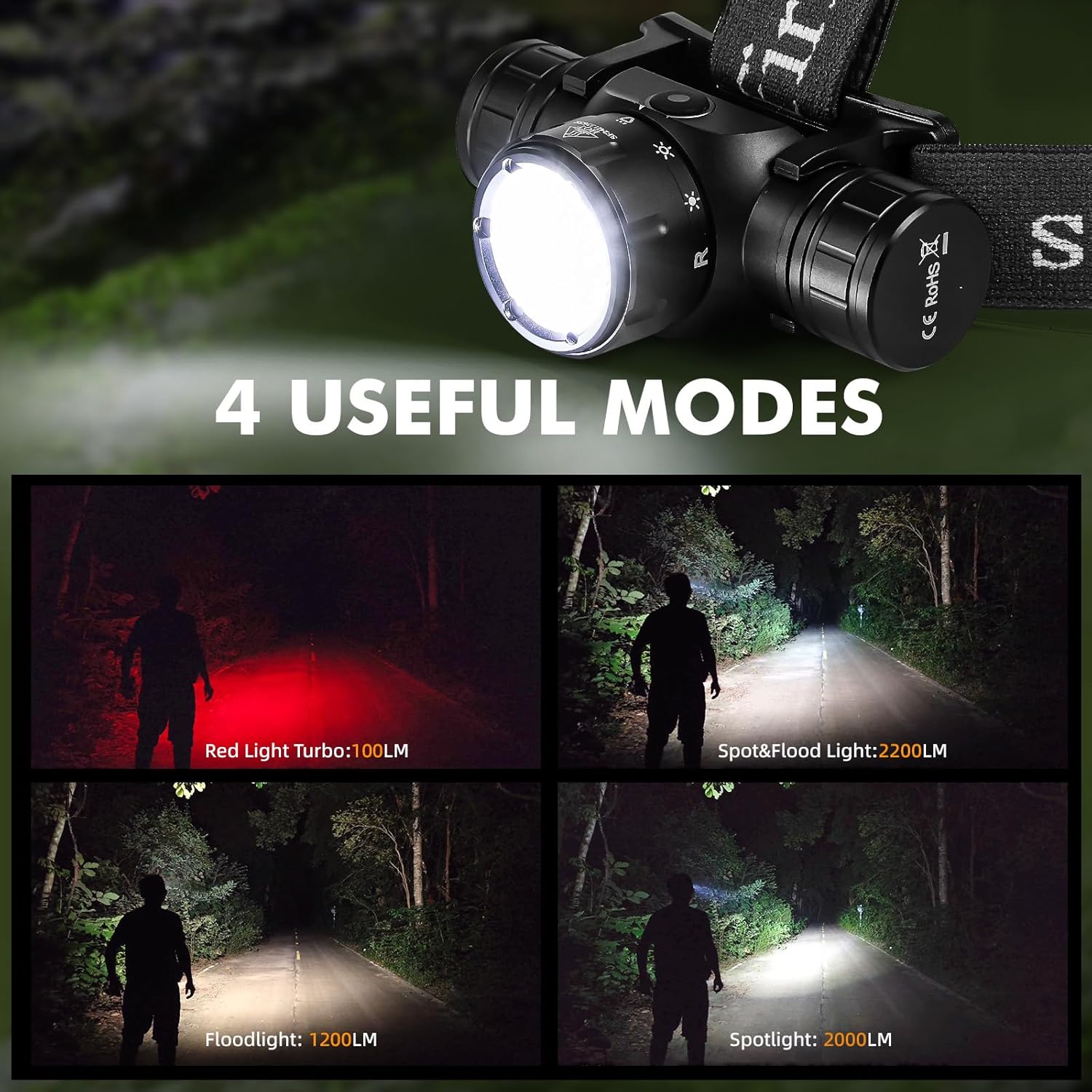
Image 7: The Sofirn HS21 headlamp displaying its four primary light modes: Red Light, Spot & Flood, Floodlight, and Spotlight.
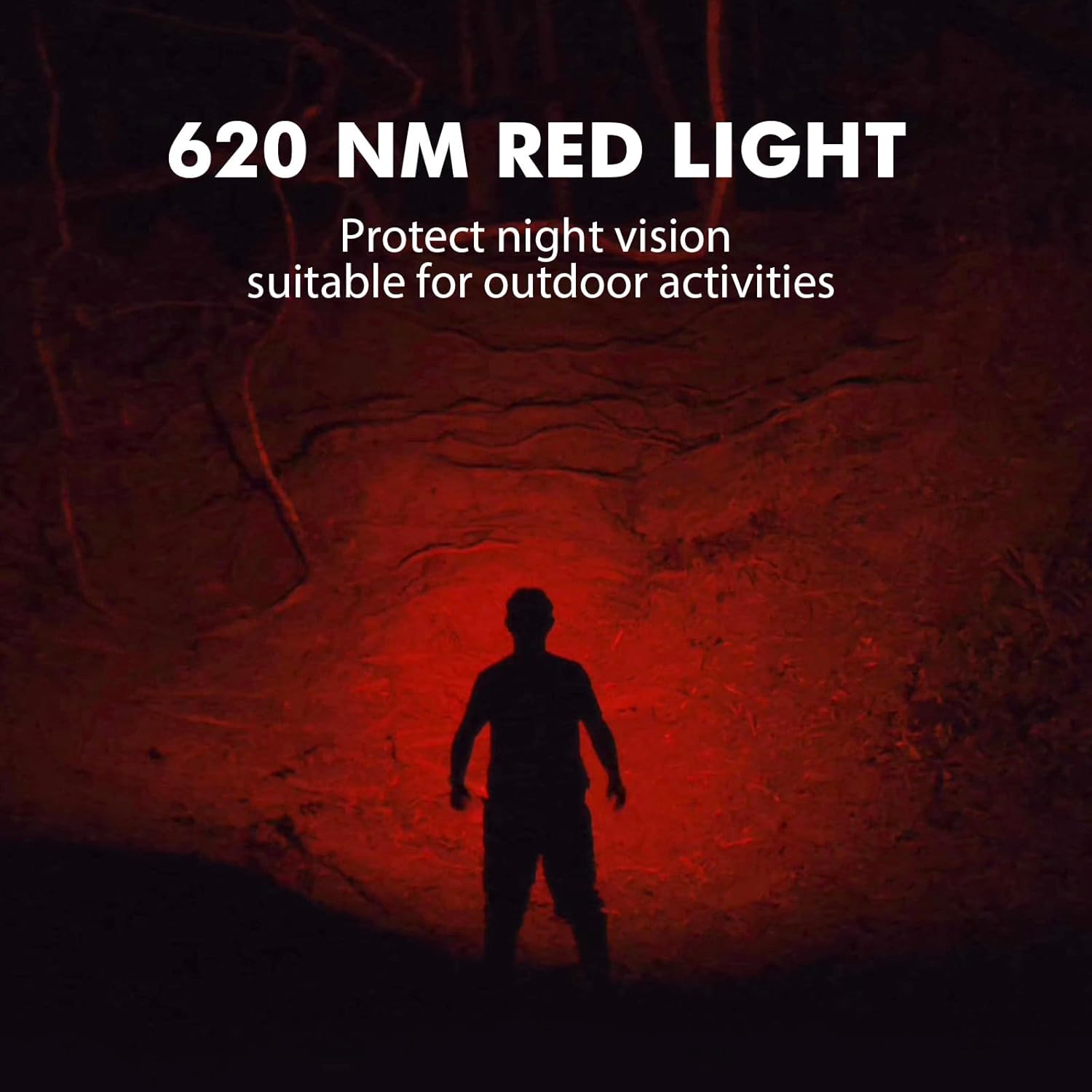
Image 8: The Sofirn HS21 headlamp emitting a 620 NM red light, suitable for preserving night vision.
6.2 Sofirn D25S Headlamp Operace
The D25S operates with a single button interface.
- Zapnutí/vypnutí: Press the button once to turn the headlamp zapnuto nebo vypnuto.
- Cyklus režimů: Zatímco hlavaamp is on, press and hold the button to cycle through brightness modes: Low → Medium 1 → Medium 2 → High. Release the button at your desired mode.
- Turbo režim: From any mode, double-click the button to activate Turbo mode. Double-click again to return to the previous mode.
- Funkce paměti: The D25S will remember the last used brightness level (excluding Turbo) and turn on in that mode.
7. Údržba
- Čištění: Otřete hlavuamp s měkkým, damp tkanina. Nepoužívejte abrazivní čisticí prostředky nebo rozpouštědla.
- O-kroužky: Periodically check and lubricate the O-rings with silicone grease to maintain water resistance. Replace damaged O-rings.
- Péče o baterie: Pokud hlavaamp will not be used for an extended period, remove the battery to prevent leakage. Recharge batteries regularly to prolong their lifespan.
- Skladování: Uložte hlavuamp na chladném a suchém místě mimo přímé sluneční světlo.
8. Řešení problémů
| Problém | Možná příčina | Řešení |
|---|---|---|
| Vedoucíamp nezapne | Low battery; Battery incorrectly installed; Loose tail cap; Faulty battery. | Charge battery; Reinstall battery with correct polarity; Tighten tail cap; Replace battery. |
| Světelný výkon je slabý | Slabá baterie; Objektiv je znečištěný. | Charge battery; Clean the lens. |
| Nabíjení nefunguje | Cable not connected properly; Faulty cable or power source; Charging port obstructed. | Ensure secure connection; Try a different cable/power source; Clean charging port. |
| Vniknutí vody | O-rings damaged or missing; Tail cap/charging port cover not sealed properly. | Check and replace O-rings; Ensure all caps are tightly sealed. |
9. Specifikace
9.1 Sofirn HS21 Headlamp
| Funkce | Detail |
|---|---|
| Světelný zdroj | LED (Spotlight, Floodlight, Red Light) |
| Maximální výkon | 2200 Lumens (Spotlight + Floodlight) |
| Vlnová délka červeného světla | 620 NM |
| Typ přepínače | Rotary Switch + Push Button |
| Nabíjení | USB-C dobíjecí |
| Otáčení | Nastavitelný 130° |
| Rozměry | 3.4 x 1.8 x 1.4 palce |
| Hmotnost | 0.3 lb (včetně baterie) |
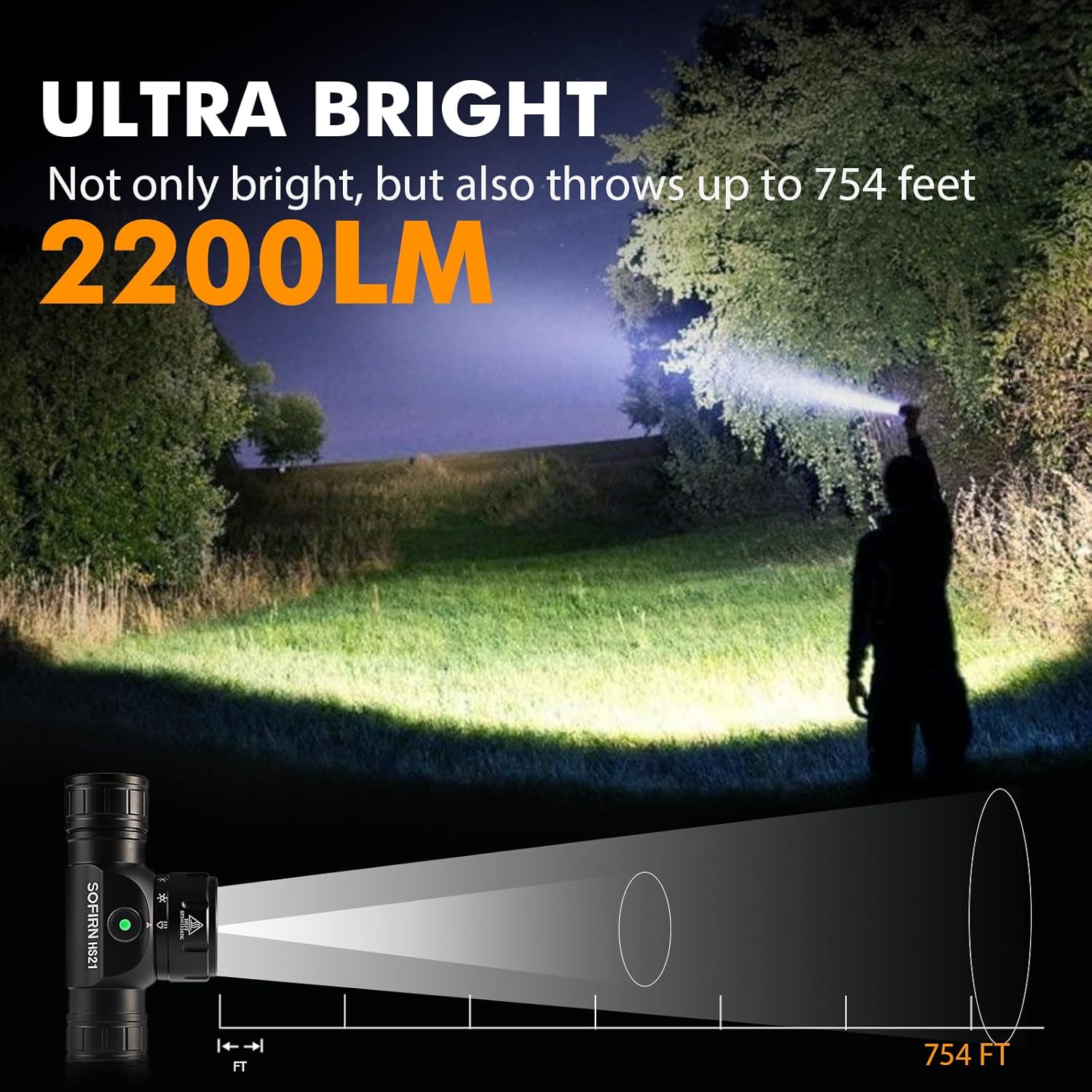
Image 9: The Sofirn HS21 headlamp demonstrating its ultra-bright output and beam distance of up to 754 feet.
9.2 Sofirn D25S Headlamp
| Funkce | Detail |
|---|---|
| Světelný zdroj | LED dioda SST40 |
| Maximální výkon | 1200 XNUMX lumenů |
| Režimy | Low, Medium 1, Medium 2, High, Turbo |
| Nabíjení | Hidden USB-C Rechargeable |
| Speciální funkce | Režim paměti |
10. Záruka a podpora
Sofirn products are covered by a limited warranty. For specific warranty details, please refer to the warranty card included with your product or visit the official Sofirn website. For technical support, troubleshooting assistance, or warranty claims, please contact Sofirn customer service through the retailer where you purchased the product or via the contact information provided on the official Sofirn webmísto.