
ÚTOK ŽRALOKA X98
Uživatelská příručka k bezdrátové mechanické klávesnici ATTACK SHARK X98
Model: X98
1. Konec produktuview
The ATTACK SHARK X98 is a versatile mechanical keyboard designed for various uses, including gaming, office work, and programming. It features tri-mode connectivity, hot-swappable switches, a gasket mount design, PBT keycaps, and customizable RGB backlighting.
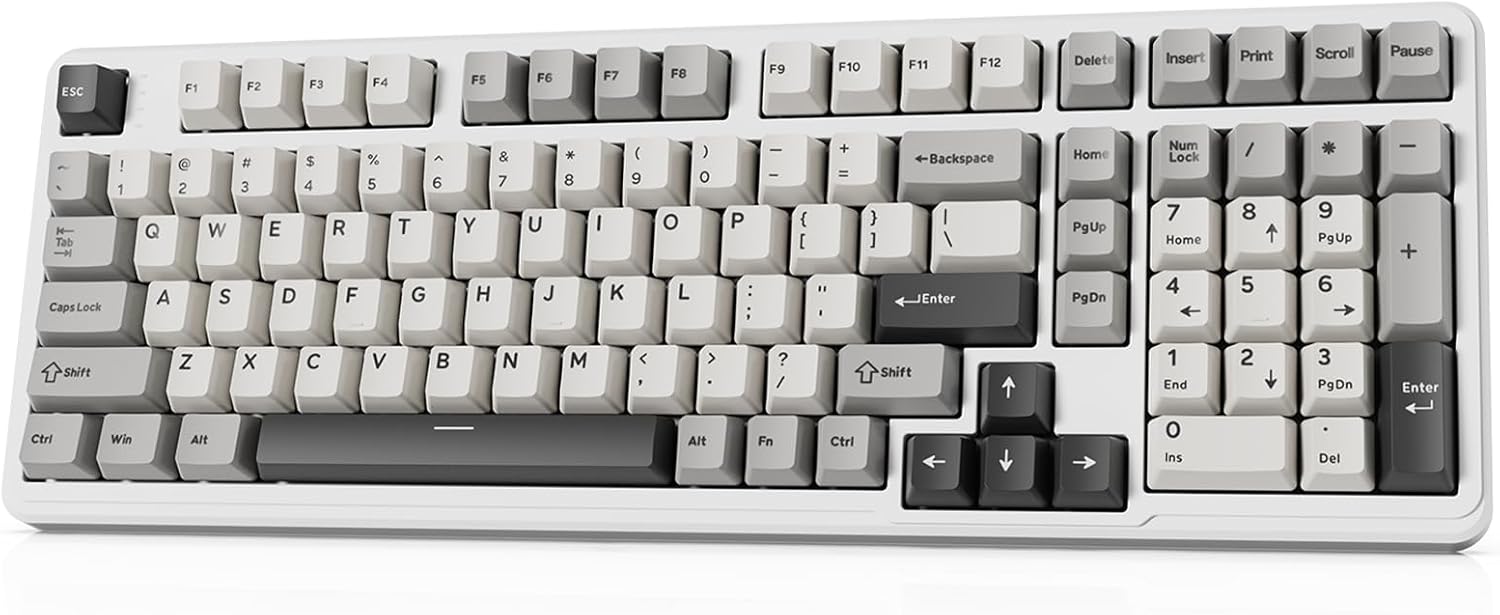
Image 1.1: The ATTACK SHARK X98 Wireless Mechanical Keyboard in Starlight White.
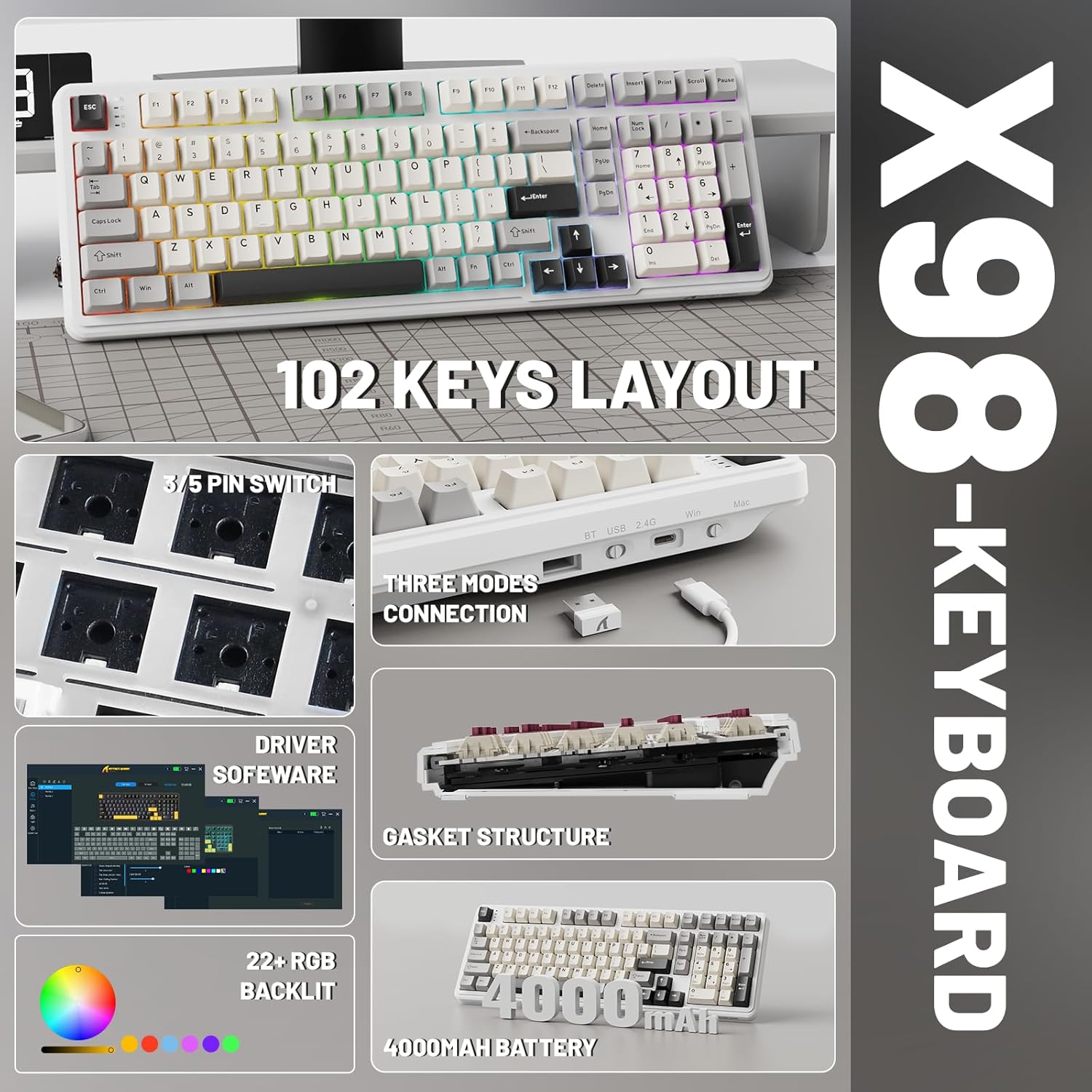
Obrázek 1.2: Konecview of key features including 102-key layout, 3/5 pin switch support, three modes connection, driver software, gasket structure, 22+ RGB backlight, and 4000mAh battery.
2. Obsah balení
Prosím, ověřte, zda jsou v balení přítomny všechny položky:
- Bezdrátová mechanická klávesnice ATTACK SHARK X98
- USB-C kabel
- Stahovač klíčů
- Extra Switches (typically 2)
- Uživatelská příručka (tento dokument)
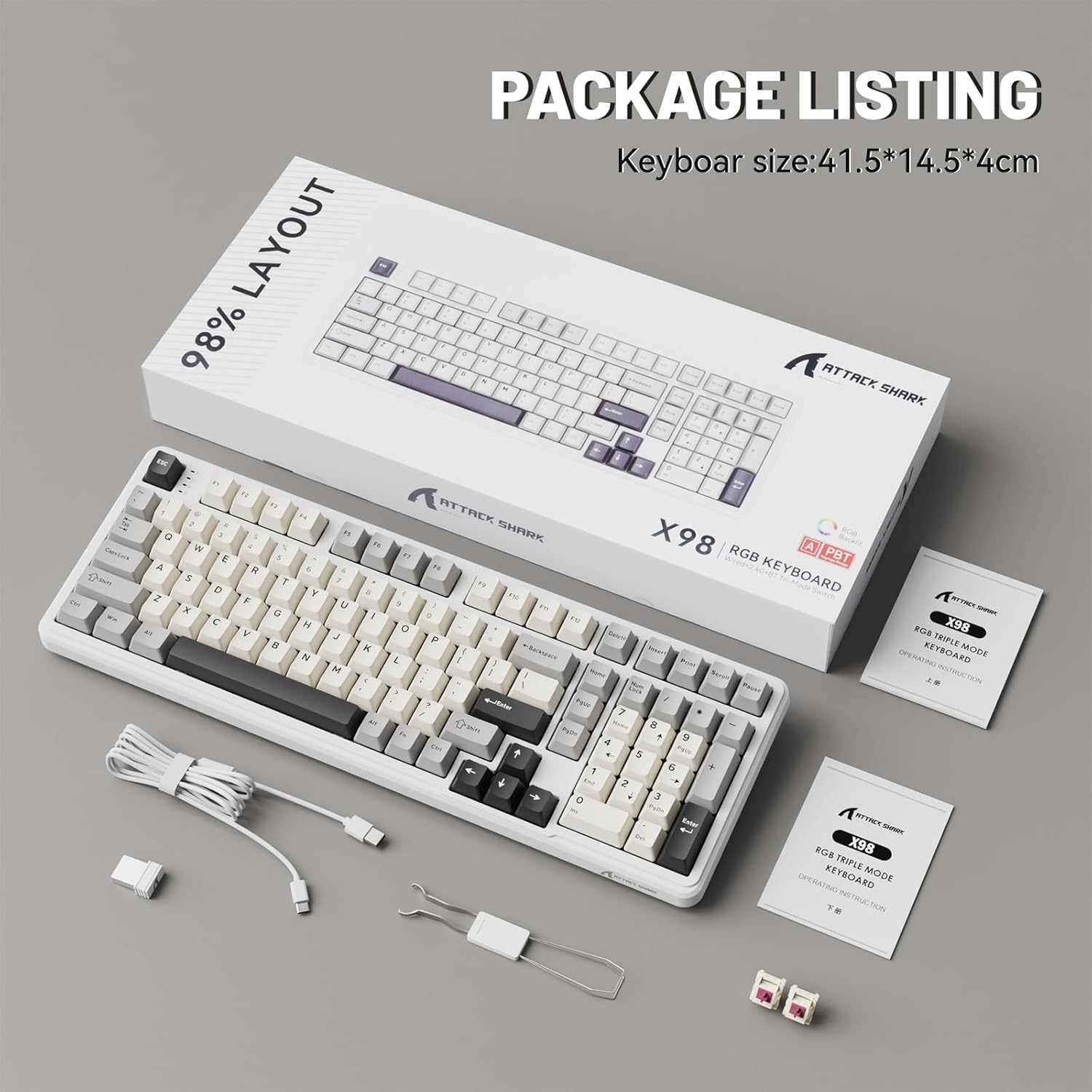
Image 2.1: Contents of the ATTACK SHARK X98 keyboard package, including the keyboard, USB-C cable, keycap puller, and extra switches.
3. Klíčové vlastnosti
- Třírežimové připojení: Supports Bluetooth 5.0, 2.4GHz wireless, and USB-C wired connections for versatile use across various devices.
- Přepínače vyměnitelné za provozu: Equipped with sockets compatible with both 3-pin and 5-pin mechanical switches, allowing for easy customization and replacement of switches without soldering. Features pre-lubed linear switches for a smooth and quiet typing experience.
- Konstrukce těsnění: Incorporates a 5-layer sound-absorbing foam structure (PORON Foam, IXPE Switch Pad, PET Noise Cancellation Pad, EPDM Dampening Pad, Silicone Pad) to reduce cavity sound and provide a pure, thocky sound profile.
- Živé RGB podsvícení: Offers 16.8 million RGB colors with 21 lighting effects and 7 single-color options, enhancing the aesthetic of your setup. Full Anti-Ghosting N-key rollover ensures accurate input during intense gaming sessions.
- Odolné PBT krytky kláves: Features doubleshot PBT keycaps that resist shine and fading, ensuring long-lasting durability and a premium feel.
- Baterie s dlouhou výdrží: Built-in 4000mAh battery provides extended wireless usage, capable of continuous operation for up to 7 days on a single charge.

Image 3.1: Diagram illustrating the 5-layer gasket structure for sound absorption and improved typing feel.
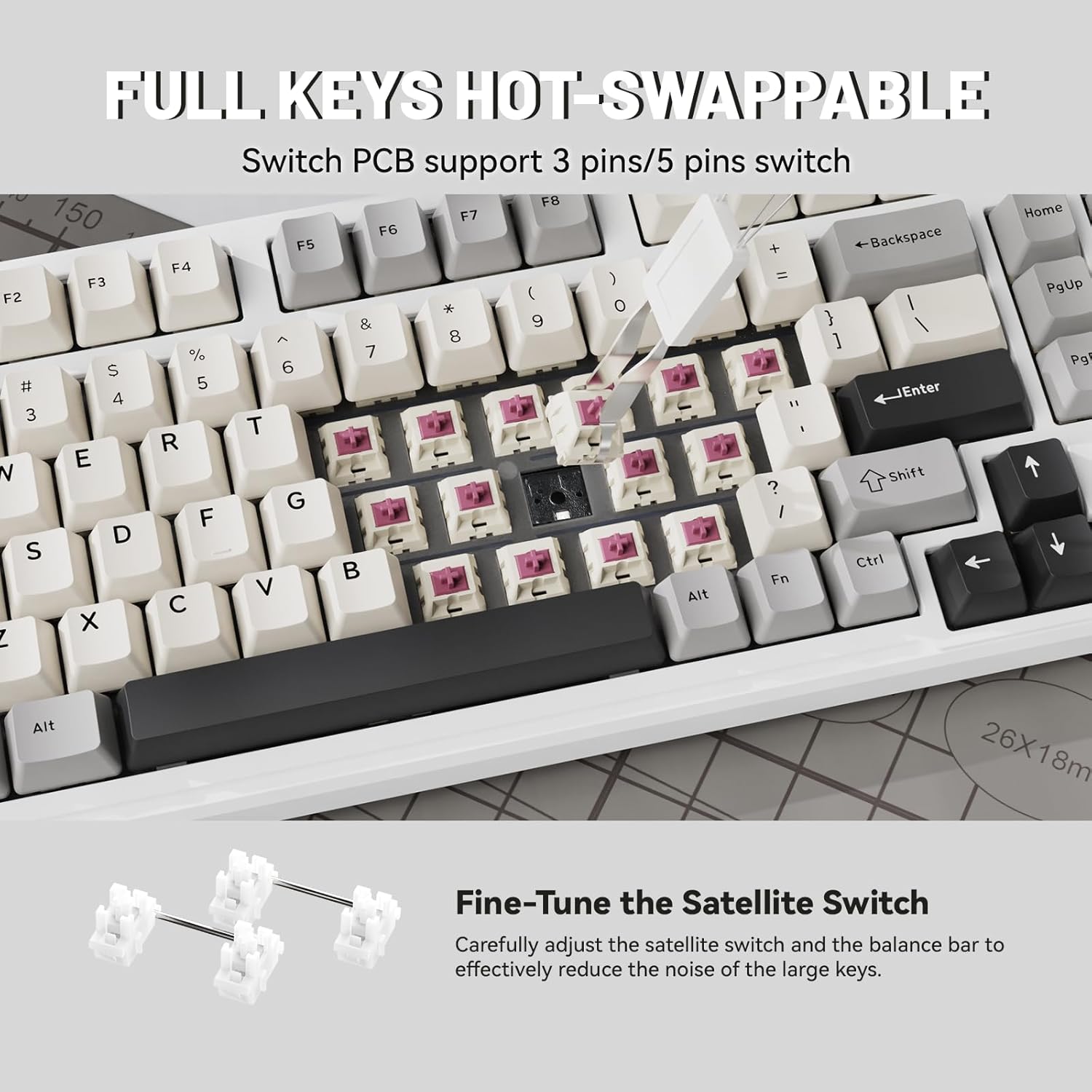
Obrázek 3.2: Detail view demonstrating the hot-swappable switch sockets, supporting both 3-pin and 5-pin switches.
4. Nastavení a připojení
4.1. Drátové připojení (USB-C)
- Připojte dodaný kabel USB-C k portu USB-C na klávesnici.
- Connect the other end of the USB-C cable to an available USB port on your computer or device.
- The keyboard will automatically be recognized and ready for use. The keyboard will also charge in this mode.
4.2. Bezdrátové připojení 2.4 GHz
- Locate the 2.4G wireless receiver (USB dongle), typically stored in a magnetic compartment on the keyboard.
- Plug the 2.4G receiver into an available USB port on your computer or device.
- On the keyboard, locate the connectivity switch (usually on the top edge or bottom) and slide it to the "2.4G" position.
- The keyboard should automatically connect. If not, refer to the troubleshooting section.
4.3. Připojení Bluetooth 5.0
- On the keyboard, locate the connectivity switch and slide it to the "BT" position.
- The keyboard will enter pairing mode. The indicator light may flash.
- On your device (PC, tablet, smartphone), open Bluetooth settings.
- Hledat new devices and select "ATTACK SHARK X98" (or similar name) from the list.
- Follow any on-screen prompts to complete the pairing process. The indicator light on the keyboard will become solid once connected.

Image 4.1: The ATTACK SHARK X98 keyboard demonstrating its three connection modes: 2.4GHz Wireless, Bluetooth Wireless, and Type-C Wired.
Video 4.2: An official product video demonstrating the features and connectivity options of the ATTACK SHARK X98 Wireless Mechanical Keyboard. This video highlights the keyboard's design, hot-swappable switches, RGB lighting, and tri-mode connectivity.
5. Návod k obsluze
5.1. Přepínání systémů (Windows/Mac)
The keyboard features a dedicated switch to toggle between Windows and Mac layouts. Locate the "WIN/MAC" switch on the keyboard and slide it to the appropriate operating system for optimal key mapping.
5.2. Ovládání RGB podsvícení
The ATTACK SHARK X98 offers various RGB lighting effects. Use the following key combinations to control the backlighting:
- Fn + [klávesa]: Specific key combinations (refer to keyboard legends or software) control lighting modes, brightness, and speed.
- Software pro přizpůsobení: For advanced customization of RGB lighting and key functions, download and install the official driver software. The driver link is typically provided in the product packaging or on the manufacturer's webmísto.
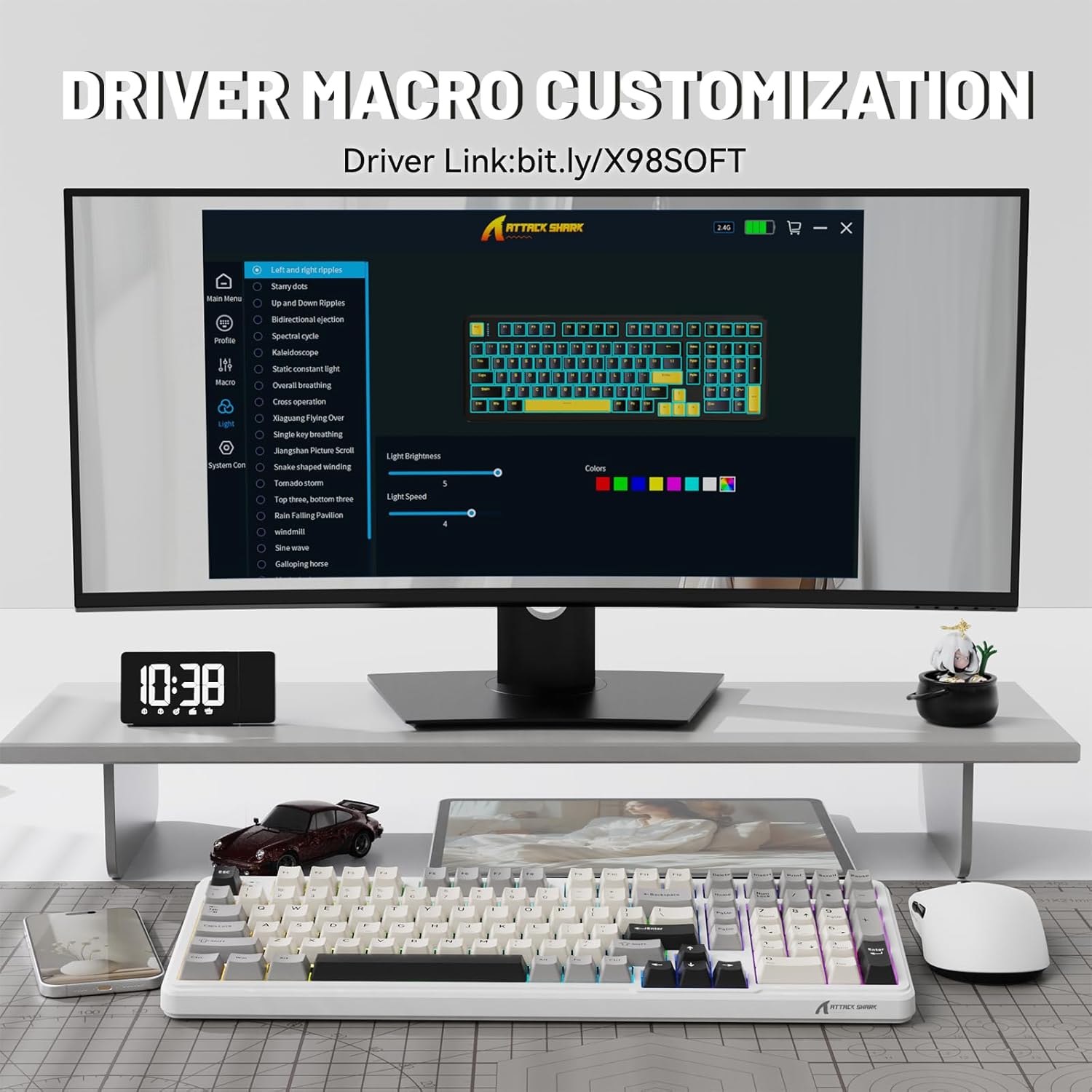
Image 5.1: Screenshot of the driver software interface, showing options for macro customization and RGB lighting control.
5.3. Kontrola úrovně baterie
To check the battery level in wireless mode, press and hold Fn + Backspace. The indicator lights on the keyboard will illuminate to show the approximate battery percentage:
- Červené světlo: 20% or less battery remaining.
- Žluté světlo: Zbývá 50 % baterie.
- Zelené světlo: Zbývá 60 % baterie.
- Full Green Lights: Zbývá 100 % baterie.

Image 5.2: Visual guide for checking the battery level using Fn + Backspace, showing different light indicators for battery percentage.
6. Údržba
- Čištění kláves: K opatrnému vyjmutí kláves použijte dodaný stahovák na klávesy. Očistěte je měkkým hadříkem.amp cloth and mild soap if necessary. Ensure keycaps are completely dry before reattaching.
- Čištění těla klávesnice: K otření těla klávesnice použijte měkký hadřík, který nepouští vlákna. V případě odolných nečistot použijte lehceamp Lze použít hadřík. Zabraňte nadměrné vlhkosti.
- Údržba spínače: The hot-swappable design allows for easy switch replacement. If a switch malfunctions, use the keycap puller and switch puller (if included, or a small tool) to remove the faulty switch and insert a new one.
- Skladování: Pokud klávesnici delší dobu nepoužíváte, skladujte ji v suchém a bezprašném prostředí.
7. Řešení problémů
| Problém | Možná příčina | Řešení |
|---|---|---|
| Klávesnice nereaguje (kabelová) | Volné připojení kabelu; vadný USB port; problém s ovladačem. | Ujistěte se, že je kabel USB-C bezpečně připojen. Zkuste jiný port USB. Restartujte počítač. |
| Keyboard not connecting (2.4GHz wireless) | Přijímač není připojen; klávesnice není v režimu 2.4G; slabá baterie. | Ensure 2.4G receiver is plugged in. Slide switch to "2.4G". Charge the keyboard. |
| Klávesnice se nepřipojuje (Bluetooth) | Keyboard not in BT mode/pairing mode; device Bluetooth off; interference. | Slide switch to "BT" and ensure it's in pairing mode. Enable Bluetooth on your device. Move closer to the device. Remove other Bluetooth devices. |
| RGB lights not working/customizing | Software not installed/running; incorrect key combination; low battery. | Install/run the driver software. Refer to operating instructions for key combinations. Charge the keyboard. |
| Klávesy se neregistrují/psají se dvakrát | Faulty switch; debris under keycap. | Sejměte krytku kláves a očistěte ji. Pokud problém přetrvává, vyměňte spínač pomocí funkce výměny za provozu. |
8. Specifikace
| Číslo modelu | X98 |
| Značka | ÚTOČNÉHO ŽRALOKA |
| Technologie připojení | Bluetooth 5.0, bezdrátové připojení 2.4G, USB-C |
| Počet klíčů | 102 |
| Podsvícení klávesnice | RGB (16.8 milionu barev, 21 efektů) |
| Materiál krytky klíče | Dvojitý shot PBT |
| Typ přepínače | Pre-lubed Linear Switches (Hot-swappable 3/5-pin) |
| Styl montáže | Držák těsnění |
| Kapacita baterie | 4000 XNUMX mAh |
| Rozměry produktu | 16 x 5.6 x 1.5 palce |
| Hmotnost položky | 2.71 libry |
| Kompatibilní zařízení | Notebook, herní konzole, počítač, tablet, chytrý telefon |
9. Záruka a podpora
The ATTACK SHARK X98 Wireless Mechanical Keyboard comes with a standard manufacturer's warranty. Please refer to the warranty card included in your package for specific terms and conditions, including warranty duration and coverage details.
For technical support, troubleshooting assistance, or warranty claims, please contact ATTACK SHARK customer service through their official webwebu nebo kontaktních informací uvedených v dokumentaci k produktu.
Oficiální website for driver software and further support: cn.attackshark.pro
Ask a question about this manual
Ask about setup, troubleshooting, compatibility, parts, safety, or missing instructions. Manuals+ will review the question and use this page’s manual context to help answer it.