
Micool DY20PLUS
Uživatelská příručka k Bluetooth headsetu Micool DY20PLUS V5.4
Model: DY20PLUS | Brand: Micool
Zavedení
Thank you for choosing the Micool DY20PLUS Bluetooth Headset V5.4. This manual provides comprehensive instructions to help you set up, operate, and maintain your new headset. Please read this manual carefully before use to ensure optimal performance and longevity of your device.
Obsah balení
- Micool DY20PLUS Bluetooth Headset
- Nabíjecí kabel USB-C
- Uživatelská příručka
- Multiple Sized Ear Tips (L, M, S)
Konec produktuview
Familiarize yourself with the components of your Micool DY20PLUS Bluetooth Headset.
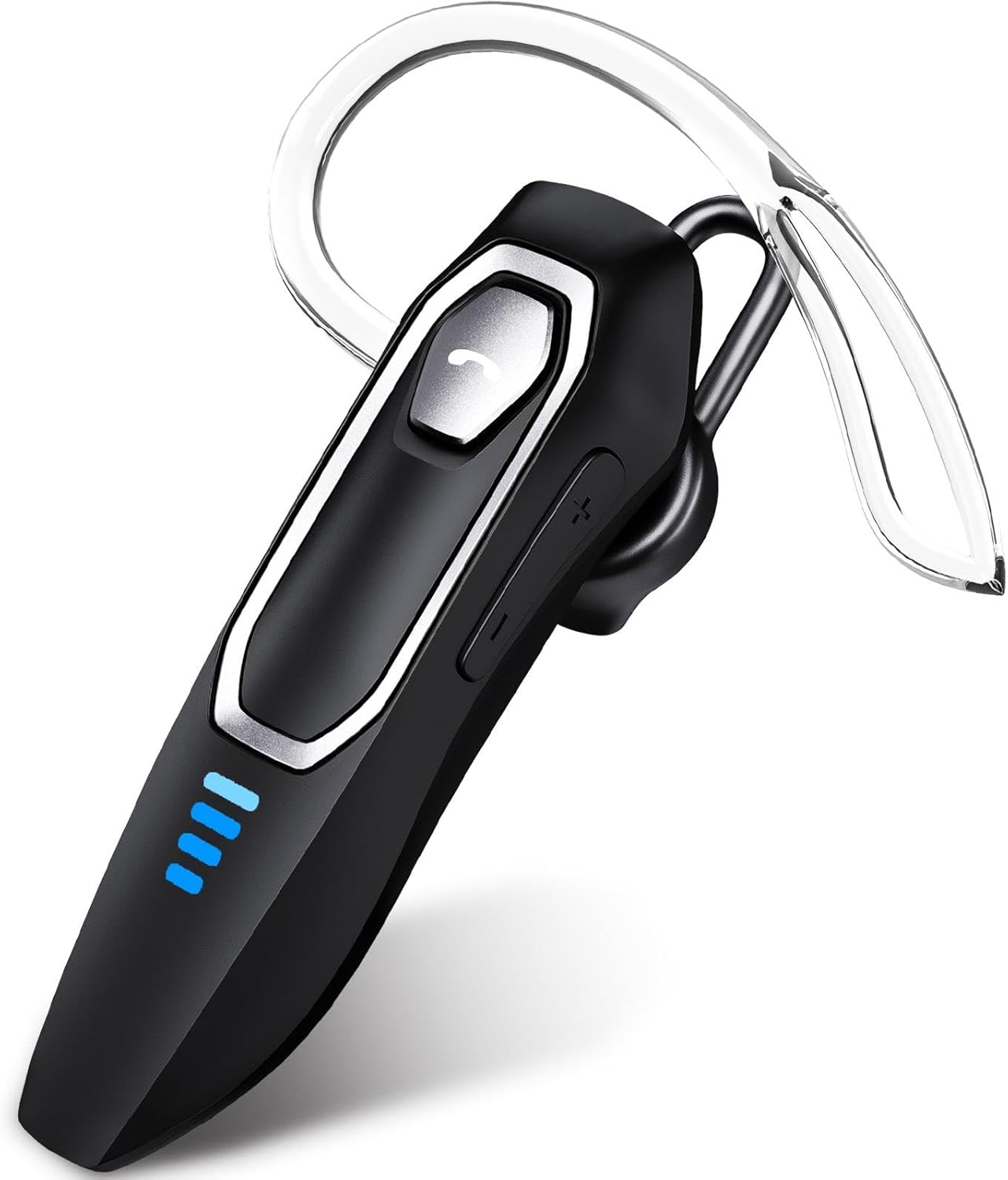
Image 1: Micool DY20PLUS Bluetooth Headset. This image displays the main headset unit, highlighting the call button, volume controls, and LED power indicators.

Image 2: Headset Controls Diagram. This diagram illustrates the Multi-Function Button (MFB) for power, play/pause, and Bluetooth pairing, along with volume controls and mute function.
Nabíjení náhlavní soupravy
Před prvním použitím sluchátka plně nabijte.
- Připojte dodaný nabíjecí kabel USB-C k nabíjecímu portu na sluchátkách.
- Připojte druhý konec kabelu ke zdroji napájení USB (např. počítači, nástěnnému adaptéru).
- The LED indicators will show charging status. A full charge typically takes 1.5-2 hours.
- Once fully charged, the LED indicators will change or turn off (refer to LED Power Display section for details).
The headset offers up to 36 hours of talk time and 45 hours of music playback on a single charge.
Nastavení
Zapnutí/vypnutí
- Zapnutí: Press and hold the Multi-Function Button (MFB) for approximately 3 seconds until the LED indicator flashes.
- Vypnout: Press and hold the MFB for approximately 3 seconds until the LED indicator turns off.
Párování pomocí Bluetooth
- Zkontrolujte, zda je náhlavní souprava vypnutá.
- Press and hold the MFB for approximately 3 seconds until the LED indicator flashes red and blue alternately, indicating pairing mode.
- Na svém zařízení (chytrý telefon, tablet, počítač) povolte Bluetooth a vyhledejte dostupná zařízení.
- Select "DY20PLUS" from the list of found devices.
- Po připojení bude LED indikátor na headsetu pomalu modře blikat.
Vícebodové připojení: The DY20PLUS headset can connect to two devices simultaneously. After pairing with the first device, disable Bluetooth on that device. Then, put the headset back into pairing mode and connect to the second device. Re-enable Bluetooth on the first device, and the headset should automatically connect to both.
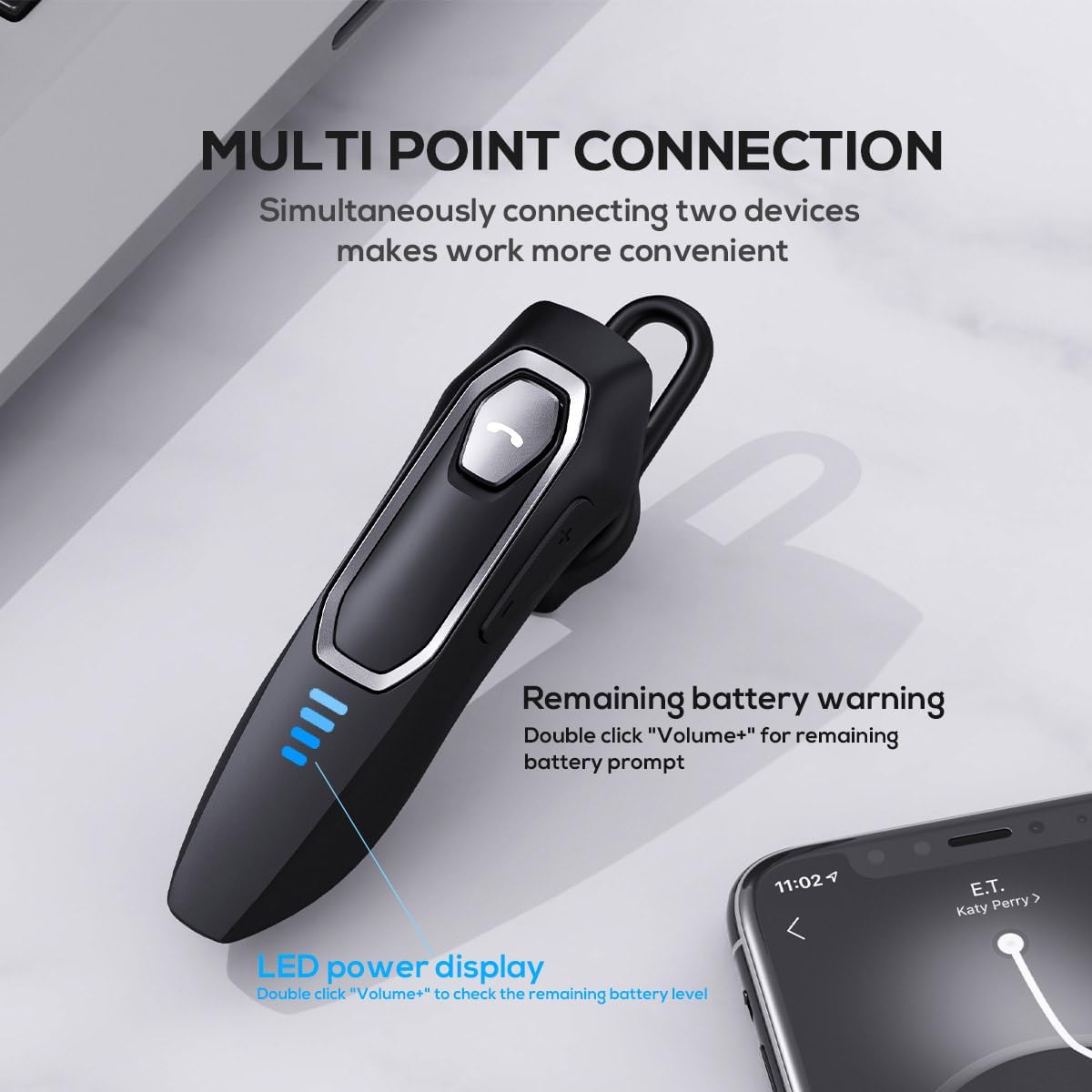
Image 3: Multi-Point Connection and LED Display. This image illustrates the headset's ability to connect to two devices simultaneously and the LED power display.
Návod k obsluze
Správa hovorů
- Přijmout/ukončit hovor: Stiskněte jednou MFB.
- Odmítnout hovor: Stiskněte a podržte multifunkční tlačítko (MFB) přibližně 2 sekundy.
- Ztlumit/zapnout mikrofon: During a call, press and hold the volume down button (marked with a microphone icon) for approximately 2 seconds.
- Opakování posledního odchozího hovoru: Triple-tap the MFB.
Přehrávání hudby
- Přehrát/pozastavit: Stiskněte jednou MFB.
- Další skladba: Press and hold the Volume + button for approximately 2 seconds.
- Předchozí skladba: Press and hold the Volume - button for approximately 2 seconds.
- Zvýšení/Snížení hlasitosti: Press the Volume + or Volume - button briefly.
Hlasový asistent
- Aktivace hlasového asistenta (Siri, Google Assistant atd.): Dvakrát klepněte na MFB.
LED displej napájení
The headset features an LED power display with four levels, each representing 25% of the battery charge.
- To check the remaining power, double-click the Volume + button.
Pohodlí a fit
The Micool DY20PLUS is designed for comfortable, all-day wear.
- The ergonomic design ensures a secure fit without causing ear fatigue.
- Interchangeable ear tips (L, M, S) are included to help you find the best fit for your ear canal, optimizing bass and overall sound quality.
- The headset can be worn on either the left or right ear.

Image 4: Ear Tips and Durability. This image shows the included ear tips in different sizes (L, M, S) and highlights the enhanced durability features of the headset.
Údržba
- Čištění: K čištění sluchátek s mikrofonem používejte měkký, suchý hadřík. Nepoužívejte agresivní chemikálie ani abrazivní materiály.
- Skladování: Pokud sluchátka nepoužíváte, skladujte je na chladném a suchém místě, mimo dosah přímého slunečního záření a extrémních teplot.
- Péče o baterie: Chcete-li prodloužit životnost baterie, vyvarujte se častého úplného vybíjení sluchátek. Pravidelně je nabíjejte, i když je nepoužíváte neustále.
- Voděodolnost: The headset is water-resistant, but not waterproof. Avoid submerging it in water or exposing it to heavy rain.
Odstraňování problémů
| Problém | Možné řešení |
|---|---|
| Sluchátka se nezapínají. | Ujistěte se, že jsou sluchátka nabitá. Připojte je ke zdroji napájení pomocí kabelu USB-C. |
| Nelze spárovat se zařízením. |
|
| Žádný zvuk nebo špatná kvalita zvuku. |
|
| Mikrofon nefunguje během hovorů. |
|
| Hlasový asistent se neaktivuje. | Ensure the headset is connected and double-tap the MFB firmly. Check your device settings for voice assistant activation. |
Specifikace
| Funkce | Detail |
|---|---|
| Název modelu | DY20PLUS |
| Technologie připojení | Bezdrátové (Bluetooth) |
| Verze Bluetooth | 5.4 |
| Dosah Bluetooth | Až 50 metrů (164 stop) |
| Výdrž baterie (doba hovoru) | Až 36 hodin |
| Výdrž baterie (přehrávání hudby) | Až 45 hodin |
| Doba nabíjení | 1.5 - 2 hodin |
| Nabíjecí port | USB-C |
| Zrušení šumu | Dual Microphones with Noise Reduction Algorithm |
| Speciální funkce | Voice Assistant, Multipoint Pairing, LED Power Display, Mute Function, Fast Charging |
| Hmotnost | Přibližně 12 g (0.42 oz) |
| Úroveň odolnosti proti vodě | Vodě odolný |
| Kompatibilní zařízení | Smartphones, Tablets, Smart Speakers |
Záruka a podpora
For warranty information or technical support, please refer to the documentation included with your purchase or contact Micool customer service through their official channels.
Ask a question about this manual
Ask about setup, troubleshooting, compatibility, parts, safety, or missing instructions. Manuals+ will review the question and use this page’s manual context to help answer it.