
Tuya Outdoor Wireless Doorbell
Tuya Outdoor Wireless Doorbell User Manual
Model: Tuya Outdoor Wireless Doorbell
1. Konec produktuview
The Tuya Outdoor Wireless Doorbell is a smart home security device featuring a 4.3-inch video display, night vision capabilities, and WiFi connectivity. It allows for remote monitoring, two-way audio communication via a mobile app, and motion detection to enhance your home security. This device is designed for easy installation and integrates with the Tuya Smart APP.
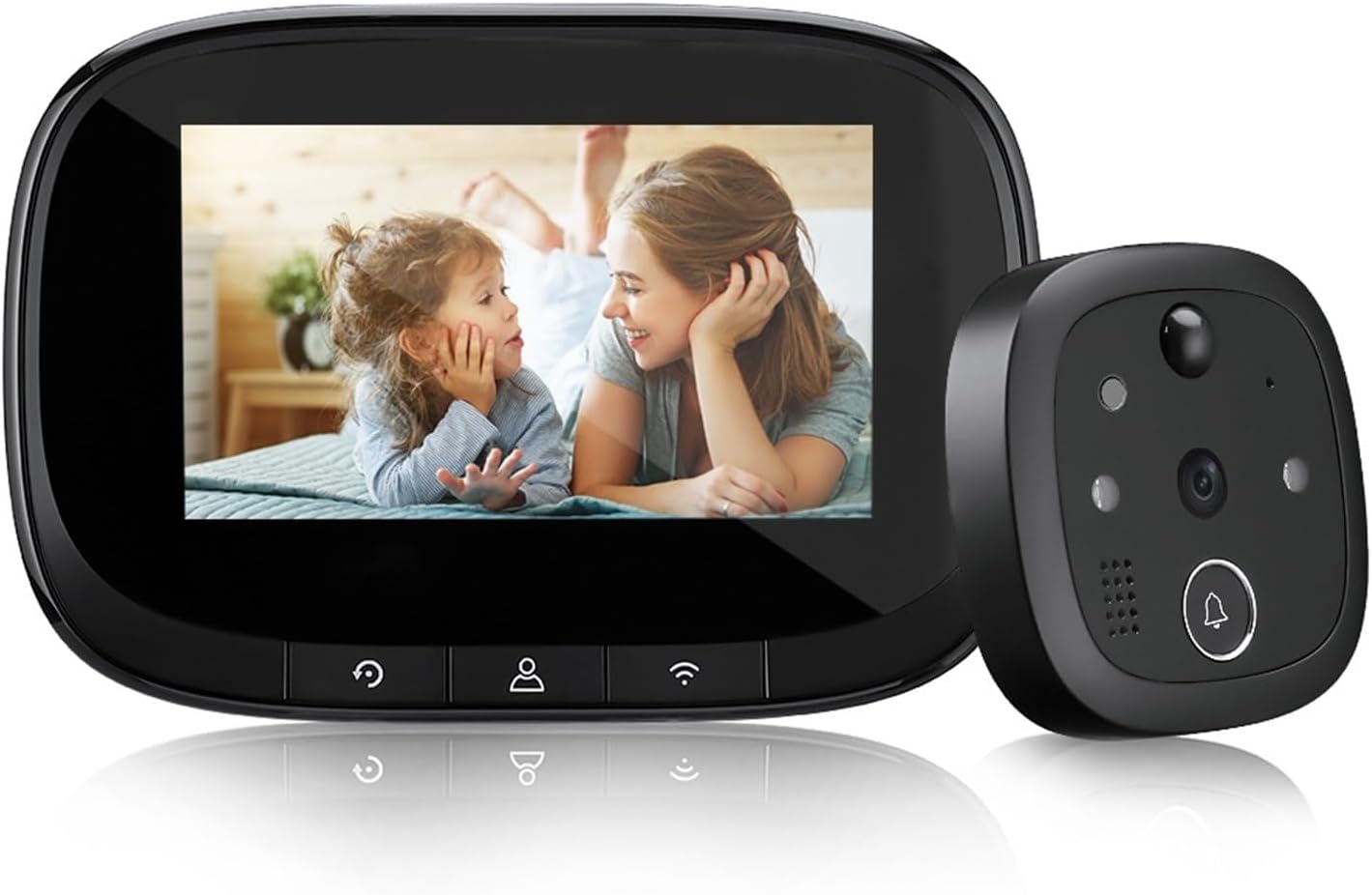
Image: The Tuya Outdoor Wireless Doorbell system, showing the indoor display unit and the outdoor camera unit.
2. Obsah balení
Před instalací se prosím ujistěte, že jsou přítomny všechny komponenty:
- Venkovní kamerová jednotka
- Indoor Display Unit (4.3-inch IPS screen)
- Montážní konzola
- Montážní šrouby a matice
- USB Charging Cable (for 5V/2A charger, not included)
- Uživatelská příručka
3. Nastavení a instalace
Follow these steps to install your Tuya Wireless Doorbell:
- Nabijte baterii: Ensure the indoor display unit's built-in 3000mAh battery is fully charged using a 5V/2A charger (not supplied).
- Vložte Micro SD kartu: If desired, insert a Micro SD card (up to 128GB, not included) into the designated slot on the indoor unit for local storage of recordings.
- Prepare Door Hole: Verify your door has a peephole with a diameter between 14-35 mm and a thickness between 35-100 mm.
- Montáž venkovní jednotky: Select screws of suitable length based on your door's thickness. Twist the screw into the rod nut of the outdoor unit.
- Secure Outdoor Unit: Pass the outdoor unit's cable through the door hole. Position the outdoor unit flush against the door.
- Attach Indoor Unit: Connect the cable from the outdoor unit to the indoor display unit. Secure the indoor unit to the mounting bracket on the inside of the door.
- Připojení k WiFi: Power on the indoor unit. Follow the on-screen prompts or refer to the Tuya Smart APP instructions to connect the doorbell to your 2.4GHz WiFi network (5GHz WiFi is not supported).

Image: Highlights key features like Tuya Smart APP compatibility, 720P HD resolution, WiFi, 3000mAh battery, and Micro SD card support.
4. Návod k obsluze
4.1. Základní obsluha
- ViewNávštěvníci: When a visitor presses the doorbell button on the outdoor unit, the indoor display will activate, showing a live view návštěvníka.
- Manuál View: You can manually activate the indoor display at any time to view the outside area.
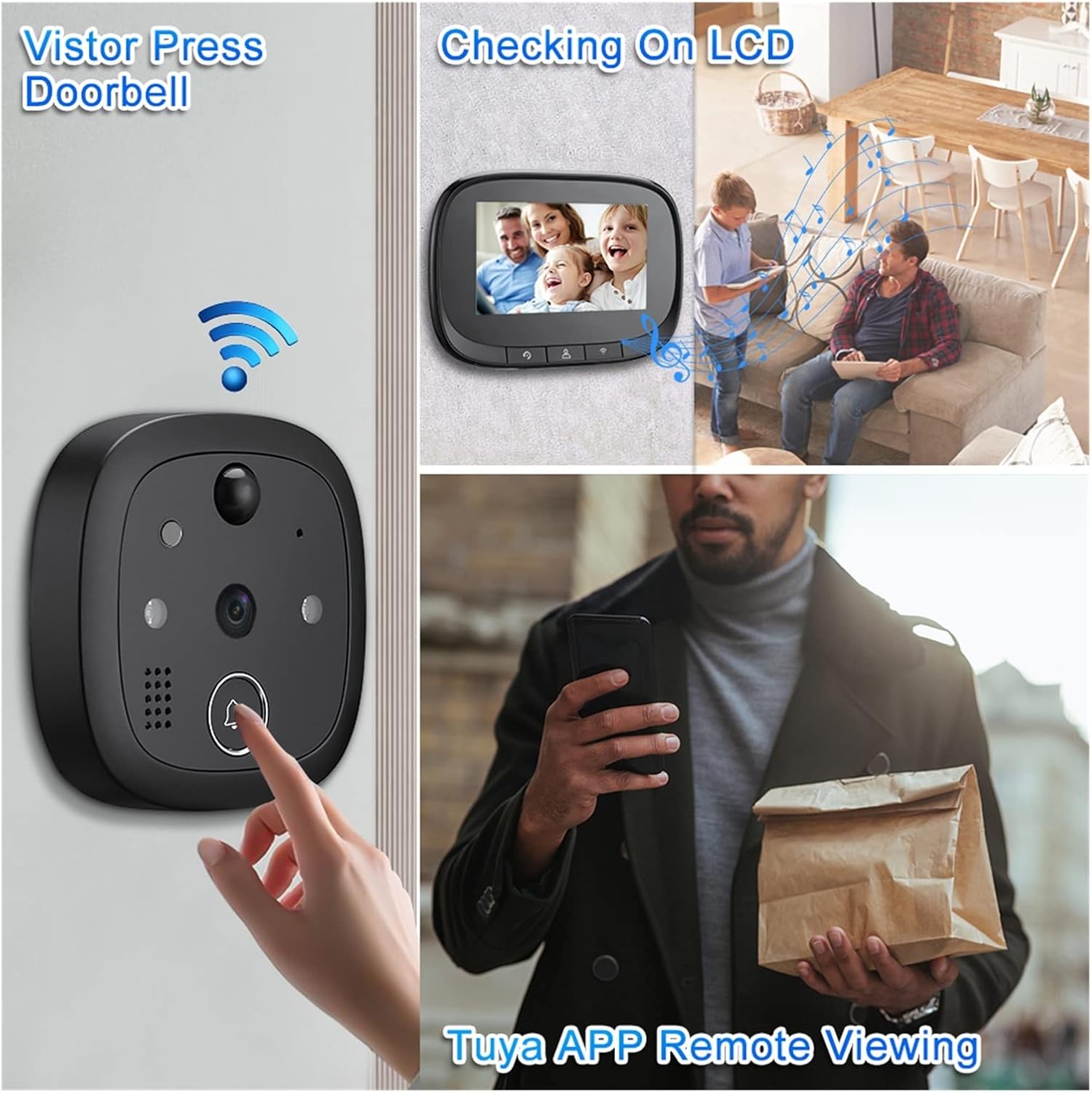
Image: Illustrates the process of a visitor pressing the doorbell, viewing on the LCD screen, and remote viewing via the Tuya APP.
4.2. Tuya Smart APP Features
Download the Tuya Smart APP from your mobile app store to unlock advanced functionalities:
- Vzdálený Viewing: Access live video feed from your doorbell camera anytime, anywhere.
- Obousměrný zvuk: Communicate with visitors in real-time through the app. The display screen does not support two-way audio.
- Detekce pohybu PIR: Receive instant notifications on your phone when motion is detected outside your door. The system can automatically record video or take photos upon detection.
- Video Recording & Photo Capture: Record video clips or capture still images directly from the app.
- Odeslání zprávy: Get alerts for doorbell presses, motion detection, and other events.
- Přístup pro více uživatelů: Up to 8 mobile phones can be linked to the doorbell simultaneously for shared access.

Image: A visual representation of the doorbell's various smart functions, including video calls, remote monitoring, motion detection, and night vision.

Image: Demonstrates remote access and two-way audio capabilities, highlighting mobile notifications for motion detection and the ability to link up to 8 mobile phones.
4.3. Noční vidění
The doorbell is equipped with 940nm invisible infrared night vision. It automatically switches to night mode in low-light conditions, providing clear visibility even in complete darkness.

Image: Illustrates the clear visibility provided by the 720P HD WiFi Night Vision Doorbell during both day and night conditions.
4.4. Wide Angle View
The 130° ultra-wide-angle lens provides a broad field of view, allowing you to see a wider area outside your door.

Obrázek: Ukazuje širokoúhlý objektiv se 130stupňovým záběrem view of the doorbell camera, highlighting its ability to capture a broad area and detect motion.
5. Údržba
- Čištění: Use a soft, dry cloth to clean the display screen and camera lens. Do not use liquid cleaners or abrasive materials.
- Životnost baterie: Recharge the indoor unit's battery when the low battery indicator appears. Battery life varies based on usage.
- Správa SD karet: Periodically check the Micro SD card for storage space. Format the card through the device settings or app if needed to clear old recordings.
- Aktualizace firmwaru: Check the Tuya Smart APP regularly for any available firmware updates to ensure optimal performance and security.
6. Řešení problémů
- Zařízení se nezapíná: Ensure the indoor unit's battery is charged. Connect it to a 5V/2A charger and try again.
- Bez WiFi připojení:
- Ensure your WiFi network is 2.4GHz. 5GHz networks are not supported.
- Zkontrolujte heslo k WiFi.
- Move the doorbell closer to your WiFi router or consider a WiFi extender.
- Restartujte router a zvonek.
- Špatná kvalita videa:
- Check your WiFi signal strength. A weak signal can affect video quality.
- Ujistěte se, že objektiv fotoaparátu je čistý a bez překážek.
- Nefunguje obousměrný zvuk:
- Remember that two-way audio is only supported via the Tuya Smart APP, not the indoor display screen.
- Ensure your phone's microphone is enabled for the Tuya Smart APP.
- Zkontrolujte připojení k internetu.
- Detekce pohybu se nespouští:
- Adjust the motion detection sensitivity settings in the Tuya Smart APP.
- Ensure there are no physical obstructions blocking the sensor.
7. Specifikace
| Procesor | Ahoj3518E |
| Paměť | RAM 512 MB |
| Operační systém | liveOS |
| Imaging Chip | 720p |
| Specifikace obrazovky | 4.3 inches, IPS, 480*272 |
| Kapacita baterie | 3000 XNUMX mAh |
| Night Vision Wavelength | 940nm (neviditelné světlo) |
| Vstup nabíječky | 5V/2A |
| Suitable Door Hole Diameter | 14-35 mm |
| Použitelná tloušťka dveří | 35-100 mm |
| Wireless WiFi | IEEE802.11b/G/N 2.4GHz (Does not support 5G WiFi) |
| Externí úložiště | Micro SD karta (maximální podpora 128GB) |
| Výrobce | YUD5DAS |
| Země původu | Čína |
8. Záruka a podpora
Tento produkt je dodáván s a Záruka 3 měsíců from the date of purchase. For any technical support or warranty claims, please refer to the contact information provided by your retailer or the product packaging.
Ask a question about this manual
Ask about setup, troubleshooting, compatibility, parts, safety, or missing instructions. Manuals+ will review the question and use this page’s manual context to help answer it.