
V30S
Smart Tuya WiFi Doorbell Camera User Manual
Model: V30S | Brand: Generic
1. Úvod
This manual provides comprehensive instructions for the installation, operation, and maintenance of your Smart Tuya WiFi Doorbell Camera. Please read this manual thoroughly before using the product to ensure proper functionality and safety.
Konec produktuview
The Smart Tuya WiFi Doorbell Camera is a 1080P HD wireless video doorbell designed to enhance your home security. It features 2.4G Wi-Fi connectivity, PIR motion detection, infrared night vision, and two-way audio communication. The doorbell supports both cloud storage and local TF memory card storage options.
Klíčové vlastnosti
- 1080P Full HD video: Provides clear and crisp video footage vašeho prahu.
- 2.4G Wi-Fi připojení: Ensures stable wireless connection to your home network.
- Detekce pohybu PIR: Detects human movement and sends instant notifications to your smartphone.
- Infračervené noční vidění: Offers clear visibility even in low-light conditions or complete darkness.
- Obousměrný zvuk: Allows real-time communication with visitors from anywhere via the app.
- IP53 voděodolný: Určeno pro venkovní použití, odolné vůči prachu a stříkající vodě.
- Více možností úložiště: Supports 7-day free cloud storage and optional TF memory card storage.
- Mobilní monitorování: Přístup živě view and recordings via the Tuya Smart or SmartLife app.
2. Obsah balení
Zkontrolujte prosím, zda jsou všechny níže uvedené položky součástí balení. Pokud některé položky chybí nebo jsou poškozené, kontaktujte prosím zákaznickou podporu.
- Smart Tuya WiFi Doorbell Camera Unit
- Vnitřní zvonkohra
- Montážní držák a šrouby
- Uživatelská příručka
- USB Charging Cable (for battery charging, if applicable)
- Volitelný: Dvě baterie specifikace 18650
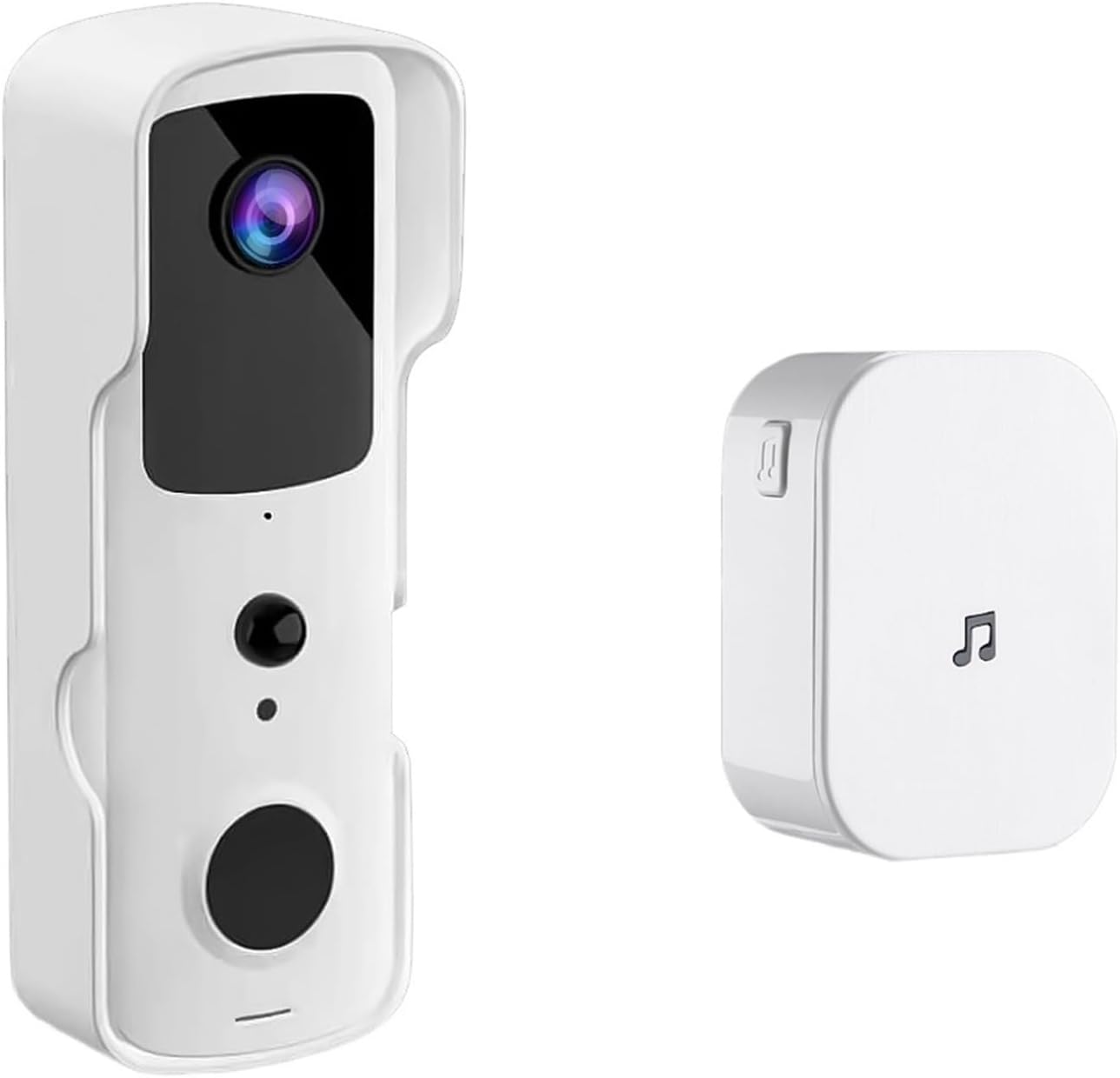
Image: The Smart Tuya WiFi Doorbell Camera unit and its accompanying indoor chime.
3. Nastavení
3.1 Napájení zvonku
The doorbell camera is powered by two 18650 specification batteries (optional). Ensure the batteries are fully charged before installation. Insert the batteries into the designated compartment on the doorbell unit, observing the correct polarity.
3.2 Instalace aplikace a nastavení účtu
- Stáhněte si Tuya Smart or Chytrý život app from your device's app store (iOS App Store or Google Play Store).
- Otevřete aplikaci a zaregistrujte si nový účet, nebo se přihlaste, pokud již nějaký máte.
- Follow the in-app instructions to add a new device. Select "Video Surveillance" then "Smart Doorbell".
- Ujistěte se, že je váš chytrý telefon připojen k síti Wi-Fi s frekvencí 2.4 GHz. Zvonek nepodporuje Wi-Fi s frekvencí 5 GHz.
- Follow the prompts to connect the doorbell to your Wi-Fi network. This usually involves scanning a QR code generated by the app with the doorbell camera.
3.3 Fyzická instalace
Vyberte si vhodné místo poblíž vchodových dveří a zajistěte si tak nerušený výhled. view and good Wi-Fi signal strength. The doorbell is IP53 waterproof, suitable for outdoor use within an operating temperature range of -10°C to +50°C.
- Označte si body pro vrtání pomocí montážního držáku jako šablony.
- Vyvrtejte otvory a v případě potřeby vložte do zdi hmoždinky.
- Upevněte montážní držák na stěnu pomocí dodaných šroubů.
- Attach the doorbell unit to the mounting bracket, ensuring it clicks securely into place.

Image: The doorbell camera highlighting its Full HD video, 2.4G WiFi, IP53 waterproof rating, and long battery life.
4. Návod k obsluze
4.1 Živě View a vzdálený přístup
Once connected, you can access the live video feed from your doorbell camera anytime, anywhere, through the Tuya Smart or SmartLife app. Simply open the app and select your doorbell device to view přímý přenos.
4.2 Obousměrný interkom
When a visitor presses the doorbell button, your indoor chime will ring, and you will receive a notification on your smartphone. Tap the notification to answer the call and engage in a two-way conversation with the visitor.
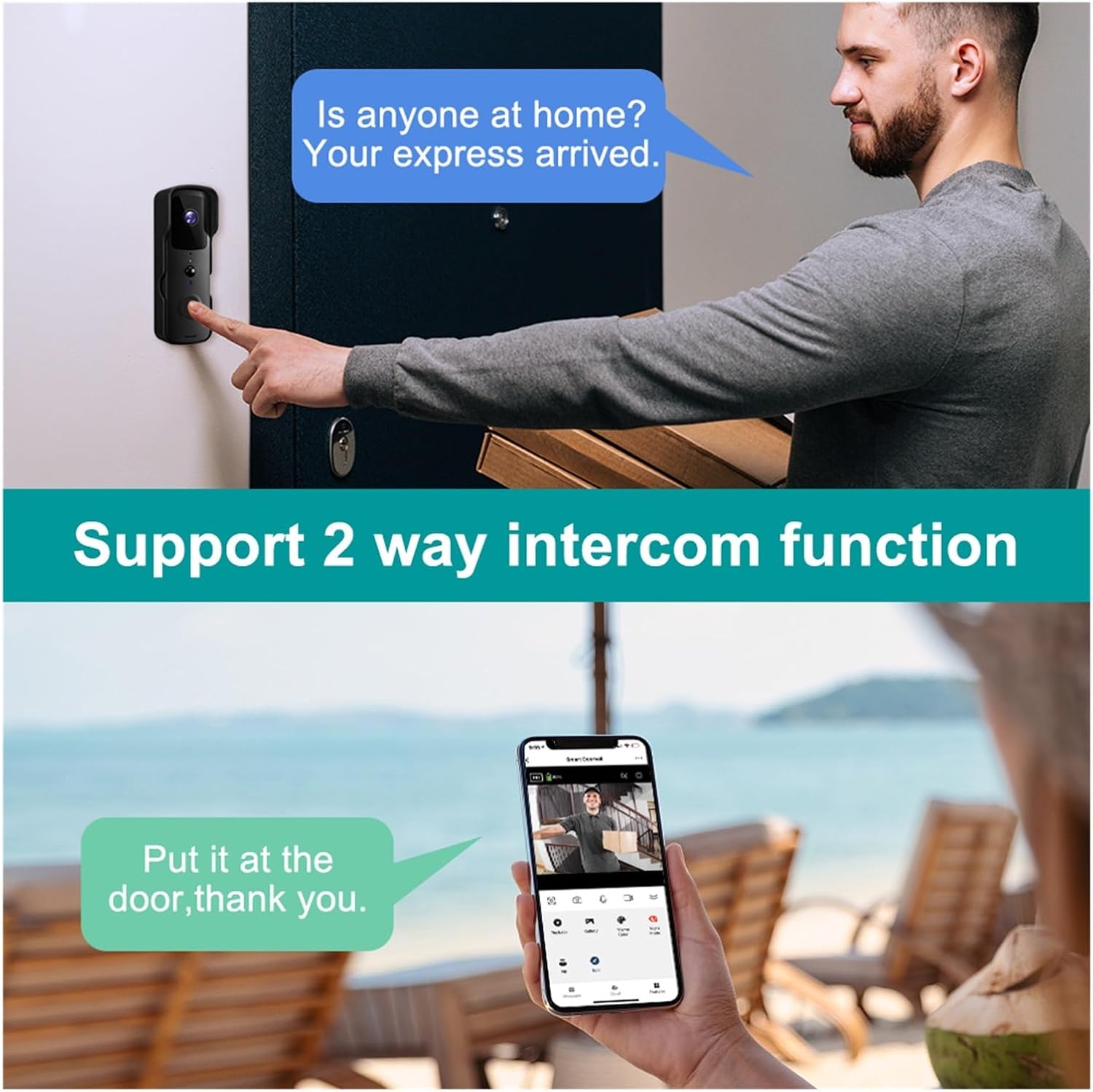
Image: Demonstration of the two-way intercom function, allowing communication with visitors.
4.3 PIR detekce pohybu
The doorbell camera features Passive Infrared (PIR) motion detection. When motion is detected within the camera's field of view, you will receive an instant push notification on your smartphone. You can adjust the motion detection sensitivity settings within the app.
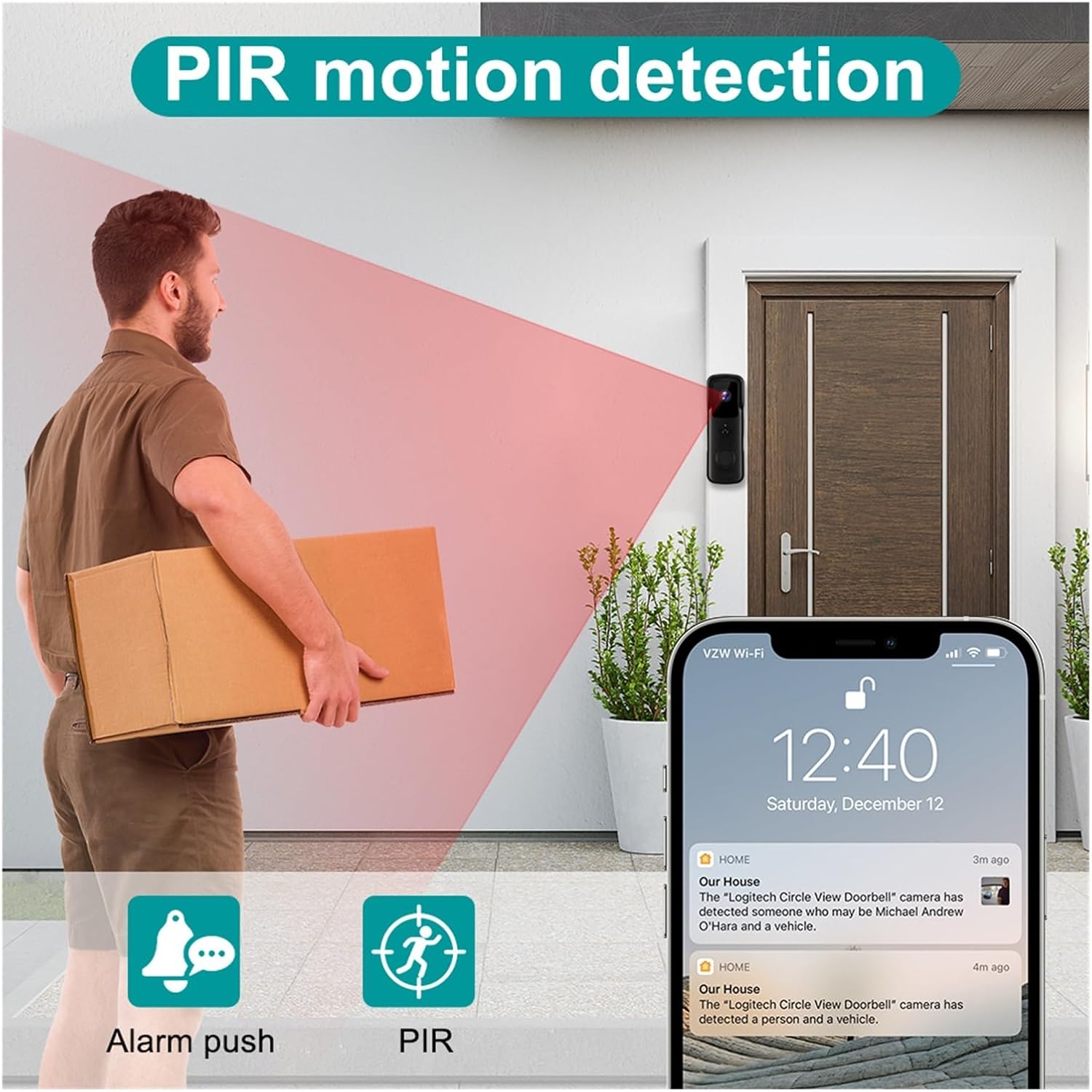
Image: Illustration of the PIR motion detection feature, showing how it triggers alerts.
4.4 Noční vidění
The doorbell camera automatically switches to infrared night vision mode in low-light conditions, providing clear black-and-white video footage v noci.

Image: Comparison of day and night vision capabilities, highlighting the 155-degree wide-angle view.
4.5 Možnosti úložiště
The doorbell supports two main storage methods:
- Cloudové úložiště: Enjoy 7 days of free recurring cloud storage for recorded events.
- TF paměťová karta: An optional TF (microSD) memory card can be inserted for local storage of recordings.
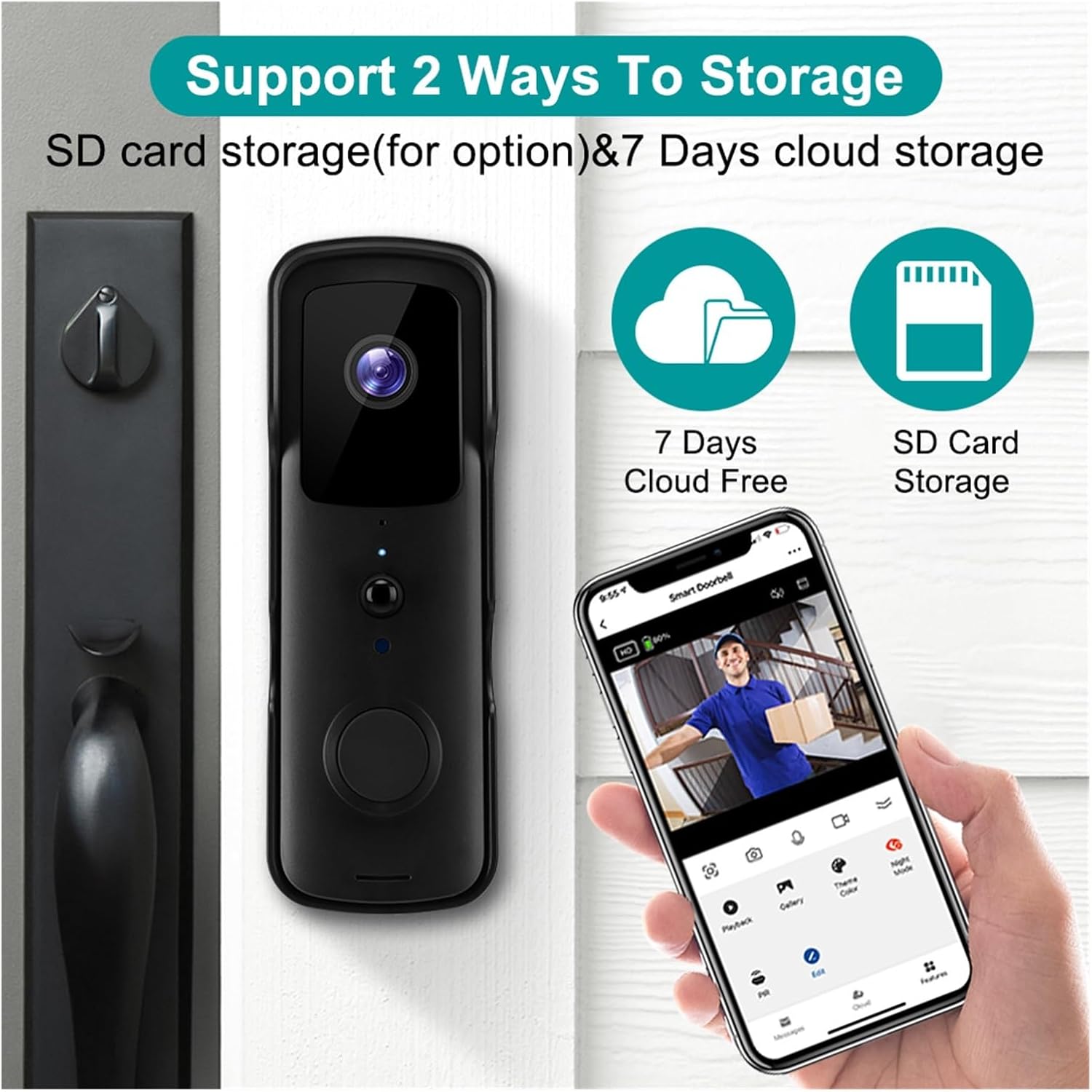
Image: Visual representation of the two storage options: 7 days free cloud storage and optional SD card storage.
5. Údržba
Regular maintenance ensures the longevity and optimal performance of your doorbell camera.
- Čištění: Gently wipe the camera lens and the doorbell surface with a soft, damp tkanina. Vyhněte se používání agresivních chemikálií nebo abrazivních materiálů.
- Správa baterie: If using batteries, monitor their charge level via the app. Recharge or replace batteries as needed to prevent service interruption.
- Aktualizace firmwaru: Periodically check the Tuya Smart/SmartLife app for available firmware updates. Keeping the firmware updated ensures the best performance and security.
6. Řešení problémů
If you encounter issues with your doorbell camera, refer to the following common problems and solutions:
| Problém | Možná příčina | Řešení |
|---|---|---|
| Zvonek se nepřipojuje k Wi-Fi | Incorrect Wi-Fi password; 5GHz Wi-Fi network; weak signal; too far from router. | Ensure correct 2.4GHz Wi-Fi password. Move doorbell closer to router or use a Wi-Fi extender. Restart doorbell and router. |
| Žádné upozornění na detekci pohybu | PIR sensitivity too low; app notifications disabled; battery low. | Adjust PIR sensitivity in app. Enable app notifications. Ensure batteries are charged. |
| Nefunguje obousměrný zvuk | Zablokovaný mikrofon/reproduktor; oprávnění aplikací; problémy se sítí. | Check for obstructions. Grant microphone permissions to the app. Ensure stable internet connection. |
| Špatná kvalita videa | Dirty lens; weak Wi-Fi signal; low light. | Clean the camera lens. Improve Wi-Fi signal strength. Ensure adequate lighting for optimal color video. |
| Indoor chime not ringing | Chime not paired; chime not powered; interference. | Ensure chime is plugged in and powered. Re-pair the chime with the doorbell according to its specific instructions. |
7. Specifikace
| Funkce | Specifikace |
|---|---|
| Model | V30S Tuya Doorbell |
| Rezoluce | 1080P Full HD |
| Bezdrátová síť | 802.11B/G/N (2.4GHz Wi-Fi only) |
| Napájení | Battery (Two 18650 specification batteries for option) |
| Noční vidění | High-power infrared light |
| Možnosti úložiště | 7 days free cloud storage, optional TF memory card |
| Hodnocení voděodolnosti | IP53 |
| Provozní teplota | -10°C až +50°C |
| Výrobce | YUD5DAS |
| Země původu | Čína |

Image: Icons representing key features: Night Vision, PIR Motion, 2.4G Wifi, Two-way Intercom, SD Card & Cloud storage, and Tuya Smart APP compatibility.
8. Záruka a podpora
This product is manufactured by Generic. For any questions, technical support, or warranty inquiries, please refer to the seller's contact information provided at the point of purchase. Please retain your proof of purchase for any warranty claims.
Ask a question about this manual
Ask about setup, troubleshooting, compatibility, parts, safety, or missing instructions. Manuals+ will review the question and use this page’s manual context to help answer it.