
JIGOO C200
JIGOO C200 Cordless Vacuum User Manual
Model: C200
Značka: JIGOO
1. Úvod
This manual provides essential information for the safe and efficient operation, maintenance, and troubleshooting of your JIGOO C200 Cordless Vacuum Cleaner. Please read this manual thoroughly before first use and retain it for future reference.
The JIGOO C200 is a versatile, lightweight, and powerful cordless vacuum designed for multi-surface cleaning. It features strong suction, an anti-tangle brush, and a multi-stage filtration system to effectively clean various floor types and capture fine particles.

Image: The JIGOO C200 Cordless Vacuum Cleaner, shown fully assembled in its upright stick configuration.
2. Důležité bezpečnostní pokyny
Při používání elektrického spotřebiče je třeba vždy dodržovat základní opatření, včetně následujících:
- Před použitím spotřebiče si přečtěte všechny pokyny.
- Nepoužívejte venku nebo na mokrém povrchu.
- Nedovolte, aby byl používán jako hračka. Při používání dětmi nebo v jejich blízkosti je nutná zvýšená pozornost.
- Používejte pouze tak, jak je popsáno v tomto návodu. Používejte pouze příslušenství doporučené výrobcem.
- Nepoužívejte s poškozeným kabelem nebo zástrčkou. Pokud spotřebič nefunguje, jak má, byl upuštěn, poškozen, ponechán venku nebo spadl do vody, vraťte jej do servisního střediska.
- Netahejte ani nepřenášejte za kabel, nepoužívejte kabel jako rukojeť, nezavírejte na kabel dvířka ani netahejte za kabel kolem ostrých hran nebo rohů. Nepřejíždějte spotřebičem přes kabel. Udržujte kabel mimo dosah horkých povrchů.
- Neodpojujte tahem za kabel. Při odpojování uchopte zástrčku, nikoli kabel.
- Nemanipulujte se zástrčkou nebo spotřebičem mokrýma rukama.
- Do otvorů nevkládejte žádné předměty. Nepoužívejte se zablokovaným otvorem; chraňte před prachem, žmolky, vlasy a vším, co by mohlo omezit proudění vzduchu.
- Udržujte vlasy, volné oblečení, prsty a všechny části těla v dostatečné vzdálenosti od otvorů a pohyblivých částí.
- Nesbírejte nic, co hoří nebo kouří, jako jsou cigarety, zápalky nebo horký popel.
- Nepoužívejte k vysávání hořlavých nebo hořlavých kapalin, jako je benzín, ani je nepoužívejte v oblastech, kde se mohou vyskytovat.
- Nevysávejte toxické materiály, jako je chlórové bělidlo, amoniak nebo čistič odpadů.
- Nepoužívejte bez nasazeného sáčku na prach a/nebo filtrů.
- Před odpojením vypněte všechny ovládací prvky.
- Při čištění na schodech dbejte zvýšené opatrnosti.
- Nepoužívejte k vyzvedávání tvrdých nebo ostrých předmětů, jako je sklo, hřebíky, šrouby, mince atd.
- Zabraňte neúmyslnému spuštění. Před zvednutím nebo přenášením spotřebiče se ujistěte, že je vypínač ve vypnuté poloze.
- Nabíjejte pouze nabíječkou specifikovanou výrobcem.
- Za nevhodných podmínek může z baterie unikat kapalina; vyhnout se kontaktu. Pokud náhodou dojde ke kontaktu, opláchněte vodou. Pokud se kapalina dostane do očí, vyhledejte navíc lékařskou pomoc.
3. Obsah balení
Zkontrolujte prosím obsah balení, abyste se ujistili, že jsou všechny položky přítomny a nepoškozené:
- Main Vacuum Body (with dustbin and motor)
- Vyjímatelná baterie
- PostureProtect Telescopic Tube (Extension Wand)
- Zero-Tangle PowerFin Brush Head
- Nabíjecí adaptér
- Motorized Mattress Brush
- 360° Crevice Tool
- Soft Dusting Head
- Nástěnný držák se šrouby
- Uživatelská příručka (tento dokument)
4. Montáž a nastavení
4.1 Sestavení vysavače
- Připojení prodlužovací tyče: Insert the top end of the PostureProtect Telescopic Tube into the main vacuum body until it clicks securely into place.
- Nasaďte hlavici kartáče: Insert the bottom end of the extension wand into the Zero-Tangle PowerFin Brush Head until it clicks securely.
- Nainstalujte baterii: Slide the removable battery pack into the slot on the main vacuum body until it locks. Ensure it is fully seated.
4.2 Nabíjení baterie
Before first use, fully charge the battery. A full charge typically takes approximately 4-5 hours.
- Connect the charger adapter to the charging port on the battery pack or directly to the main vacuum body if the battery is installed.
- Plug the charger into a wall outlet. The LCD display will indicate charging status.
- Po úplném nabití odpojte nabíječku.
4.3 Instalace na zeď (volitelné)
The JIGOO C200 features a self-standing design, but a wall mount is included for convenient storage.
- Choose a suitable location near a power outlet, ensuring it is clear of obstructions.
- Mark the drilling points for the wall mount bracket using a pencil.
- Drill holes and insert wall anchors if necessary (for drywall).
- Připevněte nástěnný držák ke zdi pomocí dodaných šroubů.
- Hang the vacuum on the mounted bracket for storage and charging.
5. Návod k obsluze
5.1 Zapnutí/vypnutí a režimy sání
- Zapnutí: Press the power button on the main vacuum body to start the vacuum.
- Nastavení sání: Use the mode selection button (one-touch pedal control) to switch between hard floor mode (standard suction) and carpet boost mode (max suction). The LCD display will show the current mode and remaining runtime.
- Vypnout: Opětovným stisknutím tlačítka napájení vypnete vysavač.
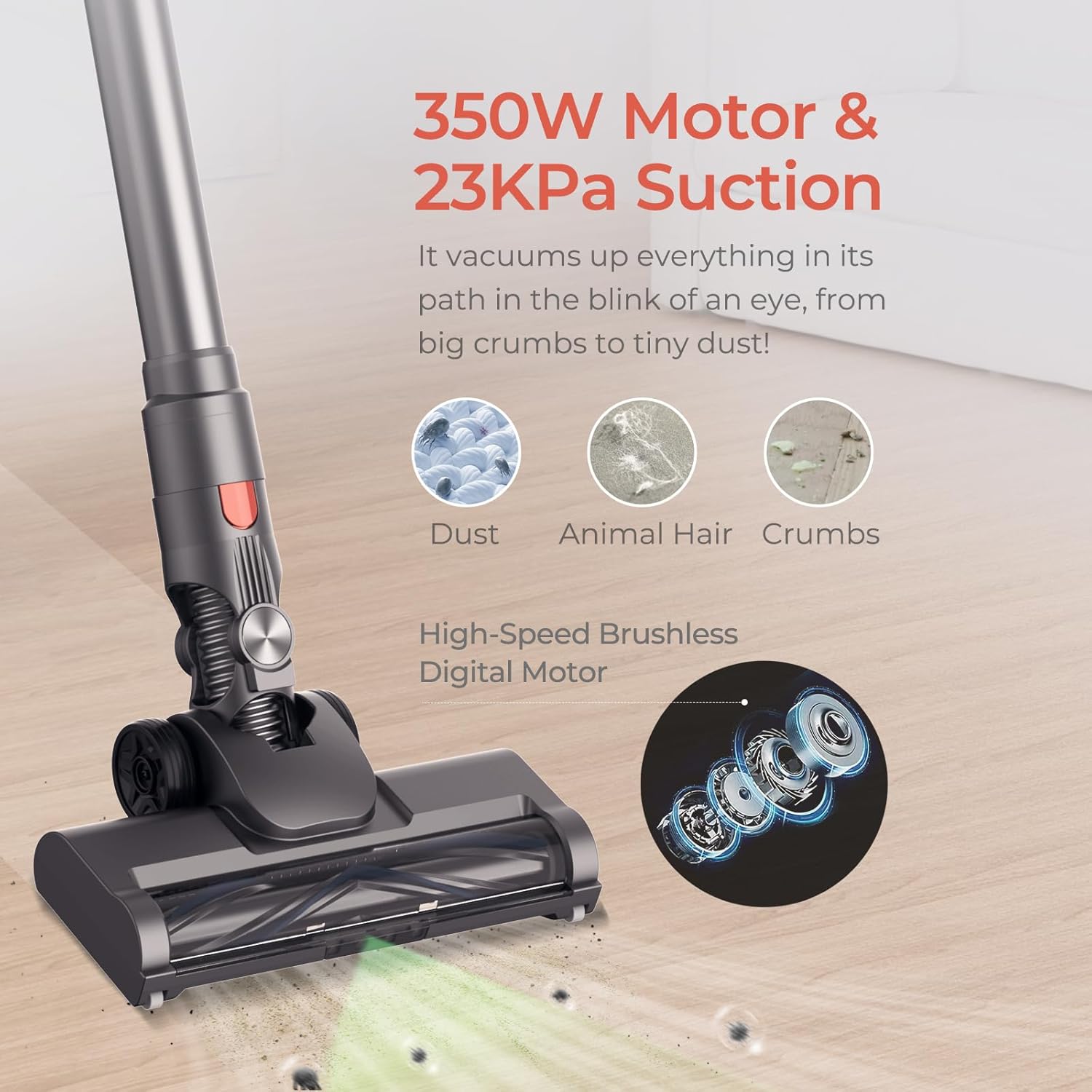
Image: Illustration of the JIGOO C200's powerful 350W motor and 23KPa suction, effectively cleaning dust, animal hair, and crumbs from a floor surface.
5.2 Používání příloh
The JIGOO C200 comes with various attachments for specialized cleaning tasks:
- Zero-Tangle PowerFin Brush Head: Ideal for both hard floors and carpets. Its flexible silicone fins and guide teeth prevent hair tangling.
- Motorized Mattress Brush: For deep cleaning upholstery, mattresses, and pet beds.
- 360° Crevice Tool: Excellent for reaching tight spaces, corners, and edges.
- Soft Dusting Head: Gentle cleaning for delicate surfaces, shelves, and electronics.

Image: The JIGOO C200's Motorized Turbo Brush Head shown effectively cleaning both hard flooring and carpet, highlighting its versatility.
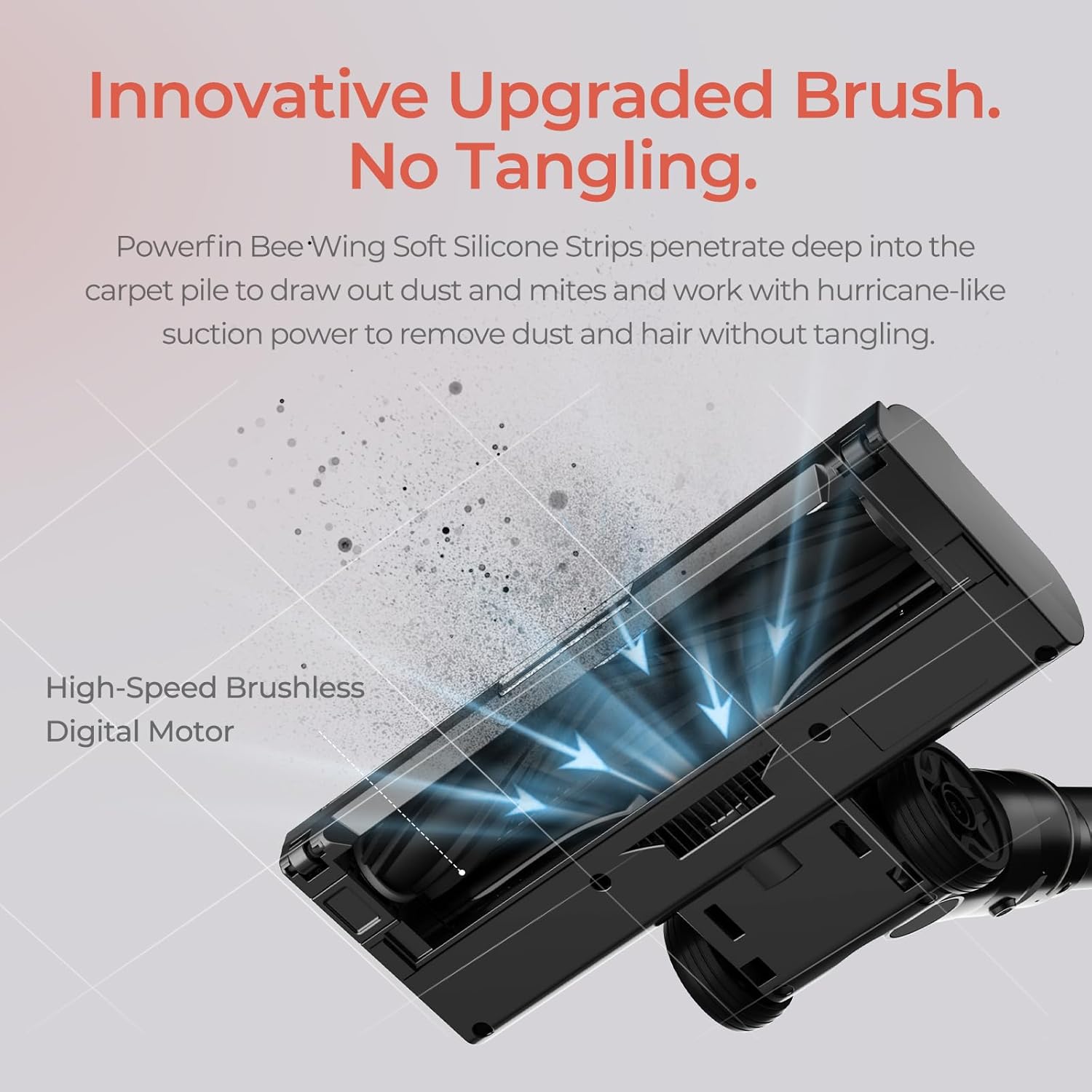
Obrázek: Podrobný view of the JIGOO C200's innovative brush, featuring Powerfin Bee-Wing Soft Silicone Strips designed to prevent hair tangling during operation.
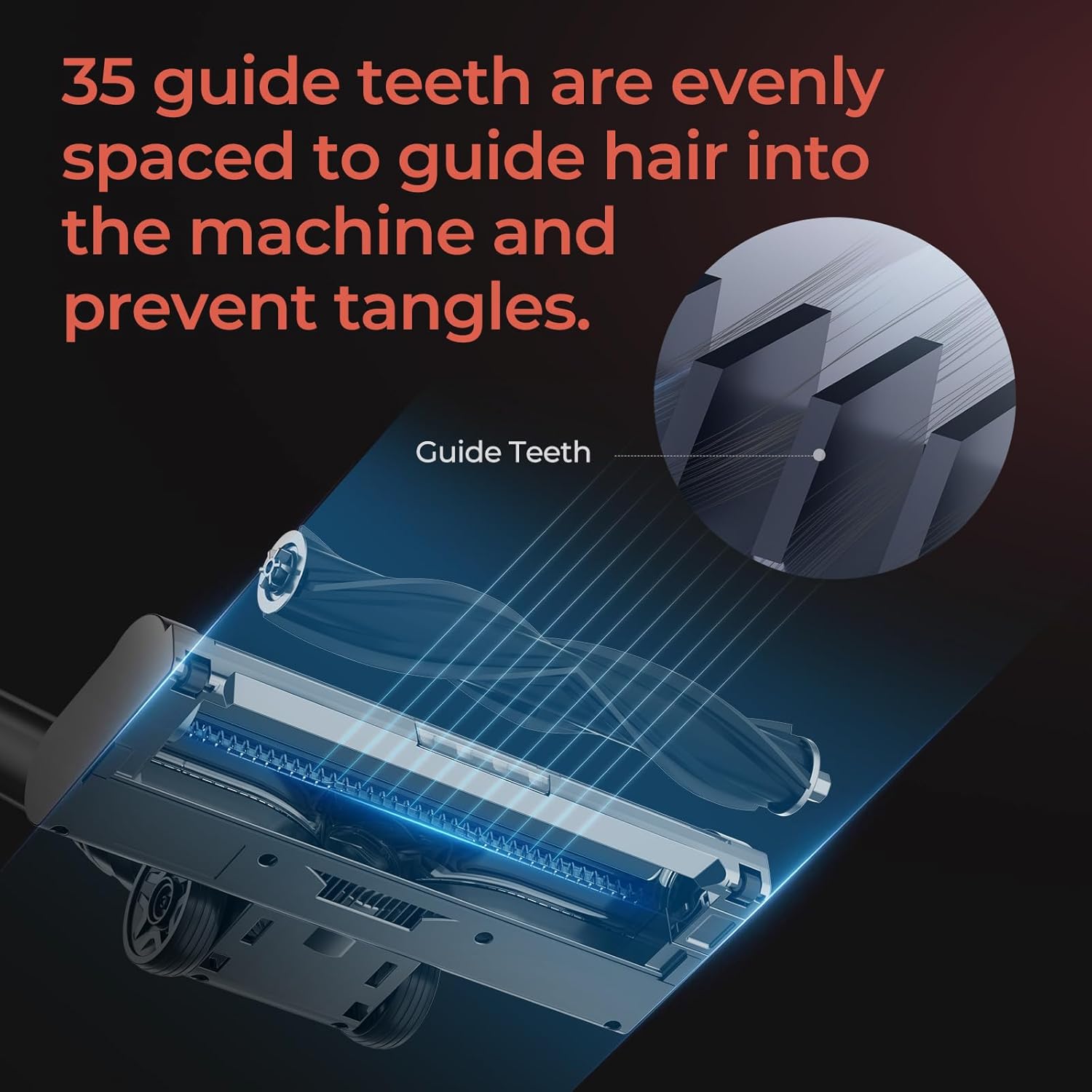
Image: A diagram illustrating the 35 evenly spaced guide teeth on the JIGOO C200's brush head, engineered to direct hair into the machine and prevent tangles.
To attach an accessory, simply remove the main brush head or extension wand and insert the desired tool until it clicks into place. To remove, press the release button and pull the tool off.
5.3 Vyprázdnění odpadkového koše
Empty the dustbin regularly to maintain optimal suction performance. The anti-clog Multi-Cone Cyclonic Tech helps maintain airflow even when the dustbin is full.
- Ujistěte se, že je vysavač vypnutý.
- Locate the dustbin release button on the main vacuum body.
- Stiskněte tlačítko pro odpojení nádoby na prach.
- Position the dustbin over a trash can and open the bottom flap to release debris.
- Close the flap and reattach the dustbin to the main vacuum body until it clicks.
6. Údržba
Regular maintenance ensures the longevity and optimal performance of your JIGOO C200 vacuum.
6.1 Čištění a výměna filtru
The JIGOO C200 features a 5-stage sealed HEPA filtration system. Clean filters regularly to prevent suction loss.

Image: An exploded diagram illustrating the JIGOO C200's 5-stage filtration system, detailing its components including the Sponge Filter, HEPA Filter, Stainless Steel Honeycomb Filter, Dust Separation Technology, and Cyclone Centrifugation Technology.
- Filtry přístupu: Detach the dustbin. The filters are located inside the dustbin assembly.
- Čisté filtry: Remove the sponge filter, HEPA filter, and stainless steel honeycomb filter. Tap them gently over a trash can to remove loose dust. For thorough cleaning, rinse them under cold running water.
- Suché filtry: Před opětovnou montáží nechte všechny součásti filtru alespoň 24 hodin zcela vyschnout na vzduchu. Nepoužívejte fén ani přímé teplo.
- Znovu sestavit: Once completely dry, reassemble the filters in the correct order and reattach the dustbin.
- Nahrazení: Filters should be replaced every 3-6 months depending on usage, or if they show signs of wear or damage.
6.2 Čištění kartáčového válce
Although designed to be tangle-free, occasional cleaning of the brush roll may be necessary.
- Ensure the vacuum is turned off and detached from the extension wand.
- Locate the brush roll release mechanism on the side of the brush head.
- Odstraňte válec kartáče.
- Use scissors or a cleaning tool to remove any tangled hair or debris from the brush roll and its housing.
- Znovu vložte kartáčový válec a zajistěte jej na místě.
6.3 Péče o baterii
- Store the vacuum and battery in a cool, dry place.
- Nevystavujte baterii extrémním teplotám.
- Pokud skladujete po delší dobu, nabijte baterii před uskladněním přibližně na 50 %.
7. Řešení problémů
If you encounter issues with your JIGOO C200, please refer to the following common problems and solutions:
| Problém | Možná příčina | Řešení |
|---|---|---|
| Vakuum se nezapne. | Baterie není nabitá nebo není správně nainstalovaná. | Ujistěte se, že je baterie plně nabitá a bezpečně zacvaknutá na místě. |
| Nízký sací výkon. | Dustbin is full; Filters are clogged; Blockage in nozzle, wand, or hose. | Vyprázdněte nádobu na prach. Vyčistěte nebo vyměňte filtry. Zkontrolujte a odstraňte případné ucpání. |
| Kartáčový válec se neotáčí. | Brush roll is tangled with hair or debris; Brush head is not properly attached. | Clean the brush roll. Ensure the brush head is securely attached to the wand. |
| Vysavač se během používání náhle zastaví. | Baterie je vybitá; aktivovala se ochrana proti přehřátí z důvodu zablokování. | Dobijte baterii. Zkontrolujte a odstraňte případné ucpání a poté nechte jednotku vychladnout. |
If the problem persists after attempting these solutions, please contact JIGOO customer support.
8. Specifikace
- Značka: JIGOO
- Název modelu: C200
- Speciální funkce: HEPA filtrace
- Typ filtru: HEPA filtr
- Bezdrátové: Ano
- Barva: Šedá
- Rozměry produktu: 17.5 cm D x 7.5 cm Š x 10 cm V
- Hmotnost položky: 23.5 libry
- Doba běhu: Up to 40 minutes (with 2000mAh HyperCore cell)
- Sací výkon: 220AW (HyperSuction)
- Motor: Bezkartáčový
9. Záruka a podpora
9.1 Informace o záruce
The JIGOO C200 Cordless Vacuum is backed by a 2letá záruka bez starostí. This warranty covers motor and battery issues. Please retain your proof of purchase for warranty claims.
9.2 Zákaznická podpora
For any questions, technical assistance, or warranty claims, please utilize the following resources:
- Online centrum nápovědy: Access our 24/7 online help center which includes video guides for common issues.
- E-mailová podpora: Contact our specialists for email responses, typically within 12 hours.
- Refer to the JIGOO official webkonkrétní kontaktní údaje naleznete na webu nebo na vaší nákupní platformě.
Ask a question about this manual
Ask about setup, troubleshooting, compatibility, parts, safety, or missing instructions. Manuals+ will review the question and use this page’s manual context to help answer it.