
1. Důležité bezpečnostní pokyny
Před použitím tohoto produktu si pečlivě přečtěte všechny pokyny a uschovejte si je pro budoucí použití. Dodržujte všechna varování a pokyny.
- Zdroj napájení: Používejte pouze napájecí adaptér dodaný s jednotkou. Ujistěte se, že hlasitosttage odpovídá místnímu napájení.
- Voda a vlhkost: Nevystavujte jednotku dešti, vlhkosti ani kapalinám. Nepokládejte na jednotku předměty naplněné tekutinami, například vázy.
- Teplo: Neumisťujte přístroj do blízkosti zdrojů tepla, jako jsou radiátory, topná tělesa, kamna nebo jiná zařízení (včetně amplifikátory), které produkují teplo.
- Větrání: Zajistěte dostatečné větrání. Neblokujte žádné větrací otvory.
- Čištění: Čistěte pouze suchým hadříkem.
- Servis: Nepokoušejte se tento výrobek opravit sami. Veškerý servis svěřte kvalifikovanému servisnímu personálu.
- Péče o stylus: Handle the stylus carefully to avoid damage. A damaged stylus can harm records and produce poor sound quality.
2. Konec produktuview
The FYDEE A7 Vinyl Record Player is designed for an enjoyable audio experience, combining classic vinyl playback with modern connectivity options.
2.1 Hlavní součásti

Tento obrázek zobrazuje pohled shora dolů view of the FYDEE A7 Record Player, highlighting key components such as the 45 RPM adapter, lift lever, tone arm, auto-stop switch, speed selector, and stylus. These parts are essential for proper record playback.

This image shows the rear panel of the FYDEE A7 Record Player, clearly labeling the RCA output and AUX input ports. These ports allow for connection to external audio systems and other audio sources.
- Talíř talíře: Podporuje vinylové desky.
- Rameno: Drží stylus a sleduje drážky desky.
- Stylus (jehla): Reads the audio information from the record.
- Protiváha: Adjusts the tracking force of the tonearm.
- Volič rychlosti: Allows selection of 33, 45, or 78 RPM.
- Automatický spínač: Engages or disengages the automatic stop function.
- Protiprachový kryt: Chrání gramofon před prachem.
- Vestavěné stereo reproduktory: Nabízí integrovaný zvukový výstup.
- Knoflík režimu: Selects between LP (vinyl playback), BT (Bluetooth receiving), and TX (Bluetooth transmission).
- Knoflík hlasitosti: Ovládá úroveň zvukového výstupu.
- RCA výstup: Pro připojení k externímu amplifikátory nebo aktivní reproduktory.
- Vstup AUX: Pro připojení externích audio zařízení.
- Bluetooth 5.4: Supports both receiving audio from a device and transmitting audio to a Bluetooth speaker.
3. Nastavení
3.1 Vybalení a umístění
- Opatrně vyjměte gramofon z obalu.
- Umístěte přístroj na stabilní, rovný povrch mimo dosah přímého slunečního záření, zdrojů tepla a nadměrného prachu či vibrací.
3.2 Instalace protiprachového krytu
The removable dust cover helps protect your turntable. Align the hinges of the dust cover with the slots at the back of the record player and gently push down until it clicks into place.
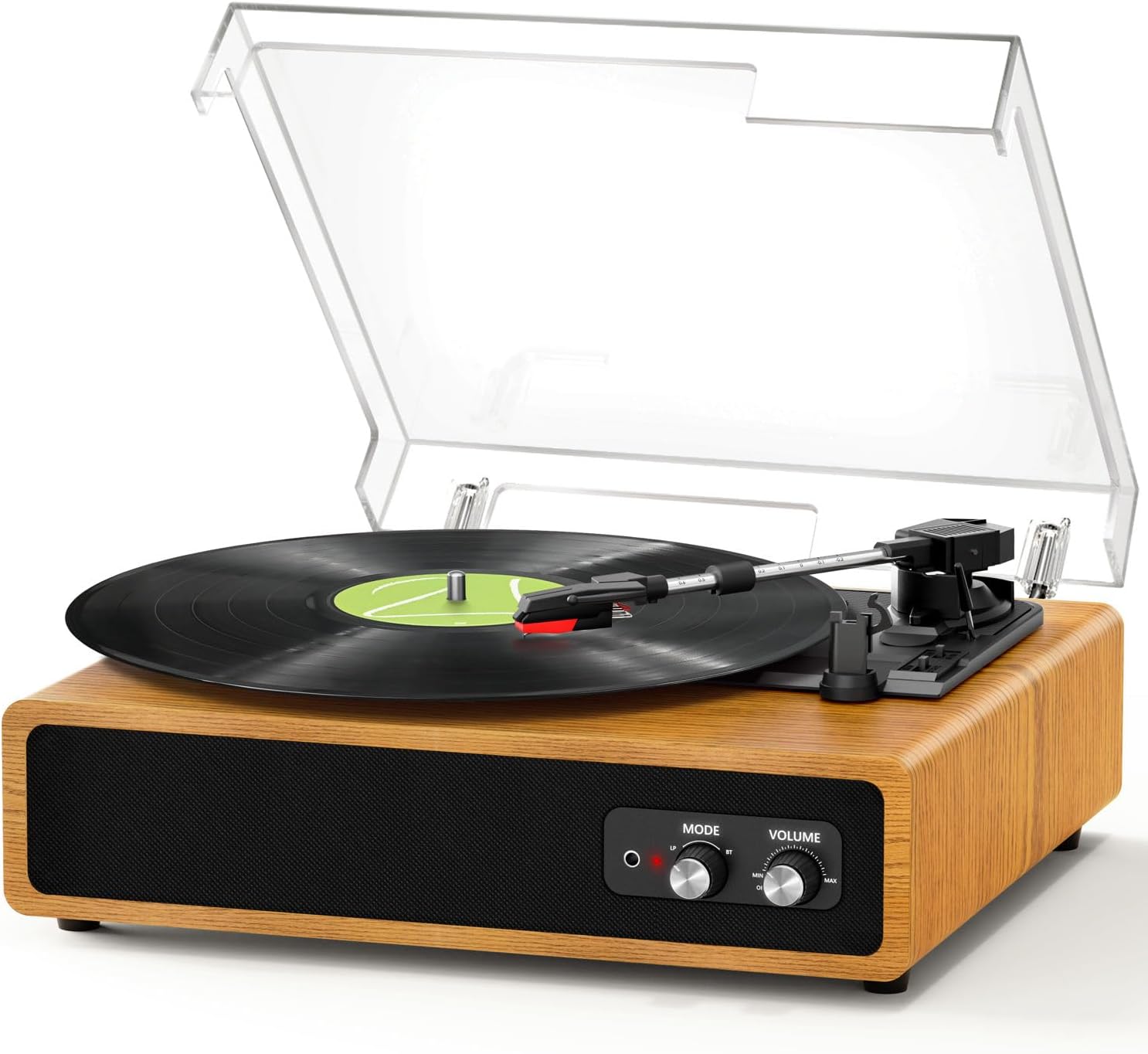
This image shows the FYDEE A7 Record Player with its clear dust cover properly installed, protecting the platter and tonearm.
3.3 Připojení napájení
- Connect the supplied 5V 1A power adapter to the DC 5V port on the back of the record player.
- Zapojte adaptér do zásuvky ve zdi.
3.4 Tonearm Balance and Tracking Force Adjustment
The counterweight allows for fine-tuning the tracking force, which is crucial for optimal sound and to prevent record wear and skipping.
- Odstraňte chránič stylusu.
- Jemně uvolněte raménko z jeho dosedací polohy.
- Rotate the counterweight at the rear of the tonearm until the tonearm is balanced and floats horizontally.
- Once balanced, return the tonearm to its rest.
- Rotate the counterweight to set the recommended tracking force (refer to stylus manufacturer's specifications, typically 2-3 grams for most standard cartridges).
4. Provoz
4.1 Přehrávání vinylové desky
- Otevřete protiprachový kryt.
- Place a vinyl record on the turntable platter. If playing a 7-inch single, use the included 45 RPM adapter.
- Zvolte vhodnou rychlost (33, 45 nebo 78 ot./min.) pomocí přepínače otáček.
- Turn the volume knob clockwise to power on the unit and adjust to a low volume.
- Lift the tonearm using the lift lever.
- Pohybujte raménkem přenosky nad požadovaný počáteční bod desky.
- Gently lower the tonearm onto the record using the lift lever. The platter will begin to spin.
- Upravte hlasitost na požadovanou úroveň poslechu.
- At the end of the record, if the auto-stop function is enabled, the platter will stop spinning. Manually return the tonearm to its rest.
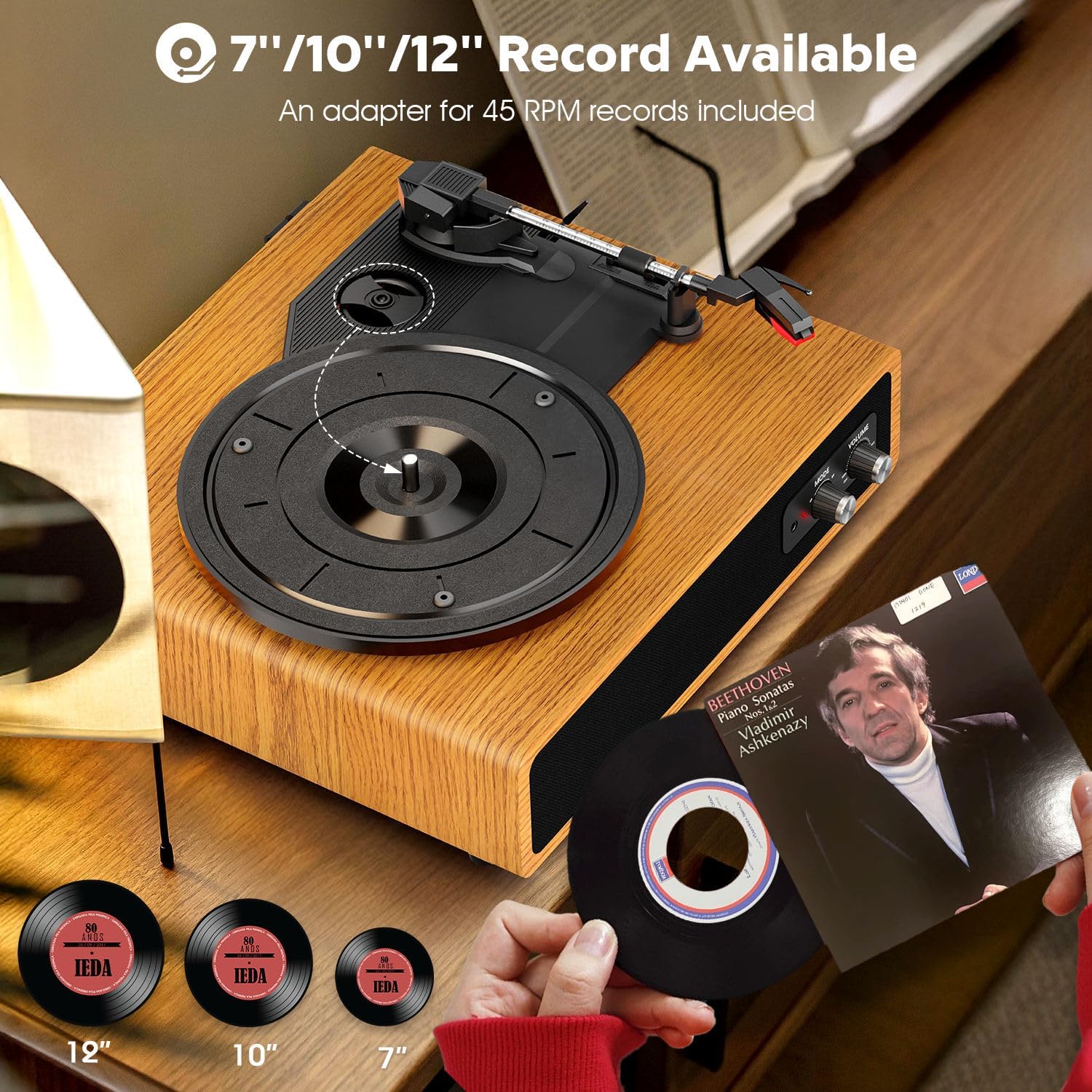
This image illustrates the FYDEE A7 Record Player's ability to play 7-inch, 10-inch, and 12-inch vinyl records. The 45 RPM adapter is shown for smaller records.
4.2 Bluetooth Receiving Mode (BT Input)
This mode allows you to stream audio from your smartphone or other Bluetooth-enabled device to the record player's built-in speakers.
- Turn on the record player by rotating the volume knob clockwise.
- Set the Mode knob to 'BT'. The indicator light will flash blue, indicating it's in pairing mode.
- On your smartphone or Bluetooth device, enable Bluetooth and search for 'A7' in the list of available devices.
- Select 'A7' to pair. Once connected, the blue indicator light will stop flashing and remain solid.
- You can now play music from your device through the record player's speakers. Adjust volume using the record player's volume knob or your device's volume controls.
This video demonstrates how to connect a smartphone to the FYDEE A7 Record Player via Bluetooth, allowing audio playback through the player's speakers. It shows the pairing process and volume control.
4.3 Bluetooth Transmission Mode (BT Output)
This mode allows you to transmit audio from vinyl record playback to an external Bluetooth speaker or headphones.
- Turn on the record player by rotating the volume knob clockwise.
- Place a vinyl record on the platter and begin playback as described in section 4.1.
- Set the Mode knob to 'TX'. The indicator light will flash red, indicating it's in transmission pairing mode.
- Ujistěte se, že váš externí Bluetooth reproduktor nebo sluchátka jsou v režimu párování.
- The record player will automatically search for and connect to the nearest available Bluetooth audio device. Once connected, the red indicator light will stop flashing and remain solid.
- Audio from the vinyl record will now play through your external Bluetooth device. Adjust volume on the external device.
This video illustrates how to transmit audio from the FYDEE A7 Record Player to an external Bluetooth speaker. It shows the process of setting the player to transmission mode and connecting to a Bluetooth speaker for vinyl playback.
4.4 Použití RCA výstupu
Connect the record player to an external amplifier or powered speakers using an RCA cable (red for right channel, white for left channel) plugged into the 'OUT' ports on the back of the unit.
4.5 Použití AUX vstupu
Connect an external audio source (e.g., MP3 player, smartphone) to the 'AUX IN' port on the back of the unit using a 3.5mm audio cable. Set the Mode knob to 'LP' for AUX input playback.
5. Údržba
5.1 Čištění jednotky
- Otřete protiprachový kryt a skříň měkkým, suchým hadříkem.
- Nepoužívejte drsné chemikálie ani abrazivní čisticí prostředky.
- For the stylus, use a soft brush and gently brush from back to front to remove dust.
5.2 Výměna stylusu
The stylus is a consumable part and will wear out over time. Replace it after approximately 300-500 hours of playback or if you notice a degradation in sound quality.
- Gently pull the old stylus cartridge downwards and forwards to remove it.
- Align the new stylus cartridge and push it upwards and backwards until it clicks into place.
- Re-balance the tonearm if necessary.
6. Řešení problémů
- Bez napájení: Ensure the power adapter is securely connected to both the unit and a working power outlet. Check if the volume knob is turned on.
- Žádný zvuk: Verify the volume is turned up. If using external speakers, ensure they are properly connected and powered on. If using Bluetooth, confirm successful pairing.
- Přeskakování záznamů: Check if the record is clean and free of dust or debris. Ensure the record player is on a stable, level surface. Adjust the tonearm counterweight to the correct tracking force.
- Problémy s připojením Bluetooth: Ensure the record player is in the correct Bluetooth mode (BT for receiving, TX for transmitting). Make sure the other Bluetooth device is in pairing mode and within range. Try restarting both devices.
- Zkreslený zvuk: Check the stylus for damage or wear. Ensure the record is clean. Verify the tonearm tracking force is correctly set.
7. Specifikace
| Funkce | Specifikace |
|---|---|
| Značka | FYDEE |
| Model | A7 |
| Rychlosti | 33/45/78 ot./min |
| Konektivita | Dual Bluetooth 5.4 (Input & Output), RCA Output, AUX Input, 3.5mm Headphone Jack |
| Reproduktory | Built-in Stereo Speakers (Dual 3W) |
| Vlastnosti | Adjustable Counterweight, Auto-Stop Function, Dust Cover |
| Materiál | Dřevo |
| Zdroj napájení | AC (110 Volts), 5V 1A Adapter |
| Rozměry | 37.5 x 33 x 18 cm |
| Hmotnost | 2.68 kg |
8. Záruka a podpora
This product comes with a 365-day worry-free warranty and lifetime customer support. For any questions, issues, or warranty claims, please contact FYDEE customer service at the contact information provided with your purchase or on the official FYDEE webmísto.