
Macap MI40 Touch
Macap MI40 Touch Instant Burr Coffee Grinder User Manual
Model: MI40 Touch
Brand: Macap
1. Konec produktuview
The Macap MI40 Touch Instant Burr Coffee Grinder is a high-performance appliance designed for precise and consistent coffee grinding. Featuring 65mm flat burrs, a responsive 3.5-inch touchscreen, and multiple operating modes, it is suitable for various brewing methods from espresso to cold brew. Its robust construction ensures quiet operation and stability.
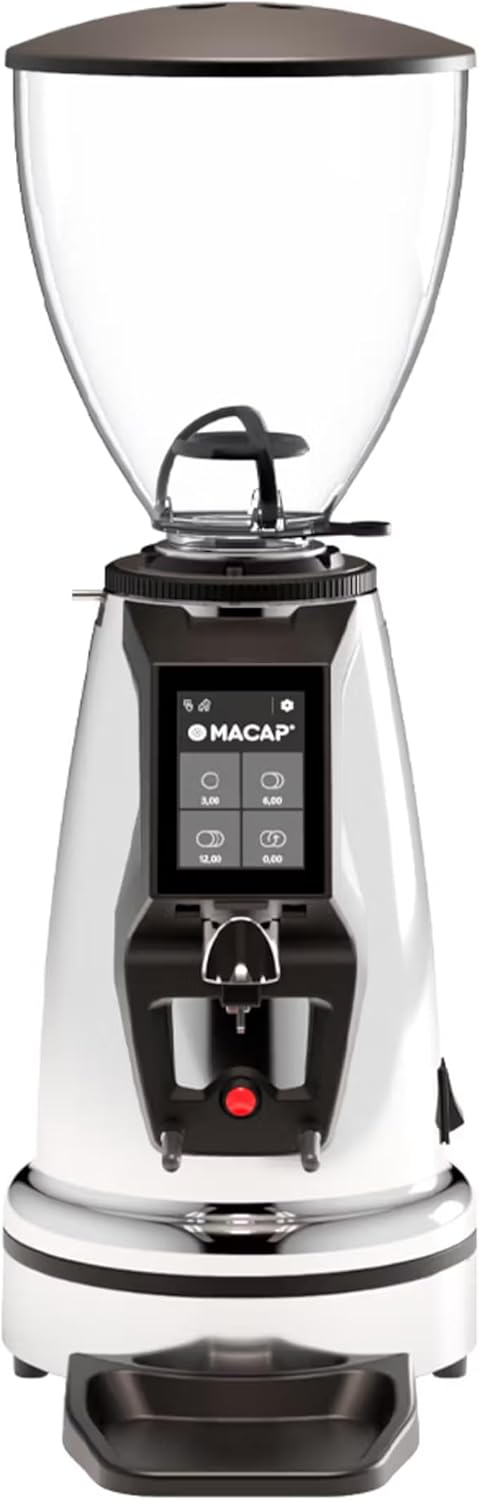
Přední view of the Macap MI40 Touch Instant Burr Coffee Grinder, showcasing its sleek chrome finish and integrated touchscreen display.
2. Bezpečnostní informace
Please read all safety instructions carefully before operating the grinder to prevent injury or damage.
- Always unplug the grinder from the power outlet before cleaning, maintenance, or if it will be left unattended.
- Do not immerse the grinder, power cord, or plug in water or any other liquid.
- Keep hands and utensils out of the bean hopper and grind chute during operation.
- Ensure the bean hopper lid is securely in place before grinding.
- This appliance is intended for grinding whole roasted coffee beans only. Do not grind other substances.
- Do not operate the grinder with a damaged cord or plug, or if the appliance malfunctions or has been damaged in any manner.
- Udržujte spotřebič mimo dosah dětí.
3. Součásti
Familiarize yourself with the main components of your MI40 Touch coffee grinder:
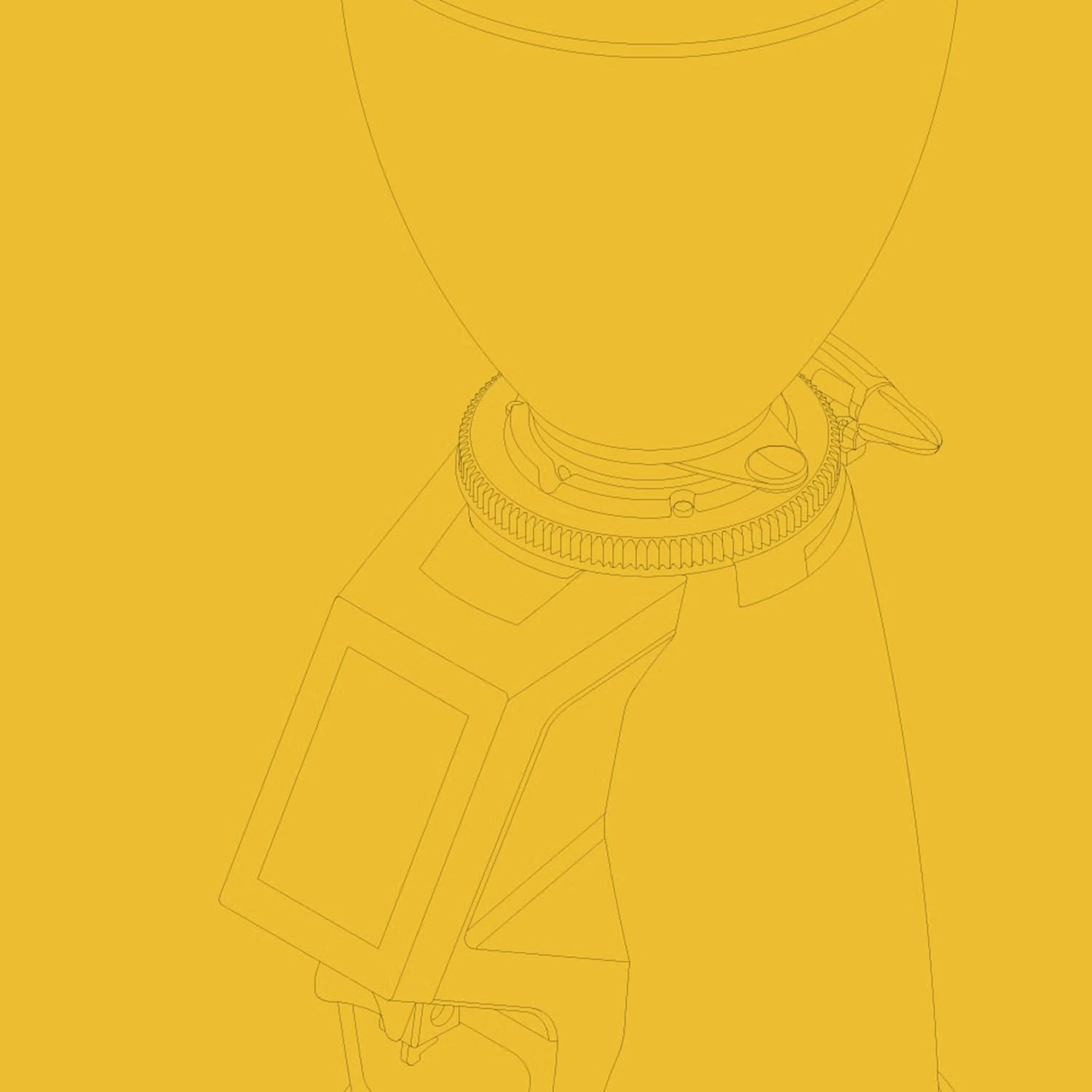
Zásobník na fazole: Transparent container for holding whole coffee beans. Capacity: 1.2 Kilograms.

3.5'' Touchscreen Display: Intuitive interface for controlling grind settings, dose programming, and operating modes.

Grind Adjustment Collar: Stepless micrometric adjustment for precise control over grind particle size.

Portafilter Fork & Drip Tray: Adjustable fork to hold your portafilter for hands-free grinding, with a removable drip tray for easy cleaning.
4. Nastavení
Follow these steps to set up your Macap MI40 Touch grinder:
- Rozbalení: Carefully remove the grinder and all accessories from the packaging. Retain the packaging for future transport or storage.
- Umístění: Umístěte mlýnek na stabilní, rovný a suchý povrch. Zajistěte dostatečné větrání v okolí jednotky.
- Instalace násypky: Place the bean hopper onto the grinder body, aligning the tabs. Rotate the hopper clockwise until it locks securely into place.
- Instalace odkapávací misky: Slide the removable drip tray into its designated slot at the base of the grinder.
- Připojení napájení: Zapojte napájecí kabel do uzemněné elektrické zásuvky.
- Počáteční čištění: Před prvním použitím otřete vnější povrch čisticím prostředkemamp cloth. Ensure the burrs and grind chute are free of any packing debris.

Strana view of the Macap MI40 Touch grinder, illustrating its compact design and the placement of the bean hopper and drip tray.
5. Návod k obsluze
5.1. Nastavení mletí
The MI40 Touch features stepless micrometric grind adjustment, allowing for precise control over particle size. To adjust the grind:
- Ensure the grinder is off or not actively grinding.
- Rotate the grind adjustment collar located below the bean hopper.
- Střídat ve směru hodinových ručiček for a finer grind (e.g., for espresso).
- Střídat proti směru hodinových ručiček for a coarser grind (e.g., for drip, French press, or cold brew).
- Make small adjustments and test the grind to achieve the desired consistency for your brewing method.
Detailní záběr view of the grind adjustment collar, showing the numerical markings for reference.
5.2. Dotykové rozhraní
The 3.5-inch touchscreen allows for intuitive control and customization of your grinding experience. It features four programmable dose buttons and various settings.
The 3.5-inch touchscreen display showing the main interface with programmable dose buttons.
For a detailed demonstration of the touchscreen interface and its functionalities, please refer to the official video below:
This video demonstrates the various features and customization options of the 3.5-inch touchscreen interface on the Macap MI Series coffee grinders, including dose programming, color customization, and different operating modes.
5.3. Provozní režimy
The MI40 Touch offers three primary operating modes:
- Standardní režim: Allows you to select a pre-programmed dose by pressing the corresponding button on the touchscreen. The grinder will dispense the set amount of coffee.
- Režim Push and Grind: Grinding starts when the portafilter activates the button on the fork and stops when the portafilter is removed. This mode is ideal for manual control.
- Barista Hands-Free Mode: Similar to Push and Grind, but designed for continuous grinding as long as the portafilter is in place, allowing baristas to multitask.
6. Údržba a čištění
Regular cleaning and maintenance will ensure optimal performance and longevity of your grinder.
6.1. Denní úklid
- Grind Chute: Use a brush or vacuum to clear any residual coffee grounds from the grind chute after each use.
- Odkapávač: Remove and empty the drip tray regularly. Wipe it clean with a damp hadříkem a důkladně osušte.
- Vnější: Otřete vnější povrch mlýnku měkkým hadříkemamp tkanina. Nepoužívejte abrazivní čisticí prostředky nebo rozpouštědla.

The removable drip tray and portafilter fork area, designed for easy cleaning.
6.2. Deep Cleaning (Weekly/Bi-Weekly)
- Odpojte brusku.
- Odstraňte zásobník na fazole: Empty any remaining beans. Rotate the hopper counter-clockwise to unlock and remove it.
- Čisté otřepy: Use a stiff brush or a specialized grinder brush to remove accumulated coffee oils and grounds from the burrs. You may need to remove the upper burr for thorough cleaning (refer to specific instructions in the full manual for burr removal).
- Clean Grind Chamber: Use a vacuum cleaner with a narrow attachment to remove grounds from the grind chamber.
- Znovu sestavit: Reinstall the burrs (if removed) and the bean hopper securely.
7. Řešení problémů
If you encounter issues with your MI40 Touch grinder, refer to the table below for common problems and solutions.
| Problém | Možná příčina | Řešení |
|---|---|---|
| Mlýnek se nezapne. | Není zapojeno do zásuvky; vypínač vypnutý; jistič se vypnul. | Check power connection; ensure power switch is on; reset circuit breaker. |
| Nedá se káva. | Hopper empty; grind chute clogged; burrs jammed. | Fill hopper; clean grind chute; clear any foreign objects from burrs (unplug first). |
| Nekonzistentní mletí. | Burrs dirty or worn; grind setting too coarse/fine. | Clean burrs thoroughly; adjust grind setting incrementally. Consider burr replacement if worn. |
| Mlýnek je nadměrně hlučný. | Foreign object in burrs; loose components. | Unplug and inspect burrs for foreign objects; check for loose parts. If noise persists, contact support. |
| Dotykový displej nereaguje. | Dočasná softwarová závada; problém s napájením. | Unplug the grinder for 30 seconds, then plug back in. If issue persists, contact support. |
8. Specifikace
Key technical specifications for the Macap MI40 Touch Instant Burr Coffee Grinder:
| Funkce | Specifikace |
|---|---|
| Model | MI40 Touch |
| Typ otřepů | Flat Burrs |
| Burr Diameter | 65 mm |
| Výkon motoru | 480W |
| Kapacita zásobníku | 1.2 kg |
| Nastavení mletí | Plynulý mikrometrický |
| Zobrazit | 3.5'' Touchscreen |
| Rozměry produktu (D x Š x V) | 12 cm x 7.63 cm x 22 cm |
| Hmotnost položky | 19.58 libry |
| Země původu | Itálie |
9. Záruka a podpora
Macap products are manufactured to high standards and undergo rigorous quality control. For warranty information, technical support, or service inquiries, please refer to the warranty card included with your product or visit the official Macap website. Please have your model number (MI40 Touch) and purchase date available when contacting support.
Ask a question about this manual
Ask about setup, troubleshooting, compatibility, parts, safety, or missing instructions. Manuals+ will review the question and use this page’s manual context to help answer it.