
ttec KM156
Uživatelská příručka k bezdrátovým Bluetooth sluchátkům ttec SoundFlow OWS KM156
Model: KM156
1. Úvod
This manual provides instructions for the proper use and maintenance of your ttec SoundFlow OWS Wireless Bluetooth Earphones, model KM156. Please read this manual thoroughly before using the product to ensure optimal performance and longevity.
The ttec SoundFlow OWS earphones feature an open-ear design for situational awareness, dynamic acoustic system for clear sound, and Bluetooth 5.4 for stable wireless connectivity.
2. Obsah balení
Ověřte, zda jsou v balení produktu přítomny všechny položky:
- ttec SoundFlow OWS Wireless Bluetooth Earphones (Left and Right)
- Nabíjecí pouzdro
- Nabíjecí kabel USB-C
- Uživatelská příručka
3. Konec produktuview
Familiarize yourself with the components of your ttec SoundFlow OWS earphones.

Image 3.1: ttec SoundFlow OWS Earphones and Charging Case. The image displays the two black earphones with ear hooks, positioned above their open black charging case.
Earphone Components:
- Háček na ucho: Poskytuje bezpečné a pohodlné uchycení na uchu.
- Reproduktorová jednotka: Poskytuje zvukový výstup.
- Mikrofon: Pro hovory a hlasové příkazy.
- Touch Sensor Area: For controlling music, calls, and other functions.
- Kontakty pro nabíjení: Připojuje se k nabíjecímu pouzdru pro napájení.

Image 3.2: Close-up of an earbud highlighting the touch sensor area. The image shows a detailed view of the earbud's outer surface, indicating the touch-sensitive zone for controls.
Součásti nabíjecího pouzdra:
- Earphone Slots: Securely holds and charges the earphones.
- Nabíjecí port USB-C: Pro nabíjení pouzdra.
- LED indikátor: Zobrazuje stav nabíjení a úroveň nabití baterie.
4. Nastavení
4.1 Nabíjení sluchátek a pouzdra
Před prvním použitím sluchátka a nabíjecí pouzdro plně nabijte.
- Place the earphones into the charging case. Ensure the charging contacts align.
- Připojte nabíjecí kabel USB-C k nabíjecímu portu na pouzdře a druhý konec ke zdroji napájení (např. USB adaptér do zásuvky, USB port počítače).
- The LED indicator on the case will show the charging status. Once fully charged, the indicator will change or turn off.
A full charge provides up to 6 hours of earphone use, and the charging case provides up to 30 hours of additional battery life. The Charge&Go feature allows 2.5 hours of use from a 15-minute charge.
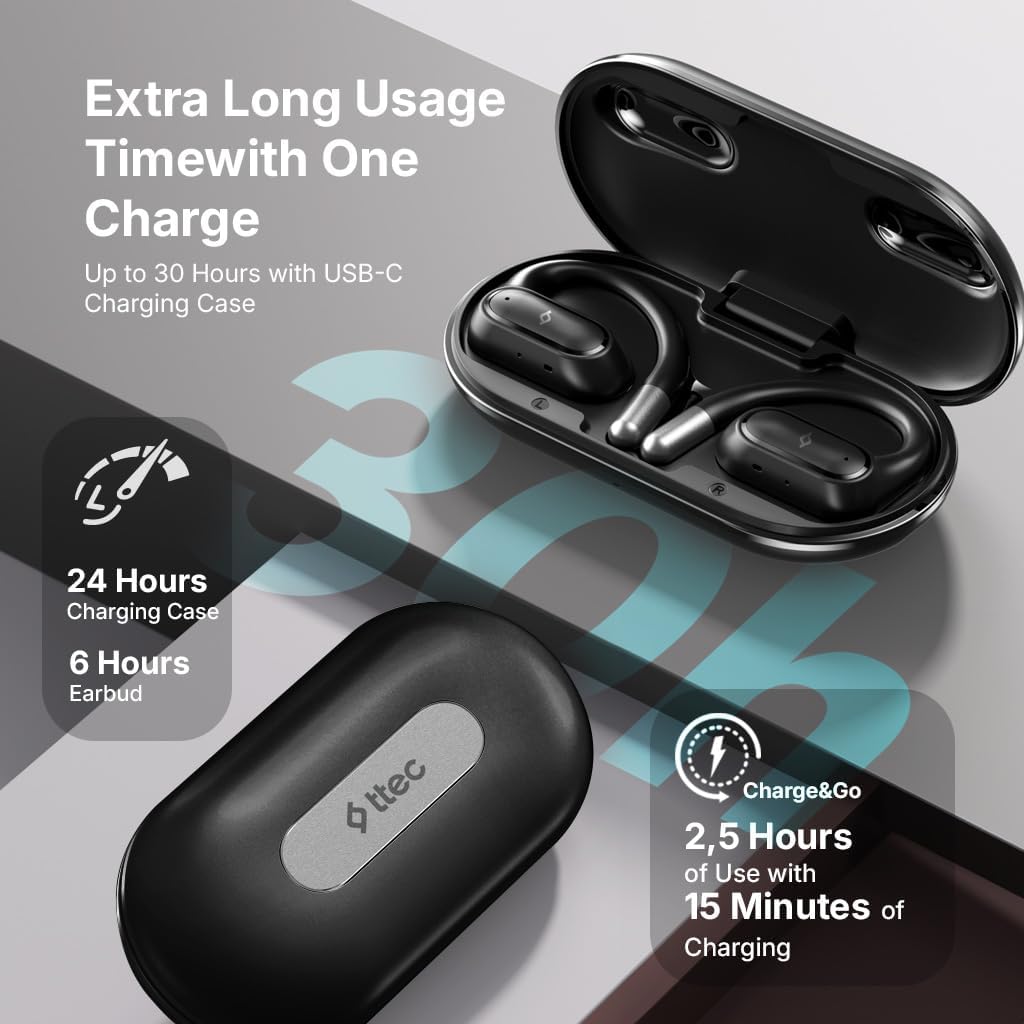
Image 4.1: Charging case displaying battery life. The image illustrates the charging case with text indicating 24 hours from the charging case, 6 hours from earbuds, and 2.5 hours of use from 15 minutes of charging.
4.2 Párování se zařízením Bluetooth
To connect your earphones to a smartphone or other Bluetooth-enabled device:
- Ujistěte se, že jsou sluchátka nabitá a vložená do nabíjecího pouzdra.
- Open the charging case. The earphones will automatically enter pairing mode, and their LED indicators will flash.
- Na svém zařízení povolte Bluetooth a vyhledejte dostupná zařízení.
- Select "ttec SoundFlow" from the list of found devices.
- Once connected, the earphone LED indicators will stop flashing or turn off, and you will hear a confirmation tone.
Sluchátka se po vyjmutí z pouzdra automaticky znovu připojí k poslednímu spárovanému zařízení, pokud je na zařízení povoleno Bluetooth.
5. Návod k obsluze
5.1 Nošení sluchátek
Gently place the ear hook over your ear and position the speaker unit comfortably in front of your ear canal. The open-ear design allows you to remain aware of your surroundings.

Image 5.1: A person cycling while wearing the ttec SoundFlow OWS earphones. The image highlights the open-ear design, allowing the user to stay connected to their surroundings.

Image 5.2: A woman wearing a ttec SoundFlow earbud, demonstrating the comfortable and secure fit. The image also indicates the lightweight design: 8.2g per earbud and 52g for the charging case.
5.2 Dotykové ovládání
The earphones feature touch sensors for easy control of various functions:
| Akce | Funkce |
|---|---|
| Jednoduché klepnutí (L/R) | Přehrát/pozastavit hudbu, přijmout hovor |
| Dvojité klepnutí (L) | Předchozí stopa |
| Dvojité klepnutí (R) | Další stopa |
| Trojité klepnutí (L/R) | Aktivujte hlasového asistenta |
| Dlouhé stisknutí (L/P) | Reject Call, End Call |
5.3 Herní režim
The earphones feature a low-latency game mode for an enhanced gaming and video experience. This mode reduces audio delay to 50ms.
- To activate Game Mode: Refer to the specific instructions in the quick start guide or product packaging for the exact touch gesture to enable/disable game mode. (Typically a specific tap sequence or long press).
- When Game Mode is active, you may notice a slight change in audio profile, optimized for lower latency.

Image 5.3: ttec SoundFlow earphones and charging case, surrounded by gaming console symbols, highlighting the 50ms low latency feature for an optimized gaming and video experience.
6. Údržba
6.1 Čištění
- Sluchátka a nabíjecí pouzdro otřete měkkým, suchým hadříkem, který nepouští vlákna.
- Nepoužívejte abrazivní čisticí prostředky, alkohol ani chemická rozpouštědla.
- Ensure charging contacts are clean and dry to prevent charging issues.
6.2 Odolnost proti vodě a potu
The ttec SoundFlow OWS earphones are IPX6 rated, meaning they are resistant to high-pressure water jets from any direction. This makes them suitable for use during workouts and in light rain.
- Neponořujte sluchátka do vody.
- Ensure the earphones are dry before placing them back into the charging case to prevent damage.

Image 6.1: A man running outdoors, illustrating the sweat and water-resistant design of the ttec SoundFlow earphones, which are IPX6 rated.
6.3 Skladování
Pokud sluchátka nepoužíváte, uložte je do nabíjecího pouzdra, aby byla chráněna a zůstávala nabitá. Skladujte na chladném a suchém místě mimo dosah extrémních teplot.
7. Řešení problémů
Pokud se setkáte s problémy se sluchátky, podívejte se na následující běžná řešení:
| Problém | Řešení |
|---|---|
| Sluchátka se nespárují | Ensure earphones are charged. Turn off and on Bluetooth on your device. Forget the device in your Bluetooth settings and re-pair. |
| Funguje pouze jedno sluchátko | Place both earphones back in the case, close the lid, then open again. Ensure both are charged. |
| Žádný zvuk | Check device volume. Ensure earphones are connected. Try playing different audio. |
| Problémy s nabíjením | Ensure charging cable is securely connected. Clean charging contacts on earphones and case. Try a different USB-C cable or power source. |
Pokud problém přetrvává, kontaktujte prosím zákaznickou podporu.
8. Specifikace
| Funkce | Detail |
|---|---|
| Název modelu | SoundFlow |
| Číslo modelu | KM156 |
| Technologie připojení | Bezdrátové připojení (Bluetooth 5.4) |
| Form Factor | True Wireless, Open-Ear |
| Hmotnost sluchátek | 8.2 gramů (každý) |
| Hmotnost nabíjecího pouzdra | 52 gramů |
| Životnost baterie sluchátek | Až 6 hodin (na jedno nabití) |
| Celková výdrž baterie (s pouzdrem) | Až 30 hodin |
| Rychlé nabíjení | 15 min charge for 2.5 hours use (Charge&Go) |
| Voděodolnost | IPX6 Rated (Sweat and Water Resistant) |
| Nízká latence | 50 ms (herní režim) |
| Výrobce | ttec |
9. Záruka a podpora
Your ttec SoundFlow OWS Wireless Bluetooth Earphones are covered by a manufacturer's warranty. For detailed warranty information, please refer to the warranty card included in your product packaging or visit the official ttec webmísto.
For technical support, troubleshooting assistance, or to inquire about replacement parts, please contact ttec customer service through their official channels. Contact information can typically be found on the product packaging or the official ttec webmísto.
Ask a question about this manual
Ask about setup, troubleshooting, compatibility, parts, safety, or missing instructions. Manuals+ will review the question and use this page’s manual context to help answer it.