
Zavedení
This manual provides comprehensive instructions for the setup, operation, maintenance, and troubleshooting of your TECHMADE Buytech Gamma Smartwatch. Please read this manual carefully before using the device to ensure proper functionality and to maximize your user experience.

Image: TECHMADE Buytech Gamma Smartwatch, displaying the time (22:30), date (20/06 WED), and battery status. A smaller inset image shows an incoming call notification.
Nastavení
1. Počáteční nabíjení
Before first use, fully charge your smartwatch. Connect the included charging cable to the charging port on the back of the watch and to a standard USB power adapter (not included). The watch has a 230 mAh Lithium Polymer battery.
- Plné nabití obvykle trvá přibližně 2 hodiny.
- The battery life is approximately 5 days, depending on usage.
2. Instalace a párování aplikace
To unlock the full potential of your smartwatch, download the companion application on your smartphone. The app is compatible with both iOS and Android devices.
- Scan the QR code in the quick start guide or search for the official TECHMADE smartwatch app in your device's app store.
- Install the application and create an account or log in.
- Ujistěte se, že je na vašem smartphonu povoleno Bluetooth.
- Open the app and follow the on-screen instructions to add your device. Select "BY-GAMMA" from the list of available devices.
- Potvrďte požadavek na párování na smartphonu i na chytrých hodinkách.
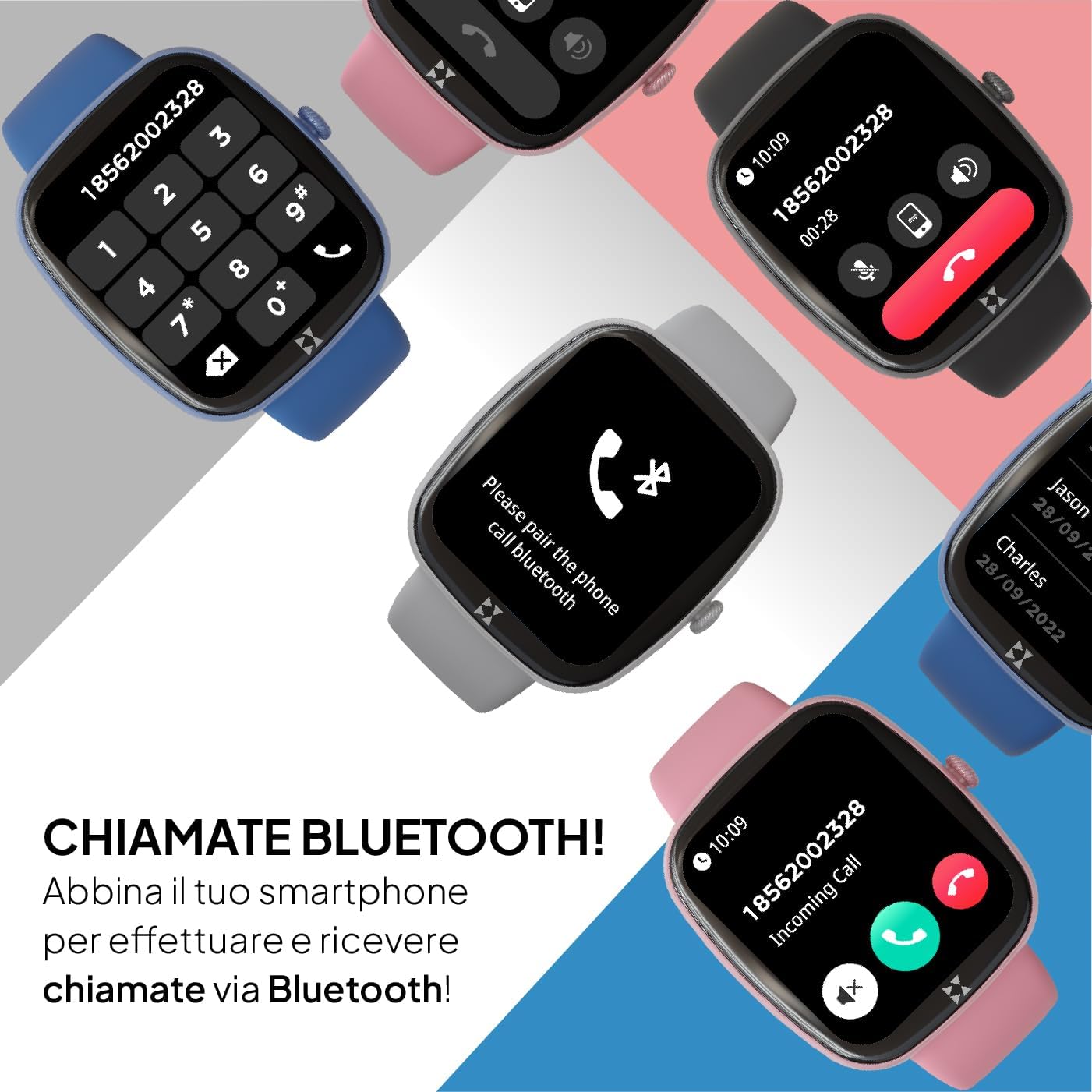
Image: Smartwatch screen displaying a phone dial pad, indicating Bluetooth call functionality. Other smartwatches in various colors are shown in the background.
Once paired, your smartwatch will synchronize data with the app and allow you to receive notifications and make calls directly from your wrist.
Návod k obsluze
Základní navigace
- Dotyková obrazovka: Přejetím prstem doleva, doprava, nahoru nebo dolů můžete procházet nabídky a funkce. Klepnutím vyberte možnost.
- Side Crown Button: Rotate the crown to scroll through lists and menus. Press the crown to return to the previous screen or the watch face.

Obrázek: Detailní záběr view of the smartwatch's side, highlighting the rotating crown button used for navigation and interaction.
Hovory a oznámení přes Bluetooth
After successful pairing, you can manage calls and notifications directly from your smartwatch.
- Příchozí hovory: Při příchozím hovoru hodinky zobrazí ID volajícího. Klepnutím na zelenou ikonu hovor přijmete, klepnutím na červenou ikonu hovor odmítnete.
- Uskutečňování hovorů: Access the dialer or contact list through the watch menu to initiate calls.
- Oznámení: Receive alerts for messages, emails, and app notifications. Swipe down from the watch face to view historii oznámení.
Sportovní režimy
The smartwatch supports over 80 sport modes to track your physical activity. Select your desired activity to monitor performance metrics such as duration, calories burned, and heart rate.

Image: Multiple smartwatches displaying different sport modes, including winter sports, ball sports, and other activities like handball and athletics.
Monitorování zdraví
Monitor your health with integrated sensors for heart rate, SpO2 (blood oxygen saturation), and sleep tracking. The watch also provides sedentary reminders and water intake prompts.
- Srdeční frekvence: Access the heart rate monitor from the main menu to measure your current heart rate.
- SpO2: Změřte si hladinu saturace krve kyslíkem.
- Sledování spánku: Wear the watch during sleep to analyze your sleep patterns and quality.
- Krevní tlak: The device can provide an estimate of blood pressure. Consult a medical professional for accurate readings.
- Sledování cyklů: For female users, track menstrual cycles through the app.

Image: Four smartwatches displaying various health monitoring features: SpO2 (98%), Cycle Tracking, Blood Pressure (125/86 mmHg), and Heart Rate (128 BPM).
Funkce SOS
In case of an emergency, the smartwatch features an SOS button. Repeatedly press the crown button to activate the SOS function, which can be configured in the companion app to call a pre-set emergency contact.

Image: A close-up of the smartwatch's side, emphasizing the crown button, which can be pressed repeatedly to activate the SOS emergency feature.
Přizpůsobení
Personalize your smartwatch by choosing from various watch faces available through the device or the companion app. You can also create custom watch faces.
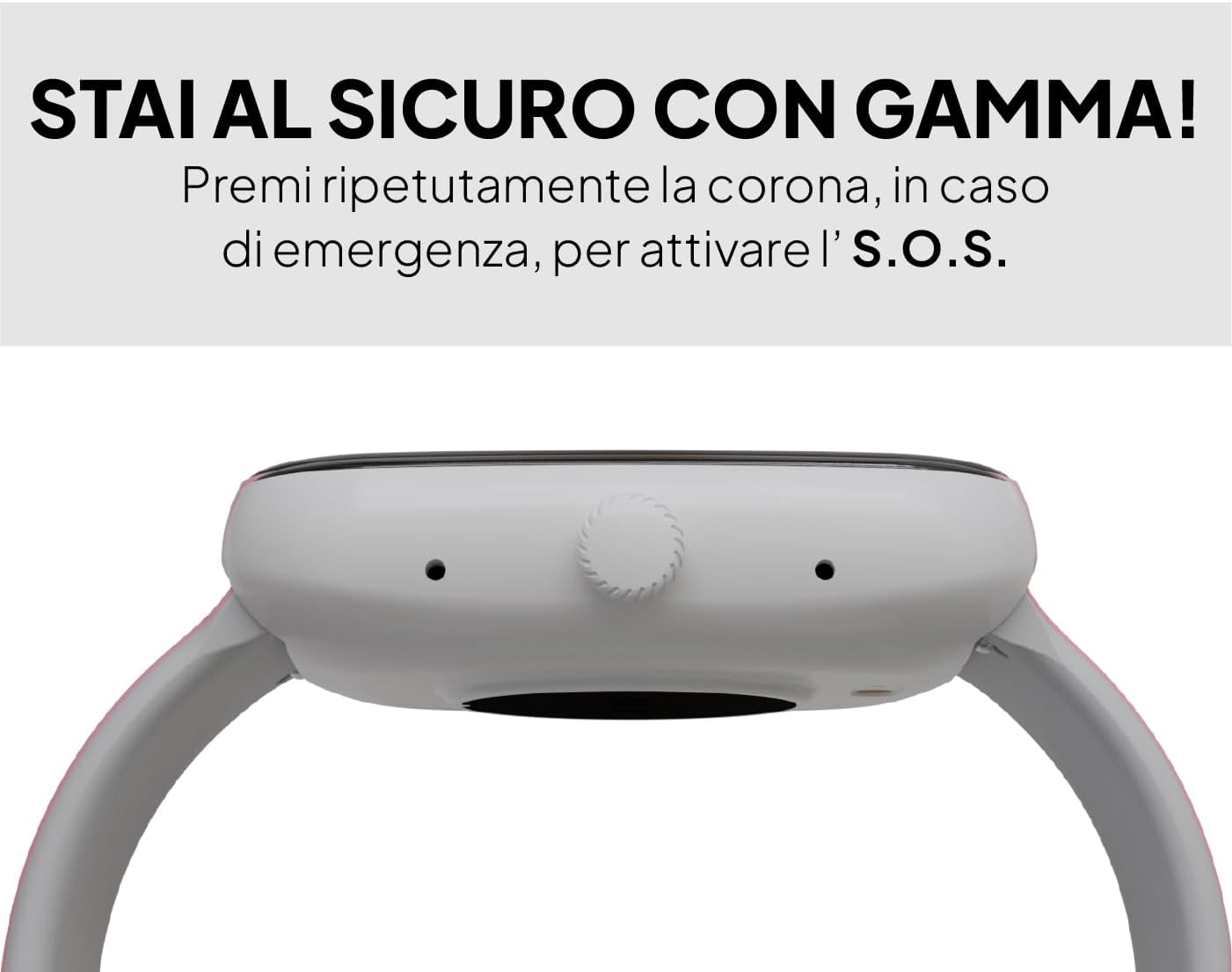
Image: A smartwatch displaying a digital watch face, with several other watch face designs presented on separate cards, illustrating customization options.
Údržba
Čištění
Pravidelně čistěte své chytré hodinky, abyste zajistili optimální výkon a hygienu. K otření obrazovky a těla používejte měkký hadřík, který nepouští vlákna. V případě odolných nečistot lehceamphadřík vodou. Nepoužívejte agresivní chemikálie ani abrazivní materiály.
Voděodolnost
The Buytech Gamma Smartwatch is designed to be resistant to light immersion, dust, and humidity. It is suitable for daily use and activities like hand washing or light rain. However, it is not recommended for swimming, showering, or diving. Avoid exposure to hot water or steam.

Image: A smartwatch with water droplets on its surface, demonstrating its resistance to light water exposure, dust, and humidity.
Péče o baterie
- Vyhněte se častému úplnému vybíjení baterie.
- Nevystavujte zařízení extrémním teplotám.
- Používejte pouze dodaný nabíjecí kabel.
Odstraňování problémů
Zařízení se nezapíná
- Ujistěte se, že je zařízení plně nabité. Připojte ho k nabíječce alespoň na 30 minut.
- Press and hold the side crown button for 10-15 seconds to perform a forced restart.
Problémy s párováním
- Ujistěte se, že máte na svém smartphonu a chytrých hodinkách povoleno Bluetooth.
- Ensure the smartwatch is within range of your smartphone (typically 10 meters).
- Restartujte chytrý telefon i chytré hodinky.
- If previously paired, try unpairing the device from your smartphone's Bluetooth settings and then re-pairing through the app.
Oznámení se nezobrazují
- Check the notification settings within the companion app to ensure app notifications are enabled.
- Verify that your smartphone's notification settings allow the companion app to display notifications.
- Ujistěte se, že jsou chytré hodinky připojeny přes Bluetooth.
Difficulty Answering Calls
- Ensure the Bluetooth call function is enabled and properly connected in the companion app.
- When an incoming call appears, tap the green phone icon on the smartwatch screen to answer.
- Check your smartphone's Bluetooth settings to confirm the smartwatch is connected for both audio and calls.
Inaccurate Sleep Tracking
- Ensure the smartwatch is worn snugly but comfortably on your wrist during sleep.
- Verify that the sleep tracking feature is enabled in the companion app.
- Synchronize the watch with the app regularly to update sleep data.
Specifikace
| Funkce | Detail |
|---|---|
| Značka | TECHMADE |
| Název modelu | BY-GAMMA |
| Velikost displeje | 1.83 palce |
| Typ zobrazení | Digitální |
| Kapacita baterie | Lithium Polymer s kapacitou 230 mAh |
| Průměrná životnost baterie | 5 dní |
| Technologie připojení | Bluetooth |
| Kompatibilní zařízení | Chytré telefony (iOS a Android) |
| Speciální funkce | Voice Call, Notifications, SOS Button, Activity Tracker, Heart Rate, SpO2, Sleep Monitoring |
| Vstupní rozhraní | Dotyková obrazovka |
| Rozměry produktu | 24 x 5 x 2 cm |
| Hmotnost položky | 400 gramů |
| Komponenty v ceně | Nabíjecí kabel |
Informace o záruce
Specific warranty details for the TECHMADE Buytech Gamma Smartwatch are typically provided at the point of purchase or included with the product packaging. For detailed information regarding warranty coverage, duration, and claims, please refer to the documentation provided by your retailer or visit the official TECHMADE webmísto.
Podpora
If you encounter any issues or have questions not covered in this manual, please contact TECHMADE customer support or your retailer. You can usually find contact information on the official TECHMADE webwebu nebo na účtence.
- Online zdroje: Check the TECHMADE official webweb s častými dotazy, aktualizovanými manuály a softwarem ke stažení.
- Podpora prodejců: Your point of purchase may offer direct support or guidance.