
1. Úvod
Thank you for choosing the WLIVE Industrial TV Stand. This manual provides essential information for the safe assembly, operation, and maintenance of your new TV stand. Please read these instructions carefully before beginning assembly and retain them for future reference.
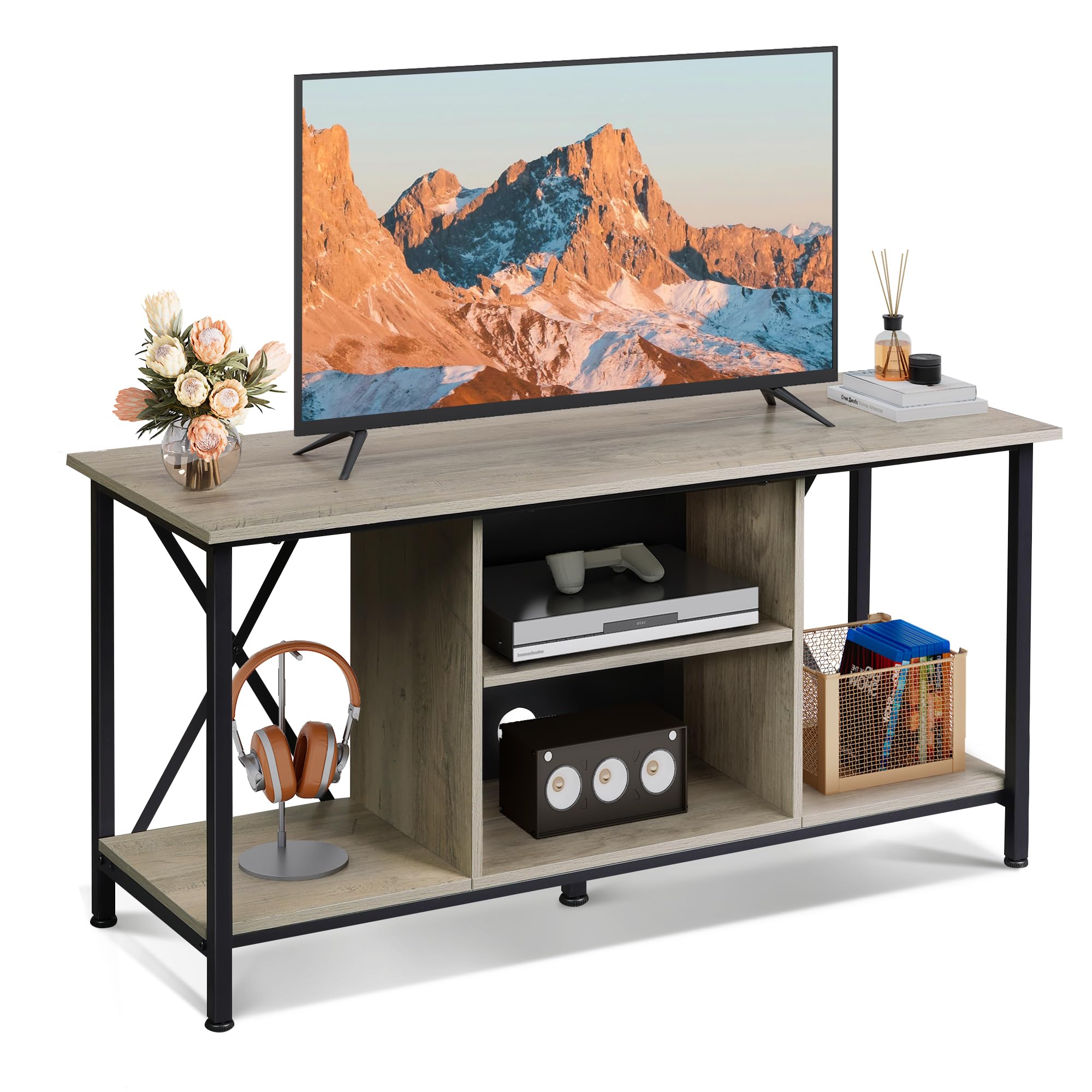
Image 1: The WLIVE Industrial TV Stand (41-inch, Greige) in a typical home environment. The stand features a greige finish with a black metal frame, offering open shelving for media devices and decor.
2. Bezpečnostní informace
- Vždy sestavujte jednotku na měkkém a čistém povrchu, abyste zabránili poškrábání.
- Před použitím se ujistěte, že jsou všechny díly bezpečně upevněny. Šrouby nepřetahujte.
- Do not exceed the maximum weight capacity: Top surface 110 lbs (50 kg), each shelf 22 lbs (10 kg).
- Uchovávejte malé díly a obalové materiály mimo dosah dětí a domácích zvířat.
- Nestůjte ani nelezte na televizní stolek.
- Place the TV stand on a level surface to prevent tipping. Use the adjustable feet to stabilize on uneven floors.
3. Obsah balení
Před zahájením montáže ověřte, zda jsou přítomny všechny níže uvedené komponenty. Pokud některé díly chybí nebo jsou poškozené, kontaktujte zákaznickou podporu.
- Komponenty kovového rámu
- Shelves (top, middle, bottom)
- Hardware (screws, bolts, adjustable feet, etc.)
- Montážní nářadí (imbusový klíč, šroubovák)
- Uživatelská příručka
4. Specifikace
| Model | B0F1PH5NKT |
| Barva | Greige |
| Rozměry (D x Š x V) | 40.95 x 15.68 x 20.08 palce (104 x 39.8 x 51 cm) |
| Materiál | Umělé dřevo, kov |
| Hmotnost položky | 27 liber (12.2 kg) |
| Maximální podporovaná velikost televizoru | Až 45 palce |
| Nosnost horní plochy | 110 lb (50 kg) |
| Nosnost police | 10 kg na polici |

Image 2: Detailed product dimensions and weight capacities for the TV stand. The stand measures 40.94 inches in length, 15.6 inches in depth, and 20 inches in height. The top surface supports up to 110 lbs, and each shelf supports up to 22 lbs.
5. Nastavení a montáž
Follow these steps for a straightforward assembly process. All hardware is numbered to match the instructions.
- Rozbalení a identifikace součástí: Carefully remove all components from the packaging. Lay them out on a clean, soft surface. Identify each part using the provided labels and the parts list in the separate instruction manual.
- Sestavte kovový rám: Attach the horizontal and vertical metal frame pieces using the designated screws. Ensure the X-shaped crossbars are correctly positioned for stability.
- Připevnění bočních panelů: Secure the side engineered wood panels to the metal frame.
- Nainstalujte spodní polici: Place and secure the bottom shelf into the frame.
- Install Middle Shelves: Insert the middle shelves. Note that the central shelf is adjustable.
- Připevněte horní panel: Carefully place and secure the top engineered wood panel.
- Instalace nastavitelných nožiček: Screw the adjustable plastic feet into the bottom of the metal frame.
- Konečné utažení: Once all parts are in place, gently tighten all screws. Avoid overtightening to prevent damage.

Image 3: The TV stand features a single, sturdy top panel and an X-shaped rear design on the metal frame for enhanced stability and durability.

Image 4: Key features include a scratch-resistant surface, a robust metal frame, and adjustable feet that can be rotated 360 degrees to ensure stability on various floor types.
6. Provoz
Nastavitelné police
The middle shelf in the central compartment is adjustable to three different height levels. This allows you to customize the storage space to accommodate various media players, game consoles, or other items of different sizes. To adjust, remove the shelf, reposition the support pins to the desired height, and reinsert the shelf.

Image 5: The central shelf can be adjusted to three different heights, providing flexible storage. The image also highlights the cable management holes for organizing wires.
Správa kabelů
The central compartment features pre-drilled holes on the back panel for efficient cable management. Route your device cables through these holes to keep wires organized and out of sight, contributing to a tidy and hazard-free living space.

Image 6: The TV stand includes two cable management holes designed to conceal and organize electronic device cables, maintaining a clean aesthetic.
7. Údržba
- Čištění: Otřete povrchy měkkým, damp hadříkem. Nepoužívejte agresivní chemikálie ani abrazivní čisticí prostředky, které by mohly poškodit povrchovou úpravu.
- Utírat prach: Pravidelně otírejte prach suchým, měkkým hadříkem, abyste zabránili jeho usazování.
- Rozlití: Rozlité tekutiny ihned odstraňte, abyste zabránili vzniku skvrn nebo poškození dřevěného povrchu.
- Inspekce: Pravidelně kontrolujte všechny šrouby a spoje, zda jsou pevně utažené. V případě potřeby je dotáhněte.
8. Řešení problémů
- Stojan je vratký:
- Ujistěte se, že jsou všechny šrouby pevně utaženy.
- Adjust the plastic feet on the bottom of the frame to compensate for uneven flooring.
- Obtížnost při montáži:
- Refer to the detailed instruction manual provided in the package.
- Ujistěte se, že jsou součásti správně orientovány, jak je znázorněno na obrázcích.
- If using the included tools, consider using your own screwdriver for better leverage and to ensure screws are tight without overtightening.
- Chybějící nebo poškozené díly:
- Contact WLIVE customer support immediately for assistance.
9. Záruka a podpora
WLIVE is committed to providing quality products and customer satisfaction. While specific warranty details are not provided in this manual, please retain your proof of purchase for any warranty claims.
For any questions, concerns, or assistance with your WLIVE Industrial TV Stand, our customer support team is available 24/7. Please refer to the contact information provided with your purchase or visit the official WLIVE webstránky pro podporu.
Thank you for choosing WLIVE.