
1. Úvod
The Xvive U35D Wireless Microphone System provides a high-fidelity, low-latency solution for converting dynamic microphones and line-level audio sources into a wireless setup. Operating on the 5.8 GHz band, this system offers a stable and clear signal, minimizing interference from crowded 2.4 GHz frequencies. It is designed for ease of use, allowing musicians, DJs, and audio professionals to achieve wireless freedom without compromising audio quality.

Figure 1: The Xvive U35D Wireless Microphone System, featuring two transmitters and two receivers for versatile audio applications.
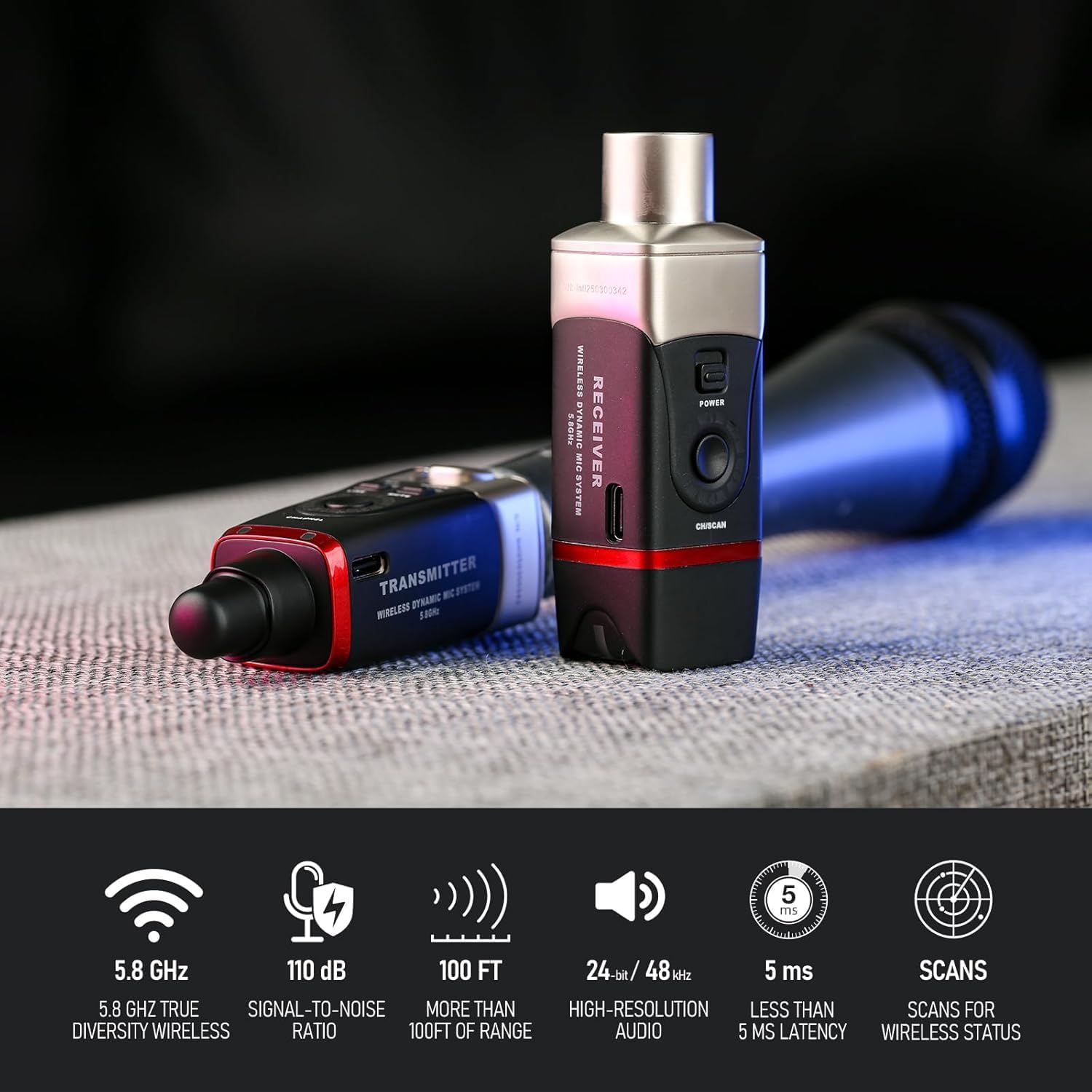
Figure 2: Key features of the Xvive U35D system, highlighting its technical specifications for reliable and high-quality wireless audio transmission.
2. Co je v krabici
Your Xvive U35D Wireless Microphone System package includes the following components:
- 2 x U35 Transmitters
- 2 x U35 Receivers
- 2 x USB-C nabíjecí kabel
- 2 x PU Storage Bags
- 1 x Návod k použití

Figure 3: All components included in the Xvive U35D Wireless Microphone System package.
3. Nastavení
3.1. Nabíjení jednotek
Before initial use, fully charge both the transmitters and receivers using the provided USB-C charging cables. The units feature USB-C ports for convenient charging. A dual-plug USB-C cable is included to charge both units simultaneously.
3.2. Připojení vysílače
Plug the U35 transmitter directly into the XLR output of your dynamic microphone. Ensure a secure connection. For microphones with recessed XLR connectors or for added flexibility, a short XLR adapter cable may be beneficial.
3.3. Připojení přijímače
Connect the U35 receiver to the XLR input of your audio interface, mixer, PA system, or any other audio input device. Ensure the connection is firm.
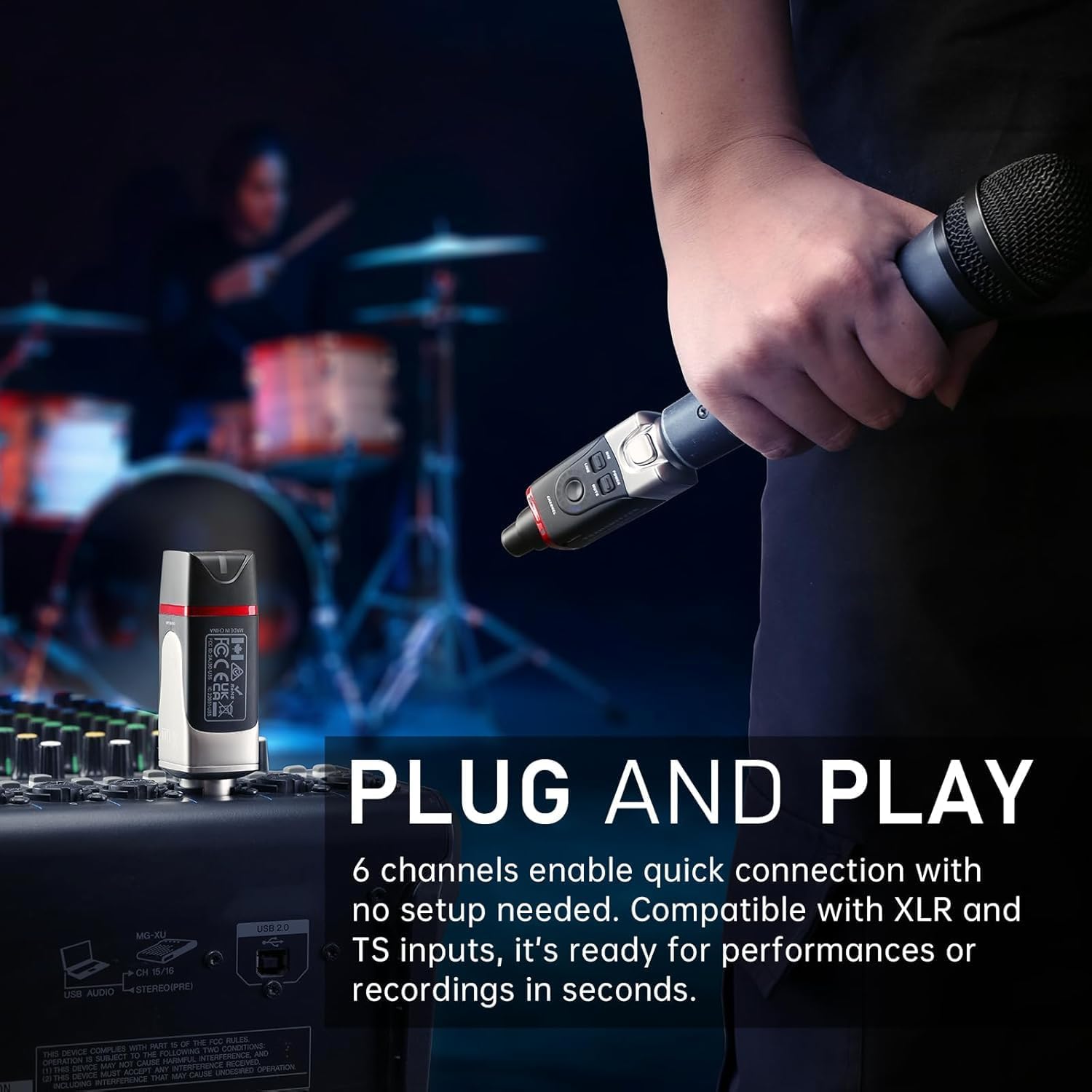
Figure 4: The Xvive U35D system connected to a microphone and a mixer, demonstrating its plug-and-play capability.
3.4. Powering On and Channel Selection
- Stiskněte a podržte Moc button on both the transmitter and receiver to turn them on.
- The units will automatically attempt to pair. A solid green light indicates a successful connection.
- If interference occurs or you need to use multiple systems, press the Kanál button on the transmitter to cycle through the 6 available channels.
- For optimal performance, hold the receiver's Kanál button for 3 seconds to initiate Channel Scan mode. The receiver's LED will flash while scanning, then remain steady on the best available wireless channel. Manually set the transmitter's channel to match the receiver's channel after scanning completes.

Figure 5: The channel selection and scan function on the Xvive U35D units, crucial for finding a clear signal.
4. Provoz
4.1. MIC/LINE Mode Selection
The U35D transmitter features a switch to select between MIC režim a ČÁRA režim:
- Režim MIC: Use this mode when connecting the transmitter to a dynamic microphone. This setting is optimized for microphone-level signals.
- LINE Mode: Use this mode when connecting the transmitter to line-level audio sources such as DJ controllers, audio mixers, or PA systems. This mode reduces the input gain to prevent signal distortion.
4.2. Funkce ztlumení
Stiskněte tlačítko ZTLUMIT button on the transmitter to temporarily silence the audio transmission. Press it again to unmute.
4.3. Multiple Systems
The Xvive U35D system supports up to 3 sets operating simultaneously in the same location. Ensure each set (transmitter and receiver pair) is on a different channel to avoid interference.

Figure 6: Multiple Xvive U35D units, illustrating the system's capability to support several wireless connections simultaneously.
4.4. Oficiální video produktu
Video 1: This official product video from Xvive Direct provides a comprehensive overview of the Xvive U35 Wireless Microphone System, demonstrating its features, setup, and applications for various audio needs.
5. Specifikace
| Funkce | Specifikace |
|---|---|
| Bezdrátová frekvence | 5.8 GHz |
| Kanály | 6 |
| Latence | Méně než 5 ms |
| Dynamický rozsah | 110 dB |
| Odstup signálu od šumu | 110 dB |
| Rozlišení zvuku | 24 bitů / 48 kHz |
| Frekvenční odezva | 20 Hz - 20 kHz |
| Bezdrátové Dosah | Až 100 stop (30.5 m) |
| Životnost baterie | Přibližně 5 hodiny |
| Zdroj napájení | Napájení z baterie (4 lithium-iontové baterie jsou součástí balení) |
| Tvarový faktor mikrofonu | Handheld, Table Array |
| Impedance | 220 ohmů |
| Materiál | Kov |
| Rozměry produktu (D x Š x V) | 1.5 x 1.5 x 3.9 palce |
| Hmotnost položky | 8 unce |
| Technologie připojení | RF (rádiová frekvence) |
| Typ konektoru | XLR |
| Kompatibilní zařízení | Audio Interface, Audio Mixer, Camera, Karaoke Machine, PA System |
6. Údržba
6.1. Nabíjení
To ensure optimal performance and battery longevity, fully charge the transmitters and receivers after each use, especially before extended storage. The internal Lithium Ion batteries are not user-serviceable.
6.2. Čištění
Wipe the units with a soft, dry cloth. Avoid using harsh chemicals or abrasive materials that could damage the finish or internal components.
6.3. Skladování
Store the Xvive U35D system in the provided PU storage bags when not in use to protect them from dust, moisture, and physical damage. Keep them in a cool, dry place.
7. Řešení problémů
7.1. No Audio / Intermittent Signal
- Ujistěte se, že vysílač i přijímač jsou zapnuté a plně nabité.
- Ověřte, zda jsou vysílač a přijímač nastaveny na stejný kanál.
- Perform a channel scan on the receiver to find the clearest frequency, then match the transmitter's channel.
- Ensure there is a clear line of sight between the transmitter and receiver. Obstacles like walls, metal structures, or even human bodies can interfere with the 5.8 GHz signal.
- Check for other 5.8 GHz wireless devices in the vicinity that might be causing interference.
7.2. Distorted Audio
- If connecting to a line-level source (e.g., mixer output), ensure the transmitter is set to ČÁRA mode. Using MIC mode with a line-level signal can cause distortion due to excessive gain.
- Check the input gain settings on your mixer or audio interface. Reduce the gain if the signal is clipping.
7.3. Transmitter/Receiver Not Fitting Securely
- Some mixers or microphones may have slightly recessed XLR connectors. If the U35 unit does not mate fully, use a short XLR extender cable or adapter to ensure a proper connection.
8. Záruka a podpora
Informace o záruce a technickou podporu získáte na oficiálních stránkách Xvive. webnebo se obraťte na místního prodejce. Uschovejte si účtenku jako doklad o koupi.