
1. Úvod
Thank you for choosing the Powerology Portable Air Compressor Jump Starter. This multi-functional device is designed to provide reliable assistance in various emergency situations, including jump-starting vehicles and inflating tires. Please read this manual thoroughly before use to ensure safe and optimal performance.

Figure 1.1: The Powerology Portable Air Compressor Jump Starter, showcasing its main unit, jump starter cables (red and black clamps), and the air inflation hose. The digital display is visible on the unit.
2. Bezpečnostní informace
Vždy dodržujte následující bezpečnostní opatření, abyste předešli zranění nebo poškození zařízení:
- Nevystavujte zařízení extrémním teplotám, přímému slunečnímu záření ani vlhkosti.
- Uchovávejte mimo dosah dětí.
- Během provozu a nabíjení zajistěte dostatečné větrání.
- Nerozebírejte ani neupravujte zařízení. Veškerý servis svěřte kvalifikovanému personálu.
- Používejte pouze dodané příslušenství a kabely.
- Zabraňte zkratu startovacího kabeluamps.
3. Konec produktuview
3.1 Komponenty
- Main Unit (Portable Air Compressor Jump Starter)
- Smart Jump Starter Cables
- Air Inflation Hose
- Nabíjecí kabel USB-C
- Různé adaptéry trysek pro nafukování
3.2 Klíčové vlastnosti
- Kapacita baterie: 8800 XNUMX mAh
- Špičkový proud: 800A (for jump starting)
- Maximální tlak v pneumatikách: 150 PSI
- Rychlost nafukování: 31.4 litrů/minutu
- Kompatibilita motoru: Up to 5.0L Gasoline, 3.0L Diesel
- Funkce powerbanky: Dual USB Output, including 20W Power Delivery (PD) via USB-C
- Zobrazit: Digital LED screen for real-time pressure and battery status

Obrázek 3.1: Podrobný view of the digital display on the Powerology unit, indicating battery charge, selectable pressure units (PSI, BAR, KPA, KG/CM²), and control buttons for mode selection and pressure adjustment.
4. Nastavení
4.1 Počáteční nabíjení
Before first use, fully charge the device. Connect the provided USB-C charging cable to the device's USB-C input port and the other end to a compatible USB power adapter (not included). The digital display will indicate the charging status. A full charge typically takes approximately 2 hours with a 20W PD charger.
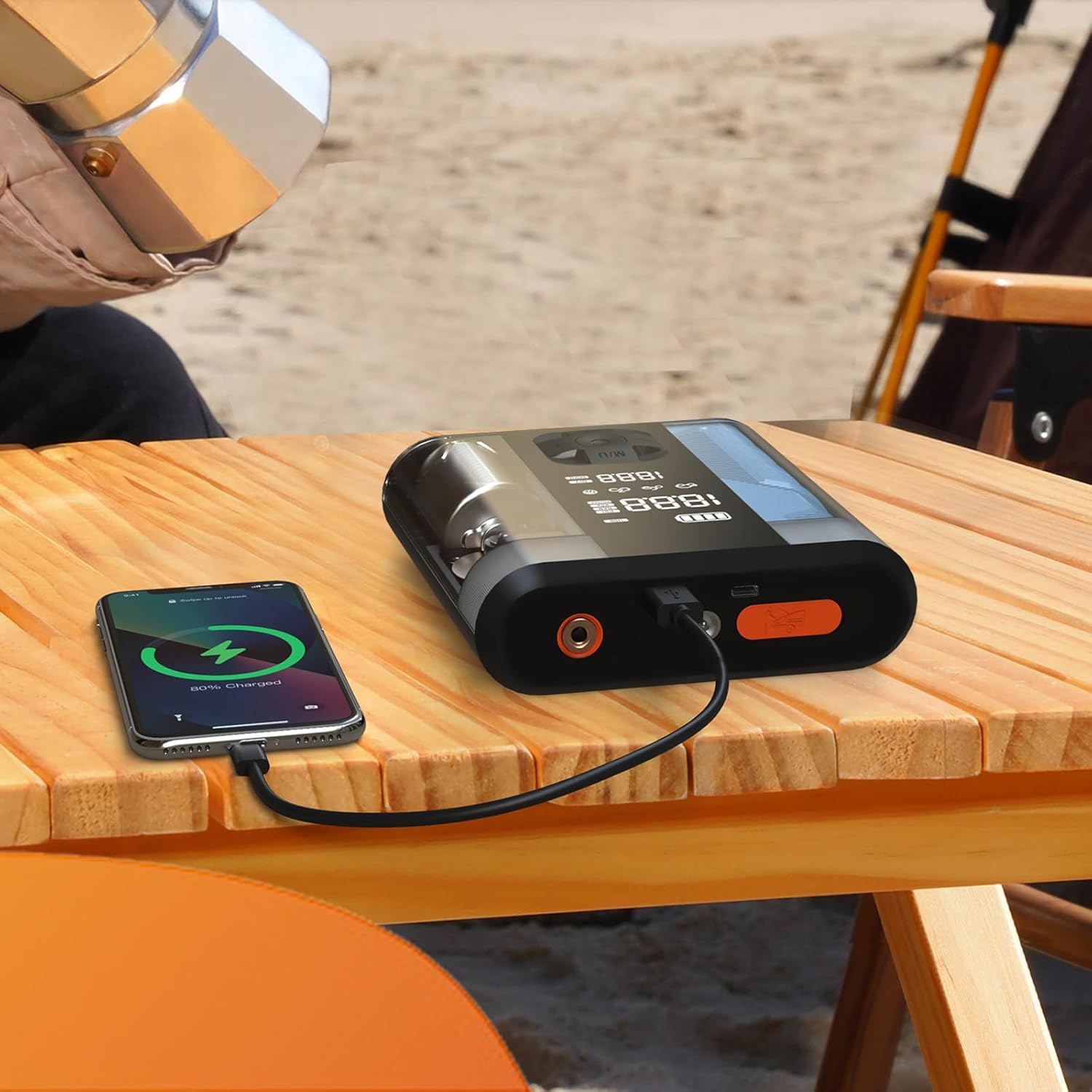
Figure 4.1: The Powerology device connected via USB-C cable to a smartphone, demonstrating its power bank functionality. The phone screen shows a charging indicator.
5. Návod k obsluze
5.1 Startování vozidla skokem
- Ujistěte se, že je startovací baterie nabita alespoň na 50 %.
- Vypněte zapalování vozidla a veškeré příslušenství.
- Připojte červený (+) třamp ke kladnému (+) pólu baterie vozidla.
- Připojte černou (-) třamp k zápornému (-) pólu baterie vozidla.
- Connect the smart cable connector to the jump starter port on the device.
- Start the vehicle. If it doesn't start immediately, wait 30 seconds and try again. Do not attempt more than 3 consecutive starts.
- Once the vehicle starts, disconnect the smart cable from the jump starter, then remove the black (-) clamp, následovaný červeným (+) clamp.
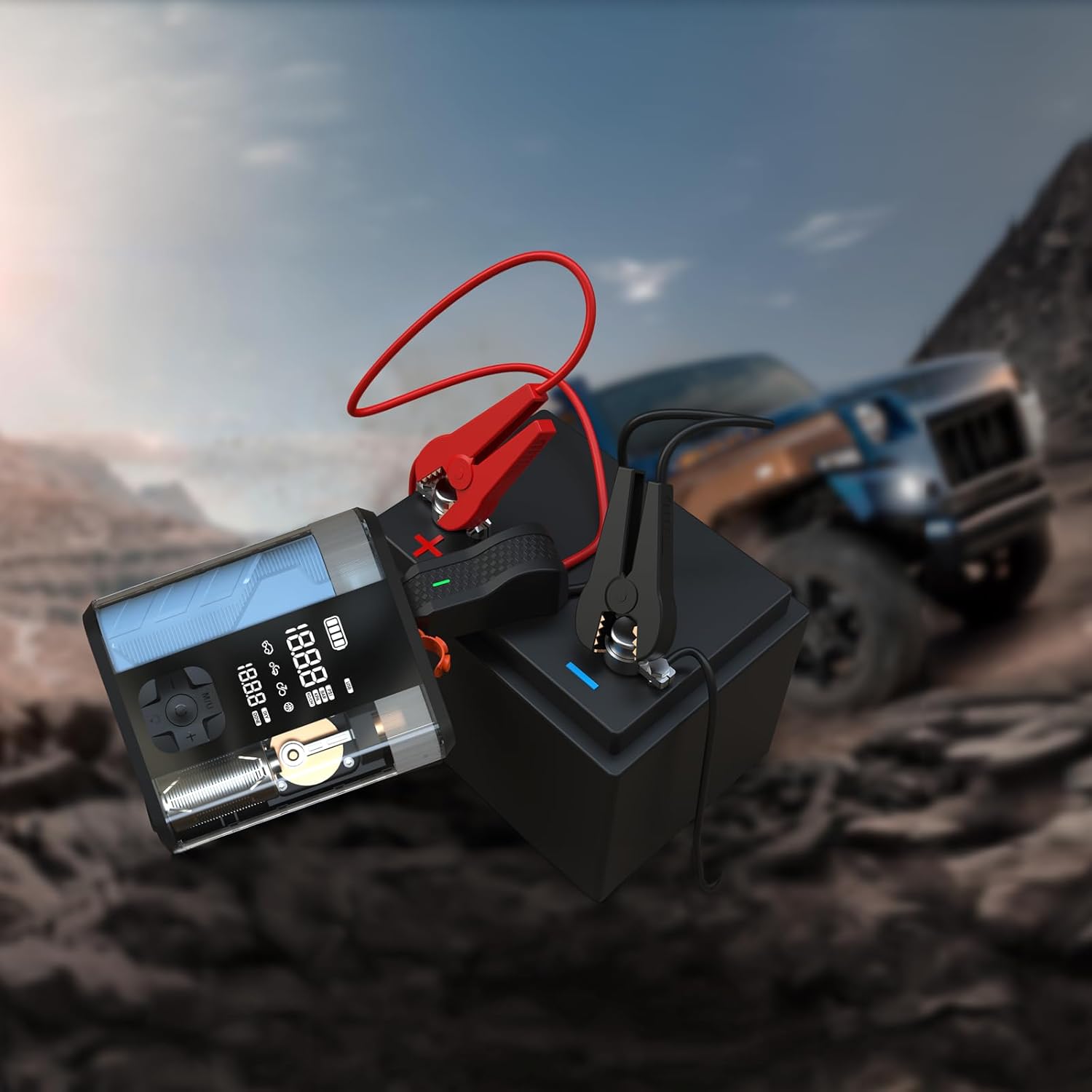
Figure 5.1: The Powerology device with its jump starter cables connected to a vehicle battery, illustrating the process of jump starting a car in an outdoor setting.
5.2 Huštění pneumatik
- Connect the air inflation hose to the device's inflation port.
- Attach the other end of the hose to the tire valve.
- Turn on the device. The digital display will show the current tire pressure.
- Pomocí tlačítek „+“ a „-“ nastavte požadovaný tlak.
- Stiskněte tlačítko Start pro zahájení nafukování. Zařízení se automaticky zastaví po dosažení přednastaveného tlaku.
- Odpojte hadici od ventilku pneumatiky a zařízení.

Figure 5.2: The Powerology device positioned next to a car tire, with the inflation hose connected, demonstrating its use as an air compressor for tire inflation.
5.3 Použití jako powerbanky
Connect your electronic devices (e.g., smartphones, tablets) to the USB-A or USB-C output ports on the Powerology unit using a compatible charging cable. The device will automatically begin charging your connected device.
6. Údržba
- Čištění: Zařízení otřete měkkým, suchým hadříkem. Nepoužívejte agresivní chemikálie ani abrazivní čisticí prostředky.
- Skladování: Store the device in a cool, dry place away from direct sunlight and extreme temperatures. Ensure it is fully charged before long-term storage and recharge every 3-6 months to maintain battery health.
- Péče o baterie: Abyste prodloužili životnost baterie, vyhněte se častému úplnému vybíjení.
7. Řešení problémů
| Problém | Možná příčina | Řešení |
|---|---|---|
| Zařízení se nezapne | Slabá baterie nebo žádné nabití | Zařízení plně nabijte. |
| Vozidlo nestartuje pomocí kabelů | Nesprávný třamp connection; vehicle battery too low; engine too large | Check connections; ensure device is fully charged; verify engine compatibility. |
| Pneumatika se nenafukuje | Hose not securely connected; wrong pressure unit selected; hose kinked | Ensure hose is tight; check pressure unit; straighten hose. |
| Přehřívání zařízení | Prolonged use; blocked vents | Allow device to cool down; ensure vents are clear. |
8. Specifikace
| Funkce | Detail |
|---|---|
| Značka | Powerologie |
| Model | PPBCHA47 |
| Typ baterie | Lithium-iontová |
| Kapacita baterie | 8800 XNUMX mAh |
| Špičkový proud | 800A |
| Maximální tlak v pneumatikách | 150 PSI |
| Rychlost inflace | 31.4 l/min |
| Výstup USB-C | PD 20W |
| Rozměry produktu | 4.1 x 13.6 x 15.7 cm |
| Hmotnost produktu | 740 g |
9. Záruka a podpora
This Powerology product comes with a standard manufacturer's warranty. For detailed warranty information, technical support, or service inquiries, please refer to the warranty card included in your product packaging or visit the official Powerology webwebu. Uschovejte si účtenku jako doklad o koupi.