
ClokoWe T800
Uživatelská příručka k mini projektoru CLOKOWE
Model: T800
Značka: ClokoWe
1. Úvod
This manual provides detailed instructions for the setup, operation, maintenance, and troubleshooting of your CLOKOWE Mini Projector, Model T800. Please read this manual thoroughly before using the projector to ensure proper function and to maximize your viewzkušenosti.
2. Co je v krabici
Po otevření balení se prosím ujistěte, že obsahuje všechny následující položky:
- CLOKOWE Mini Projector
- HDMI kabel
- Dálkové ovládání
- Napájecí kabel
- Uživatelská příručka (tento dokument)
3. Bezpečnostní informace
Pro zajištění bezpečného provozu a prodloužení životnosti projektoru dodržujte prosím následující bezpečnostní opatření:
- Neblokujte větrací otvory. Zajistěte dostatečné proudění vzduchu kolem projektoru.
- Nedívejte se přímo do objektivu projektoru, když je zapnutýamp svítí. Jasné světlo může způsobit poškození očí.
- Keep the projector away from water or any liquids. Do not operate in damp prostředí.
- Používejte pouze dodaný napájecí kabel a adaptér.
- Neumisťujte projektor na nestabilní povrchy.
- Během bouřek nebo pokud projektor delší dobu nepoužíváte, odpojte jej ze zásuvky.
4. Vlastnosti produktu
The CLOKOWE Mini Projector offers a range of advanced features for a versatile entertainment experience:
- Pokročilá technologie displeje: Equipped with LCD screen technology, supporting Full HD 1080P and 4K resolution for vivid details and colors. Features 10000 lumens brightness and a 10000:1 contrast ratio.
- Smart Android TV 11 OS: Built-in Android TV 11 operating system provides access to over 8000 applications, including popular streaming platforms like Netflix, Prime Video, and YouTube.
- Integrated Galaxy & Night Light Modes: Features 6 distinct galaxy projection modes and 7 ambient night light colors (with lens cover) to create various atmospheric effects.
- Otočný stojan o 270°: The flexible stand allows for projection onto various surfaces, including walls and ceilings, offering greater positioning versatility.
- Vysokorychlostní připojení: Supports the latest WiFi 6 (5G and 2.4G dual-band) for fast and stable content transmission, and Bluetooth 5.2 for effortless pairing with external audio devices.
- Automatická korekce obrazu: Features automatic keystone correction for quick adjustment of tilted images, ensuring a perfectly aligned picture.
- Široká kompatibilita: Equipped with HDMI, USB, and audio ports for seamless connection to laptops, TV sticks, game consoles, smartphones, tablets, and USB drives.

Image: The CLOKOWE Mini Projector, highlighting its key features such as 4K support, galaxy projection, 270-degree adjustability, WiFi 6, Bluetooth 5.2, and integrated streaming apps.

Image: Visual representation of the projector's Full HD 1080P capability, emphasizing sharper images and brighter colors compared to standard projectors.
5. Nastavení
5.1 Fyzické nastavení
Follow these steps to set up your projector for the first time:
- Umístění: Position the projector on a stable, flat surface. Utilize the 270° rotatable stand to adjust the projection angle as needed. The projector can project onto walls, screens, or ceilings.
- Připojení napájení: Připojte napájecí kabel k napájecímu vstupu projektoru a poté jej zapojte do elektrické zásuvky.
- Dálkové ovládání: Vložte dvě baterie AAA (nejsou součástí balení) do dálkového ovladače.
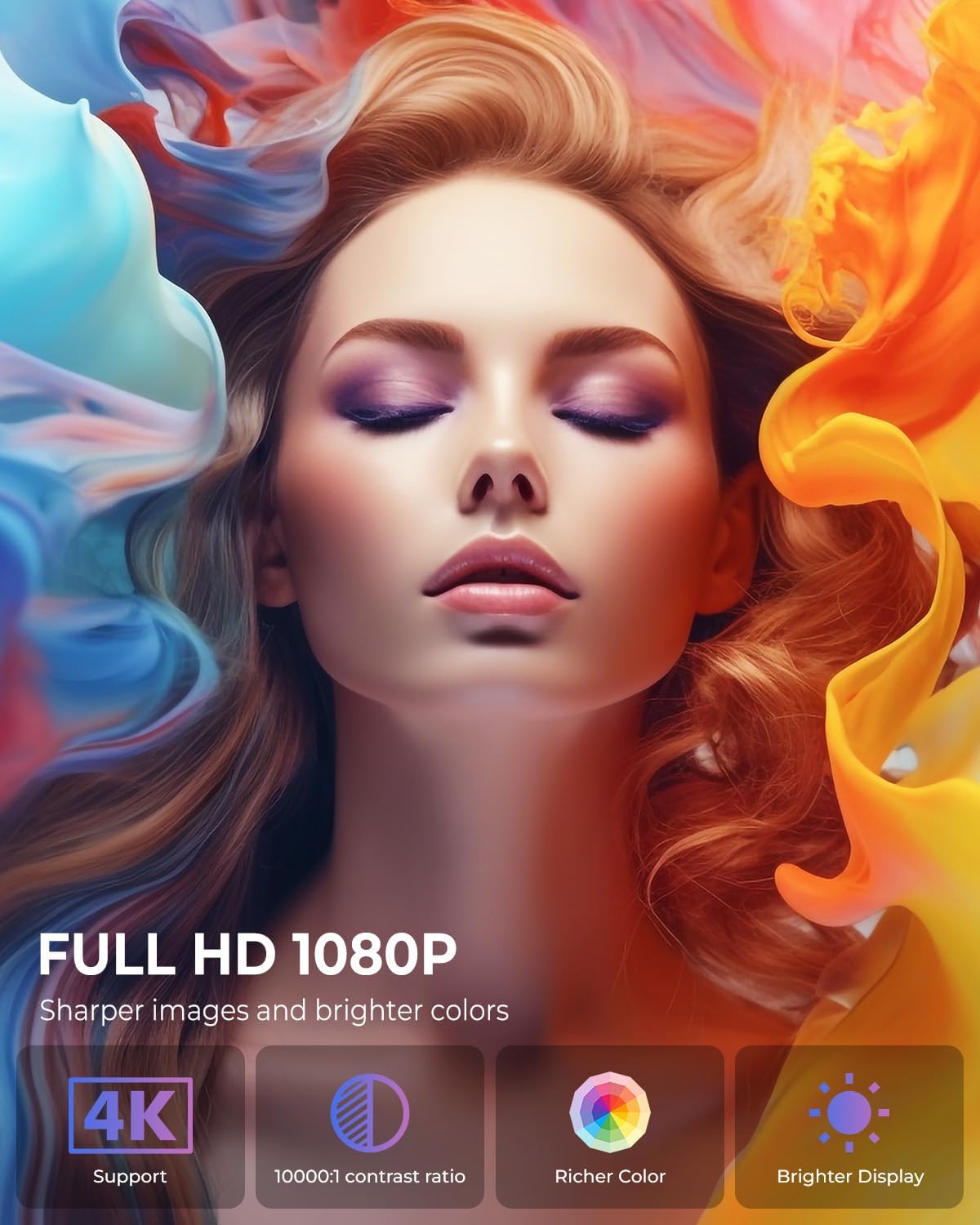
Image: The projector positioned to project galaxy patterns onto a ceiling, illustrating the flexibility of its 270-degree rotatable stand and its galaxy projection feature.

Obrázek: Bývalý/áample of the projector creating a large 200-inch screen, with a note on recommended projection distances for optimal viewIng.
5.2 Počáteční konfigurace
After connecting power, press the power button on the projector or remote control to turn it on. Follow the on-screen prompts for initial setup:
- Výběr jazyka: Vyberte preferovaný jazyk.
- Internetové připojení: Select your Wi-Fi network and enter the password. The projector supports both 2.4G and 5G networks.
- Přihlášení k účtu: Log in with your Google account to access the Android TV OS features and app store.
6. Návod k obsluze
6.1 Základní obsluha
- Zapnutí/vypnutí: Stiskněte tlačítko napájení na dálkovém ovladači nebo projektoru.
- Navigace: Use the arrow keys on the remote to navigate menus and select options. The 'OK' button confirms selections, and the 'Back' button returns to the previous screen.
6.2 Konektivita
Projektor nabízí různé možnosti připojení:
- Wi-Fi připojení: Access network settings to connect to a Wi-Fi network. The projector supports Wi-Fi 6 for faster and more stable streaming.
- Připojení Bluetooth: Go to Bluetooth settings to pair with external Bluetooth speakers, headphones, or other compatible devices for enhanced audio.
- HDMI vstup: Connect devices like laptops, gaming consoles, or TV sticks using an HDMI cable. Select the HDMI input source from the projector's menu.
- Vstup USB: Vložte USB disk pro přehrávání médií filepřímo z disku.
- Zvukový výstup: Use the 3.5mm audio jack to connect wired headphones or external speakers.
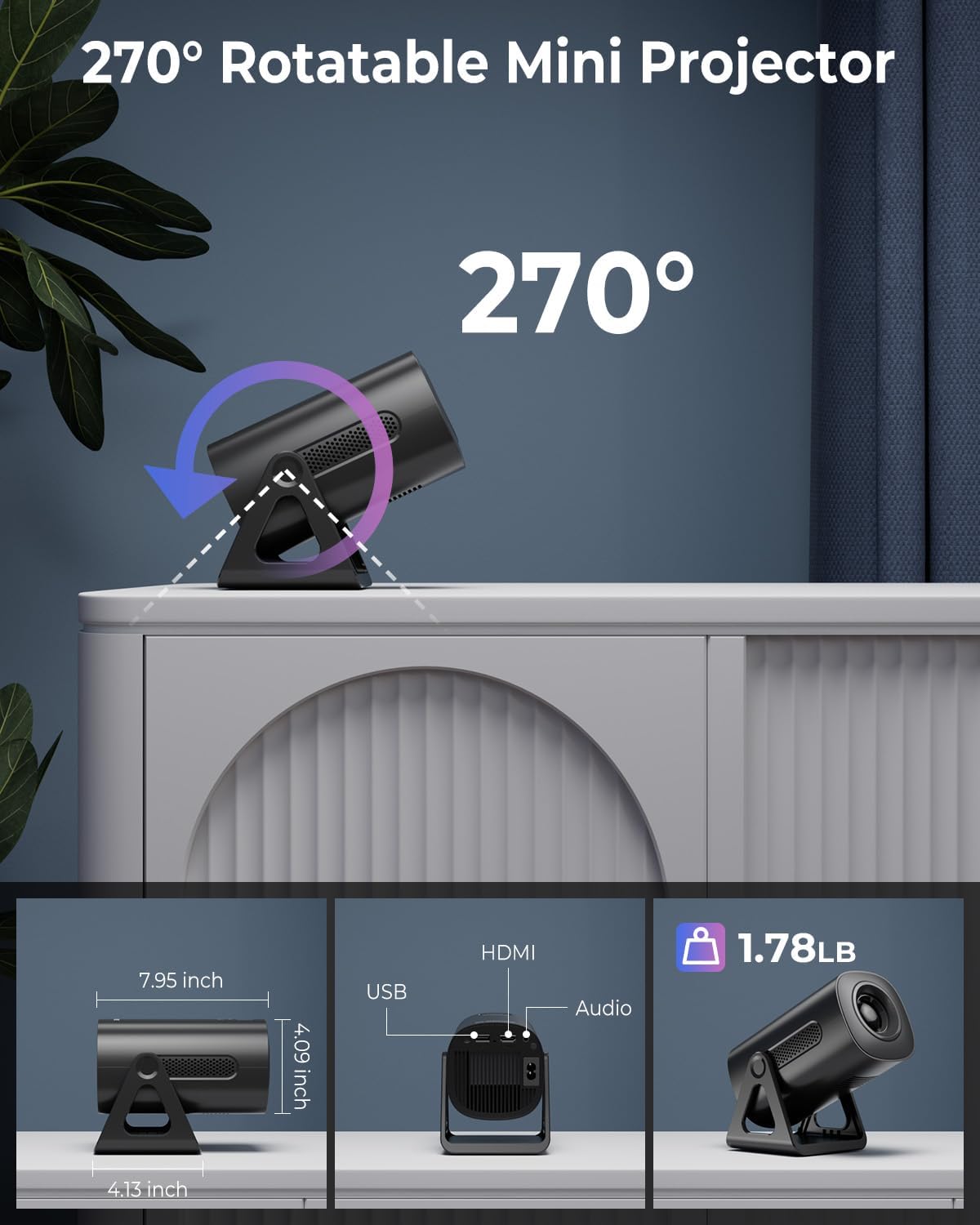
Image: Illustration of the projector's dual-band Wi-Fi 6 and Bluetooth 5.2 capabilities, demonstrating seamless wireless connectivity for streaming and audio.

Image: A visual guide to the projector's various input/output ports, including HDMI, USB, and audio, along with exampméně kompatibilních zařízení.
6.3 App Usage (Android TV OS)
With Android TV 11, you can access a wide range of applications:
- Přístup k aplikacím: Na domovské obrazovce přejděte do sekce „Aplikace“ view pre-installed applications or download new ones from the Google Play Store.
- Streamovací služby: Enjoy content from pre-installed apps like Netflix, Prime Video, and YouTube. Ensure you are logged into your respective accounts.

Image: The projector's interface showcasing its built-in smart apps, providing direct access to popular streaming services without external devices.
6.4 Projekční režimy
- Režimy projekce galaxie: Activate the galaxy projection feature to display various cosmic patterns. There are 6 distinct modes to choose from.
- Night Light Modes: When the lens cover is applied, the projector can function as an ambient night light with 7 different color options.
6.5 Úprava obrazu
- Automatická korekce lichoběžníkového zkreslení: The projector automatically corrects vertical image distortion. If manual adjustment is needed, navigate to the image settings.
- Funkce zoom: Adjust the projection size from 60% to 100% via the settings menu to fit your screen or wall perfectly.

Image: A demonstration of the projector's automatic vertical keystone correction, which ensures a rectangular image even when the projector is placed at an angle.
7. Údržba
Regular maintenance helps ensure optimal performance and longevity of your projector:
- Čištění objektivu: K jemnému otření čočky projektoru použijte měkký hadřík bez žmolků, speciálně určený pro optické čočky. Nepoužívejte abrazivní čisticí prostředky ani nadměrnou sílu.
- Větrání: Periodically check that the ventilation openings are clear of dust and debris. Use a soft brush or compressed air to clean them.
- Skladování: Pokud projektor nepoužíváte, skladujte jej na chladném a suchém místě, mimo dosah přímého slunečního záření a extrémních teplot.
8. Řešení problémů
Pokud se s projektorem setkáte s problémy, podívejte se na následující běžné problémy a jejich řešení:
| Problém | Možná příčina | Řešení |
|---|---|---|
| Žádná síla | Napájecí kabel není připojen; Vadná zásuvka; Projektor je vypnutý. | Ensure power cord is securely connected. Test outlet with another device. Press power button. |
| Žádný obrázek | Nesprávný vstupní zdroj; Uvolněný kabel; Nasazená krytka objektivu. | Vyberte správný vstupní zdroj (HDMI, USB). Zkontrolujte připojení kabelů. Sejměte krytku objektivu. |
| Rozmazaný obrázek | Focus not adjusted; Keystone incorrect; Projector too close/far. | Adjust focus ring. Check auto keystone correction or manually adjust. Adjust projection distance. |
| Žádný zvuk | Příliš nízká hlasitost; Ztlumeno; Externí zvukové zařízení není připojeno/spárováno. | Increase volume. Unmute. Ensure Bluetooth device is paired or wired device is connected. |
| Problémy s připojením Wi-Fi | Nesprávné heslo; Router je příliš daleko; Rušení sítě. | Ověřte heslo k Wi-Fi. Přemístěte projektor blíže k routeru. Restartujte router a projektor. |
9. Specifikace
Detailed technical specifications for the CLOKOWE Mini Projector (Model T800):
- Číslo modelu: T800
- Značka: ClokoWe
- Rozlišení displeje: 1280 x 720 (Supports 1080P and 4K input)
- Technologie připojení: Bluetooth 5.2, Wi-Fi 6 (2.4G/5G Dual-Band), USB, HDMI, 3.5mm Audio Jack
- Speciální funkce: Portable, 270° Rotatable Stand, Android TV 11 OS, Galaxy Projector
- Doporučená použití: Vzdělávání, domácí kino, hry, podnikání
- Hmotnost položky: 2.38 libry
- Rozměry balení: 9.29 x 6.61 x 5.24 palce
- Výrobce: ClokoWe
10. Záruka a podpora
For warranty information and technical support, please refer to the contact details provided on the product packaging or the official ClokoWe webmísto. Uschovejte si doklad o koupi pro případ záručních reklamací.
Pro další pomoc můžete také navštívit ClokoWe Store on Amazon.
Ask a question about this manual
Ask about setup, troubleshooting, compatibility, parts, safety, or missing instructions. Manuals+ will review the question and use this page’s manual context to help answer it.