
1. Konec produktuview
The ShanWan Q38 is a versatile wireless Bluetooth controller designed for a wide range of gaming platforms. It features advanced controls such as Hall Effect joysticks and micro-switch buttons for enhanced precision and responsiveness.

Obrázek 1.1: Shora dolů view of the ShanWan Q38 Wireless Bluetooth Controller, showcasinjeho kompaktní design a rozložení tlačítek.
2. Obsah balení
Ujistěte se prosím, že balení obsahuje všechny položky:
- ShanWan Q38 Wireless Bluetooth Controller
- USB nabíjecí kabel
- Uživatelská příručka (tento dokument)
- 1 baterie AAA (předinstalovaná nebo dodávaná samostatně)
3. Nastavení a připojení
3.1 Nabíjení ovladače
Before initial use, ensure the controller is sufficiently charged. Connect the provided USB charging cable to the controller's charging port and to a USB power source (e.g., computer, USB wall adapter). The LED indicator will show charging status.
3.2 Kompatibilita
The ShanWan Q38 controller is compatible with the following platforms:
- Nintendo Switch / Switch 2 (firmware upgrade may be required for Switch 2)
- Steam Deck
- PC (Windows)
- Android devices (phones, tablets)
- iPhone
- iPad
- macOS devices
- PS4 (as indicated by mode switch, specific compatibility may vary)

Image 3.1: The ShanWan Q38 controller demonstrating compatibility with multiple gaming platforms.
3.3 Připojení přes Bluetooth
Postup připojení ovladače k zařízení:
- Zapnutí: Press and hold the Home button on the controller until the indicator lights begin to flash.
- Vyberte režim: Use the mode switch located on the top edge of the controller to select the appropriate mode for your device:
- X Mode: For Mobile & Computer (Android, PC, macOS, iOS).
- Režim S: For Nintendo Switch.
- Režim P: For PS4 (if compatible).
- Párování: On your device, navigate to the Bluetooth settings and search for available devices. Select "ShanWan Q38" (or similar) from the list to pair.
- Potvrzení: Once successfully paired, the indicator light on the controller will become solid.
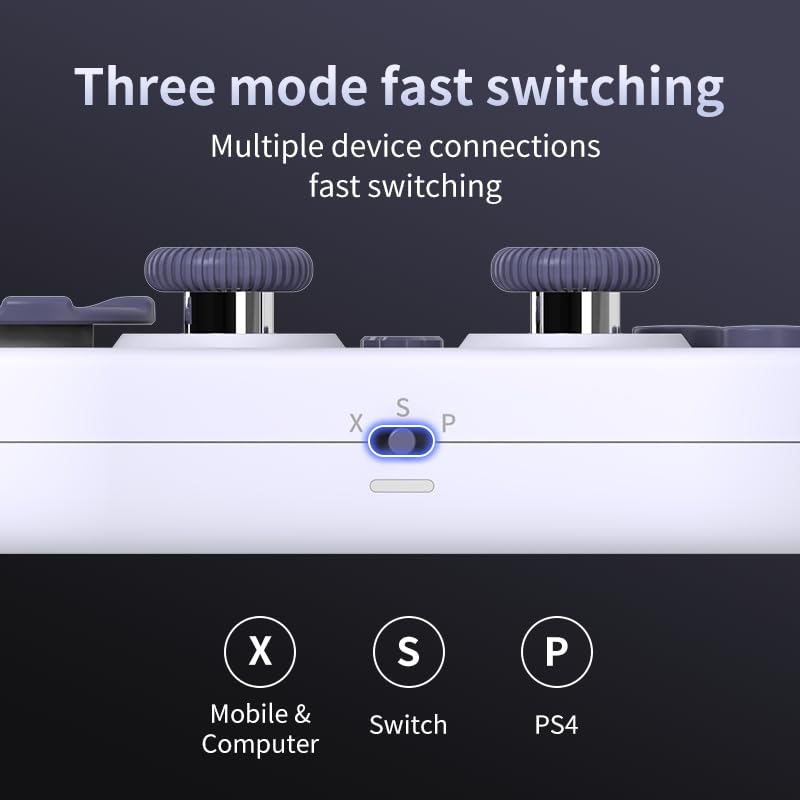
Image 3.2: Detail of the three-mode fast switching selector on the controller.
3.4 Customization and Calibration
For advanced customization, including button remapping and macro functions, download the official "gamepad space" application. This application also allows for controller calibration to ensure optimal performance.
4. Obsluha regulátoru
4.1 Klíčové vlastnosti
- Joysticky s Hallovým efektem: Provides high precision and sensitivity. The joystick height is adjustable between 5mm and 8mm for personalized comfort.
- Composite Micro-Switch Buttons: These buttons offer a tactile response similar to mechanical keyboards, providing quick and precise input.
- Mechanical Triggers: Designed for fast response times.
- Dual Micro Motors: Provides dual vibration feedback for an immersive gaming experience.
- Somatosensory Gyroscope: Equipped with a 6-axis gyroscope for motion control in supported games.

Image 4.1: Detail of the adjustable Hall Effect joysticks.

Image 4.2: Close-up of the composite micro-switch action buttons.

Image 4.3: Diagram illustrating the internal components of the composite micro-keypad.
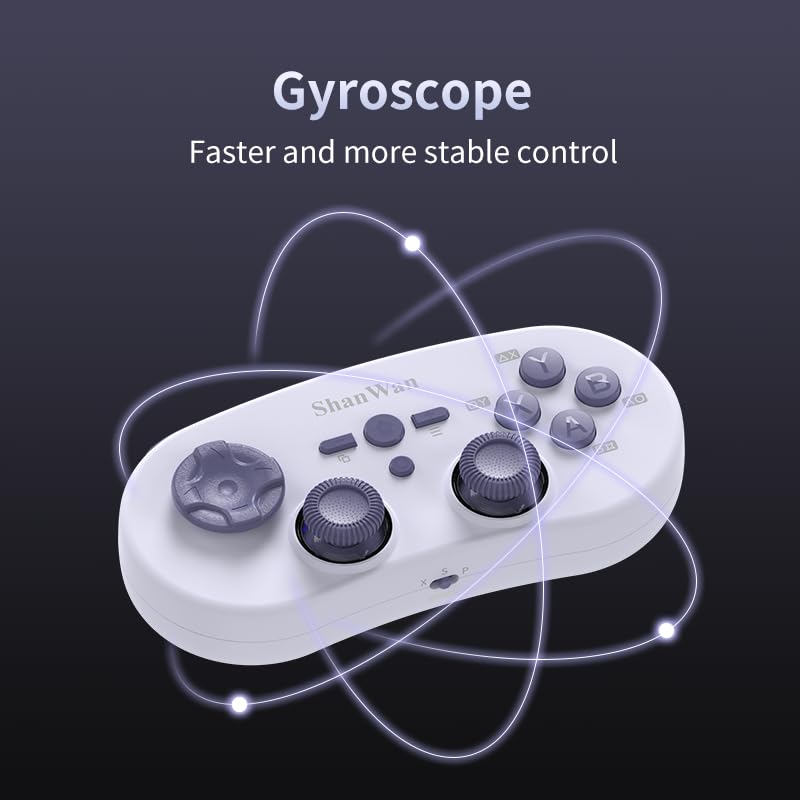
Image 4.4: Visual representation of the controller's gyroscope functionality.
4.2 Herní zážitek
The compact design allows for portability, making it suitable for gaming on the go with devices like the Nintendo Switch or smartphones.

Image 4.5: Controller in use with a Nintendo Switch.

Image 4.6: Controller paired with a smartphone for mobile gaming.
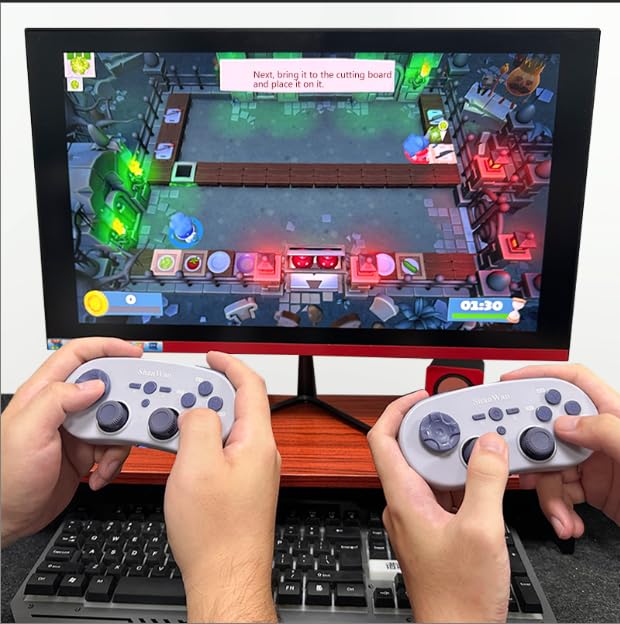
Image 4.7: Two controllers in use for multiplayer gaming on a PC.
5. Údržba
To ensure the longevity and optimal performance of your ShanWan Q38 controller, follow these maintenance guidelines:
- Čištění: K otření ovladače použijte měkký, suchý hadřík. V případě odolné nečistoty použijte lehceamp Lze použít hadřík, ale dbejte na to, aby se do zařízení nedostala vlhkost. Nepoužívejte agresivní chemikálie ani abrazivní čisticí prostředky.
- Skladování: Regulátor skladujte na chladném a suchém místě mimo dosah přímého slunečního záření a extrémních teplot.
- Péče o baterie: If using replaceable AAA batteries, remove them if the controller will not be used for an extended period to prevent leakage.
- Vyhněte se kapkám: Protect the controller from physical impact and drops, which can damage internal components.
6. Řešení problémů
If you encounter issues with your ShanWan Q38 controller, refer to the following common problems and solutions:
- Ovladač se nezapne:
- Ensure the battery is correctly inserted and has sufficient charge. Replace AAA batteries if necessary.
- Connect the controller to a power source using the USB cable to confirm if it charges.
- Problémy s připojením přes Bluetooth:
- Ensure the controller is in the correct mode (X, S, or P) for your device.
- Vypněte a zapněte Bluetooth na vašem zařízení.
- Zapomeňte na zařízení v nastavení Bluetooth a zkuste jej znovu spárovat.
- Ensure the controller is within the effective range of your device.
- Buttons or Joysticks Not Responding Correctly:
- Calibrate the controller using the "gamepad space" application.
- Zkontrolujte, zda se kolem tlačítek nebo joysticků nenacházejí nějaké fyzické překážky nebo nečistoty.
- Ensure the controller's firmware is up to date, especially for Switch 2 compatibility.
- Random Disconnections:
- Ujistěte se, že v blízkosti není žádné silné bezdrátové rušení.
- Keep the controller close to the connected device.
- Re-pair the controller if disconnections are frequent.
7. Specifikace
| Funkce | Detail |
|---|---|
| Číslo modelu | Q38 |
| Výrobce | ShanWan |
| Konektivita | Bezdrátové Bluetooth |
| Kompatibilita | Switch/Switch 2, Steam Deck, PC, Android, iPhone, iPad, macOS, PS4 |
| Typ joysticku | Hall Effect, Adjustable Height (5mm-8mm) |
| Typ tlačítka | Composite Micro-Switch |
| Vibrace | Dual Micro Motors |
| Ovládání pohybu | Gyroskop osy 6 |
| Rozměry balení | 5.63 x 4.53 x 1.54 palce |
| Hmotnost položky | 4.6 unce |
| Baterie | Vyžaduje 1 baterii AAA (součástí balení) |

Image 7.1: Physical dimensions of the ShanWan Q38 controller.
8. Záruka a podpora
For warranty information and customer support, please refer to the official ShanWan webnebo se obraťte na prodejce, od kterého jste produkt zakoupili. Uschovejte si doklad o koupi pro případ reklamace.