
1. Úvod
Thank you for choosing the LogiLink SC0121W Digital Radio Alarm Clock. This device combines an alarm clock, FM radio, temperature display, and a convenient USB charging port. This manual provides detailed instructions to help you set up and operate your new alarm clock effectively.
2. Konec produktuview
2.1 Obsah balení
- 1 x LogiLink SC0121W Digital Radio Alarm Clock
- 1 x napájecí kabel USB-C
- 1 x Uživatelská příručka
2.2 Rozložení a ovládací prvky zařízení
Familiarize yourself with the buttons and ports on your alarm clock:

Obrázek 1: Přední strana view of the LogiLink SC0121W Digital Radio Alarm Clock, showing the LCD display and top control buttons.
- RADIO Button: Activates/deactivates FM radio mode.
- Tlačítka VOL+ / VOL-: Adjusts volume in radio mode; navigates menu options.
- DOWN / UP Buttons: Adjusts time, date, alarm settings; changes radio stations.
- Tlačítko MODE: Cycles through display modes (Time, Date, Alarm) and enters setting modes.
- TOUCH SNOOZE/LIGHT Area: Taps to snooze an active alarm or activate/adjust the night light.

Obrázek 2: Zadní view of the alarm clock, highlighting the USB-A output port, USB-C power input, and the wired FM antenna.
- Port USB OUT: Standard USB-A port for charging external devices.
- POWER IN (5V) Port: USB-C port for connecting the power cable.
- Anténa FM: Wired antenna for radio reception.

Obrázek 3: Spodní část view of the alarm clock, showing the battery compartment for optional AAA batteries.
- Přihrádka na baterie: Holds 2 AAA batteries (not included) for backup power.
3. Nastavení
3.1 Napájení zařízení
Budík lze napájet dvěma způsoby:
- USB-C Power (Recommended): Connect the provided USB-C cable to the POWER IN port on the back of the alarm clock and plug the other end into a compatible USB power adapter (5V/2A, 10W, not included). This is the primary power source.
- AAA Batteries (Backup): Pro záložní napájení běhemtages or for portability, insert 2 AAA batteries (not included) into the battery compartment on the bottom of the unit. Batteries alone will not power the display continuously but will maintain time settings.
3.2 Počáteční nastavení času a data
Upon first power-up or after a prolonged power loss without backup batteries, the display may show default values. Follow these steps to set the correct time and date:
- Stiskněte a podržte MODE tlačítko , dokud nezačne blikat zobrazení času.
- Použijte UP a DOLŮ tlačítka pro nastavení hodiny. Stiskněte MODE potvrdit.
- Opakujte pro minuty, rok, měsíc a den.
- After setting the date, you may be prompted to select 12-hour or 24-hour format and Celsius or Fahrenheit for temperature. Use UP/DOLŮ a MODE to confirm your preferences.
4. Návod k obsluze
4.1 Nastavení alarmů
The alarm clock supports multiple alarms. To set an alarm:
- Stiskněte tlačítko MODE button repeatedly until the alarm icon (e.g., AL1) appears and the alarm time starts flashing.
- Použijte UP a DOLŮ nastavte požadovanou hodinu budíku. Stiskněte MODE potvrdit.
- Opakujte několik minut.
- You may then select the alarm sound (e.g., buzzer or FM radio station) and alarm volume using UP/DOLŮ a MODE.
- Chcete-li aktivovat/deaktivovat budík, stiskněte tlačítko VOL+ or VOL- button while the alarm time is displayed. An alarm icon will appear/disappear on the screen.
4.2 Funkce odložení
When an alarm sounds, tap the TOUCH SNOOZE/LIGHT area on top of the clock to activate the snooze function. The alarm will pause for a set period (typically 9 minutes) and sound again.
4.3 Provoz FM rádia
Chcete-li používat rádio FM:
- Ensure the wired FM antenna is properly extended for optimal reception.
- Stiskněte tlačítko RÁDIO button to enter FM radio mode. The current frequency will be displayed.
- Pro ruční ladění použijte UP a DOLŮ tlačítka.
- Pro automatické prohledávání a ukládání stanic stiskněte a podržte RÁDIO button. The clock will scan for available stations and store them.
- Použití VOL+ a VOL- pro nastavení hlasitosti rádia.
- Stiskněte tlačítko RÁDIO znovu stiskněte tlačítko pro ukončení režimu FM rádia.

Figure 4: The alarm clock can play FM radio, suitable for background music or as an alarm sound.
4.4 Funkce časovače spánku
The sleep timer allows the radio to play for a set duration before automatically turning off. This is ideal for falling asleep to music.
- While in FM radio mode, press the MODE button repeatedly until the sleep timer setting appears (e.g., 'SLP 90').
- Použijte UP a DOLŮ buttons to select the desired sleep duration (10-90 minutes).
- The radio will play for the selected time and then automatically switch off.
4.5 Funkce nočního světla
The integrated night light provides a soft illumination.
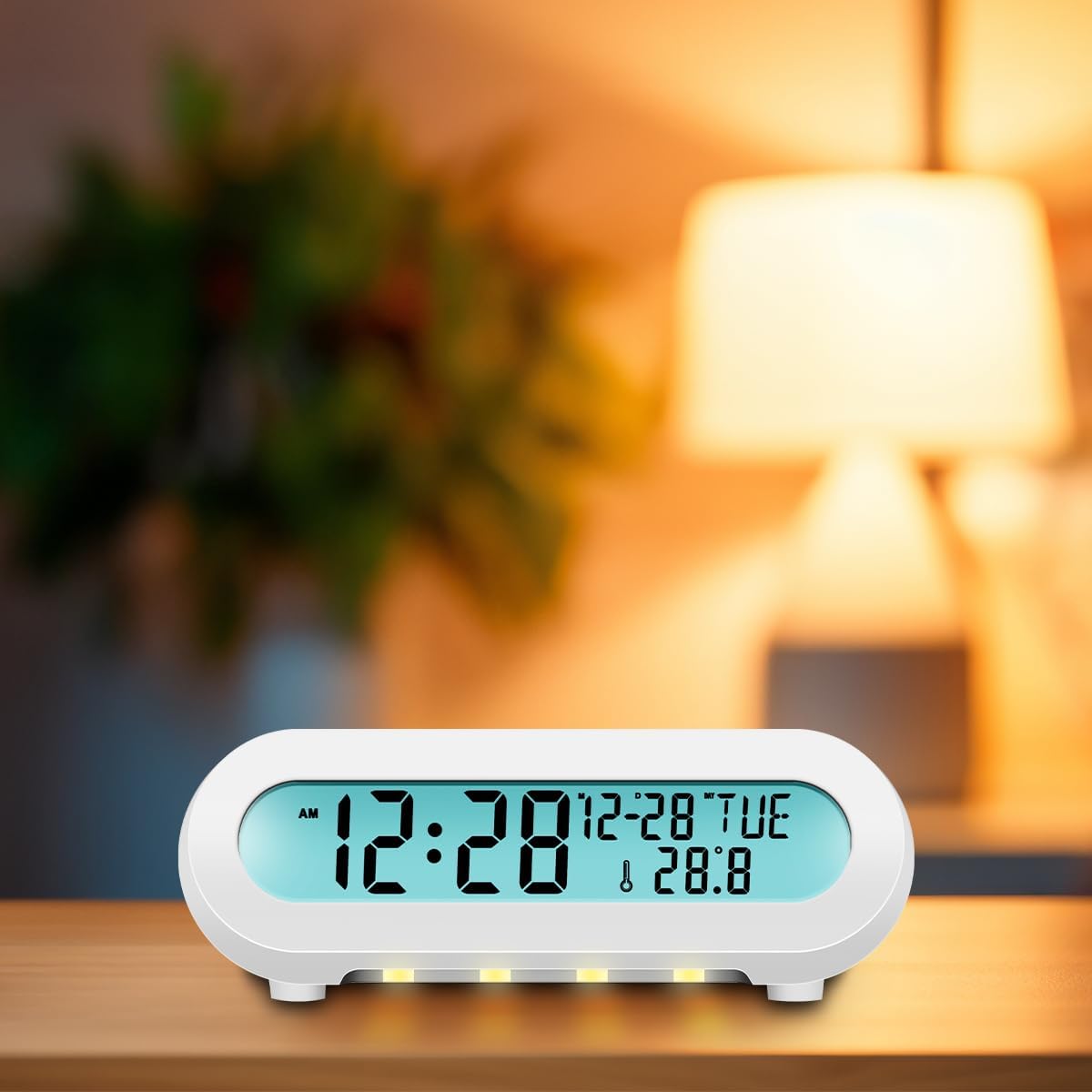
Figure 5: The alarm clock displaying its night light feature in a dark environment.
- Klepněte na TOUCH SNOOZE/LIGHT area to turn the night light on or off.
- Multiple taps may cycle through different brightness levels or colors, if available.
4.6 USB nabíjecí port
The USB OUT port on the back of the alarm clock allows you to charge compatible mobile phones, tablets, or eReaders.
- Connect your device's charging cable to the USB OUT port.
- Ensure the alarm clock is powered via its USB-C input for this function to work.
5. Údržba
To ensure the longevity and proper functioning of your LogiLink SC0121W alarm clock, follow these maintenance guidelines:
- Čištění: Use a soft, dry cloth to clean the surface of the device. Avoid abrasive cleaners, solvents, or strong chemicals, as they may damage the finish.
- Umístění: Place the alarm clock on a stable, flat surface away from direct sunlight, excessive heat, moisture, or strong magnetic fields.
- Moc: Always use the recommended USB-C power adapter (5V/2A, 10W) to prevent damage.
- Baterie: If using AAA batteries for backup, replace them periodically (e.g., once a year) to prevent leakage, especially if the device will be stored for an extended period.
6. Řešení problémů
If you encounter issues with your alarm clock, refer to the following common problems and solutions:
| Problém | Možná příčina | Řešení |
|---|---|---|
| Displej je prázdný nebo bliká. | Žádný nebo nedostatečný výkon. | Ensure the USB-C power cable is securely connected and the power adapter is working. Check if AAA backup batteries are depleted or incorrectly inserted. |
| Time/Date resets frequently. | Backup batteries are missing or depleted. | Install fresh AAA batteries in the battery compartment. |
| Příjem FM rádia je špatný. | Anténa není vysunutá nebo je rušená. | Fully extend the wired FM antenna. Try repositioning the antenna or the alarm clock to reduce interference from other electronic devices. |
| Alarm se nespustí. | Budík není aktivován nebo je hlasitost příliš nízká. | Verify that the alarm icon is displayed on the screen. Check the alarm volume setting. |
| Nabíjecí port USB nefunguje. | Alarm clock not powered via USB-C or device incompatible. | Ensure the alarm clock is connected to its main USB-C power source. Check if your device is compatible with standard USB charging. |
7. Specifikace
- Model: SC0121W
- Rozměry: 13.5 x 8.5 x 5.5 cm
- Hmotnost: 139 gramů
- Typ displeje: LCD (11 x 2.2 cm)
- Zdroj napájení: USB-C (5V/2A, 10W) or 2 x AAA batteries (not included)
- Rozsah detekce teploty: 0 - 50 ° C (0 - 122 ° F)
- Formát času: 12 & 24 hours
- Jednotka teploty: °C a °F
- Frekvence FM rádia: 87.5 – 108 MHz
- Časovač vypnutí: 10-90 minut
- Speciální vlastnosti: Night light, USB charging port
- Materiál: Plast
- Barva: Bílý
8. Záruka a podpora
LogiLink products are designed for reliability and performance. For warranty information or technical support, please refer to the documentation included with your purchase or visit the official LogiLink webUschovejte si doklad o koupi pro případné reklamace.