
1. Úvod
The Lamzu Inca Gaming Mouse is engineered for competitive gaming, featuring an ultra-lightweight design, high-precision sensor, and advanced connectivity options. This manual provides essential information for setting up, operating, maintaining, and troubleshooting your Lamzu Inca mouse to ensure optimal performance.
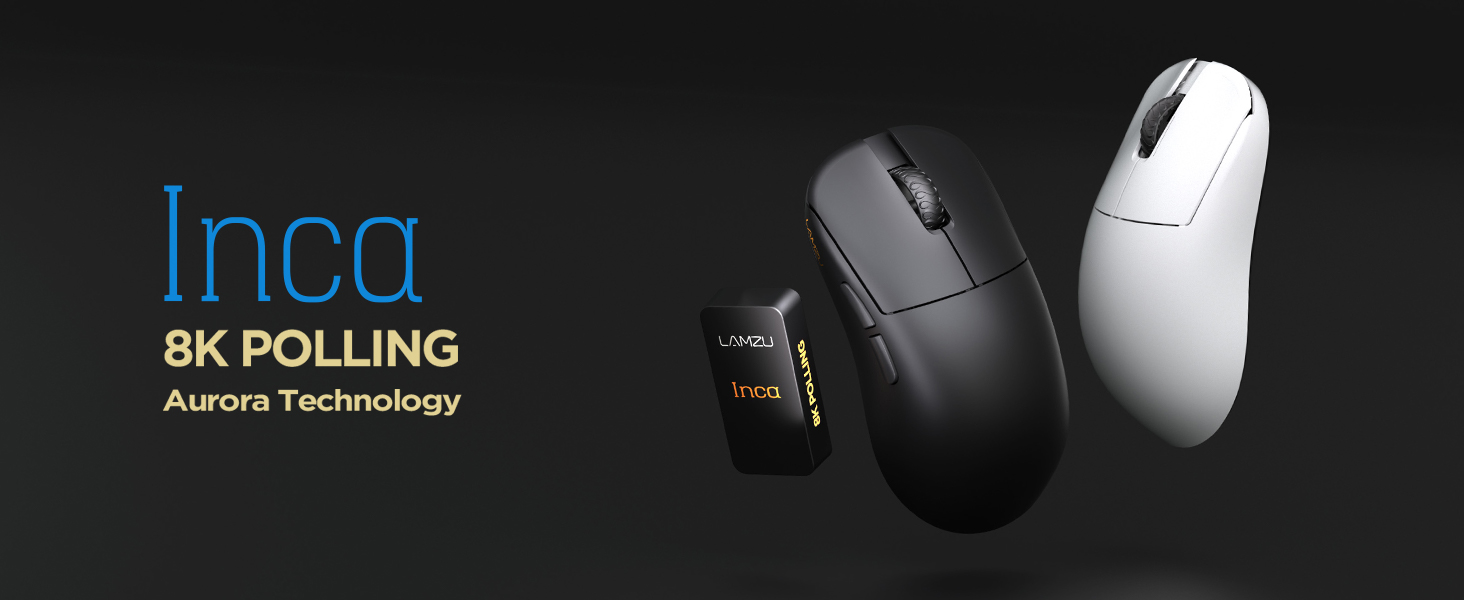
Image: The Lamzu Inca Gaming Mouse, highlighting its 8K Polling Rate and Aurora Technology.

Obrázek: Overview of key features including Pixart 3950 sensor, 40g weight, Aurora Technology, 8K Polling, Dual Mode connectivity, and Nordic 52840 MCU.
2. Obsah balení
Ujistěte se prosím, že balení obsahuje všechny položky:
- Lamzu Inca Gaming Mouse (Black)
- 8K Polling Rate Dongle
- Kabel USB typu C (1.8 m)
- PTFE Feet (x2 sets)
- Sametová taška
- Páska pro uchopení myši
3. Nastavení
3.1 Připojení myši
The Lamzu Inca mouse supports both 2.4GHz wireless and wired connectivity.
Wireless Mode (2.4GHz)
- Locate the 8K Polling Rate Dongle included in your package.
- Plug the 8K dongle into an available USB port on your computer.
- Zapněte myš pomocí vypínače, který se nachází na spodní straně myši.
- The mouse should automatically connect to the dongle. If not, refer to the pairing instructions in the software section.

Image: The Lamzu Inca mouse with its 8K dongle, illustrating the bottom view of the mouse where the sensor and power switch are located.
Kabelový režim
- Connect the provided USB Type-C cable to the front port of the Lamzu Inca mouse.
- Zapojte druhý konec kabelu USB do volného portu USB na počítači.
- Myš bude fungovat v kabelovém režimu a bude také nabíjet svou interní baterii.

Obrázek: Přední strana view of the Lamzu Inca mouse, clearly showing the USB-C port for wired connection and charging.

Image: Diagram illustrating the dual connectivity modes: 2.4G Wireless and Wired (Type-C).
3.2 Software Installation (LAMZU Aurora Driver)
To unlock the full customization potential of your Lamzu Inca mouse, download and install the LAMZU Aurora driver from the official Lamzu webmísto.
- The software allows adjustments for DPI, polling rate, debounce time, macro settings, and more.
- Poznámka pro uživatele macOS: To use the Aurora driver on macOS, you must first update the firmware to version 0.0.0.15 or later using a Windows system.

Image: Screenshot of the LAMZU Aurora driver interface, showing options for macro settings, button customization, DPI, polling rate, and debounce time.
4. Ovládání myši
4.1 Funkce tlačítek
The Lamzu Inca is a 6-button gaming mouse:
- Levé kliknutí: Primární akce.
- Klikněte pravým tlačítkem myši: Sekundární akce.
- Rolovací kolečko: Posun nahoru/dolů, kliknutí prostředním tlačítkem myši.
- Tlačítko DPI: Cykluje mezi přednastavenými DPItages (customizable via software).
- Tlačítko vpřed: Navigational forward.
- Tlačítko Zpět: Navigational back.
- Vypínač: Located on the bottom of the mouse to power on or off.

Image: A detailed diagram labeling all buttons on the Lamzu Inca gaming mouse, including Left, Right, Scroll Wheel, DPI, Forward, Back, and On/Off switch.
4.2 Nastavení DPI
The Lamzu Inca features a PixArt PAW3950 sensor capable of up to 30,000 DPI. DPI settings can be customized and adjusted using the LAMZU Aurora driver. The dedicated DPI button on the mouse allows for quick cycling through your configured DPI profiles.

Obrázek: Spodní část view of the Lamzu Inca mouse, emphasizing its maximum 30,000 DPI capability and the sensor area.
4.3 Míra dotazování
The mouse supports an 8K polling rate, ensuring faster and more accurate responses, particularly beneficial in fast-paced games. The polling rate can be configured via the LAMZU Aurora driver.

Image: The Lamzu Inca mouse connected to its 8K dongle, demonstrating the smooth tracking achieved with an 8K polling rate.
4.4 Recommended Grip Style
The Lamzu Inca features a symmetrical high-back design, making it suitable for various grip styles. It is particularly recommended for claw-grip gamers.
- For hand length ≤ 18cm: Palm grip (extended), Claw grip (inward), Fingertip grip.
- For hand length ≥ 18cm: Fingertip grip, Claw grip (extended), Hybrid grip.
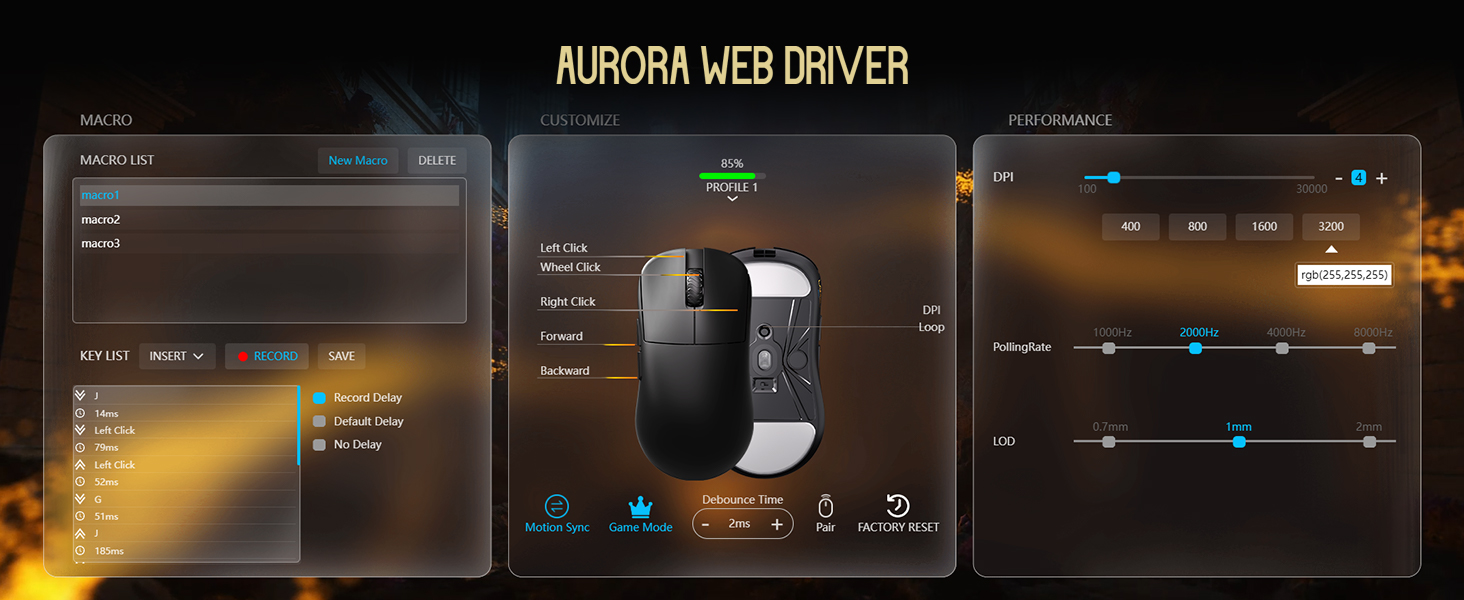
Image: Illustrations of common mouse grip methods (Palm Grip, Claw Grip, Fingertip Grip), indicating the Lamzu Inca's suitability for claw grip.
5. Údržba
5.1 Čištění
- Regularly clean the mouse surface with a soft, dry cloth.
- Pro odolnou špínu lehceamphadřík navlhčete vodou nebo jemným čisticím roztokem a poté ihned otřete dosucha.
- Nepoužívejte agresivní chemikálie nebo abrazivní materiály, protože by mohly poškodit povrch myši.
- Clean the sensor area on the bottom of the mouse periodically to ensure accurate tracking.
5.2 Péče o baterii
- The mouse uses a nonstandard battery (included).
- Myš nabíjejte pomocí dodaného kabelu USB typu C.
- Abyste prodloužili životnost baterie, vyhněte se častému úplnému vybíjení.
- Pokud myš delší dobu nepoužíváte, skladujte ji na chladném a suchém místě.
6. Řešení problémů
6.1 Myš nereaguje
- Zkontrolujte napájení: Ensure the mouse is turned on using the switch on the bottom.
- Zkontrolujte baterii: If in wireless mode, ensure the battery is charged. Connect the USB-C cable to charge.
- Zkontrolujte připojení: For wireless, ensure the 8K dongle is securely plugged into a USB port. For wired, ensure the USB-C cable is firmly connected to both the mouse and the computer.
- Zkuste jiný USB port: Plug the dongle or cable into a different USB port on your computer.
- Opakované párování (bezdrátové): If connection is lost, use the LAMZU Aurora driver to re-pair the mouse with the dongle.
6.2 Sensor Stutter or Inaccurate Tracking
- Čistit senzor: Ensure the optical sensor on the bottom of the mouse is clean and free of dust or debris.
- Mouse Pad Surface: Use the mouse on a clean, uniform mouse pad surface. Avoid highly reflective or uneven surfaces.
- Polling Rate/DPI Settings: Adjust polling rate and DPI settings in the Aurora driver. Sometimes very high polling rates can cause issues on older systems or with certain USB controllers.
- Aktualizace firmware: Ensure your mouse firmware is up to date via the LAMZU Aurora driver.
6.3 Software nedetekuje myš
- Reinstall Driver: Uninstall and reinstall the LAMZU Aurora driver.
- Zkontrolujte připojení USB: Ensure the mouse is connected directly to the computer, not through a USB hub.
- Restartujte počítač: A system restart can often resolve software detection issues.
- macOS Firmware: If on macOS, ensure the firmware has been updated on a Windows system as required.
7. Specifikace
| Funkce | Detail |
|---|---|
| Model produktu | LA-INCA |
| Rozměry produktu | 122 × 63 × 40 mm (4.8 × 2.48 × 0.1 palce) |
| Hmotnost položky | 40 gramů (1.41 unce) |
| Senzor IC | PixArt PAW3950 |
| Maximální DPI | 30,000 DPI |
| MCU | Nordic 52840 |
| Míra hlasování | Až 8K (8000 Hz) |
| Konektivita | Bezdrátové 2.4 GHz, kabelové USB (typu C) |
| Spínače | Optical Switches (70 million clicks durability) |
| Kodér | TTC Gold Dustproof Encoder |
| Speciální funkce | Ultra-Lightweight, Symmetrical High-Hump Design |
| Baterie | 1 nestandardní baterie (součástí balení) |
| Barva | Černý |

Image: Detailed diagram showing the dimensions of the Lamzu Inca mouse and a summary of its key specifications.
7.1 Component Highlights
- Pixart 3950 Sensor: Vysoce přesný optický senzor pro přesné sledování.
- Nordic 52840 MCU: Advanced microcontroller for efficient performance and improved battery life.
- Optické přepínače: Provide tactile feedback, ultra-fast actuation, and enhanced durability.
- TTC Encoder: Features a five-layer dustproof structure for improved longevity and scroll wheel reliability.

Obrázek: Detail view of the Pixart 3950 sensor IC, a core component for precise mouse tracking.

Obrázek: Detail view of the Nordic 52840 MCU, highlighting its role in advanced mouse functionality and 8K polling rate compatibility.

Obrázek: Průhledný view illustrating the internal mechanism of the optical switches, designed for optimized click feel and to prevent double clicks.

Obrázek: Detail view of the TTC Encoder, responsible for the scroll wheel's precise and durable operation.
8. Záruka a podpora
For warranty information, technical support, and frequently asked questions, please visit the official Lamzu website or contact Lamzu customer service directly. Keep your proof of purchase for warranty claims.
Výrobce: Lamzu
Datum první dostupnosti: 12. března 2025