
1. Konec produktuview
The NEWQ USB4 M.2 NVMe SSD Enclosure (Model MS04 Pro) provides high-speed external storage for various devices. It is designed for efficient data transfer and reliable performance, especially in demanding environments like Mac mini setups.
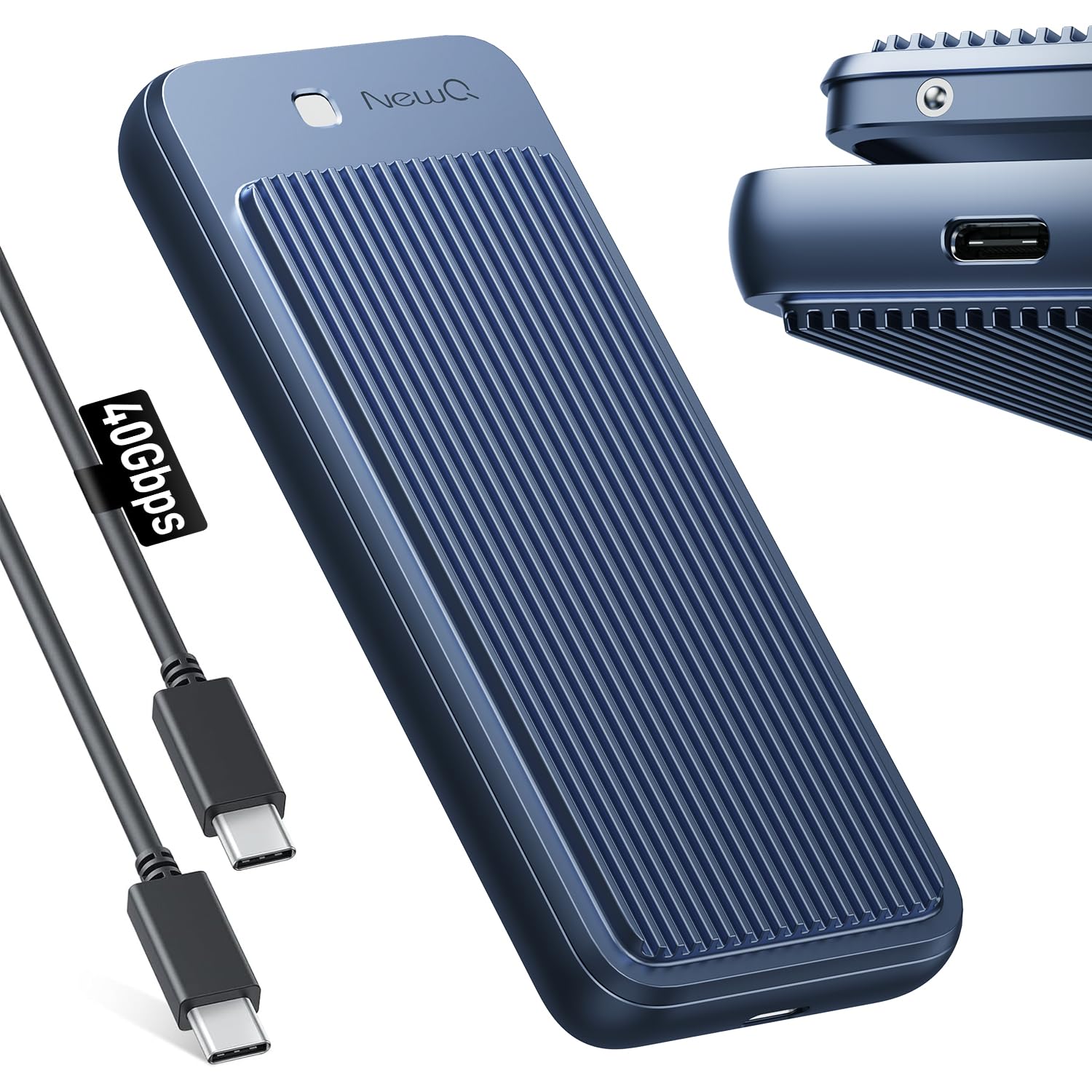
Image: The NEWQ USB4 M.2 NVMe SSD Enclosure, showcasinjeho elegantní design a kompaktní rozměry.
Klíčové vlastnosti:
- Přenos dat 40 Gb/s: Achieves speeds up to 3000MB/s for large file převody.
- Návrh bez použití nástrojů: Allows for quick and easy SSD installation and removal.
- Dual-Sided Cooling: Aircraft-grade aluminum casing with raised cooling fins for efficient heat dissipation.
- Široká kompatibilita: Supports Thunderbolt 4/3 and USB4/3.2, compatible with various M.2 NVMe SSD sizes (2230/2242/2260/2280).
- Always-On Ready: Engineered for continuous 24/7 operation, ideal for Mac mini setups.
2. Obsah balení
Ověřte, zda jsou v balení přítomny všechny položky:

Image: The product packaging list, showing the enclosure, cable, and user guide.
- SSD Enclosure x1
- Uživatelská příručka x1
- Balící krabice x1
- 40Gbps USB C Cable x1
3. Nastavení a instalace
SSD Compatibility Checklist:
Ensure your M.2 NVMe SSD meets the following criteria for optimal performance:

Image: Visual guide for compatible M.2 NVMe SSD types and sizes.
- Supports M.2 NVMe SSD sizes: 2230, 2242, 2260, 2280.
- For maximum 40Gbps speed, use an M-Key (PCIe Gen4x4 M.2 NVMe) SSD.
- M&B Key NVMe/PCIe SSDs are compatible but may not reach 40Gbps.
- M&B Key NGFF/SATA and B Key NGFF/SATA SSDs are není kompatibilní.
Tool-Free Installation Steps:
The enclosure features a spring-loaded, tool-free design for easy SSD installation.

Image: Step-by-step visual guide for installing an M.2 NVMe SSD into the enclosure.
- Krok 1: Press horizontally on the top part of the enclosure to release the cover.
- Krok 2: Open the enclosure cover upwards.
- Krok 3: Gently insert your M.2 NVMe SSD into the slot.
- Krok 4: If a thermal pad is provided, apply it over the SSD to aid in heat dissipation.
- Krok 5: Close the enclosure cover until it clicks securely into place.

Image: An M.2 NVMe SSD correctly installed within the NEWQ enclosure.
4. Návod k obsluze
Connecting the Enclosure:
Connect the NEWQ USB4 M.2 NVMe SSD Enclosure to your device using the provided 40Gbps USB-C cable. The enclosure is plug-and-play, requiring no additional drivers for Windows, macOS, or Linux operating systems.

Image: The enclosure connected to a laptop, demonstrating its wide compatibility with various devices and operating systems.
It is compatible with Thunderbolt 3/4 and USB4/3.2 devices, including MacBook Pro/Max M1/M2/M3/M4, Dell XPS, Mac mini, iPad Pro, and other Windows Chromebook Laptops.
Rychlosti přenosu dat:
The enclosure supports blazing-fast transfers up to 40Gbps (3000MB/s) when paired with a compatible PCIe Gen4x4 M-Key SSD and a device with a Thunderbolt 4/USB4 port.

Image: A visual representation of the 40Gbps transfer speed, showing 3GB transferred in 1 second.
Optimizing Write Speed (Windows):
If you experience high read speeds but slow write speeds (e.g., 3000MB/s read, 500MB/s write), you can optimize the write performance by adjusting Windows settings:

Image: Three-step guide to optimize write speed in Windows settings.
- Krok 1: Right-click on the drive in File Explorer and select "Properties".
- Krok 2: Go to the "Hardware" tab, select the drive, and click "Properties".
- Krok 3: In the new window, go to the "Policies" tab and select "Better performance" and "Enable write caching on the device".
Mac Dual-System Stability:
This enclosure is ideal for Mac users, allowing seamless installation of a secondary OS like Windows directly on your SSD for dual-booting. It is rigorously tested for 40Gbps SSD enclosure stability.

Image: A Mac mini setup utilizing the external SSD enclosure for expanded storage and dual-system functionality.
5. Maintenance and Cooling
The NEWQ USB4 M.2 NVMe SSD Enclosure features an advanced dual-sided cooling system to ensure stable performance even under heavy use.

Image: Close-up of the dual-sided raised aluminum heatsink design for reliable cooling.
- Aircraft-Grade Aluminum Casing: Provides robust protection and aids in heat dissipation.
- Raised Cooling Fins: Maximizes airflow and surface area for efficient heat transfer.
- Fanless Passive Cooling: Designed for silent operation and increased durability by avoiding moving parts that attract dust or generate noise.
This design ensures the main control chip remains stable even at elevated temperatures, rigorously tested for reliability.

Image: Results of a 7-day, 24-hour non-stop read/write stability test, showing consistent performance.
6. Řešení problémů
Why can't the speed reach 3000MB/S?
Several factors can affect the actual data transfer speed, preventing it from reaching the maximum 3000MB/s:

Image: Diagram explaining common reasons for not reaching maximum transfer speeds.
- Older Thunderbolt 3 Laptops: Some older Thunderbolt 3 laptops may have speed limitations.
- NVM Firmware/System Limitations:
- If your NVM Firmware is not updated, your laptop may not be fully compatible with USB4 and could downgrade to USB3.2 10Gbps speeds.
- System or CPU limitations can also restrict speeds to between 1000MB/s and 2500MB/s.
For detailed information on checking Thunderbolt/USB Host Information, please refer to the following resources:
If you identify an NVM or firmware limitation, contact your laptop brand for potential updates.
Obecné tipy pro řešení problémů:
- Ensure the SSD is correctly installed and seated firmly in the enclosure.
- Ověřte, zda je kabel USB-C bezpečně připojen k pouzdru i k zařízení.
- Test the enclosure with a different USB-C port or device to rule out port-specific issues.
- Ujistěte se, že máte aktuální operační systém.
7. Specifikace
| Specifikace | Detail |
|---|---|
| Značka | NEWQ |
| Číslo modelu | MS04 Pro |
| Hardwarové rozhraní | PCIE x 4, Thunderbolt 3, Thunderbolt 4, USB Type C |
| Rychlost přenosu dat | 3000 megabitů za sekundu (40 Gb/s) |
| Kompatibilní zařízení | MacBook, Mac Mini M1/M2/M3/M4 Pro, Windows Chromebook Laptops |
| Hardwarová platforma | PC, Mac, Linux/Windows/MacOS/Android |
| Materiál | Hliník |
| Barva | Modrý |
| Hmotnost položky | 0.47 kg |
8. Záruka a podpora
Informace o záruce:
The NEWQ USB4 M.2 NVMe SSD Enclosure comes with a 2-letá záruka.
Poprodejní podpora:
Should you encounter any quality issues with your product, NEWQ is committed to providing a replacement to ensure your satisfaction. Our goal is to ensure you have a positive experience.
Please contact our customer support for assistance with any product-related concerns or warranty claims.
9. Produktové video
Video: Oficiální produkt skončilview of the NEWQ USB4 40GBPS M.2 NVMe SSD Enclosure, demonstrating its features and ease of use.