
Zavedení
This manual provides essential information for the proper use and maintenance of your Maxcom MM835 4G VoLTE Flip Phone. Please read these instructions carefully before using your device to ensure optimal performance and longevity. This phone is designed for ease of use, featuring large displays and a simplified interface.
Konec produktuview
The Maxcom MM835 is a 4G VoLTE flip phone designed for clear communication and user convenience. It features a dual-screen design, large backlit keys, and essential functions like an SOS button and HAC (Hearing Aid Compatibility).
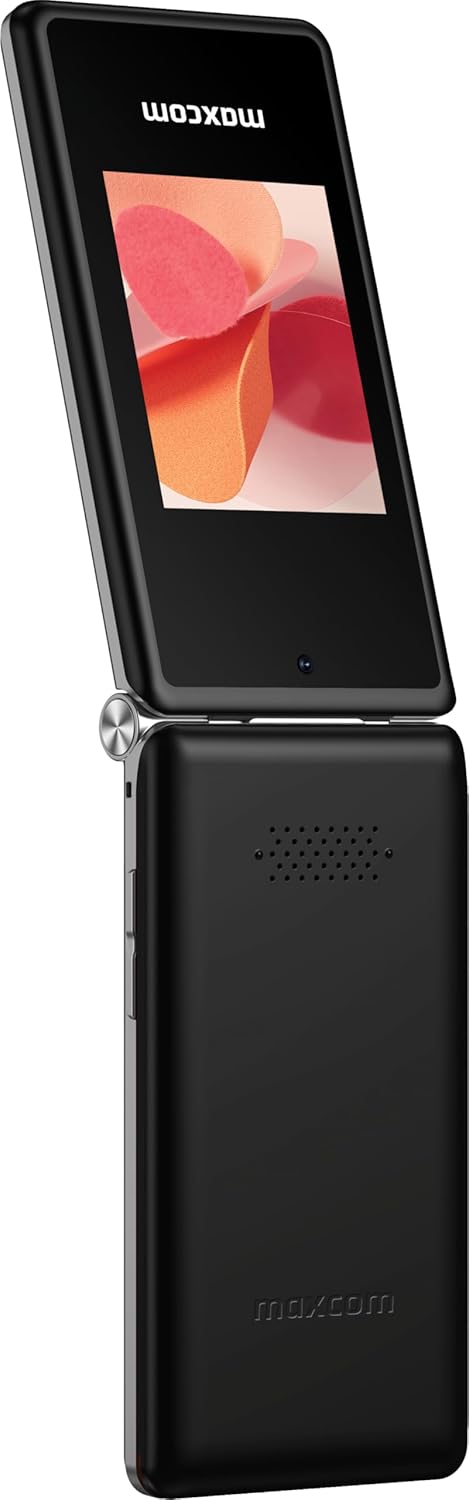
Obrázek 1: Maxcom MM835 Flip Phone (Closed View). The external 2.4-inch screen displays time, date, battery status, and missed calls without opening the phone.
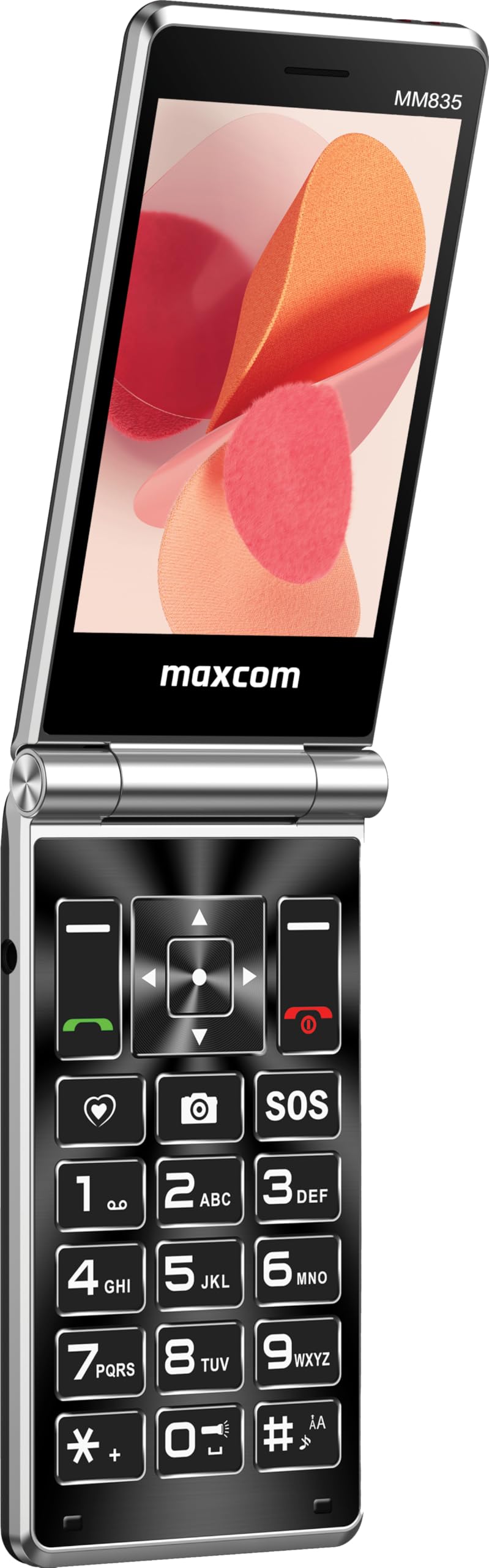
Obrázek 2: Maxcom MM835 Flip Phone (Open View). The internal 3.5-inch screen provides a clear interface for contacts and messages, complemented by large, comfortable keys.

Obrázek 3: Strana view of the Maxcom MM835, illustrating the volume control buttons for easy audio adjustment.

Obrázek 4: Dno view of the Maxcom MM835, highlighting the USB-C charging port for convenient power connection.

Obrázek 5: Detail of the Maxcom MM835 keyboard, featuring the prominent SOS button for emergency contacts.

Obrázek 6: The Maxcom MM835 is Hearing Aid Compatible (HAC), ensuring clear audio for users with hearing aids.
Nastavení
1. Instalace a nabíjení baterie
- Otevřete zadní kryt: Opatrně sejměte zadní kryt telefonu.
- Vložte baterii: Place the included Lithium-ion battery into its compartment, ensuring the contacts align correctly.
- Vyměňte zadní kryt: Bezpečně připevněte zadní kryt.
- Nabijte telefon: Connect the provided USB-C cable to the phone's charging port (Figure 4) and to a compatible USB power adapter (not included). Allow the phone to charge fully before first use. The external screen will indicate charging status.
2. Instalace SIM karty
The Maxcom MM835 supports dual SIM cards.
- Sejměte zadní kryt a baterii: Follow the steps above to access the SIM card slots.
- Vložení SIM karet: Carefully slide your SIM card(s) into the designated slot(s). Ensure the gold contacts face downwards and the notched corner aligns with the slot.
- Reinstall battery and cover: Vyměňte baterii a zadní kryt.
3. Zapnutí/vypnutí
- Zapnutí: Stiskněte a podržte tlačítko Napájení/Ukončení hovoru (červené tlačítko), dokud se obrazovka nerozsvítí.
- Vypnutí: Stiskněte a podržte tlačítko Napájení/Ukončení hovoru, dokud se nezobrazí možnosti vypnutí, poté vyberte možnost „Vypnout“.
Návod k obsluze
1. Základní navigace
- Interní displej: The 3.5-inch internal screen is your primary interface for menus and content.
- Externí displej: The 2.4-inch external screen shows essential information like time, date, battery, and caller ID when the phone is closed.
- Navigační klávesy: Use the directional keys (up, down, left, right) and the central OK button to navigate through menus.
- Softwarová tlačítka: The keys directly below the screen perform functions indicated on the display (e.g., "Menu", "Back").
- Klávesy pro volání: The green button initiates calls, and the red button ends calls or powers the phone on/off.
2. Uskutečňování a přijímání hovorů
- Chcete-li zavolat:
- Otevřete telefon.
- Vytočte číslo pomocí klávesnice.
- Stiskněte zelené tlačítko Volat pro zahájení hovoru.
- Chcete-li přijmout hovor:
- Když telefon zvoní, otevřete kryt nebo stiskněte zelené tlačítko Volat.
- Ukončení hovoru: Stiskněte červené tlačítko Ukončit hovor.
3. Odesílání a přijímání zpráv
- Přejděte do nabídky „Zprávy“.
- Vyberte „Nová zpráva“ pro napsání textové zprávy.
- Zadejte číslo příjemce nebo jej vyberte z kontaktů.
- Napište zprávu pomocí klávesnice.
- Stiskněte tlačítko „Odeslat“.
4. SOS Button Functionality
The SOS button (Figure 5) is located on the main keypad and is designed for emergency situations.
- Nastavení: Before use, configure emergency contacts in the phone's settings. Refer to the "SOS Settings" section in the phone's menu.
- Aktivace: In an emergency, press and hold the SOS button. The phone will automatically send pre-defined notifications to your emergency contacts and may initiate calls to them.
5. Fotoaparát
The phone includes a basic camera for capturing photos.
- Přístup k fotoaparátu z hlavní nabídky.
- Kompozice snímku se provede pomocí interního displeje.
- Press the central OK button to take a picture.
6. FM rádio
Enjoy listening to FM radio stations on your device.
- V nabídce přejděte do aplikace „FM rádio“.
- Connect headphones (not included) to act as an antenna for optimal reception.
- Pomocí navigačních tlačítek můžete vyhledávat stanice nebo je ladit ručně.
Údržba
- Čištění: K čištění vnější strany telefonu používejte měkký, suchý hadřík. Nepoužívejte tekuté čisticí prostředky ani abrazivní materiály.
- Péče o baterie: To prolong battery life, avoid extreme temperatures. Charge the phone regularly, but do not leave it fully discharged for extended periods.
- Skladování: Pokud telefon nepoužíváte, skladujte jej na chladném a suchém místě mimo dosah přímého slunečního záření a vlhkosti.
- Software: While software updates are not explicitly guaranteed, ensure your phone's settings are optimized for performance.
Odstraňování problémů
If you encounter issues with your Maxcom MM835, refer to the following common solutions:
| Problém | Možné řešení |
|---|---|
| Telefon se nezapne | Ensure the battery is correctly installed and fully charged. Connect the charger and try again. |
| Nelze uskutečňovat ani přijímat hovory | Zkontrolujte, zda je SIM karta správně vložena. Ověřte, zda máte síťový signál. Pokud problém přetrvává, obraťte se na svého poskytovatele služeb. |
| Slabá výdrž baterie | Ensure the phone is fully charged. Reduce screen brightness or close unused applications. Battery performance can degrade over time. |
| "Emergency Call Only" message | This indicates a lack of network signal or an issue with your SIM card/service. Try moving to an area with better reception or reinserting your SIM card. |
| Klávesy nereagují | Restart the phone. If the issue continues, ensure no debris is obstructing the keys. |
Specifikace
| Funkce | Detail |
|---|---|
| Značka | Maxcom |
| Název modelu | MM835 |
| Typ produktu | Flip Phone |
| Barva | Černý |
| Operační systém | Maxcom OS |
| Internal Screen Size | 3.5 palce |
| Velikost externí obrazovky | 2.4 palce |
| Konektivita | 4G, VoLTE |
| Speciální funkce | Dual SIM, SOS Button, HAC (Hearing Aid Compatible), Large Keys |
| Složení baterie | Lithium-iontová |
| Kapacita baterie | 1400 XNUMX mAh |
| Nabíjecí port | USB typ C |
| Kapacita paměti | 32 GB |
| Model CPU | ARMv7 |
| Rozlišení obrazovky | 640 x 360 |
| Bezdrátový nosič | Všichni operátoři (odemčeno) |
Záruka a podpora
For warranty information and customer support, please refer to the documentation provided with your purchase or contact the seller directly. Maxcom strives to provide reliable products, and support is available for any manufacturing defects or operational queries.
- Výrobce: Maxcom
- prodejce: You Get - Innovation & Technology
- Zásady vrácení: Typically 30 days for refund/replacement (check with seller for specifics).