
ONERugged T1 Max
ONERugged T1 Max Rugged Tablet User Manual
Model: T1 Max
Brand: ONERugged
1. Úvod a konecview
This manual provides essential information for the proper use, setup, and maintenance of your ONERugged T1 Max Rugged Tablet. Designed for durability, the T1 Max features IP68 water and dust resistance and MIL-STD-810H military-grade certification, making it suitable for challenging environments. Please read this manual thoroughly before operating your device.

Obrázek: Přední a zadní view of the ONERugged T1 Max Rugged Tablet, highlighting its robust design.
2. Co je v krabici
Ověřte, zda jsou v balení produktu obsaženy všechny níže uvedené položky:
- 1 x ONERugged T1 Max Rugged Tablet
- 1 x 33W Fast Charge Adapter
- 1 x Type-C Charging/Data Cable
- 1 x řemínek na ruku
- 1 x Stylus Pen

Image: A visual representation of the ONERugged T1 Max package contents, showing the tablet, charger, USB-C cable, hand strap, and stylus.
3. Nastavení
3.1 Počáteční nabíjení
Before first use, fully charge the tablet using the provided 33W fast charge adapter and Type-C cable. Connect the Type-C cable to the tablet's charging port and the adapter to a power outlet. The charging port is protected by a sealed flap to maintain water and dust resistance; ensure it is properly closed after charging.
3.2 Instalace SIM karty a TF karty
Locate the SIM/TF card slot on the side of the tablet. Carefully open the protective flap. Insert your Nano-SIM card and/or TF (microSD) card into the designated trays. Ensure the cards are correctly oriented as indicated on the tray. Close the protective flap securely to maintain the device's IP68 rating.
3.3 Zapnutí/vypnutí
To power on, press and hold the power button located on the side of the tablet until the screen illuminates. To power off, press and hold the power button, then select 'Power off' from the on-screen options.
3.4 Počáteční nastavení systému Android 14
Upon first power-on, follow the on-screen prompts to complete the initial setup of the Android 14 operating system. This includes selecting your language, connecting to a Wi-Fi network, and signing in with your Google account.
3.5 Hand Strap Installation
The included hand strap can be attached to the back of the tablet for secure handling, especially in outdoor or active environments. Refer to the diagram for proper attachment points.

Image: Illustration demonstrating the attachment of the hand strap to the rear of the tablet for enhanced grip.
4. Návod k obsluze
4.1 Funkce displeje
The T1 Max features a 10.95-inch FHD display with a resolution of 1920x1200 pixels and 320 Nits brightness. It supports wet hand and glove operation, making it functional in various outdoor and industrial settings.

Obrázek: Displej tabletuasing its clarity and suitability for outdoor viewing, even in bright conditions.
4.2 Výkon a úložiště
The tablet is powered by an MTK Helio G99 Octa-Core processor, ensuring smooth multitasking and application performance. It comes with 8GB RAM and 128GB internal storage, expandable up to 512GB via a TF card.

Image: A close-up of the MediaTek Helio G99 chipset, highlighting its octa-core architecture and 2.2GHz frequency.
Funkce 4.3 fotoaparátu
Vybaven a 48MP zadní fotoaparát a a 32MP přední fotoaparát, the T1 Max allows for capturing clear photos and videos. Access the camera application from the home screen or app drawer.

Obrázek: Přamples of photos taken with the tablet's cameras, demonstrating image quality and camera locations.
4.4 Baterie a nabíjení
The tablet features a large 10000mAh baterie, což poskytuje delší dobu používání. Podporuje 33W rychlé nabíjení a OTG reverzní nabíjení, allowing you to charge other devices from your tablet.

Image: Visual representation of the tablet's battery life under different usage scenarios.
4.5 Konektivita
The T1 Max offers versatile connectivity options including 4G LTE, dual-band Wi-Fi (2.4G+5.8G), Bluetooth 5.1a GPS. It also includes NFC and various sensors for enhanced functionality.
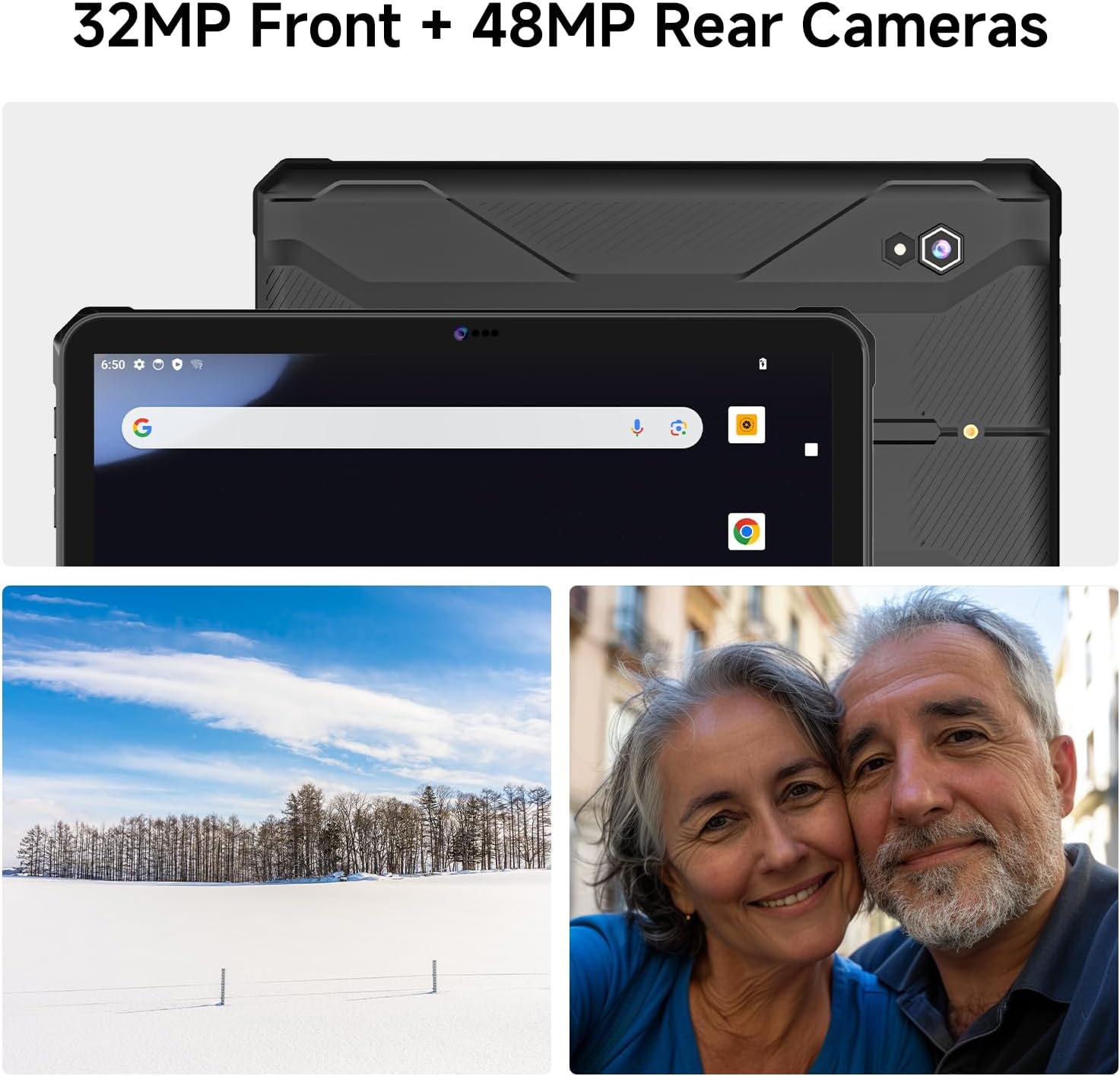
Image: Visual display of the tablet's comprehensive connectivity features.
4.6 zvuk
Tablet je vybaven quad speakers, providing clear and powerful audio output, suitable for outdoor environments.

Image: An illustration highlighting the quad speaker system for enhanced audio.
5. Údržba
5.1 Čištění
To clean the tablet, use a soft, damp cloth. Avoid harsh chemicals or abrasive materials. For the screen, use a microfiber cloth specifically designed for electronics. Ensure all port flaps are securely closed before cleaning with any moisture.
5.2 Ochrana portů
The tablet's IP68 rating relies on the integrity of its protective port flaps. Always ensure these flaps are firmly closed when not in use to prevent water and dust ingress. Regularly inspect them for wear or damage.

Obrázek: Detail views of the tablet's rugged features, including the sealed charging and card slots.
5.3 Aktualizace softwaru
Periodically check for system updates in the tablet's settings menu. Keeping your software up-to-date ensures optimal performance, security, and access to new features.
6. Řešení problémů
- Tablet se nezapne: Ujistěte se, že je baterie nabitá. Připojte tablet k nabíječce a před opětovným zapnutím počkejte několik minut.
- Problémy s nabíjením: Verify that the charging cable and adapter are securely connected and undamaged. Try a different power outlet. Ensure the charging port is clean and free of debris.
- Connectivity problems (Wi-Fi/4G): Check that Wi-Fi or mobile data is enabled in settings. Restart the tablet and your router (for Wi-Fi). Ensure your SIM card is correctly inserted and activated (for 4G).
- Obrazovka nereaguje: If the screen is frozen, press and hold the power button for approximately 10-15 seconds to force a restart.
- General performance issues: Close unused applications. Clear cache from apps in settings. If problems persist, consider a factory reset (Varování: This will erase all data on the tablet. Back up important data before proceeding).
7. Specifikace
| Funkce | Specifikace |
|---|---|
| Značka | JEDNOduchý |
| Název modelu | T1 Max |
| Operační systém | Android 14 |
| Velikost obrazovky | 10.95 palce |
| Rozlišení obrazovky | 1200 x 1920 pixelů (FHD) |
| Procesor | Osmijádrový procesor MediaTek Helio G99 (2.2 GHz) |
| Grafický koprocesor | Mali-G57 MC2 |
| BERAN | 8 GB |
| Interní úložiště | 128 GB |
| Rozšiřitelné úložiště | Up to 512GB (TF Card) |
| Zadní kamera | 48 MP |
| Přední kamera | 32 MP |
| Kapacita baterie | 10000 XNUMX mAh |
| Průměrná životnost baterie | 10 hodiny |
| Rychlé nabíjení | 33W |
| Bezdrátový typ | 802.11a/b/g/n/ac (Dual-band Wi-Fi) |
| Bluetooth | Bluetooth 5.1 |
| Konektivita | 4G LTE, GPS, NFC, Sensors (Geomagnetic, Gyroscope, 3D Accelerometer, Light, Gravity) |
| Odolnost vůči vodě/prachu | IP68 |
| Vojenský standard | MIL-STD-810H |
| Hmotnost položky | 2.2 libry (přibližně 1 kg) |
| Rozměry produktu | 10.35 x 6.98 x 5.61 palce |
8. Záruka a podpora
ONERugged provides a Záruka 12 měsíců for the T1 Max Rugged Tablet. This warranty covers manufacturing defects and ensures long-term technical support. For any product-related issues, technical assistance, or warranty claims, please contact ONERugged customer service. They offer 24-hour online customer service to assist you.
For support, please refer to the contact information provided with your purchase or visit the official ONERugged webmísto.
Ask a question about this manual
Ask about setup, troubleshooting, compatibility, parts, safety, or missing instructions. Manuals+ will review the question and use this page’s manual context to help answer it.