
1. Konec produktuview
The QSZN Ford-RZ-09 Canbus Box is an essential interface for installing an aftermarket Android car radio in specific Ford vehicles. It translates the vehicle's CAN bus signals into a format compatible with your new head unit, enabling features such as steering wheel control integration, reverse gear detection, and illumination control.
Kompatibilita:
- Ford Ecosport (2018 and newer)
- Ford Ranger (2015 and newer)
This device ensures that your new car radio functions correctly with your vehicle's existing electronic systems.
2. Obsah balení
Před zahájením instalace se prosím ujistěte, že balení obsahuje všechny položky:
- QSZN Ford-RZ-09 Canbus Box
- Main Wiring Harness (specific to Ford Ecosport/Ranger)
- RCA/Video Input Cables (if included with harness)
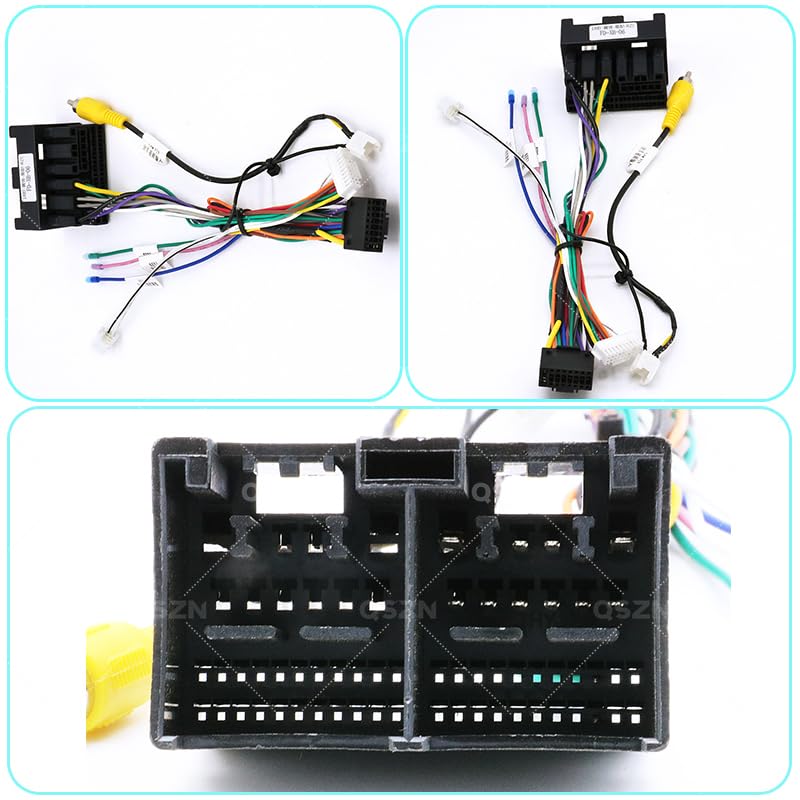
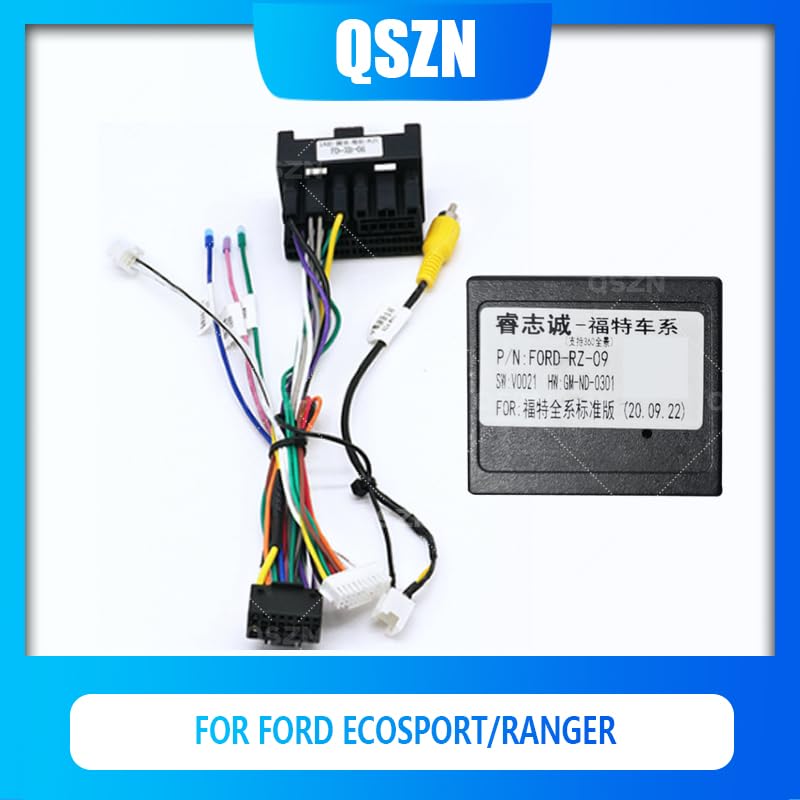
Image 2.1: The QSZN Ford-RZ-09 Canbus Box shown with its accompanying wiring harness, ready for connection to a car radio system.
3. Specifikace
- Typ produktu: Canbus Box
- Model: Ford-RZ-09
- Kompatibilní vozidla: Ford Ecosport (2018+), Ford Ranger (2015+)
- Barva: Černý
- Materiál: Plast
- Původ: pevninská Čína
- Typ položky: Kabely, adaptéry a zásuvky
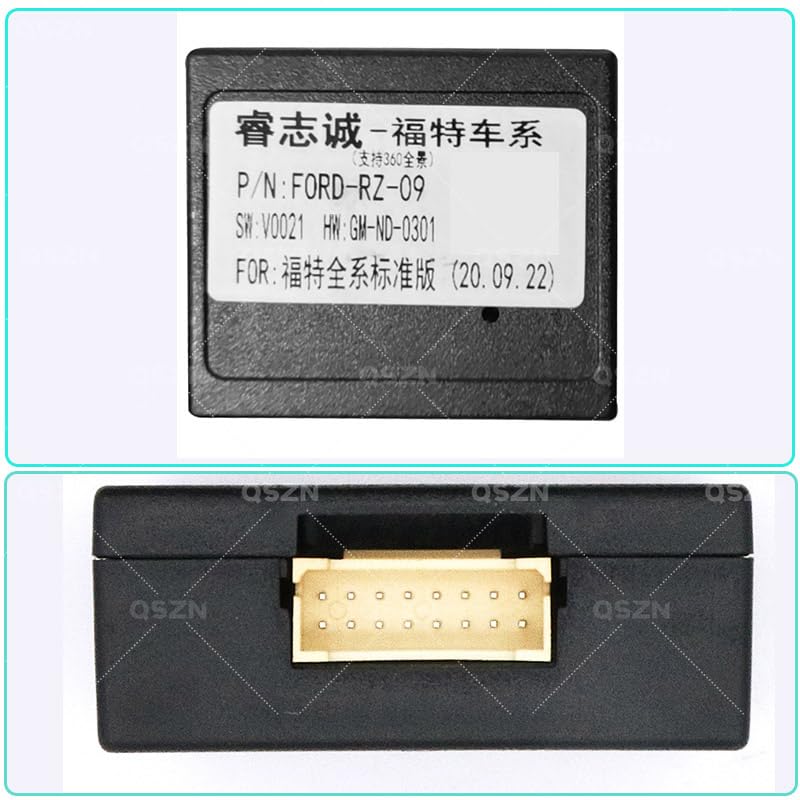
Obrázek 3.1: Detail view of the QSZN Ford-RZ-09 Canbus Box, displaying its model number and other identification details on the label.
4. Instalační příručka
4.1 Bezpečnostní opatření
- Před zahájením jakýchkoli elektrických prací odpojte záporný pól baterie vozidla, abyste předešli zkratu a poškození.
- Ujistěte se, že je vozidlo vypnuté a klíček zapalování vytažený.
- If you are unsure about any step, consult a professional car audio installer.
- Handle all wiring and connectors carefully to avoid damage.
4.2 kroky instalace
- Odebrat stávající rádio: Carefully remove your vehicle's factory radio. Refer to your vehicle's service manual for specific instructions on dash disassembly.
- Connect Canbus Box to Harness: Connect the QSZN Ford-RZ-09 Canbus Box to the provided main wiring harness. Ensure the connector is fully seated.
Obrázek 4.1: Podrobný view of the connector pins on the Canbus Box, illustrating the precise connection points for the wiring harness.
- Connect Harness to Vehicle: Connect the vehicle-specific end of the main wiring harness to the corresponding connectors in your car's dashboard. These typically connect to the factory radio's power, speaker, and CAN bus wiring.
- Connect Harness to Android Radio: Connect the other end of the main wiring harness (which includes the Canbus box output) to your aftermarket Android car radio. Match the color-coded wires and connectors according to your radio's installation manual.
- Test funkčnosti: Before fully reassembling the dashboard, reconnect the vehicle's battery. Turn on the ignition and test the basic functions of the new Android radio, including power, sound, steering wheel controls, and reverse camera input (if applicable).
- Zabezpečené komponenty: Once all functions are verified, carefully secure the Canbus box and excess wiring behind the dashboard, ensuring no wires are pinched or interfere with moving parts.
- Znovu sestavte palubní desku: Reassemble the dashboard components and install the new Android radio into its mounting location.
5. Provoz
The QSZN Ford-RZ-09 Canbus Box operates automatically once correctly installed. It continuously translates vehicle data, allowing your Android car radio to:
- Respond to steering wheel control commands (volume, track skip, mode, etc.).
- Receive ignition (ACC) and illumination signals.
- Detect reverse gear engagement for automatic camera display.
- Provide speed pulse and parking brake signals (if supported by your radio).
No user configuration is typically required for the Canbus box itself, as its function is purely signal translation. Any settings related to steering wheel controls or vehicle information display will be configured within your Android car radio's software.
6. Údržba
The QSZN Ford-RZ-09 Canbus Box is designed to be maintenance-free. Once installed, it requires no regular servicing. To ensure its longevity:
- Ensure it is securely mounted and not exposed to excessive vibration or moisture.
- Avoid exposing the unit to extreme temperatures outside of normal vehicle operating conditions.
- Do not attempt to open or modify the Canbus box, as this will void any potential warranty and may damage the unit.
7. Řešení problémů
If you encounter issues after installing the QSZN Ford-RZ-09 Canbus Box, consider the following troubleshooting steps:
- Rádio není napájeno:
- Check all power connections from the vehicle to the harness and from the harness to the radio.
- Zkontrolujte, zda je pojistka rádiového obvodu ve vozidle neporušená.
- Ensure the Canbus box is correctly connected and receiving power.
- Ovládání na volantu nefunguje:
- Confirm the Canbus box is properly connected to both the vehicle's CAN bus and the Android radio's SWC (Steering Wheel Control) input.
- Access the steering wheel control learning function in your Android radio's settings and follow the on-screen instructions to program the buttons.
- Ensure your Android radio supports external Canbus decoding for steering wheel controls.
- No Reverse Camera Signal:
- Verify the reverse camera is correctly wired and receiving power.
- Ensure the reverse signal wire from the Canbus harness is connected to the reverse input on your Android radio.
- Check your radio's settings for reverse camera activation.
- Other Vehicle Features Not Functioning (e.g., illumination):
- Double-check all wiring connections between the Canbus harness and the Android radio.
- Consult your Android radio's manual for specific settings related to these features.
If problems persist after following these steps, please contact the seller or a qualified car audio technician for further assistance.
8. Záruka a podpora
Informace o záruce a technickou podporu naleznete v dokumentaci od prodejce nebo se obraťte přímo na prodejce. Uschovejte si účtenku jako doklad o koupi.
Při kontaktování podpory si prosím připravte následující informace:
- Product Model: QSZN Ford-RZ-09 Canbus Box
- Vehicle Make, Model, and Year
- popis problému
- Steps already taken to troubleshoot