
1. Úvod
Thank you for choosing the iClever BTH20 Active Noise Cancelling Headphones for Kids. These headphones are designed with your child's safety and comfort in mind, featuring an 80dBA volume limit and robust construction. Enjoy extended playtime, fast charging, and effective noise reduction for an immersive audio experience.
2. Co je v krabici
- Sluchátka iClever BTH20 s aktivním potlačením hluku
- Nabíjecí kabel USB-C
- 3.5mm audio kabel
- Uživatelská příručka
- Přenosné pouzdro (může se lišit v závislosti na balení)
3. Konec produktuview
The iClever BTH20 headphones are designed for ease of use and durability. Key components include:
- Nastavitelná čelenka: Features 10 levels of adjustment for a perfect fit for children aged 3 and up. Padded for comfort.
- Měkké chrániče sluchu: 90° rotatable and made with pressure-reducing, skin-like texture for comfortable wear during extended periods.
- Intuitivní ovládání: Large, easily accessible buttons for power, volume, and Active Noise Cancellation (ANC) modes.
- Porty pro připojení: Includes a USB-C port for charging and a 3.5mm audio jack for wired connection.
- Skládací design: Sluchátka lze složit pro kompaktní uložení a přenosnost.
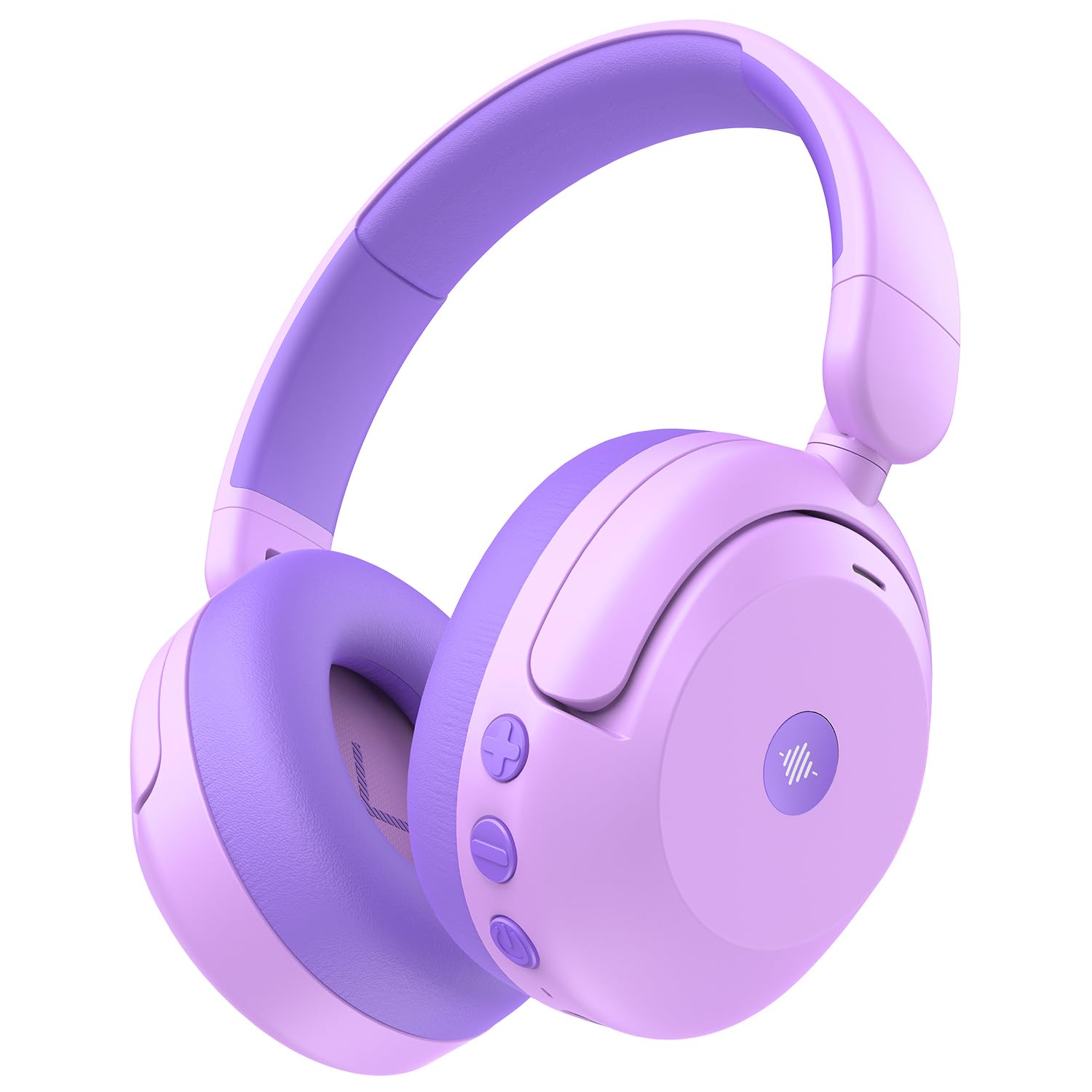
Image: iClever BTH20 headphones in purple, showcasing their over-ear design and vibrant color.

Video: A close-up view of the iClever BTH20 headphones, highlighting the control buttons, charging port, and audio jack. This video demonstrates the physical features and connectivity options.
4. Nastavení
4.1 Nabíjení sluchátek
- Připojte dodaný nabíjecí kabel USB-C k nabíjecímu portu na sluchátkách.
- Zapojte druhý konec kabelu USB-C do kompatibilního napájecího adaptéru USB (není součástí balení) nebo do portu USB počítače.
- LED indikátor bude zobrazovat stav nabíjení (např. červená pro nabíjení, modrá pro plné nabití).
- A full charge takes approximately 2 hours. A 10-minute fast charge provides about 5 hours of use.
4.2 Párování Bluetooth
- Ujistěte se, že jsou sluchátka nabitá a vypnutá.
- Stiskněte a podržte tlačítko napájení, dokud LED indikátor nezačne blikat modře a červeně, což signalizuje režim párování.
- Na svém zařízení (chytrém telefonu, tabletu atd.) povolte Bluetooth a vyhledejte dostupná zařízení.
- Select "iClever BTH20" from the list of devices.
- Po připojení bude LED indikátor svítit modře.
4.3 Kabelové připojení
For devices without Bluetooth or when the battery is low, use the included 3.5mm audio cable:
- Zapojte jeden konec 3.5mm audio kabelu do audio konektoru na sluchátkách.
- Druhý konec zapojte do 3.5mm audio výstupu vašeho zařízení.
- Note: Active Noise Cancellation (ANC) is not available when using a wired connection.
5. Návod k obsluze
5.1 Zapnutí/vypnutí
- Zapnutí: Stiskněte a podržte tlačítko napájení po dobu 2–3 sekund, dokud se nerozsvítí LED indikátor.
- Vypnout: Stiskněte a podržte tlačítko napájení po dobu 3–5 sekund, dokud LED indikátor nezhasne.
5.2 Ovládání hlasitosti
The headphones feature an 80dBA volume limit to protect young hearing. Use the dedicated volume buttons:
- Zvýšit hlasitost: Stiskněte tlačítko „+“.
- Snížit hlasitost: Stiskněte tlačítko „-“.
5.3 Aktivní potlačení hluku (ANC)
The BTH20 headphones offer two noise reduction modes for different environments:
- Aktivace ANC: Press the ANC button (often marked with a wave icon) to cycle through modes.
- Low Noise Reduction Mode: Provides a gentler ear pressure, suitable for environments with moderate background noise.
- High Noise Reduction Mode: Blocks out most engine and mechanical noises, ideal for travel (e.g., airplanes).

Image: Diagram illustrating the Active Noise Cancellation feature and its effectiveness in reducing ambient sound.
5.4 Použití mikrofonu
The headphones include an inbuilt microphone for basic voice chat and calls when connected via Bluetooth.
- Přijímání / ukončování hovorů: Stiskněte jednou multifunkční tlačítko (často tlačítko napájení).
- Odmítání hovorů: Stiskněte a podržte multifunkční tlačítko po dobu 2 sekund.
6. Pohodlí a přizpůsobení
The iClever BTH20 headphones are designed for maximum comfort for children:
- Nastavitelná čelenka: The 10-level adjustable headband ensures a snug yet comfortable fit for various head sizes, accommodating children from 3 years old and up.
- Měkké náušníky: The ear cushions are made from a pressure-reducing, skin-like texture, providing a gentle fit that prevents discomfort during long listening sessions.
- Lehký design: Weighing only 220 grams, these headphones are light enough for children to wear without feeling burdened.

Image: A child wearing the iClever BTH20 headphones, demonstrating the comfortable and secure fit.
7. Údržba
To ensure the longevity and optimal performance of your iClever BTH20 headphones, follow these maintenance guidelines:
- Čištění: K otření sluchátek používejte měkký, suchý hadřík. Nepoužívejte agresivní chemikálie ani abrazivní materiály.
- Skladování: When not in use, fold the headphones and store them in the provided carrying pouch to protect them from dust and damage. Store in a cool, dry place.
- Vyhněte se vodě: These headphones are not water-resistant. Avoid exposure to liquids, moisture, or extreme temperatures.
- Zacházejte opatrně: Although durable, avoid excessive bending or dropping the headphones to prevent damage to internal components.
8. Řešení problémů
| Problém | Řešení |
|---|---|
| Sluchátka se nezapnou. | Ujistěte se, že jsou sluchátka plně nabitá. Připojte je ke zdroji napájení pomocí kabelu USB-C. |
| Nelze spárovat přes Bluetooth. | Make sure the headphones are in pairing mode (flashing blue/red LED). Turn off and on Bluetooth on your device. Ensure no other devices are connected. |
| Žádný zvuk nebo nízká hlasitost. | Check volume levels on both headphones and the connected device. Ensure the headphones are properly paired or the 3.5mm cable is securely connected. |
| ANC nefunguje. | Ensure the headphones are powered on and not connected via the 3.5mm audio cable (ANC is only for Bluetooth mode). Press the ANC button to cycle through modes. |
| Mikrofon nefunguje. | Ujistěte se, že jsou sluchátka připojena přes Bluetooth. Zkontrolujte nastavení mikrofonu na připojeném zařízení. |
9. Specifikace
| Funkce | Detail |
|---|---|
| Název modelu | 20 BTH |
| Značka | iClever |
| Technologie připojení | Wireless (Bluetooth 5.4) / Wired (3.5mm Jack) |
| Verze Bluetooth | 5.4 |
| Dosah Bluetooth | 10 metrů |
| Kontrola hluku | Aktivní potlačení hluku (až 40 dB) |
| Limit hlasitosti | 80dBA (iClever Sound Refiner Technology) |
| Velikost zvukového ovladače | 40 milimetrů |
| Frekvenční rozsah | 20Hz - 20,000Hz |
| Výdrž baterie (ANC vypnuto) | Až 60 hodin |
| Výdrž baterie (ANC zapnuto) | Až 35 hodin |
| Doba nabíjení baterie | 2 Hours (10-min fast charge for 5 hours playtime) |
| Nabíjecí port | USB-C |
| Materiál | Acrylonitrile Butadiene Styrene (ABS), Leather, POK (BPA/PVC free) |
| Hmotnost položky | 220 gramů |
| Věkové rozmezí | 3+ roky |
| Voděodolnost | Není odolný vůči vodě |
10. Záruka a podpora
iClever products come with a standard warranty. For specific warranty details and to register your product, please refer to the warranty card included in your package or visit the official iClever webmísto.
For technical support, troubleshooting assistance, or any questions regarding your iClever BTH20 headphones, please contact iClever Customer Service:
- Webmísto: Visit the official iClever webweb s nejčastějšími dotazy a zdroji podpory.
- E-mail: Refer to your product packaging or the iClever webweb s e-mailovými adresami zákaznické podpory.