
Zavedení
This manual provides essential information for the proper setup, operation, and maintenance of your RAPIQUE R306C USB C Wireless Mouse. Please read these instructions carefully before using the product to ensure optimal performance and longevity.
Obsah balení
- RAPIQUE R306C Wireless Mouse x 1
- USB-C přijímač x 1
- Návod k použití x 1
Konec produktuview
The RAPIQUE R306C is an ultra-slim, portable 2.4GHz wireless mouse designed for modern USB-C devices. It features silent clicks, a smooth scroll wheel, and adjustable DPI settings for precise control.

Image: The RAPIQUE R306C USB C Wireless Mouse, showcasing its sleek, minimalist design in white, alongside its compact USB-C receiver.
Klíčové vlastnosti:
- Elegantní a minimalistický design: Streamlined shape with a premium finish, high-gloss top buttons, and a matte metallic base.
- Silent Click & Smooth Scroll: Enjoy low-noise clicks and a soft, silent scroll wheel for focused work environments. Note: The mouse wheel scrolls vertically only.
- Ultra-Slim and Portable: Compact and lightweight, ideal for travel and mobile use.
- Nastavitelné DPI: Easily switch between 800 / 1200 / 1600 DPI for precise tracking.
- Dlouhá výdrž baterie: Powered by one AA battery (not included), offering up to 480 hours of use with smart auto-sleep mode.
- Univerzální kompatibilita: Works seamlessly with USB-C devices including MacBook Air/Pro, Mac, iPad Pro/Air, Android tablets, and other modern computers.
Průvodce nastavením
1. Vložte baterii
- Gently slide off the top cover of the mouse to reveal the battery compartment.
- Vložte jednu baterii typu AA (není součástí balení) do přihrádky a dbejte na správnou polaritu (+/-).
- Nasaďte zpět horní kryt a ujistěte se, že bezpečně zacvakne na své místo.
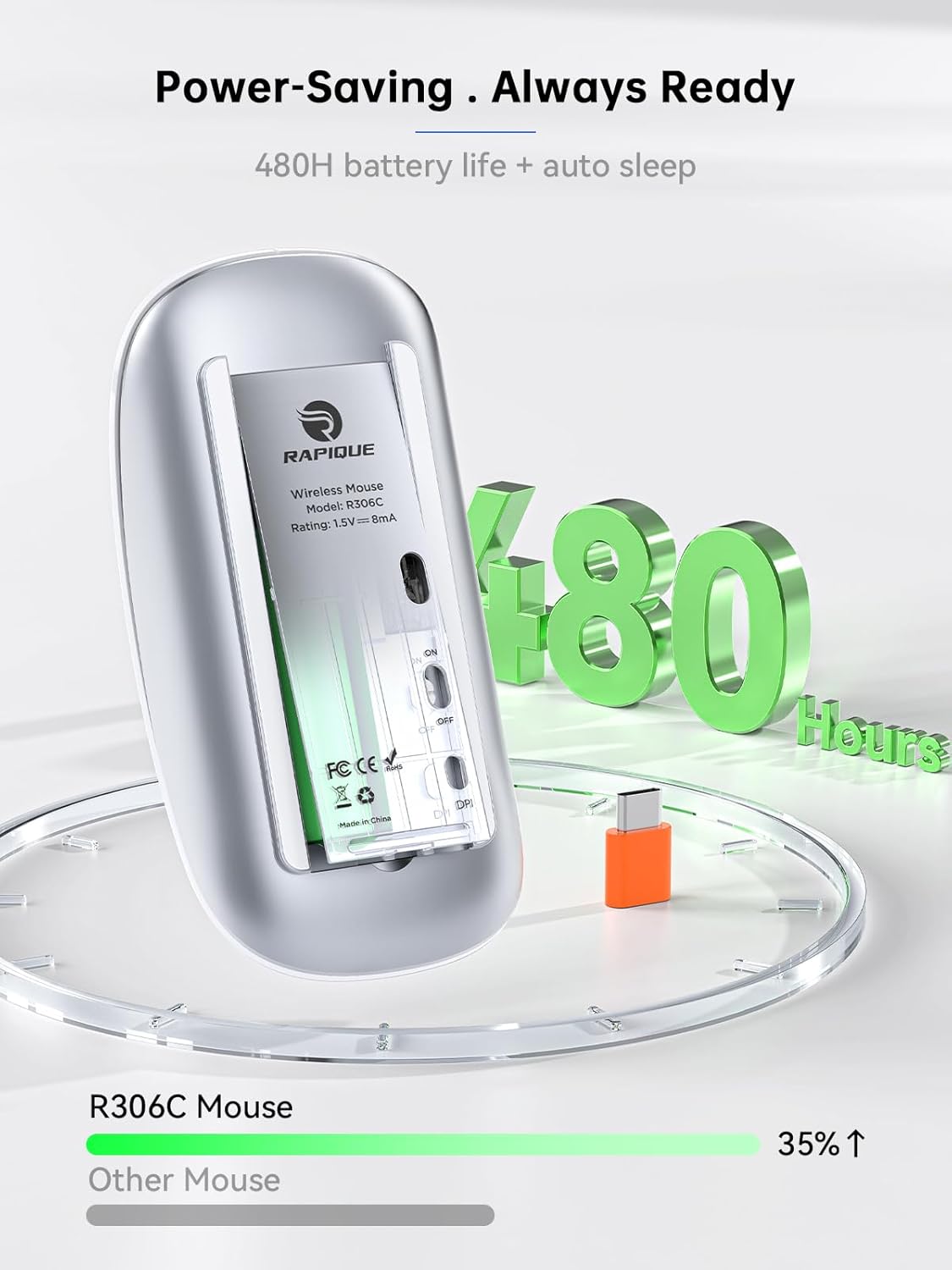
Image: The underside of the RAPIQUE R306C mouse with the battery cover removed, showing the AA battery slot and the USB-C receiver storage.
2. Connect USB-C Receiver
- Locate the USB-C receiver, typically stored within the mouse's battery compartment or packaged separately.
- Plug the USB-C receiver directly into an available USB-C port on your laptop, MacBook, iPad, or other compatible device.

Image: The RAPIQUE R306C mouse positioned next to a laptop, with its orange USB-C receiver visibly plugged into the laptop's USB-C port, illustrating a plug-and-play connection.
3. Zapnout
- Flip the ON/OFF switch located on the underside of the mouse to the "ON" position.
- The mouse should automatically connect to your device. No additional drivers are typically required for most operating systems.
Návod k obsluze
Základní funkce
- Levé kliknutí: Stiskněte levé tlačítko.
- Klikněte pravým tlačítkem myši: Stiskněte pravé tlačítko.
- Svitek: Roll the scroll wheel up or down to navigate vertically.
Úprava DPI
The mouse features a DPI button on its underside, allowing you to adjust tracking sensitivity.
- Stiskněte tlačítko Tlačítko DPI once to cycle through the available DPI settings (800 / 1200 / 1600 DPI).
- Select the DPI setting that best suits your task for optimal cursor speed and precision.
Režim automatického spánku
To conserve battery life, the mouse will automatically enter a sleep mode after a period of inactivity. To wake the mouse, simply move it or click any button.
Údržba
Výměna baterie
When the mouse performance degrades or stops responding, it may be time to replace the AA battery. Follow the battery installation steps in the Setup Guide.
Čištění
To clean your mouse, use a soft, dry cloth. Avoid using harsh chemicals or abrasive materials, as these may damage the surface.
Odstraňování problémů
- Myš nereaguje:
- Ensure the mouse is powered ON.
- Check if the USB-C receiver is securely plugged into your device.
- Replace the AA battery if it is low or depleted.
- Try plugging the USB-C receiver into a different port on your device.
- Přerušované připojení:
- Ujistěte se, že myš je v dosahu 10 metrů od přijímače.
- Vyhněte se překážkám mezi myší a přijímačem.
- Minimalizujte rušení od jiných bezdrátových zařízení pracujících na frekvenci 2.4 GHz.
- Pohyb kurzoru je nepravidelný nebo pomalý:
- Adjust the DPI setting using the DPI button on the underside of the mouse.
- Ujistěte se, že myš je používána na čistém, nereflexním povrchu.
Specifikace
| Funkce | Detail |
|---|---|
| Číslo modelu | R306C |
| Technologie připojení | 2.4GHz Wireless (USB-C Receiver) |
| Detekce pohybu | Optický |
| Nastavení DPI | 800 / 1200 / 1600 |
| Typ baterie | 1 x AA baterie (není součástí balení) |
| Životnost baterie | Up to 480 hours (may vary with usage) |
| Provozní rozsah | Až 10 metrů |
| Rozměry | 4.5 x 2.3 x 0.98 palce (přibližně) |
| Hmotnost | 2.29 unce |
Záruka a podpora
For warranty information and customer support, please refer to the documentation included with your purchase or visit the official RAPIQUE webUschovejte si doklad o koupi pro případné reklamace.