
TABWEE T20 Tablet Tabwee
Uživatelská příručka k tabletu TABWEE T20
Model: T20 Tablet Tabwee
Značka: TABWEE
Zavedení
Thank you for choosing the TABWEE T20 Tablet. This manual provides essential information for setting up, operating, and maintaining your device. The T20 Tablet is designed for versatile use, featuring the latest Android 15 with Gemini AI, a powerful Octa-Core processor, and a comprehensive accessory kit for enhanced productivity and entertainment.
Co je v krabici
Zkontrolujte prosím obsah balení. Pokud některé položky chybí nebo jsou poškozené, kontaktujte zákaznickou podporu.
- TABWEE T20 Tablet
- Klávesnice
- Myš
- Stylus
- Ochranné pouzdro
- Stojan na tablet
- Ochrana obrazovky
- Nabíječka
- USB kabel
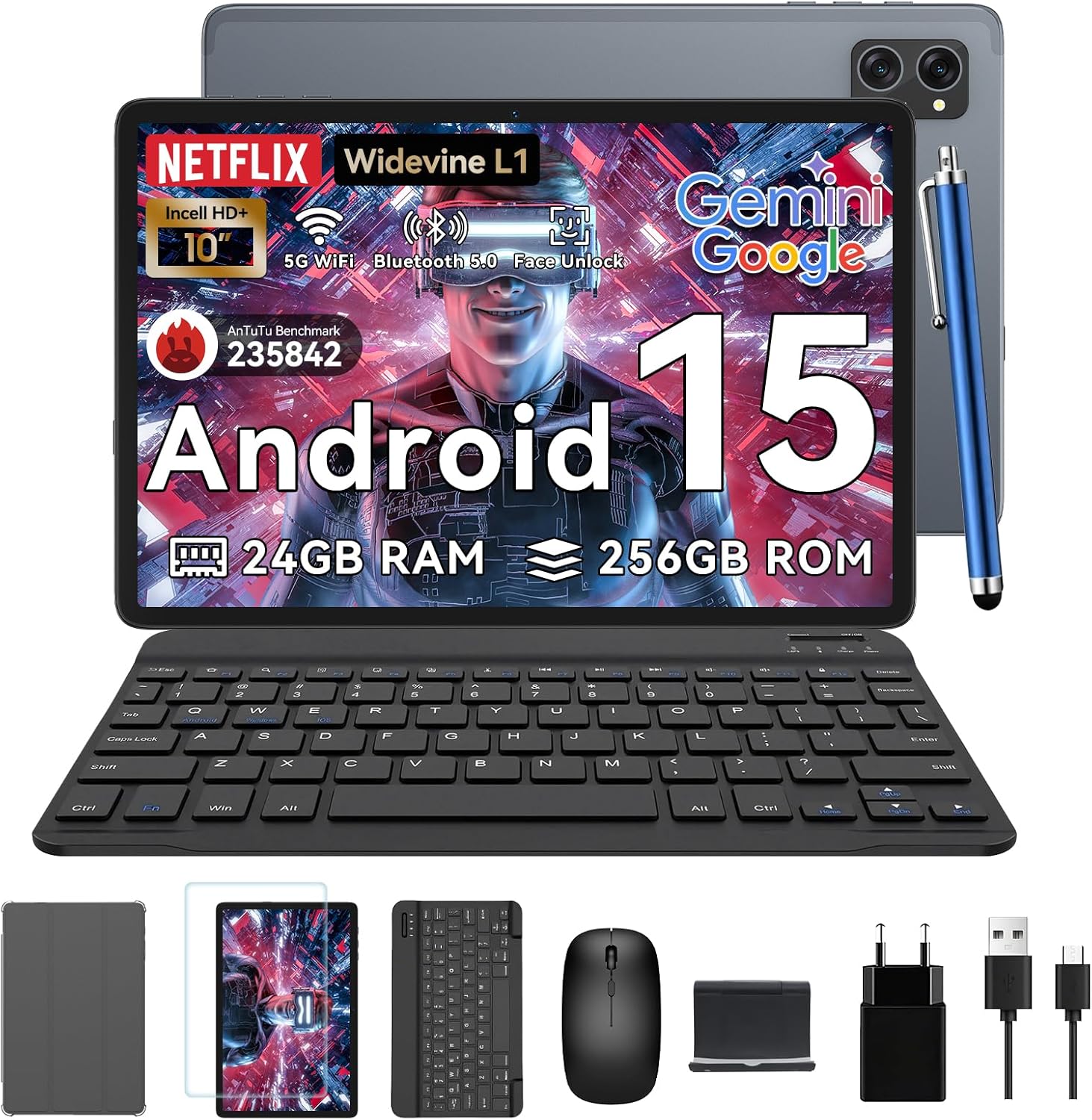
Image: All items included in the TABWEE T20 Tablet package, neatly arranged.
Konec produktuview
Familiarize yourself with the physical components of your TABWEE T20 Tablet.

Obrázek: Přední a zadní view of the TABWEE T20 Tablet, showing the display and camera module.
Klíčové komponenty:
- 10.1palcový Full HD displej: Main screen for interaction and content viewIng.
- Přední fotoaparát (8MP): Nachází se na horním rámečku pro videohovory a selfie.
- Rear Camera (8MP AI): Located on the back for high-quality photos and Smart Scan functions.
- Vypínač: Typically on the side, used to turn the tablet on/off or wake/sleep.
- Tlačítka hlasitosti: Upravte úrovně zvuku.
- Port USB-C: Pro nabíjení a přenos dat.
- Mřížky reproduktorů: Dual Smart-K BOX speakers for immersive audio.
- Slot pro microSD kartu: For storage expansion up to 2TB.
Počáteční nastavení
- Nabíjení tabletu:
Connect the provided charger and USB cable to the tablet's USB-C port. Plug the charger into a power outlet. The battery indicator will show charging status. Fully charge the tablet before first use.
- Zapnutí/vypnutí:
Press and hold the Power button until the TABWEE logo appears to turn on. To turn off, press and hold the Power button, then select "Power off" from the options.
- Počáteční konfigurace:
Upon first power-on, follow the on-screen prompts to select your language, connect to a Wi-Fi network, sign in with your Google account, and set up security features like Face Unlock.
- Vložení karty MicroSD (volitelné):
Locate the MicroSD card slot. Gently insert a compatible MicroSD card (up to 2TB) until it clicks into place. This expands your tablet's storage capacity.
Ovládání tabletu
Android 15 s umělou inteligencí Gemini
Your TABWEE T20 runs on Android 15, enhanced with Gemini AI for an intuitive and efficient experience. Features include real-time language translation, intelligent task management, and personalized widget previews.

Image: Visual representation of Android 15 features, including app management and connectivity options.

Obrázek: Overview of Gemini AI 2.0 experimental features, including voice control and smart assistance.
Displej a zvuk
The 10.1-inch Full HD display with Widevine L1 certification provides vibrant 1080p visuals. Enjoy immersive sound with the Smart-K dual BOX speakers.
- Široká vine L1: Enables high-definition streaming from platforms like Netflix, Prime Video, and Hulu.
- Režimy šetrné k zraku: Access Reading Mode, Night Light, and Dark Mode in display settings for comfortable viewIng.

Obrázek: Displej tabletuasing Widevine L1 certification and different eye-friendly viewrežimy.

Image: Illustration of the tablet's dual Smart-K Box speakers, emphasizing sound quality.
Funkce fotoaparátu
The tablet features 8MP front and rear AI cameras. Utilize the Smart Scan camera for efficient document scanning.
- Inteligentní skenování: Automatically detects and enhances documents, receipts, or whiteboards.
- Integrace objektivu Google: Use Google Lens for smart scanning, searching, and exploring.

Image: The tablet's camera system, highlighting 5MP front and 8MP rear AI cameras, along with Google Lens and Face Unlock capabilities.
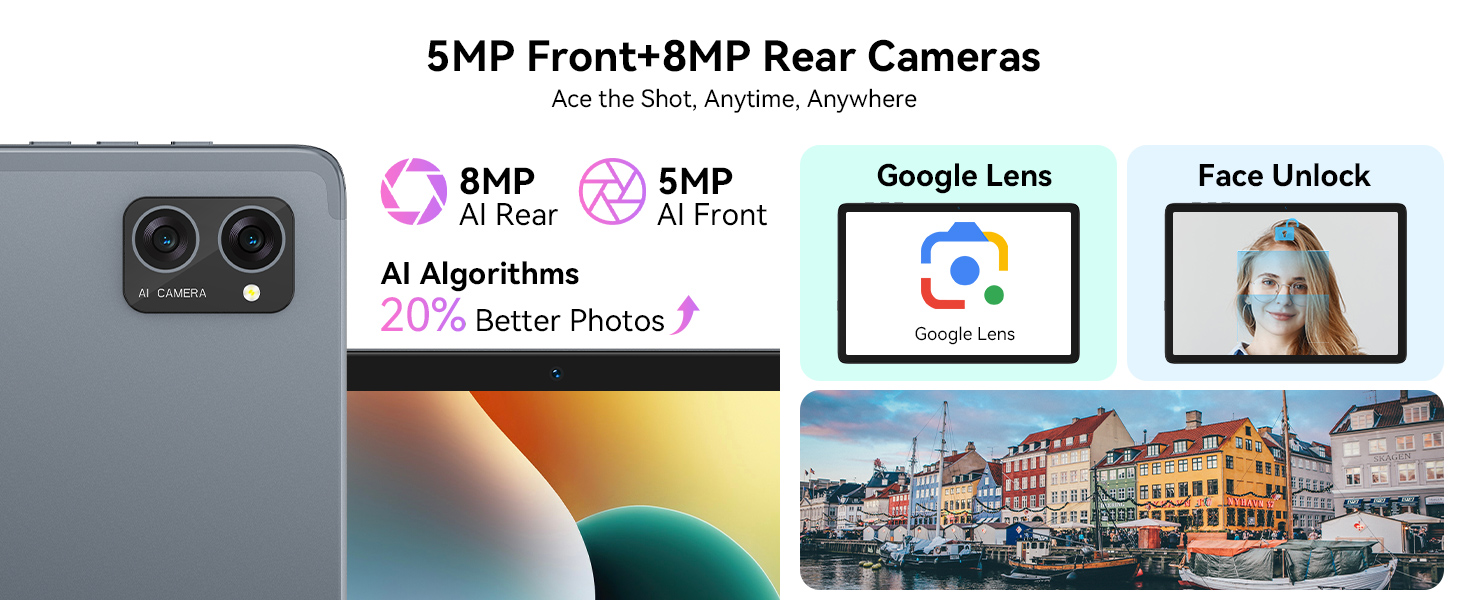
Image: Various applications of Smart Google Lens for scanning, searching, and exploring.
Konektivita
- 5G Dual-Band WiFi: Connect to high-speed wireless networks for fast browsing and streaming.
- Bluetooth 5.0: Spárujte s bezdrátovými sluchátky, reproduktory a dalšími zařízeními s podporou Bluetooth.

Image: The tablet demonstrating fast WiFi 5 connectivity, shown with connected keyboard and mouse.

Image: A user enjoying audio content with wireless earbuds connected to the tablet via Bluetooth 5.0.
Using Included Accessories
The TABWEE T20 Tablet comes with a suite of accessories to enhance your experience.
- Klávesnice: Connect the keyboard via Bluetooth. Refer to the keyboard's specific instructions for pairing. It transforms your tablet into a mini-laptop for typing.
- Myš: Connect the mouse via Bluetooth. This provides precise navigation, similar to a desktop computer.
- Stylus: Use the stylus for precise input, drawing, or note-taking on the touchscreen. No pairing required for basic touch functionality.
- Protective Case & Tablet Stand: The case provides protection, and the integrated stand allows for comfortable viewing angles for media consumption or typing.
- Ochrana obrazovky: Apply the screen protector to guard against scratches and minor impacts. Follow the instructions provided with the screen protector for proper application.

Image: The TABWEE T20 Tablet configured with its keyboard and mouse, demonstrating its 2-in-1 versatility.
Péče a údržba
- Čištění: K čištění obrazovky a těla používejte měkký hadřík, který nepouští vlákna. V případě odolných šmouh lehceampOtřete hadřík vodou nebo čističem obrazovek. Vyhněte se agresivním chemikáliím.
- Péče o baterie: To prolong battery life, avoid extreme temperatures. Do not let the battery fully drain frequently. For long-term storage, charge the tablet to about 50% and power it off.
- Aktualizace softwaru: Pravidelně kontrolujte a instalujte aktualizace systému, abyste zajistili optimální výkon a zabezpečení. Přejděte do Nastavení > Systém > Aktualizace systému.
- Správa úložiště: Pravidelně odstraňujte nepotřebné files and apps to maintain performance. Utilize the 2TB expandable storage for large media files.

Image: The tablet's internal battery, illustrating its 5000mAh capacity and estimated usage durations.
Odstraňování problémů
| Problém | Možné řešení |
|---|---|
| Tablet se nezapne. | Ensure the tablet is charged. Connect to charger for at least 30 minutes. Try holding the Power button for 10-15 seconds. |
| Problémy s připojením k Wi-Fi. | Restartujte tablet a Wi-Fi router. Zapomeňte na síť a znovu se připojte. Ujistěte se, že jste v dosahu. |
| Tablet je pomalý nebo nereaguje. | Close unused apps. Clear cache. Restart the tablet. Check for available system updates. |
| Příslušenství (klávesnice/myš) se nepřipojuje. | Ensure Bluetooth is enabled on the tablet. Put the accessory in pairing mode. Check battery levels of accessories. |
| Apps crashing frequently. | Clear the app's cache and data (Settings > Apps > [App Name] > Storage). Reinstall the app. Ensure sufficient storage space. |
Technické specifikace
| Funkce | Detail |
|---|---|
| Model | T20 Tablet Tabwee |
| Operační systém | Android 15 (with Gemini AI) |
| Procesor | Osmijádrový UNISOC T606 (2 GHz) |
| BERAN | 24GB (8GB base + 16GB expansion) |
| Interní úložiště | 256 GB |
| Rozšiřitelné úložiště | Až 2 TB přes kartu MicroSD |
| Velikost displeje | 10.1 palce |
| Rozlišení displeje | 1280 x 800 Pixels (Full HD, Widevine L1) |
| Zadní kamera | 8MP AI fotoaparát |
| Přední kamera | 8 MP |
| Baterie | Lithium-polymer 5000 mAh |
| Konektivita | 5G Dual-Band Wi-Fi (802.11ac), Bluetooth 5.0 |
| Rozměry | 24.64 x 15.49 x 0.76 cm |
| Hmotnost | 500 g |

Image: Internal memory architecture of the TABWEE T20 Tablet, detailing RAM and ROM capacities.

Image: The Unisoc T606 Octa-Core processor, highlighting its core configuration and GPU.
Záruka a podpora
Your TABWEE T20 Tablet comes with a 2-year UK warranty, ensuring peace of mind. TABWEE is committed to quality and customer satisfaction.
- 24-Month Free Repair Warranty: Covers manufacturing defects and ensures free repairs for two years from the date of purchase.
- Doživotní technická podpora: Expert assistance is available whenever you need it.
- Hassle-Free Service: Support is provided through the TABWEE Official Flagship Store.
For technical support, warranty claims, or general inquiries, please contact TABWEE customer service through the official channels provided at the point of purchase or on the TABWEE brand webmísto.

Image: Information regarding TABWEE's 2-year warranty and lifetime customer support.
Ask a question about this manual
Ask about setup, troubleshooting, compatibility, parts, safety, or missing instructions. Manuals+ will review the question and use this page’s manual context to help answer it.