
CZEview ZY-C6
CZEview Uživatelská příručka k venkovní solární bezpečnostní kameře 2K
Model: ZY-C6
1. Úvod
Thank you for choosing the CZEview 2K Solar Outdoor Surveillance Camera. This manual provides essential information for setting up, operating, and maintaining your camera. Please read it carefully before use to ensure optimal performance and safety.
Obsah balení:
- CZEview Solar Outdoor Camera
- Montážní základna
- Šrouby a hmoždinky
- Mounting Straps (for pole or tree mounting)
- Napájecí kabel USB-C
- Uživatelská příručka

Image: Contents of the CZEview Solar Outdoor Camera package.
2. Bezpečnostní informace
Dodržujte prosím následující bezpečnostní opatření, abyste předešli poškození produktu nebo zranění sebe či ostatních:
- Fotoaparát nerozebírejte ani neupravujte.
- K nabíjení používejte pouze dodaný napájecí kabel.
- Ensure the camera is securely mounted to prevent falling.
- Keep the camera away from extreme heat sources or open flames.
- Avoid direct exposure of the lens to strong light sources for extended periods.
- Výrobek a jeho baterii zlikvidujte zodpovědně v souladu s místními předpisy.
3. Konec produktuview
Česká republikaview ZY-C6 is a 2K HD wireless outdoor surveillance camera powered by an integrated solar panel and a high-capacity lithium-ion battery. It features advanced motion detection, two-way audio, and 360° pan/tilt capabilities for comprehensive monitoring.

Image: CZEview 2K Solar Outdoor Surveillance Camera.
Klíčové vlastnosti:
- 100% bezdrátové a solární napájení: Eliminates the need for complex wiring, powered by an efficient solar panel and built-in rechargeable battery.
- Prodloužená životnost baterie: Can last up to 30 days on a single full charge, requiring only two days of sunlight for a full recharge.
- 2K HD & 360° View: Features a 2K HD lens with 5x magnification and a 130° wide-angle view. The lens can pan 360° horizontally and tilt 120° vertically.
- Detekce lidí pomocí umělé inteligence a upozornění v reálném čase: Accurately identifies human figures, reducing false alarms from pets or leaves. Sends instant notifications to your smartphone via the app.
- Two-Way Audio & Alarm Siren: Built-in microphone and speaker allow for two-way communication. An alarm siren can be triggered remotely to deter intruders.
- Barevné noční vidění: Provides clear night vision up to 15 meters, with options for color or monochrome viewing, supported by 150 lumens projectors.
- Design odolný vůči povětrnostním vlivům: IP65 rated, suitable for outdoor use in temperatures from -20℃ to 50℃.
- Místní úložiště: Supports local video storage on a microSD card up to 256GB (card not included).

Image: Wireless and Solar Power features with 5200mAh battery.

Image: 360° Pan and 120° Tilt View.

Image: Color Night Vision capability.

Image: Durable and Stable performance in various weather conditions.
4. Nastavení
4.1 Počáteční nabíjení
Before first use, fully charge the camera using the provided USB-C power cable. This ensures the battery is conditioned for optimal performance and longevity.
4.2 Stažení aplikace a vytvoření účtu
Download the official CZEview app (or CloudEdge app, as mentioned in reviews) from your smartphone's app store (iOS App Store or Google Play Store). Follow the in-app instructions to create an account and log in.
4.3 Wi-Fi připojení
The camera supports 2.4GHz Wi-Fi networks only. Ensure your smartphone is connected to a 2.4GHz Wi-Fi network during the setup process. Follow the app's instructions to add your camera and connect it to your home Wi-Fi network.
4.4 Montáž fotoaparátu
Choose a mounting location where the solar panel can receive direct sunlight for most of the day to ensure continuous charging. The camera can be mounted on a wall or a tree/pole using the included accessories.
- Montáž na stěnu:
- Označte si body pro vrtání pomocí montážní základny jako šablony.
- Vyvrtejte otvory a vložte hmoždinky.
- Secure the mounting base to the wall with the provided screws.
- Připevněte kameru k montážní základně.
- Montáž na strom/sloup:
- Thread the mounting straps through the designated slots on the mounting base.
- Wrap the straps around the tree or pole and secure them tightly.
- Připevněte kameru k montážní základně.
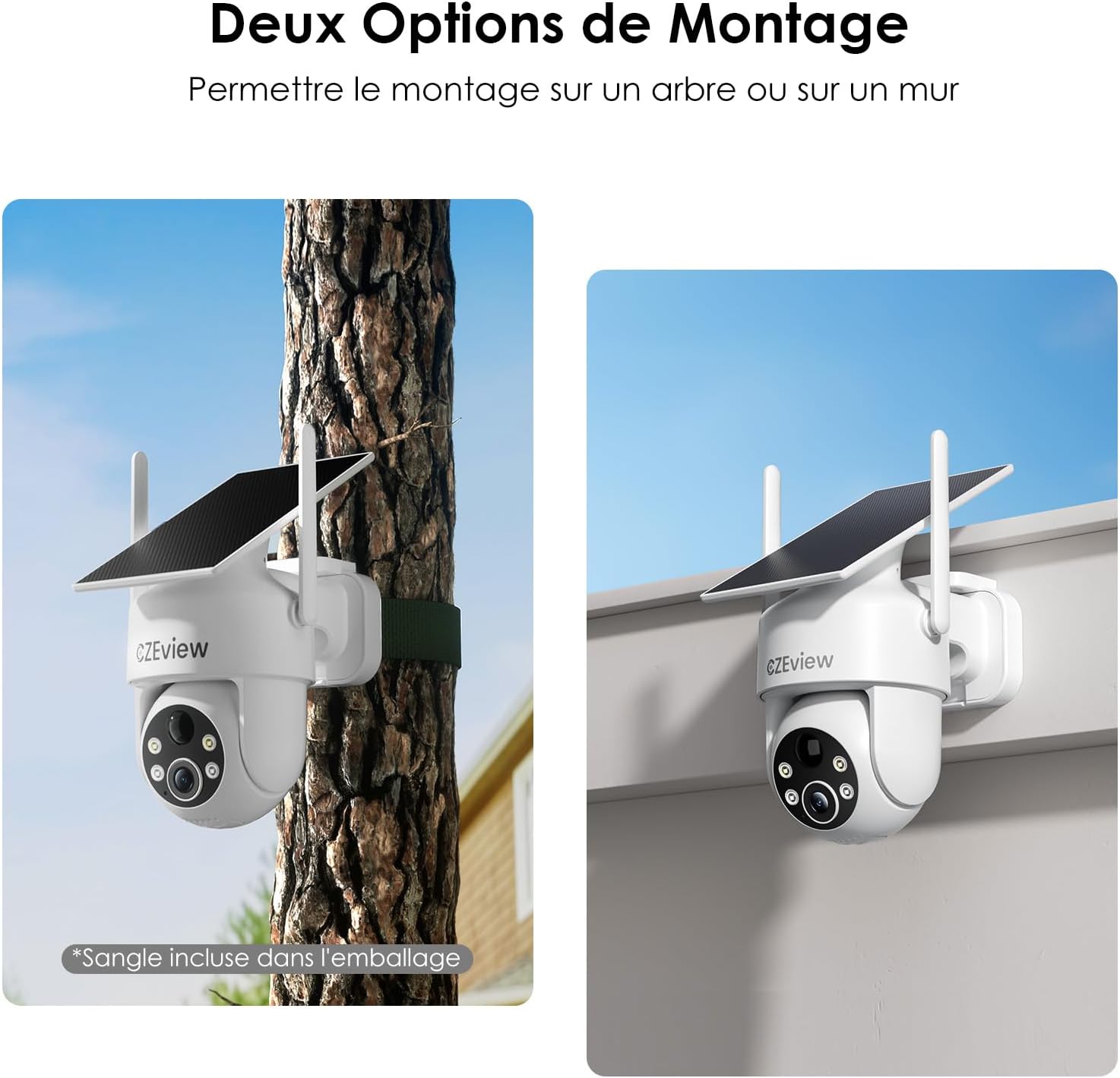
Image: Two mounting options for the camera: wall and tree/pole.

Image: Solar panel placement for optimal charging.
5. Provoz
5.1 Živě View a ovládání PTZ
Otevřete CZEview app to access the live feed from your camera. Use the on-screen controls to pan (360° horizontal) and tilt (120° vertical) the camera lens to adjust your viewing angle. You can also use the 5x digital zoom feature for closer inspection.

Image: 360° Surveillance Coverage.
5.2 Detekce pohybu a upozornění
The camera is equipped with AI human detection to minimize false alarms. When motion is detected, the camera will automatically record video and send real-time alerts to your smartphone. You can customize detection sensitivity and set specific monitoring zones within the app.
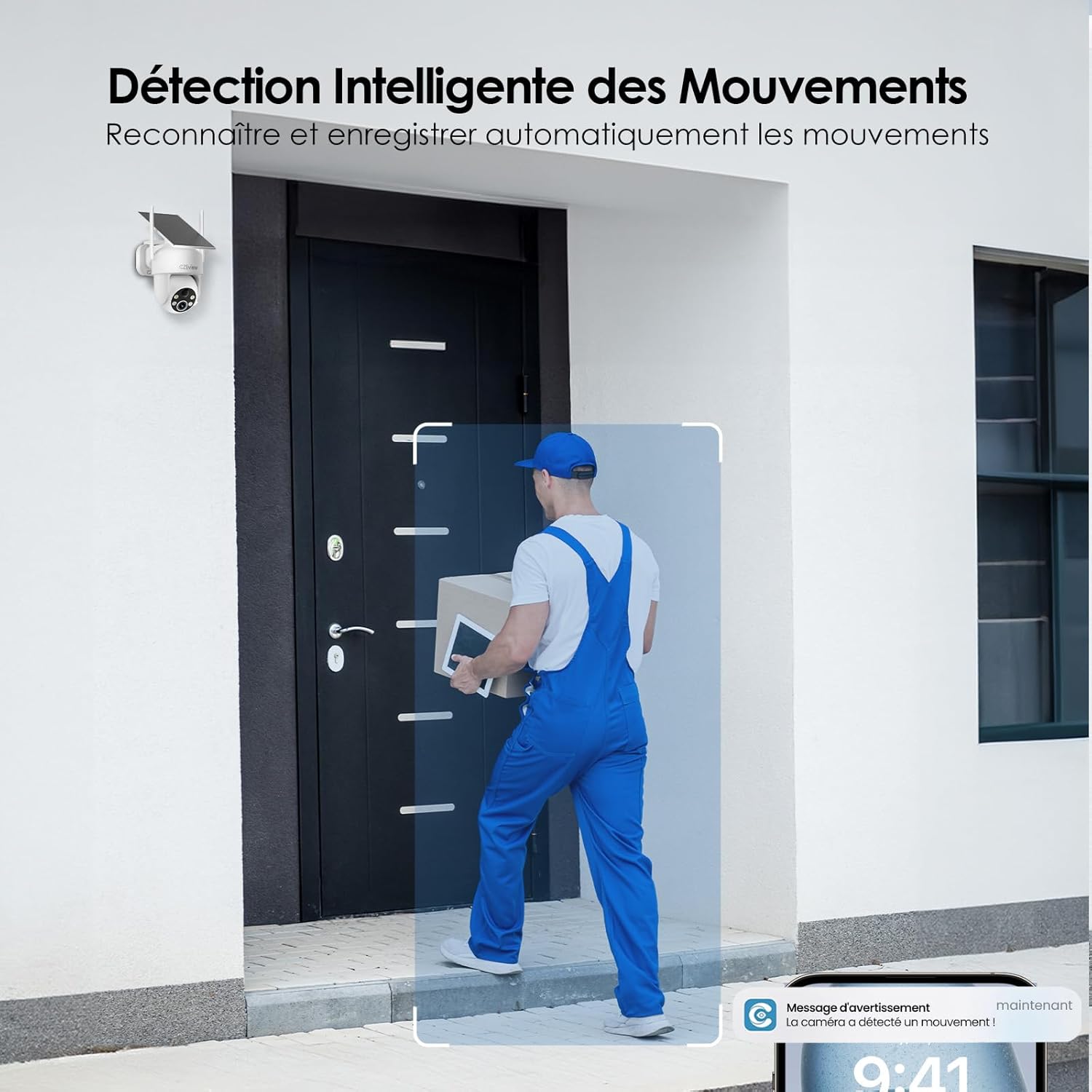
Image: Intelligent Motion Detection in action.
5.3 Obousměrný zvuk
Utilize the built-in microphone and speaker for two-way communication. This allows you to speak to visitors or deter unwanted individuals directly through the camera from your smartphone.

Image: Two-Way Audio and Alarm System features.
5.4 Noční vidění
The camera automatically switches to night vision mode in low-light conditions. It supports both color and monochrome night vision, providing clear images up to 15 meters. The integrated 150 lumens projectors enhance visibility in color night vision mode.

Image: Color Night Vision in operation.
5.5 Local Storage (MicroSD Card)
Insert a microSD card (up to 256GB, not included) into the camera's designated slot for local video storage. The camera will automatically record detected events to the card. Ensure the card is formatted correctly via the app if needed.

Image: Local Storage on MicroSD Card.
6. Údržba
6.1 Nabíjení baterie
The integrated solar panel continuously charges the camera's battery. For optimal performance, ensure the solar panel is clean and receives direct sunlight. If the camera is installed in a shaded area or during prolonged periods of low sunlight, you may need to manually charge the camera using the USB-C power cable.
6.2 Čištění
Pravidelně čistěte objektiv fotoaparátu a solární panel měkkým hadříkemamp cloth to remove dust, dirt, or debris. Do not use harsh chemicals or abrasive materials, as they may damage the surfaces.
6.3 Environmentální hlediska
The camera is designed for outdoor use and is IP65 weatherproof. It can operate reliably in temperatures ranging from -20℃ to 50℃. Ensure the camera is not exposed to temperatures outside this range for extended periods.
7. Řešení problémů
| Problém | Možná příčina | Řešení |
|---|---|---|
| Fotoaparát se nepřipojuje k Wi-Fi. | Incorrect Wi-Fi band (5GHz not supported). Weak Wi-Fi signal. Incorrect password. | Ensure you are connecting to a 2.4GHz Wi-Fi network. Move the camera closer to the router or use a Wi-Fi extender. Double-check your Wi-Fi password. |
| Baterie se nenabíjí nebo se rychle vybíjí. | Insufficient sunlight on the solar panel. Excessive motion detection events. Low ambient temperature. | Relocate the camera to an area with more direct sunlight. Reduce motion detection sensitivity or frequency of recordings. Manually charge the camera if necessary. |
| False alarms from motion detection. | Pets, swaying branches, or passing vehicles triggering detection. | Enable AI human detection in the app. Adjust detection sensitivity. Set up targeted detection zones to exclude irrelevant areas. |
| Špatná kvalita obrazu. | Dirty lens. Low light conditions. | Clean the camera lens. Ensure adequate lighting for optimal image quality, especially at night. |
8. Specifikace
| Funkce | Detail |
|---|---|
| Číslo modelu | ZY-C6 |
| Značka | CZEview |
| Rozlišení videa | 2K (1440p) |
| Úhel objektivu | 130° široký úhel |
| Rozsah otáčení/naklánění | 360° horizontálně, 120° vertikálně |
| Digitální zoom | 5x |
| Rozsah nočního vidění | Až 15 metrů |
| Typ nočního vidění | Color / Monochrome with 150 lumens projectors |
| Konektivita | Wi-Fi (pouze 2.4 GHz) |
| Zdroj napájení | Integrated Solar Panel, Lithium-ion Battery (5200mAh) |
| Výdrž baterie (při plném nabití) | Up to 30 days (without sun) |
| Odolnost vůči povětrnostním vlivům | IP65 |
| Provozní teplota | -20 ℃ až 50 ℃ (-4 °F až 122 °F) |
| Skladování | Karta MicroSD (až 256 GB, není součástí balení) |
| Rozměry (D x Š x V) | 18 x 8 x 14 cm (7.1 x 3.1 x 5.5 palce) |
| Hmotnost | 530 gramů (1.17 lb) |
9. Záruka a podpora
CZEview products come with a standard manufacturer's warranty. For detailed warranty information, technical support, or service inquiries, please refer to the contact information provided on the product packaging or visit the official CZEview webstránky. Uschovejte si prosím doklad o koupi pro případ reklamace.
Ask a question about this manual
Ask about setup, troubleshooting, compatibility, parts, safety, or missing instructions. Manuals+ will review the question and use this page’s manual context to help answer it.