
Zavedení
This manual provides comprehensive instructions for the LogiLink ID0212 Wireless 28-Key Bluetooth 5.0 Scissor Mechanism Keyboard. It covers setup, operation, maintenance, and troubleshooting to ensure optimal performance and user experience. Please read this manual thoroughly before using the device.
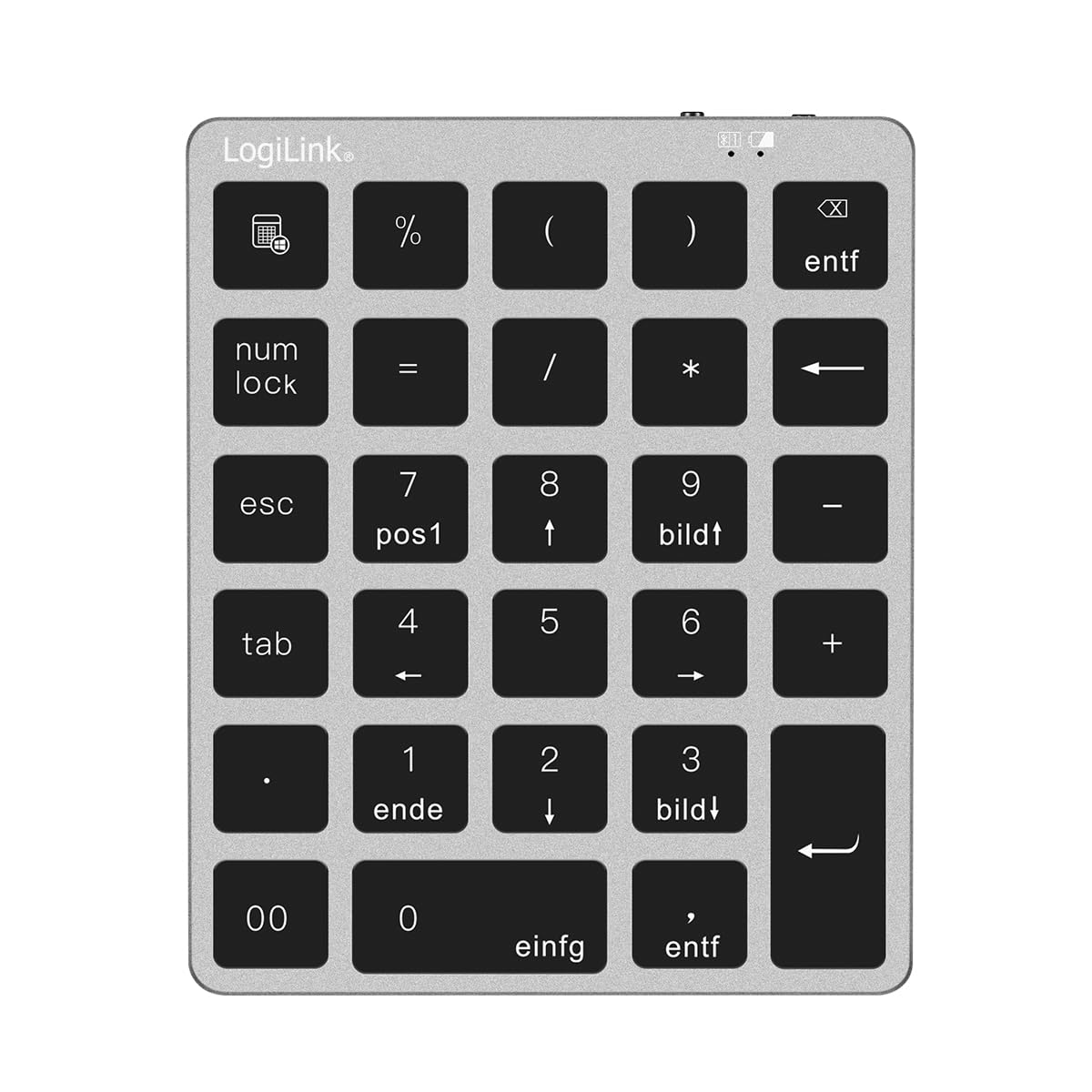
Figure 1: LogiLink ID0212 Wireless 28-Key Bluetooth 5.0 Scissor Mechanism Keyboard. This image shows the overall design of the numeric keypad.
Obsah balení
Ujistěte se, že v balení jsou přítomny všechny položky:
- LogiLink ID0212 Wireless 28-Key Bluetooth 5.0 Keyboard
- Nabíjecí kabel USB-C
- Uživatelská příručka (tento dokument)
Nastavení
1. Nabíjení klávesnice
Before initial use, fully charge the keyboard. Connect the supplied USB-C cable to the keyboard's charging port and the other end to a USB power source (e.g., computer USB port, USB wall adapter).
- LED indikátor zobrazí červený během nabíjení.
- LED indikátor po plném nabití zhasne nebo změní barvu (v závislosti na modelu).
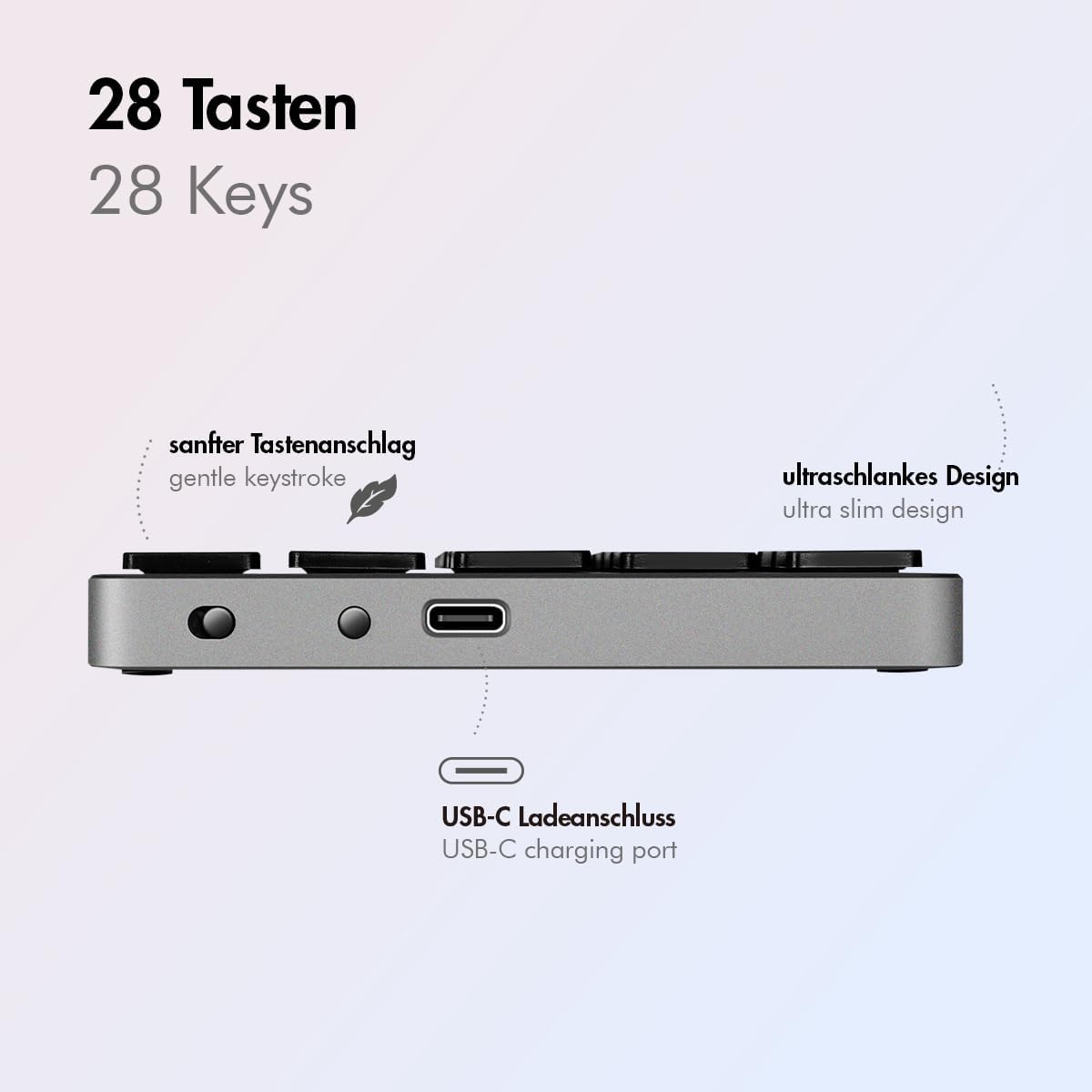
Obrázek 2: Strana view of the LogiLink ID0212 keyboard showing the USB-C charging port. This image highlights the location of the charging port and the ultra-slim design.

Obrázek 3: Detailní view of the LogiLink ID0212 keyboard's side profile, indicating the USB-C charging port, gentle keystroke mechanism, and ultra-slim design.
2. Párování Bluetooth
Follow these steps to connect your LogiLink ID0212 keyboard via Bluetooth 5.0:
- Ujistěte se, že je klávesnice nabitá a zapnutá.
- Activate Bluetooth on your device (computer, tablet, smartphone).
- Put the keyboard into pairing mode. Look for a small button on the back or side, or a key combination like Fn+C (common for Bluetooth keyboards). The LED indicator will flash modrý when in pairing mode.
- Na svém zařízení vyhledejte dostupná zařízení Bluetooth.
- Select "LogiLink ID0212" or a similar name from the list of found devices.
- If prompted, enter the pairing code displayed on your screen using the LogiLink ID0212 keyboard and press Vstupte.
- Once paired, the blue LED indicator will stop flashing and remain solid for a few seconds, then turn off. The keyboard is now ready for use.
The keyboard supports a stable connection up to 10 meters (33 feet) and is compatible with iOS, Android, Windows, MacOS, Chrome OS, and iPadOS.
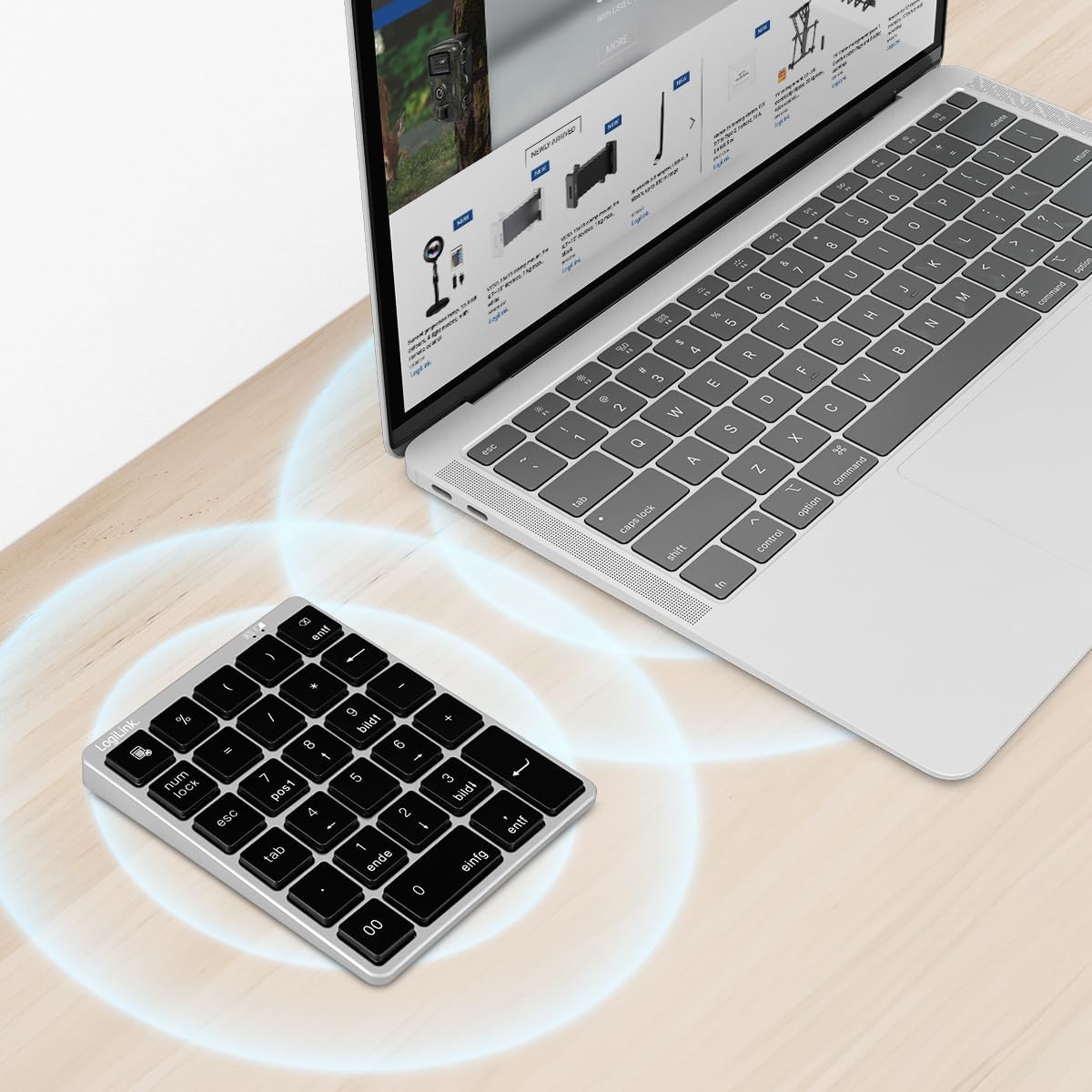
Figure 4: The LogiLink ID0212 keyboard positioned next to a laptop, illustrating its wireless connectivity. This image demonstrates the keyboard's use in a typical workspace setup.
Návod k obsluze
Základní funkce kláves
The LogiLink ID0212 features 28 keys designed for efficient data entry and calculations. Key functions include:
- Číselné klávesy (0-9)Standardní zadávání čísel.
- Arithmetic Operators (+, -, *, /): For calculations.
- desetinná čárka (.): For fractional numbers.
- NumLock: Toggles the numeric keypad function. When NumLock is active, the green LED indicator will be on.
- ESC: Escape key, typically used to cancel operations or close menus.
- Delete (DEL): Deletes characters.
- Tlačítko kalkulačky: Launches the calculator application on compatible operating systems.
- Tab: Moves the cursor to the next tab stop or field.
- Home/End/PgUp/PgDn: These keys (often labeled as 'pos1', 'ende', 'bildt', 'bildl' or similar) provide navigation functions.
The scissor mechanism keys provide a gentle and quiet keystroke, enhancing typing comfort.

Figure 5: The LogiLink ID0212 keyboard in active use, demonstrating its compact layout and key functions alongside a laptop. This image provides a clear view of the keypad's design and key labels.
LED indikátory
The keyboard features LED indicators to provide status information:
- Červená LED: Indicates the keyboard is charging.
- Modrá LED: Flashes during Bluetooth pairing mode; solid when successfully paired (then turns off).
- Zelená LED: Indicates that NumLock is active.
Údržba
Čištění
Pro zachování vzhledu a funkčnosti klávesnice:
- K otření povrchu použijte měkký, suchý hadřík, který nepouští vlákna.
- Pro odolnou špínu lehceamphadřík vodou nebo jemným čisticím roztokem. Zabraňte nadměrné vlhkosti.
- Do not use abrasive cleaners, solvents, or aerosol sprays directly on the keyboard.
Péče o baterie
The integrated 140 mAh lithium battery provides long-lasting power. To prolong battery life:
- Nabíjejte klávesnici pomocí dodaného kabelu USB-C.
- Vyhněte se častému úplnému vybíjení baterie.
- Pokud budete klávesnici skladovat delší dobu, nabijte ji přibližně na 50 % a uložte ji na chladném a suchém místě.
Odstraňování problémů
Klávesnice se nepřipojuje/nepáruje
- Zkontrolujte stav baterie: Ensure the keyboard is sufficiently charged. Charge it if the red LED indicates low battery.
- Znovu přejděte do režimu párování: Turn the keyboard off and on, then re-enter Bluetooth pairing mode (blue LED flashing).
- Device Bluetooth: Ensure Bluetooth is enabled on your computer/device and it's discoverable.
- Zapomeňte na zařízení: On your device, remove or "forget" the keyboard from your Bluetooth device list, then attempt to pair again.
- Vzdálenost: Ensure the keyboard is within the 10-meter (33 feet) operating range of your device.
- Rušení: Move away from other wireless devices that might cause interference.
Klávesy nereagují
- Spojení: Verify the keyboard is still connected via Bluetooth (blue LED should not be flashing).
- NumLock: If numeric keys are not working as expected, check the green NumLock LED. Press the NumLock key to toggle its state.
- Restartujte zařízení: Sometimes, restarting your computer or device can resolve input issues.
- Kompatibilita: While compatible with many OS, specific key functions might behave differently on certain systems (e.g., some special characters on macOS, as noted in reviews).
Problémy s nabíjením
- Kontrola kabelu: Ensure the USB-C cable is securely connected to both the keyboard and the power source.
- Zdroj napájení: Try a different USB port or power adapter.
- Červená LED: Confirm the red LED illuminates when charging. If not, the cable or port might be faulty.
Specifikace
| Funkce | Detail |
|---|---|
| Číslo modelu | ID0212 |
| Klíče | 28 keys (NumLock, ESC, Delete, Calculator button) |
| Klíčový mechanismus | Nůžkový mechanismus |
| Konektivita | Bluetooth 5.0 |
| Provozní rozsah | Až 10 metrů (33 stop) |
| Baterie | 140 mAh lithiová baterie |
| Nabíjecí port | USB-C |
| LED indikátory | Red (Charging), Blue (Pairing/Connected), Green (NumLock) |
| Materiál | Hliník + ABS |
| Barva | Vesmírně šedá |
| Rozměry (D x Š x V) | 12.1 x 10 x 1.3 cm (4.76 x 3.94 x 0.51 palce) |
| Hmotnost | 95 gramů (0.21 lb) |
| Kompatibilita | iOS, Android, Windows, MacOS, Chrome OS, iPadOS |
| Zahrnuté komponenty | USB-C kabel |
| Země původu | Čína |
Informace o záruce
Specific warranty details for the LogiLink ID0212 keyboard are typically provided at the point of purchase or included with the product packaging. Please refer to your purchase documentation or the official LogiLink webweb, kde najdete nejpřesnější a nejaktuálnější záruční podmínky.
Zákaznická podpora
If you encounter issues not covered in this manual or require further assistance, please contact LogiLink customer support. You can usually find contact information, FAQs, and additional resources on the official LogiLink webmísto:
When contacting support, please have your product model number (ID0212) and purchase information ready.