
1. Úvod
Welcome to the Noise ColorFit Pulse 4 Pro Smartwatch user manual. This guide provides essential information for setting up, operating, and maintaining your new smartwatch. Please read this manual thoroughly to ensure proper use and to maximize your device's features.
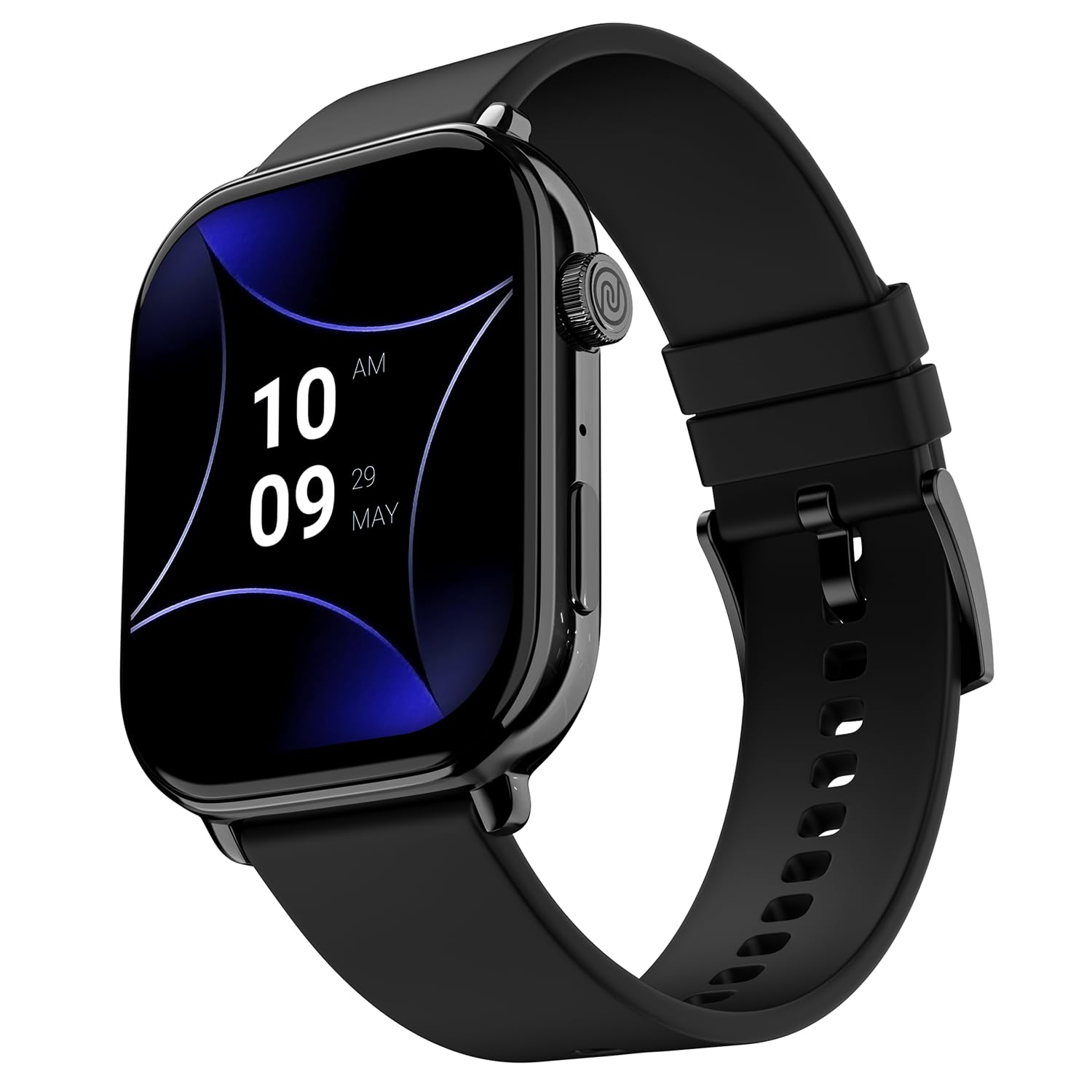
Image 1.1: The Noise ColorFit Pulse 4 Pro Smartwatch in Jet Black.
2. Co je v krabici
Upon unboxing your Noise ColorFit Pulse 4 Pro Smartwatch, please verify that all the following items are included:
- Noise ColorFit Pulse 4 Pro Smartwatch
- Magnetická nabíječka
- Uživatelská příručka (tento dokument)
- Záruční list
Video 2.1: Overview of the Noise ColorFit Pulse 4 Pro Smartwatch and its contents, including the watch, color options, and items found in the box.
3. Nastavení
3.1 Počáteční nabíjení
Before first use, fully charge your smartwatch. Connect the magnetic charger to the charging pins on the back of the watch and plug the USB end into a power adapter (not included) or a computer's USB port. The watch display will indicate charging status.
3.2 Stažení a párování aplikace
Chcete-li plně využít potenciál svých chytrých hodinek, stáhněte si NoiseFit aplikaci ve vašem chytrém telefonu. Aplikace je kompatibilní se zařízeními Android i iOS.
- Scan the QR code below or search for 'NoiseFit' in your smartphone's app store.
- Install and open the NoiseFit app.
- Postupujte podle pokynů na obrazovce aplikace a vytvořte si účet a spárujte chytré hodinky přes Bluetooth. Ujistěte se, že je ve vašem smartphonu povoleno Bluetooth.
- Potvrďte požadavek na párování na smartphonu i chytrých hodinkách.

Image 3.1: The smartwatch display showing a QR code for payments, which can also be used to illustrate app download. For app download, please refer to the official NoiseFit app store page or tento odkaz.
4. Návod k obsluze
4.1 Zapnutí/vypnutí
- Zapnutí: Press and hold the functional crown button on the side of the watch until the Noise logo appears.
- Vypnout: Swipe down from the watch face, tap the settings icon, then select 'Power Off'. Alternatively, press and hold the functional crown button and select 'Power Off' when prompted.
4.2 Navigace
The Noise ColorFit Pulse 4 Pro features a responsive touchscreen and a functional crown for intuitive navigation.
- Dotyková obrazovka: Swipe left, right, up, or down to access different menus, notifications, and widgets. Tap to select items.
- Functional Crown: Rotate the crown to scroll through lists and menus. Press the crown to return to the watch face or to confirm a selection.

Obrázek 4.1: Detailní view of the functional crown on the Noise ColorFit Pulse 4 Pro Smartwatch, used for navigation.
4.3 Displej
The smartwatch features a 1.96-inch AMOLED display with Always-on Display functionality for clear visibility and quick access to information.

Image 4.2: The smartwatch display highlighting its 1.96-inch AMOLED screen with Always-on Display capabilities.
5. Monitorování zdraví
The Noise ColorFit Pulse 4 Pro integrates the Noise Health Suite™ to help you monitor various aspects of your well-being. Access these features via the watch menu or the NoiseFit app.
- 24*7 Heart Rate Monitor: Neustále sleduje váš tepový tep po celý den.
- SpO2 Measure: Měří hladinu saturace krve kyslíkem.
- Monitor stresu: Poskytuje vhled do vaší úrovně stresu.
- Monitor spánku: Tracks your sleep patterns, including awake, REM, and deep sleep stages.
- Breathe Practice: Řízená dechová cvičení, která vám pomohou s relaxací.
- Female Cycle Tracker: Pomáhá sledovat a předpovídat menstruační cykly.

Image 5.1: An illustration of the Noise Health Suite™ features available on the smartwatch.
6. Chytré funkce
6.1 Bluetooth volání
Stay connected directly from your wrist. The Noise ColorFit Pulse 4 Pro supports Bluetooth calling, allowing you to make and receive calls without reaching for your phone.
- Číselník: Use the on-screen dial pad to initiate calls.
- Oblíbené kontakty: Save up to 10 favorite contacts for quick dialing.
- In-built Speaker: Listen to calls directly from the watch.

Image 6.1: The smartwatch interface displaying Bluetooth calling options.
6.2 AI Voice Assistance
Control your smartwatch and connected devices using voice commands. Simply activate the AI Voice Assistant and speak your commands.

Image 6.2: The smartwatch displaying the AI Voice Assistance feature, ready for voice commands.
6.3 QR Code Payments
Facilitate quick and convenient payments directly from your wrist by displaying your UPI QR code on the smartwatch screen.
6.4 Security and Convenience Features
- Scheduled DND: Set specific time windows during which notifications will be silenced.
- Ochrana heslem: Secure your smartwatch with a password to prevent unauthorized access.

Image 6.3: Smartwatch screens illustrating the Scheduled DND and Password Protection functionalities.
7. Údržba
7.1 Čištění chytrých hodinek
Regular cleaning helps maintain the performance and appearance of your device.
- Otřete obrazovku a tělo měkkým hadříkem, který nepouští vlákna.
- Pro odolnou špínu lehceamphadřík vodou. Nepoužívejte agresivní chemikálie ani abrazivní materiály.
- Ensure the charging pins are clean and dry before charging.
7.2 Voděodolnost
The Noise ColorFit Pulse 4 Pro is rated IP68 for water resistance, meaning it can withstand immersion in water up to 1.5 meters for a limited time. It is suitable for daily use, such as hand washing or light rain. However, it is not recommended for swimming, diving, or high-pressure water activities.
7.3 Pokyny pro nabíjení
Use only the provided magnetic charger. Do not attempt to charge the watch if it or the charger is wet. Avoid exposing the charger to extreme temperatures.
8. Řešení problémů
If you encounter issues with your Noise ColorFit Pulse 4 Pro Smartwatch, refer to the following common solutions:
- Hodinky se nezapínají: Ujistěte se, že jsou hodinky plně nabité. Připojte je k magnetické nabíječce a před opětovným zapnutím počkejte několik minut.
- Nelze spárovat se smartphonem: Make sure Bluetooth is enabled on your phone and the watch is within range. Restart both devices and try pairing again through the NoiseFit app.
- Nepřesné zdravotní údaje: Ujistěte se, že hodinky máte pevně na zápěstí, ne příliš těsně ani příliš volně. Vyčistěte senzory na zadní straně hodinek.
- Nezobrazují se oznámení: Check notification settings in the NoiseFit app and on your smartphone. Ensure the app has necessary permissions.
- Krátká výdrž baterie: Reduce screen brightness, disable unnecessary features like Always-on Display, and limit background app refresh.
For persistent issues, consult the NoiseFit app's help section or contact customer support.
9. Specifikace
Key technical specifications for the Noise ColorFit Pulse 4 Pro Smartwatch:
| Typ zobrazení | AMOLED |
| Velikost obrazovky | 1.96 palce |
| Materiál pásku | Silikon |
| Materiál pouzdra | Slitina zinku |
| Hmotnost položky | 45 gramů |
| Technologie připojení | Bluetooth |
| Hodnocení odolnosti proti vodě | IP68 (1.5 Metres) |
| Operační systém | Android (kompatibilní) |
| Kompatibilní zařízení | Laptop, Smartphone, Tablet (Android, iOS) |
| Měřené metriky | Calories Burned, Distance, Heart Rate, Step Count |
| Speciální funkce | Activity Tracker, Alarm Clock, Lightweight, Notifications, Touchscreen, Voice Call |
10. Záruka a podpora
10.1 Informace o záruce
The Noise ColorFit Pulse 4 Pro Smartwatch comes with a 1letá omezená záruka poskytuje výrobce od data nákupu. Uschovejte si prosím doklad o koupi a záruční list pro případné reklamace.
10.2 Zákaznická podpora
V případě technické pomoci, reklamace nebo jakýchkoli dalších dotazů kontaktujte zákaznickou podporu společnosti Noise:
- Telefon: 02268056289
- E-mail: help@nexxbase.com
- Výrobce: Nexxbase Marketing Pvt. Ltd, Khasra No-146/25/2/1, Jail Road Badshahpur, Gurugram Haryana-122101