
Zavedení
Thank you for choosing the HUANUO HNESD147B-US Standing Desk Frame. This electric height-adjustable desk frame is designed to provide a versatile and ergonomic workspace, allowing you to easily switch between sitting and standing positions. This manual provides essential information for safe assembly, operation, maintenance, and troubleshooting to ensure optimal performance and longevity of your desk frame.
Bezpečnostní informace
- Před montáží se ujistěte, že jsou všechny součásti přítomny a nepoškozené. Nepoužívejte, pokud některé součásti chybí nebo jsou poškozené.
- Během práce držte děti a domácí zvířata v dostatečné vzdálenosti od stolu, abyste předešli zranění.
- Do not place hands or other objects near moving parts of the desk frame during height adjustment.
- Ujistěte se, že je napájecí kabel správně připojen a veden, aby se předešlo nebezpečí zakopnutí nebo poškození.
- Nepřekračujte maximální nosnost 100 kg (220 liber).
- Only use the desk frame on a level and stable surface.
- Před čištěním nebo prováděním jakékoli údržby odpojte napájení.
Seznam dílů
Zkontrolujte prosím, zda jsou ve vašem balení obsaženy všechny následující komponenty:
- Desk Legs (2-stage, Black)
- Crossbeam Structure (Double Crossbeam)
- Ovládací skříňka
- Ovládací panel s předvolbami paměti
- Napájecí adaptér a kabel
- Kabel pro správu kabelů
- Úložné háčky
- Montážní materiál (šrouby, imbusový klíč atd.)
- Návod k použití
Nastavení
Follow these steps for proper assembly and installation of your HUANUO Standing Desk Frame.
1. Vybalení a kontrola
Carefully unpack all components and lay them out on a clean, soft surface to prevent scratches. Check the parts list to ensure everything is accounted for.
2. Montáž rámu
Assemble the desk legs and crossbeam structure according to the detailed instructions provided in the included assembly guide. Ensure all screws are tightened securely.

Image: Assembled HUANUO Standing Desk Frame with a desktop, illustrating the reinforced dual-beam support for stability.
3. Desktop Compatibility
The adjustable crossbars accommodate desktops ranging from 43.3 inches to 86.6 inches in width and 23.6 inches to 35.4 inches in depth. Choose a desktop that fits within these dimensions and securely attach it to the frame using appropriate screws.

Image: Diagram illustrating the range of desktop sizes compatible with the frame, including width and depth measurements, and the frame's adjustable height range.
4. Connecting the Control System
Connect the control panel and motor cables to the control box. Then, connect the power adapter to the control box and plug it into a power outlet. Utilize the included cable management tray and storage hooks to organize cables and accessories neatly.

Image: The standing desk frame with the control panel and cable management tray, demonstrating organized wiring and accessory storage.
5. Konec montážeview Video
Video: Overview of the HUANUO Standing Desk Frame, highlighting its features including the brushless motor and sturdy construction. This video provides visual guidance on key aspects of the desk frame.
Návod k obsluze
The control panel allows for easy height adjustment and saving preferred positions.
1. Nastavení výšky
Použijte Up a Dolů arrow buttons on the control panel to adjust the desk height. The current height will be displayed on the LED screen. The desk frame offers a height range of 28.3 inches to 46.4 inches.

Obrázek: Detailní záběr view of the control keypad, showing the LED display, up/down arrows, and four memory preset buttons. Illustrations below show ergonomic sitting and standing postures.
2. Předvolby paměti
To save a preferred height:
- Nastavte stůl do požadované výšky pomocí šipek nahoru/dolů.
- Press one of the numbered memory buttons (1, 2, 3, or 4) until the LED display flashes or beeps, indicating the height has been saved.
To recall a saved height, simply press the corresponding numbered memory button. The desk will automatically move to the saved position.
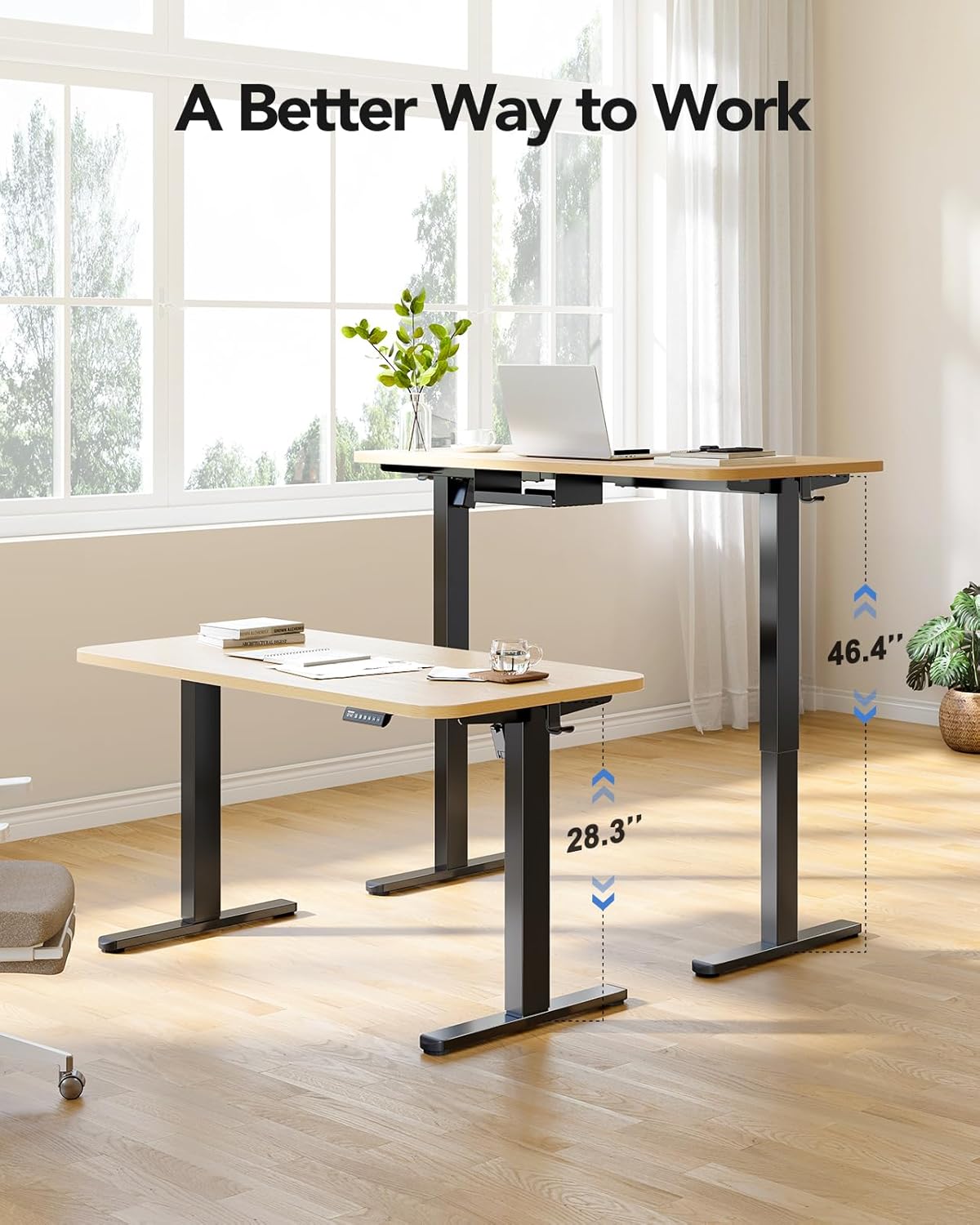
Image: The standing desk frame shown at its lowest (28.3 inches) and highest (46.4 inches) positions, demonstrating its adjustable height range for various working preferences.
Údržba
Regular maintenance ensures the longevity and smooth operation of your standing desk frame.
- Čištění: Rám stolu otřete měkkým hadříkemamp hadříkem. Nepoužívejte agresivní chemikálie ani abrazivní čisticí prostředky.
- Správa kabelů: Periodically check all cables for wear or damage. Ensure they are neatly organized to prevent interference with movement.
- Kontrola upevňovacích prvků: Každých několik měsíců zkontrolujte všechny šrouby a vruty, zda jsou pevně utažené. V případě potřeby je dotáhněte.
- Péče o motor: The brushless motor is designed for durability. Avoid overloading the desk beyond its 220 lbs capacity to prevent strain on the motor.
Odstraňování problémů
If you encounter issues with your standing desk frame, refer to the following common problems and solutions:
| Problém | Možná příčina | Řešení |
|---|---|---|
| Stůl se nehýbe. | Power cable disconnected, motor cable loose, overload. | Check all cable connections. Reduce weight on the desk. Reset the system by unplugging for 10 seconds and plugging back in. |
| Nerovnoměrné nastavení výšky. | Obstruction, uneven weight distribution. | Clear any obstructions. Redistribute weight evenly on the desktop. Perform a reset. |
| Zobrazený chybový kód. | Specifická systémová chyba. | Refer to the detailed error code section in the full PDF manual (if available) or contact customer support. Often, a power cycle (unplug and replug) can resolve temporary errors. |
| Neobvyklý hluk během provozu. | Loose fasteners, internal issue. | Check and tighten all assembly fasteners. If noise persists, discontinue use and contact customer support. |
Specifikace
Key technical details for the HUANUO HNESD147B-US Standing Desk Frame:
- Číslo modelu: HNESD147B-US
- Značka: HUANUO
- Design stolu: Stojící rám stolu
- Barva: Černý
- Materiál rámu: Uhlíková ocel
- Výškový rozsah: 28.3 inches (Minimum) to 46.4 inches (Maximum)
- Nosnost: 220 lb (100 kg)
- Desktop Compatibility (Width): 43.3 palců až 86.6 palců
- Desktop Compatibility (Depth): 23.6 palců až 35.4 palců
- Typ motoru: Bezkartáčový motor
- Hladina hluku: ≤ 55 dB
- Počet výškových poloh: 4 (předvolby paměti)
- Požadovaná montáž: Ano (doporučeno 1 osoba)
- Zahrnuté komponenty: 220lbs Powerful Standing Desk Frame, Cable Management Tray, Storage Hooks

Image: Visual representation of the frame's upgraded solid construction, emphasizing features like thicker columns, longer plates, and the maximum load capacity for enhanced stability and durability.
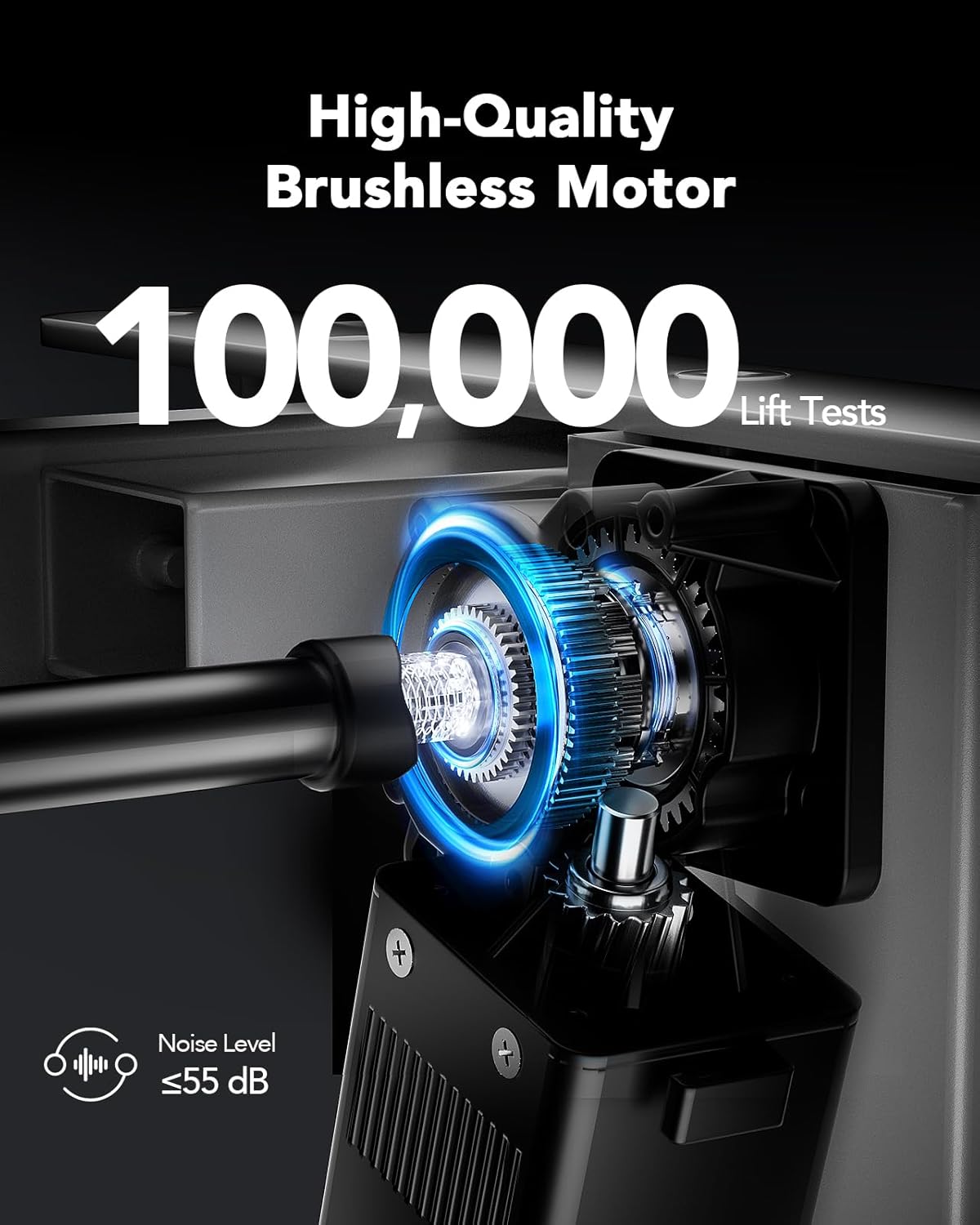
Obrázek: Podrobný view of the high-quality brushless motor, highlighting its robust design, testing for 100,000 lift cycles, and quiet operation with a noise level of 55 dB or less.
Záruka
The HUANUO HNESD147B-US Standing Desk Frame comes with a Limited Warranty. Please refer to the warranty card included in your package or visit the official HUANUO website for detailed terms and conditions regarding coverage and claims.
Podpora
For further assistance, technical support, or to explore other HUANUO products, please visit the official HUANUO store: