
UMJIGF F01
UMJIGF F01 Fingerprint Attendance Machine User Manual
Brand: UMJIGF
Model: F01
1. Konec produktuview
The UMJIGF F01 Fingerprint Attendance Machine is an electronic device designed to accurately track and record employee attendance and work hours. It utilizes biometric identification (fingerprints) to log when employees clock in and out, streamlining payroll management, monitoring attendance patterns, and ensuring accurate records for compliance and productivity analysis.

Obrázek 1: Přední strana view of the UMJIGF F01 Fingerprint Attendance Machine, showing the screen, keypad, and fingerprint scanner.
2. Klíčové vlastnosti
- Efficient Time Tracking: Accurately records employee attendance, work hours, and shifts, streamlining time management processes.
- Všestranná aplikace: Suitable for various environments such as offices, factories, schools, and retail locations, enhancing operational efficiency and reducing administrative tasks.
- Spolehlivý výkon: Designed to handle daily attendance needs with consistent reliability and minimal maintenance.
- Uživatelská kapacita: Capable of storing information for a large number of users and recording extensive attendance data.
- Fast Recognition: Utilizes advanced technology for quick identification, ensuring rapid and accurate clock-in and clock-out times.
- Simple and Easy to Learn: Enter fingerprints once for user registration.
- 2.4palcový TFT displej: Provides clear display for time, date, and operational menus.
- T9 Input Method Editor: Allows direct output of attendance reports including machine name, department, and shift information.
- Výstup dat z USB: Facilitates easy transfer of attendance data to a computer.

Figure 2: Diagram highlighting key features such as fingerprint collection, automatic report generation, T9 input, real voice function, and USB export.
3. Průvodce nastavením
3.1. Rozbalení a počáteční kontrola
Carefully remove the attendance machine from its packaging. Inspect the device for any signs of damage during transit. Ensure all components listed in the packing list are present, including the attendance machine, power adapter, and any included cables or mounting hardware.
3.2. Připojení napájení
Connect the provided power adapter to the DC input port on the attendance machine. Plug the power adapter into a standard electrical outlet. The device should power on automatically, and the screen will illuminate.
3.3. Základní konfigurace
Upon first power-on, you may be prompted to set the date and time. Use the keypad and navigation buttons (Up/Down, OK, ESC) to adjust these settings. Refer to the on-screen prompts for guidance. It is crucial to set the correct date and time for accurate attendance records.
4. Návod k obsluze
4.1. User Registration (Fingerprint)
Registrace nového uživatele:
- Stiskněte tlačítko MENU tlačítko pro přístup do hlavní nabídky.
- Navigate to "User Management" or "Enroll User" using the navigation buttons and press OK.
- Select "Enroll Fingerprint" and follow the on-screen instructions.
- Place the user's finger on the scanner. The device will prompt you to lift and place the finger multiple times (typically 3 times) for accurate registration.
- Assign a User ID and optionally a name using the T9 input method.
- Stiskněte OK to save the user.
4.2. Zaznamenávání příchodů/odchodů
For daily attendance:
- Ujistěte se, že je zařízení zapnuté a v pohotovostním režimu.
- Place the registered finger firmly on the fingerprint scanner.
- The device will recognize the fingerprint and display a confirmation message (e.g., "Thank you" or "Clock In/Out Successful").
- The time record will be automatically saved.
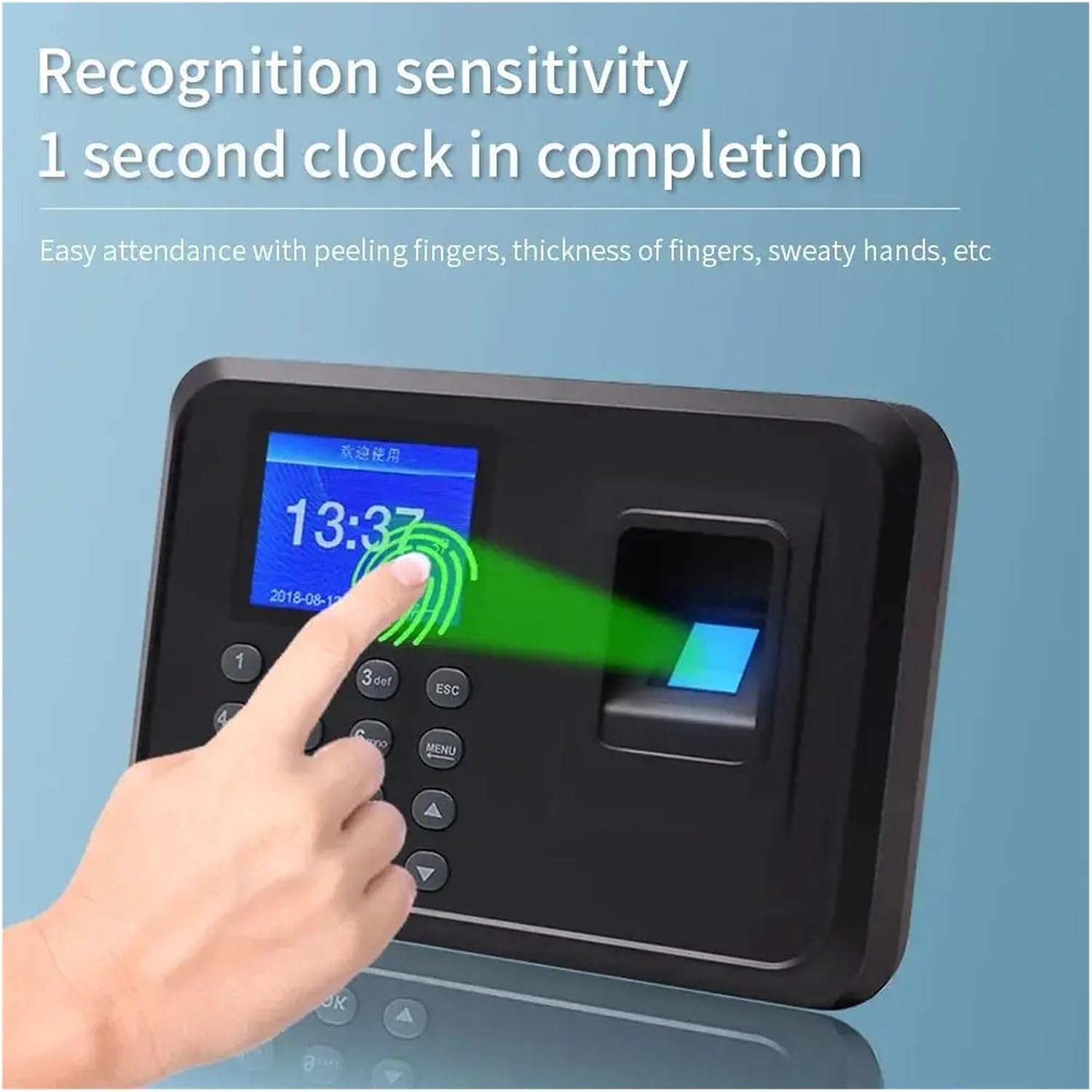
Figure 3: Illustration of the fingerprint recognition process, demonstrating the 1-second clock-in completion.
4.3. Data Export (USB)
To export attendance data:
- Insert a USB flash drive into the USB port on the side or back of the device.
- Stiskněte tlačítko MENU tlačítko.
- Navigate to "Data Management" or "Download Data" and press OK.
- Select "Download Attendance Report" or "Download Raw Data" as needed.
- Confirm the export. The data will be saved to the USB drive, typically in a CSV or Excel format.
- Safely remove the USB drive after the export is complete.
5. Údržba
5.1. Čištění zařízení
Regular cleaning helps maintain the performance and longevity of your attendance machine. Use a soft, dry, lint-free cloth to wipe the screen and the body of the device. For the fingerprint scanner, gently wipe it with a clean, dry microfiber cloth. Avoid using abrasive cleaners, solvents, or spraying liquids directly onto the device.
5.2. Aktualizace softwaru
Pravidelně kontrolujte informace od výrobce website (if applicable) for any available firmware or software updates. Updates can improve performance, add new features, or fix bugs. Follow the instructions provided with the update package carefully to avoid damaging the device.
6. Řešení problémů
6.1. Běžné problémy a jejich řešení
| Problém | Možná příčina | Řešení |
|---|---|---|
| Zařízení se nezapíná | Chybí napájení; vadný adaptér; uvolněné připojení. | Zkontrolujte zásuvku; ujistěte se, že je adaptér bezpečně připojen; zkuste jinou zásuvku. |
| Otisk prstu nebyl rozpoznán | Finger not placed correctly; dirty scanner; unregistered fingerprint; dry/wet finger. | Ensure full finger contact; clean scanner; re-enroll fingerprint if necessary; ensure finger is clean and dry. |
| Data export issues (USB) | Incompatible USB drive; full USB drive; incorrect export settings. | Try a different USB drive (FAT32 format recommended); ensure USB drive has sufficient space; verify export settings in the menu. |
| Obrazovka je prázdná nebo zamrzlá | Softwarová závada; problém s napájením. | Perform a soft reset by unplugging and replugging the power adapter. If issue persists, contact support. |
7. Specifikace
| Funkce | Detail |
|---|---|
| Číslo modelu | F01 |
| Typ | Multifunctional Time Recording Device |
| Obrazovka displeje | 2.4palcový TFT displej |
| Metoda identifikace | Fingerprint Biometric |
| Metoda zadávání | T9 Input Method Editor |
| Výstup dat | USB Drive Export |
| Rychlost rozpoznávání | 1 second clock-in completion |
| Výrobce | UMJIGF |
| ASIN | B0DY7X75DW |
8. Záruka a podpora
This product comes with a standard manufacturer's warranty. Please refer to the warranty card included in your product packaging for specific terms and conditions, including the warranty period and coverage details. For technical support, troubleshooting assistance beyond this manual, or warranty claims, please contact the seller or manufacturer directly through the platform where the product was purchased or via their official contact channels.
Pro další pomoc prosím navštivte UMJIGF brand page on Amazon nebo kontaktujte jejich zákaznický servis.
Ask a question about this manual
Ask about setup, troubleshooting, compatibility, parts, safety, or missing instructions. Manuals+ will review the question and use this page’s manual context to help answer it.