
1. Úvod
This manual provides essential information for setting up, operating, maintaining, and troubleshooting your HP 14 inch Laptop, model 14-dq3500nr. This laptop is designed for productivity and entertainment, featuring a thin and light design for portability.
Key features include an Intel Celeron N4500 processor, 4 GB RAM, 64 GB eMMC storage, Intel UHD Graphics, and Windows 11 Home in S Mode. The display is a micro-edge high-definition panel.
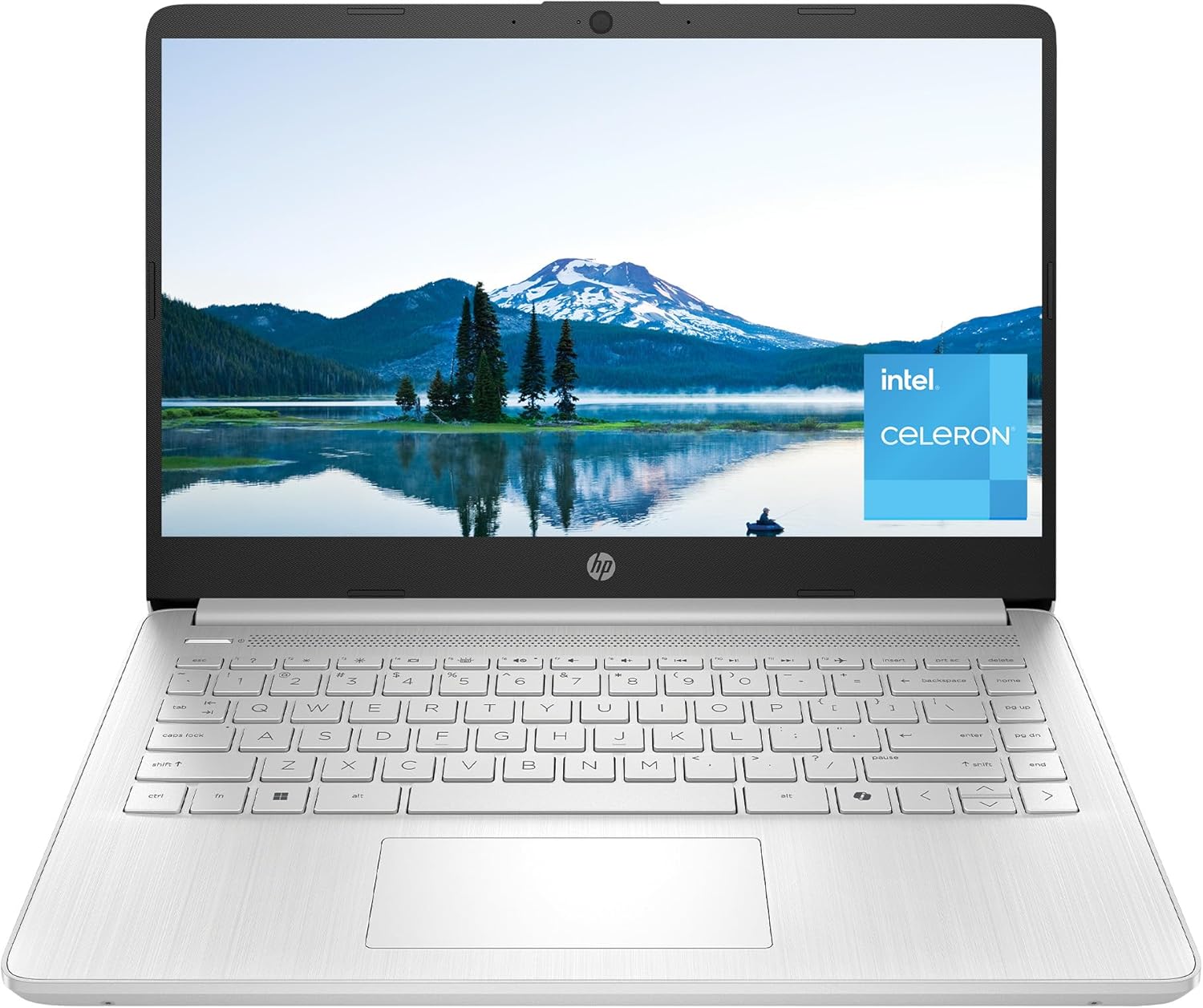
Obrázek 1.1: Přední strana view of the HP 14 inch Laptop in Natural Silver, displaying a scenic wallpaper.
2. Co je zahrnuto
Verify that the following items are included in your product packaging:
- HP Laptop 14-dq3500nr
- 45W napájecí adaptér
- Setup instructions (this manual)

Image 2.1: Contents of the HP 14 inch Laptop box, showing the laptop, power adapter, and setup instructions.
3. Průvodce nastavením
3.1 První zapnutí
- Vybalte notebook a veškeré příslušenství z krabice.
- Connect the 45 W AC power adapter to the laptop's AC smart pin port and then to a power outlet.
- Otevřete víko notebooku a stisknutím tlačítka napájení zapněte zařízení.

Image 3.1: The HP 14 inch Laptop on a table, connected to its power adapter, indicating readiness for use.
3.2 Operating System Setup (Windows 11 Home in S Mode)
Follow the on-screen instructions to complete the initial setup of Windows 11 Home in S Mode. This includes:
- Výběr regionu a rozložení klávesnice.
- Připojování k síti Wi-Fi.
- Přihlášení k účtu Microsoft nebo jeho vytvoření.
- Reviewnastavení soukromí.
Windows 11 Home in S Mode offers enhanced security and performance by exclusively running applications from the Microsoft Store. If you require applications outside the Microsoft Store, you can switch out of S Mode, though this is a one-way process.
4. Ovládání notebooku
4.1 Výkon nadview
The HP 14 inch Laptop is equipped with an Intel Celeron N4500 processor, 4 GB DDR4 RAM, and 64 GB eMMC storage. It features Intel UHD Graphics for visual tasks.

Image 4.1: A graphic summarizing the laptop's key specifications: Intel Celeron N4500 processor, 4 GB RAM, 64 GB eMMC storage, Intel UHD Graphics, Windows 11 Home in S Mode, and HD anti-glare display.
4.2 Funkce displeje
The laptop features a 14-inch HD micro-edge display. The micro-edge design minimizes bezels, providing a larger screen area for viewing content and supporting seamless multi-monitor setups.

Image 4.2: The HP 14 inch Laptop showcasing its micro-edge display with a vibrant sunset image, highlighting the minimal bezel design.
4.3 Porty připojení
The laptop includes various ports for connecting peripherals and external devices:
- 1x USB Type-C 5Gbps signaling rate (data transfer only, no charging or external monitors)
- 2x USB Type-A 5Gbps signaling rate
- 1x HDMI 1.4b
- 1x kombinovaný konektor pro sluchátka/mikrofon
- 1x AC smart pin for power adapter
- Multiformátová čtečka paměťových karet SD

Image 4.3: A diagram illustrating the various ports on the sides of the HP 14 inch Laptop, including USB Type-A, USB Type-C, HDMI, headphone/microphone combo, AC smart pin, and multi-format SD media card reader.
4.4 Baterie a nabíjení
The laptop offers an average battery life of approximately 8.15 hours. It supports HP Fast Charge technology, allowing the battery to charge from 0% to 50% in approximately 45 minutes when the system is off or in standby mode.

Image 4.4: The HP 14 inch Laptop shown with its dimensions (12.76" W x 8.86" D x 0.71" H) and weight (3.24 lbs), along with an icon indicating up to 12 hours of video playback (note: average battery life is 8.15 hours for general use).
4.5 Microsoft Copilot Key
The laptop features a dedicated Microsoft Copilot Key, providing quick access to AI assistance for intelligent answers and enhanced productivity.

Image 4.5: The HP 14 inch Laptop displaying the Windows 11 desktop, with an inset showing the Microsoft Copilot key on the keyboard.
5. Údržba
5.1 Čištění notebooku
- Použijte měkký hadřík, který nepouští vlákna dampDisplej opláchněte vodou nebo čističem obrazovek.
- Na klávesnici a šasi používejte měkký, suchý hadřík. Nepoužívejte agresivní chemikálie ani abrazivní materiály.
- Před čištěním se ujistěte, že je notebook vypnutý a odpojený od sítě.
5.2 Péče o baterii
- Nevystavujte notebook extrémním teplotám.
- Pro optimální životnost baterie se vyvarujte jejího neustálého úplného vybíjení nebo jejího delšího nabití na 100 %.
- If storing the laptop for a long time, charge the battery to about 50% and power off the device.
5.3 Aktualizace softwaru
Regularly check for and install Windows updates to ensure your system has the latest security patches and performance improvements. You can find updates in Windows Settings > Windows Update.
6. Řešení problémů
6.1 Obecné problémy s výkonem
If the laptop experiences slow performance:
- Restartujte notebook: Jednoduchý restart může vyřešit mnoho dočasných problémů s výkonem.
- Zavřete nepotřebné aplikace: Too many programs running simultaneously can consume system resources.
- Zkontrolujte aktualizace: Ujistěte se, že systém Windows a ovladače jsou aktuální.
- Monitor storage: Ensure you have sufficient free space on the 64 GB eMMC drive.
6.2 Internet Connectivity Problems
Pokud máte problémy s připojením k Wi-Fi:
- Restart your router/modem: Vypněte a znovu zapněte síťové zařízení.
- Restartujte notebook: This can reset network adapters.
- Zkontrolujte nastavení Wi-Fi: Ensure Wi-Fi is enabled and you are connected to the correct network.
- Update network drivers: Outdated drivers can cause connectivity issues.
7. Specifikace produktu
| Funkce | Specifikace |
|---|---|
| Značka | HP |
| Název modelu | HP Laptop 14-dq3500nr |
| Velikost obrazovky | 14 palce |
| Rozlišení obrazovky | 1366 x 768 pixelů (HD) |
| Procesor | Intel Celeron N4500 (up to 2.8 GHz burst frequency, 2 cores, 2 threads) |
| BERAN | 4 GB DDR4 (2933 MHz) |
| Pevný disk | 64 GB eMMC |
| Grafický koprocesor | Grafická karta Intel UHD (integrovaná) |
| Operační systém | Windows 11 Home v režimu S |
| Bezdrátový typ | 802.11ax, Bluetooth |
| Průměrná životnost baterie | 8.15 hodiny |
| Hmotnost položky | 3.24 libry |
| Rozměry produktu | 12.76 x 8.86 x 0.71 palce |
| Barva | Přírodní stříbro |
| Porty | 1x USB Type-C, 2x USB Type-A, 1x HDMI 1.4b, 1x Headphone/microphone combo, 1x AC smart pin, Multi-format SD media card reader |
8. Záruka a podpora
8.1 Omezená záruka
Tento počítač HP je dodáván s 1letá omezená záruka na hardware. Tato záruka se vztahuje na vady materiálu a zpracování při běžném používání.
8.2 Technická podpora
You receive 90 days of limited technical support for software and initial setup. Web Podpora je k dispozici 24 hodin denně, 7 dní v týdnu.
For further assistance, please refer to the official HP support webwebu nebo se obraťte na zákaznický servis HP.